Instagram safe zone: Meta's own numbers, in pixels, with free overlays
Most safe zone guides say Instagram never published one. Meta did, in its Ads Guide: leave 14% at the top, 35% at the bottom and 6% on each side clear on Stories and Reels. Here is that in pixels, a transparent overlay to design on, and what happened when we laid it over our own vertical posts.

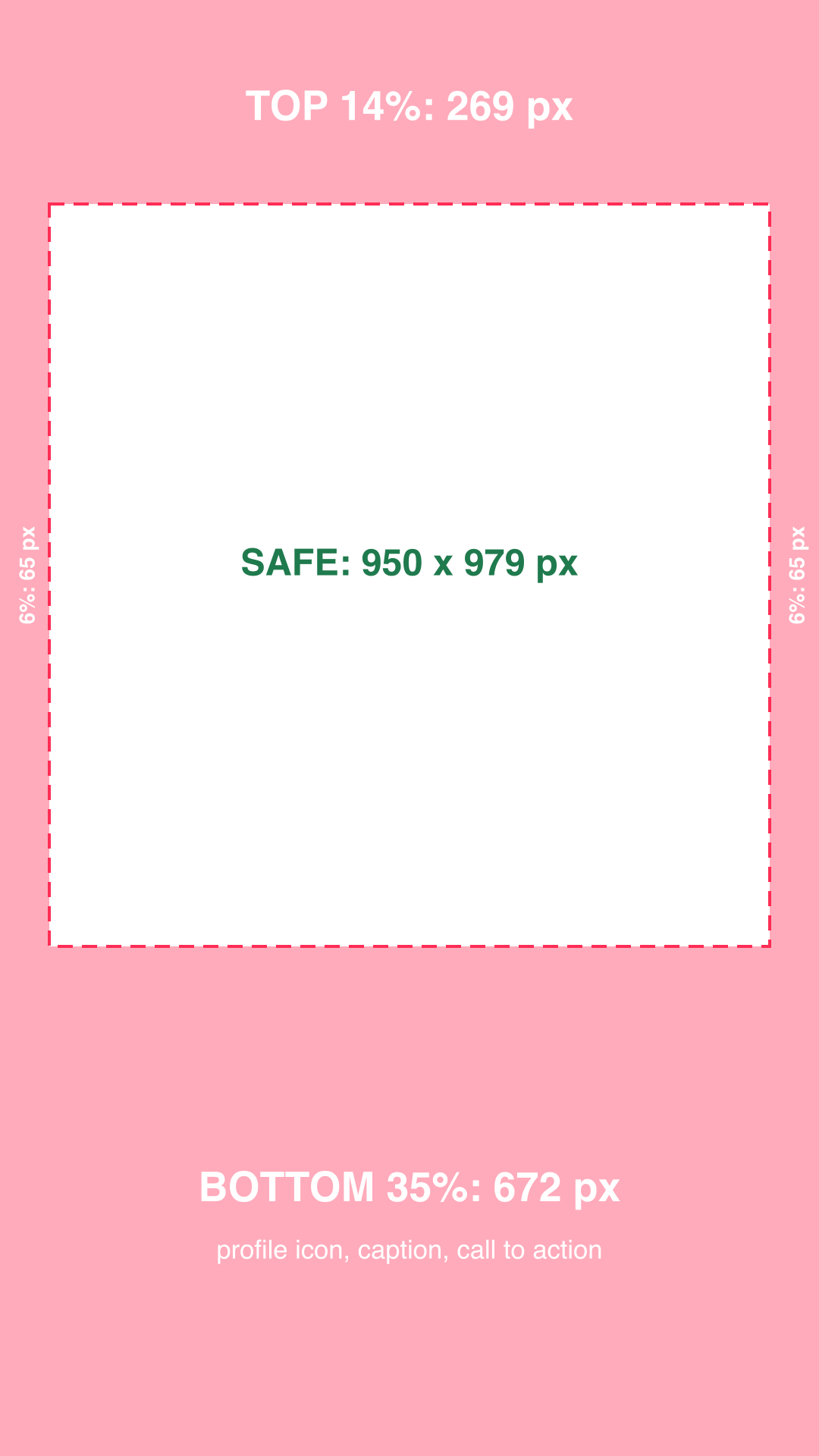
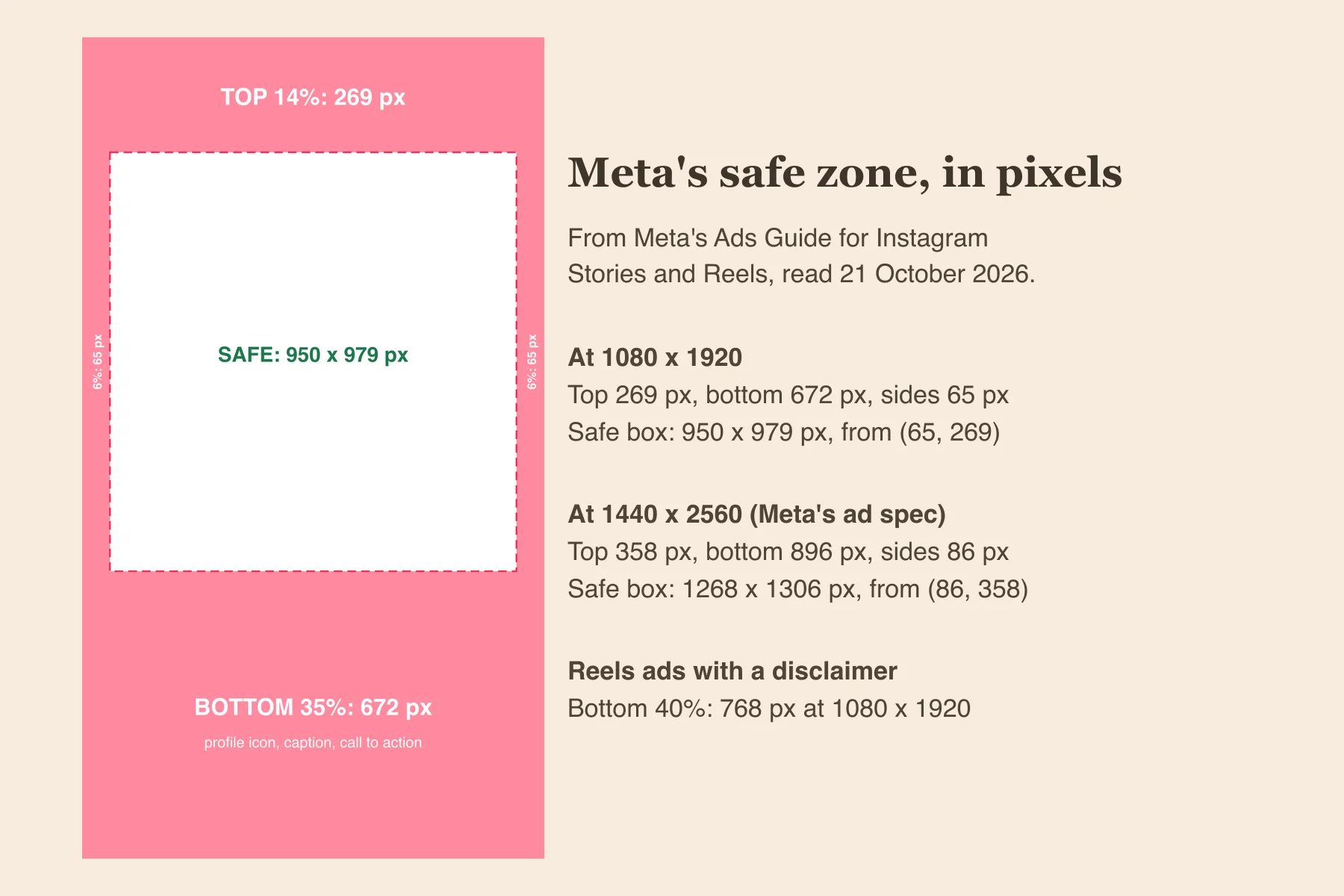
Meta's answer: on Instagram Stories and Reels, keep 14% of the top, 35% of the bottom and 6% of each side free of text, logos and anything else that has to be seen. On a 1080 x 1920 file that is 269 pixels at the top, 672 at the bottom and 65 on each side, which leaves a safe box of 950 x 979 pixels starting 65 pixels in and 269 down. The numbers are in Meta's Ads Guide, which most safe zone guides, including one of ours, missed.
Our articles are still written by humans!
Get human written articles in your Google feed.
Below: the numbers at both sizes Meta mentions, free transparent overlays to drop on top of your design, the softer rule Meta gives for feed posts, and what happened when we checked our own vertical posts against it.
What Meta actually says
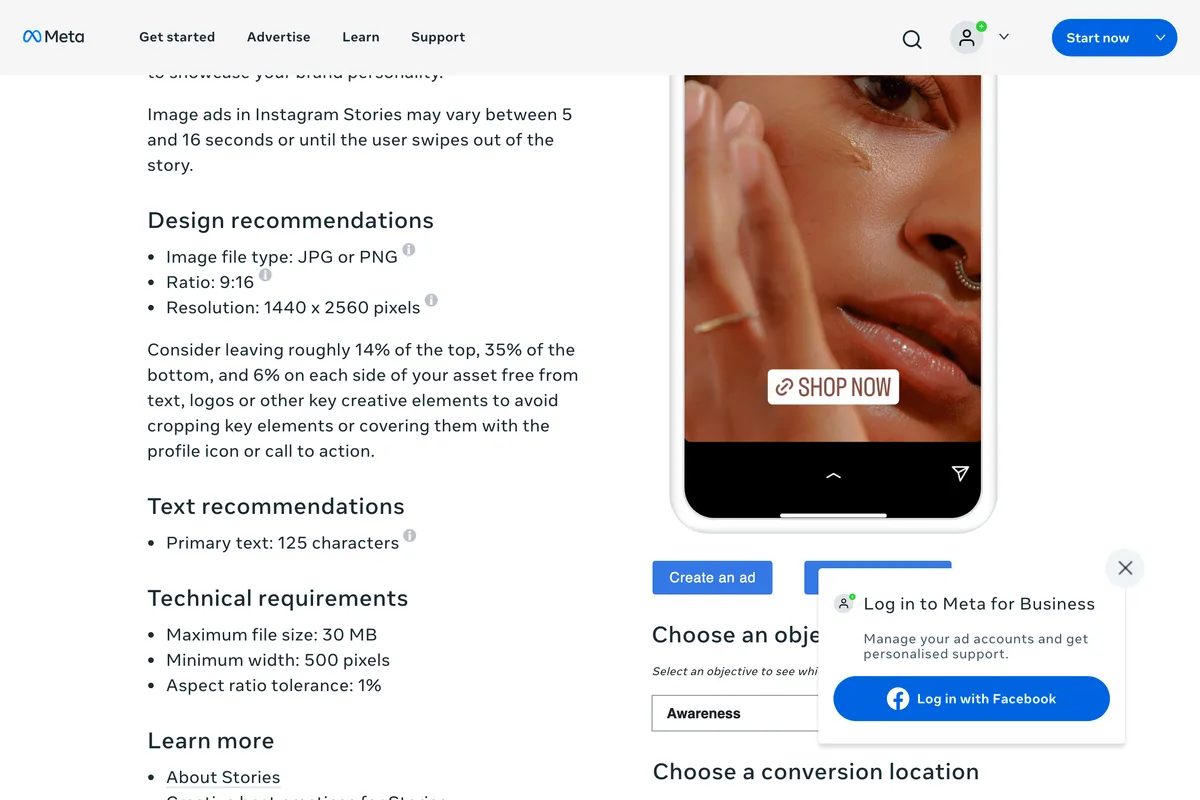
The figure sits in the design recommendations of Meta's Ads Guide for Instagram Reels, under the resolution. It is not hedged as an estimate, and it explains what each band is for: the profile icon at the top, the call to action at the bottom, and screens taller than 9:16 at the edges.
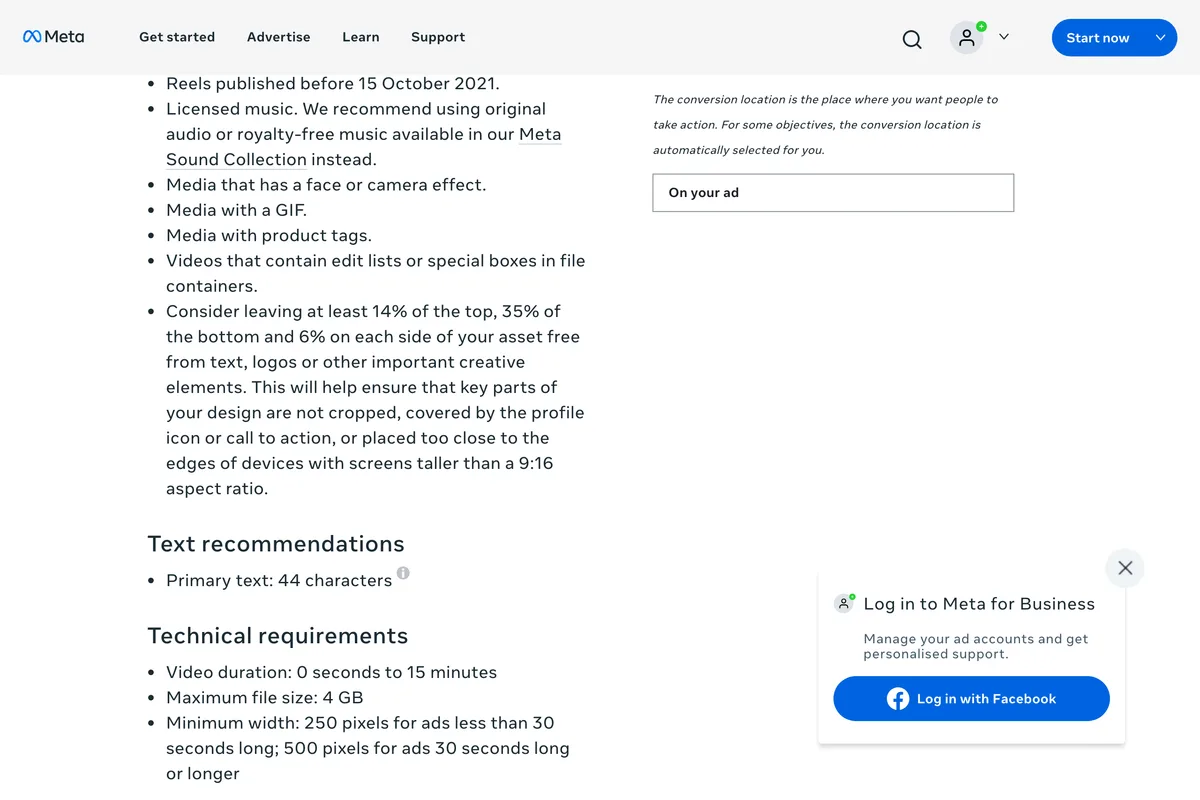
The Instagram Stories image ad page repeats it word for word except that at least becomes roughly, and the Facebook Stories page gives the same three numbers. So one zone covers a story and a reel on both apps, which is convenient, because the same 9:16 file usually goes to all four.
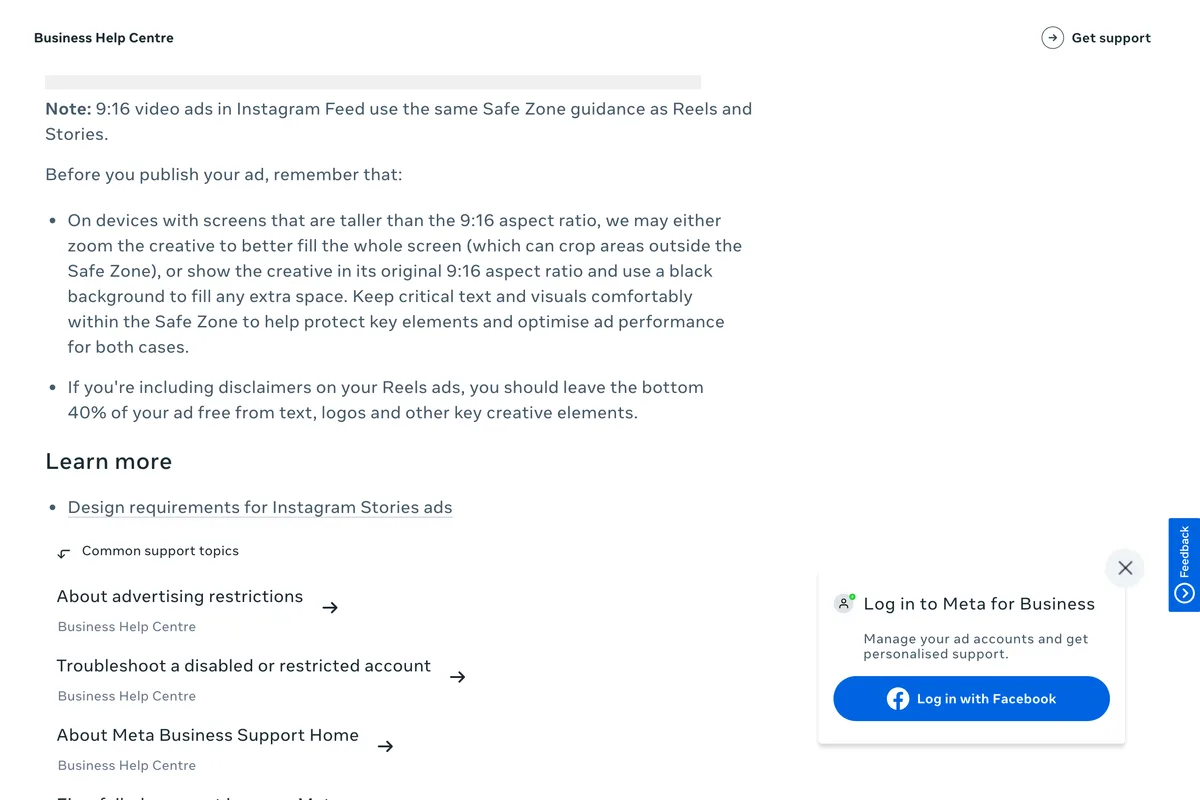
Meta's Business Help Center adds three things the Ads Guide does not. In Ads Manager you can switch on a Safe Zone guardrail, a yellow overlay drawn over your creative. On phones taller than 9:16, Meta may zoom the creative to fill the screen, which crops whatever sits outside the safe zone, or show it at 9:16 on a black background. And a Reels ad that carries a disclaimer should keep its bottom 40% clear, not 35%.
The Instagram safe zone in pixels
Meta gives percentages, so the pixels depend on the size you export. Two sizes matter. 1080 x 1920 is what nearly every design tool calls an Instagram story and what Meta's own Stories design requirements recommend. 1440 x 2560 is the resolution the Ads Guide pages list. Same shape, so the same zone, scaled.
| Band | At 1080 x 1920 | At 1440 x 2560 | What covers it |
|---|---|---|---|
| Top, 14% | 269 px | 358 px | Profile icon and name, the progress bar |
| Bottom, 35% | 672 px | 896 px | Caption, call to action, reply bar |
| Each side, 6% | 65 px | 86 px | Screens taller than 9:16, the Reels buttons |
| Bottom, Reels ad with disclaimer, 40% | 768 px | 1,024 px | The disclaimer text |
| Safe box (width x height) | 950 x 979 px | 1268 x 1306 px | Everything that must be read |
| Safe box starts at (x, y) | 65, 269 | 86, 358 | Top left corner of the box |
Free Instagram safe zone templates
Three transparent PNGs with Meta's zone drawn on. Put one on the top layer in Canva, CapCut, Figma or Photoshop, keep everything that has to be read inside the dashed box, and hide or delete the layer before you export. They are free to use, no sign up.
- Safe zone overlay, 1080 x 1920 PNG, the plain version to design on.
- Safe zone overlay, 1080 x 1920 PNG, with the pixel labels, handy to send to a designer.
- Safe zone overlay, 1440 x 2560 PNG, for Meta's ad resolution.
If you run ads, you do not need our file at all: turn on the Safe Zone guardrail in Ads Manager and Meta draws the same zone for you. The overlay is for the organic posts and the design tool, where nothing draws it.
Is the safe zone the same for organic posts?
Meta writes these numbers for ads, and an organic story is a little kinder. It has a slim reply bar at the bottom rather than a call to action button, so 35% is more than a story strictly needs. A reel is different: the caption, your handle and the audio line sit at the bottom and a column of like, comment and share buttons runs up the right side, so an organic reel uses most of that bottom band anyway.
Our rule, which is our judgement and not Meta's: anything that must be read, the headline, the price, the date, the logo, goes inside Meta's box. Supporting text that can survive being partly covered can come down to about 420 pixels from the bottom, the organic margin worked through in our story size guide. Backgrounds and photographs should run right to the edges either way, because a band of empty colour looks worse than a photo with an icon over it.
One file then works as an ad, a story and a reel, which matters if you test a reel before it goes to followers and later boost it.
The feed safe zone: no number, but two crops
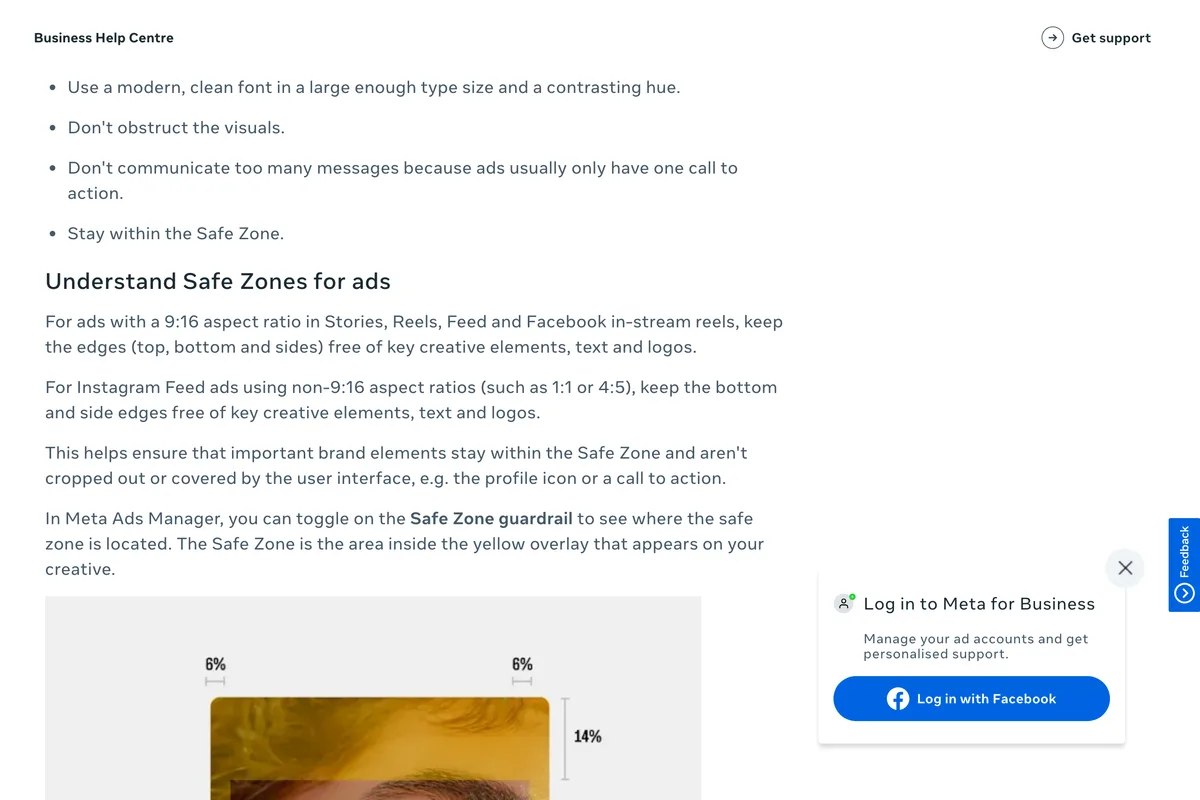
For Instagram Feed ads in 1:1 or 4:5, Meta gives no percentage. The Help Center says only to keep the bottom and side edges clear, because that is where the profile icon and call to action land on an ad.
The crop that bites more often on an ordinary post is your profile grid, which since January 2025 shows every post as a 3:4 rectangle. A 4:5 post at 1080 x 1350 loses about 34 pixels off each side in the grid, about 3%. A square post loses 135 pixels a side, 12.5%. A 3:4 post at 1080 x 1440 loses nothing. The details, and Instagram's own announcement, are in our Instagram post size guide.
| Format | Meta's safe zone | Extra crop to plan for |
|---|---|---|
| Story, 1080 x 1920 | 14% top, 35% bottom, 6% sides | None |
| Reel, 1080 x 1920 | 14% top, 35% bottom, 6% sides (40% bottom with a disclaimer) | The 3:4 grid preview crops top and bottom |
| Feed 4:5, 1080 x 1350 | Bottom and side edges, no number given | Grid trims about 34 px each side |
| Feed square, 1080 x 1080 | Bottom and side edges, no number given | Grid trims 135 px each side |
| Feed 3:4, 1080 x 1440 | Bottom and side edges, no number given | None in the grid |
We checked our own vertical posts. None passed.
Our gallery has eight finished posts at 9:16. We laid Meta's zone over each one. All eight put a headline, a logo, a handle or a credit line inside the bands. Against the looser organic margin above, three keep their headline clear, and none is clean all the way round.

The pattern is the same in all eight: design puts the brand at the bottom of the frame and the headline at the top, because that is where it looks right on a flat canvas. Those are exactly the two places the interface lands. A designer looking at the file in a design tool sees nothing wrong, which is why this keeps happening.

A two minute check before you post
- Overlay on, look at the top 269 px. Anything readable there will sit under your name and the progress bar.
- Look at the bottom 672 px. No logo, price, date or button text. On an ad with a disclaimer, the bottom 768 px.
- Look 65 px in from each side. Nothing that touches the edge should need reading.
- Let the photo bleed. Backgrounds, colour and imagery should still run to all four edges.
- Post it to Close Friends first. One look on a real phone settles what no overlay can, and you can delete it straight after.
If what you have is a finished feed post rather than a 9:16 design, the free Instagram resizer puts the whole post onto a 1080 x 1920 frame over a blurred background, which keeps it inside the middle of the screen without redesigning it. For the pinned stories on your profile, the crop is a circle instead, covered in the highlight covers guide. For what to actually put in a story, see story ideas for a business, and for every other network's sizes, the full size guide.
Frequently asked questions
What is the Instagram safe zone?
The part of a story or reel that the interface does not cover. Meta's Ads Guide says to keep 14% of the top, 35% of the bottom and 6% of each side free of text and logos. At 1080 x 1920 that leaves a safe box of 950 x 979 pixels.
What is the Instagram story safe zone in pixels?
At 1080 x 1920: 269 pixels at the top, 672 at the bottom and 65 on each side, from Meta's 14%, 35% and 6%. At 1440 x 2560 it is 358, 896 and 86 pixels.
Is the Reels safe zone different from the Stories safe zone?
Not in Meta's numbers. The Ads Guide gives the same 14% top, 35% bottom and 6% sides for Reels and Stories. The one exception is a Reels ad with a disclaimer, where Meta asks for the bottom 40% to be kept clear.
Does Instagram publish a safe zone for organic posts?
Not that we found. Meta's numbers are written for ads in its Ads Guide. An organic story or reel shows on the same screen under a similar interface, so the ad zone is the closest thing to an official answer for organic posts too.
What is the safe zone for an Instagram feed post?
Meta gives no percentage for 1:1 or 4:5 feed posts, only that the bottom and side edges should be kept clear. Plan for the profile grid as well: it shows posts at 3:4, which trims about 34 pixels off each side of a 4:5 post and 135 off each side of a square one.
How do I see the safe zone in Ads Manager?
Turn on the Safe Zone guardrail when you set up the creative. Meta then shows the safe zone as the area inside a yellow overlay. For organic posts, put a transparent overlay like ours on the top layer in your design tool.
How we researched this
- Every number on this page comes from Meta, read on 21 October 2026: the Meta Ads Guide pages for Instagram Reels video ads, Instagram Stories image ads and Facebook Stories image ads, and the Business Help Center article on text overlays and safe zones. Each quoted line is photographed below. The pixel figures are our arithmetic on Meta's percentages, rounded to the nearest pixel, and the working is printed so it can be checked.
- Meta writes these numbers for ads. An organic story or reel plays on the same screen under much the same interface, so we treat the ad zone as the official ceiling for organic posts too, and we say where an organic post can safely use less. That part is our judgement, not Meta's.
- The overlay test is first hand. We laid Meta's zone over every 9:16 post in our own gallery, eight of them, and judged by eye what fell inside the bands. Eight is a small sample, and we say so where it matters.
- Earlier this year our own story size article said Instagram publishes no safe zone. For organic posts that is still true of Instagram's Help Center as far as we found, but Meta's Ads Guide does give one, and we have corrected that article to say so.
Sources