Does Instagram notify when you screenshot? What Instagram's own pages say
No for stories, posts, reels, profiles and ordinary chats. The exceptions are all in your inbox, and the best known one has changed: a disappearing photo can no longer be screenshotted at all. We read Instagram's help pages on it, photographed the lines that matter, and found two of them disagreeing.

No. Instagram does not tell anyone when you screenshot their story, a post, a reel, a profile, a highlight or an ordinary chat message, and none of the Instagram help pages we read describes a notification for any of them. The exceptions are all in your inbox. A disappearing photo or video sent with View once or View twice can no longer be screenshotted at all, disappearing messages tell the sender if Instagram detects a screenshot, and Instants block the screenshot button. None of it stops somebody photographing the screen with a second phone, and Instagram says so itself.
Our articles are still written by humans!
Get human written articles in your Google feed.
Below is every case with the line from Instagram's own page behind it, photographed, including the two Instagram pages that still disagree about what happens to a disappearing photo.
Does Instagram notify when you screenshot? Every case
| What you screenshot | Does the other person find out? | Where that comes from |
|---|---|---|
| Someone's story | No | No Instagram page describes a story screenshot alert; the 2018 test was ended |
| A post, reel or carousel | No | No Instagram page describes one |
| A profile or highlight | No | No Instagram page describes one |
| An ordinary chat message | No | No Instagram page describes one |
| A View once or View twice photo or video | You can't take it: the screenshot is disabled | Instagram Help Center, status of a disappearing photo |
| A disappearing message (timer on) | Yes, if Instagram detects it | Instagram Help Center, about disappearing messages |
| An Instant | You can't take it | Meta's Instants announcement, May 2026 |
| Screen recording a View once photo or video | You can't: Meta blocked screen recording too | Meta's newsroom, October 2024 |
| Notes, Live and comments | No Instagram page we read describes an alert | Absence of any description |
| Any of these, photographed with another phone | No | Instagram's own safety warning |
Does Instagram notify when you screenshot a story?
No. The person who posted the story sees who viewed it, but nothing tells them who took a screenshot, and none of the Instagram help pages we read describes a screenshot alert for stories. That has been true since mid 2018, and it is the part of the answer that has not moved in years.
Most of the confusion comes from a test. In February 2018 TechCrunch reported that Instagram was showing a small group of users a shutter icon next to the names of people who had screenshotted their story. Instagram confirmed it was a test. In June the same year Instagram told BuzzFeed News that it had officially ended it, and it has not come back. Articles that still describe a star or shutter icon on stories are describing a 2018 experiment.
Screen recording a story is the same: no help page describes an alert for it. If you post a story you would not want kept, the only control that works is not posting it. Sharing it to Close Friends limits who sees it, but they can screenshot it too.

Posts, reels, profiles, highlights and ordinary messages
No notification for any of them. Instagram's pages never describe one, and the screenshot alerts it does describe are all about disappearing content in chats. A public account's posts can also be shared, embedded and, unless you change the setting, downloaded as reels by anyone on Instagram, according to Instagram's own comparison of public and private accounts, so a screenshot is the least of what can happen to them.
The same goes for an ordinary chat message. Instagram's page on disappearing photos makes the line clear: other message types, such as posts from feed, text and hashtags, do not disappear and remain visible in the conversation. They are ordinary messages, and nothing on Instagram's pages says a screenshot of one is reported.
What happens when you screenshot a disappearing photo or video?
You can't, in the app. This is the part almost every guide still gets wrong, because for years the answer was that the sender is told. Instagram's page on the status of a disappearing photo or video now says this:
You can't view disappearing photos or videos after you've sent them in Instagram chats, but you can see if they were seen. Taking a screenshot is now disabled for a disappearing photo and video you've sent in a chat.
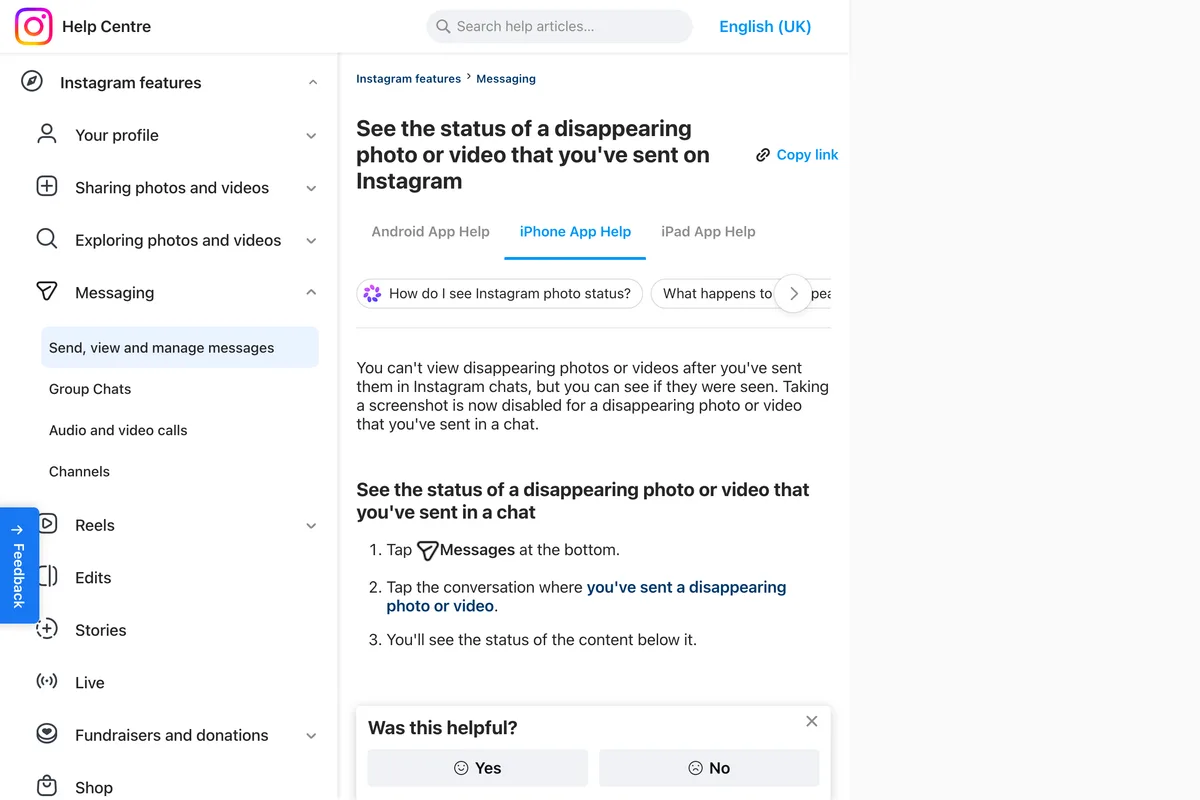
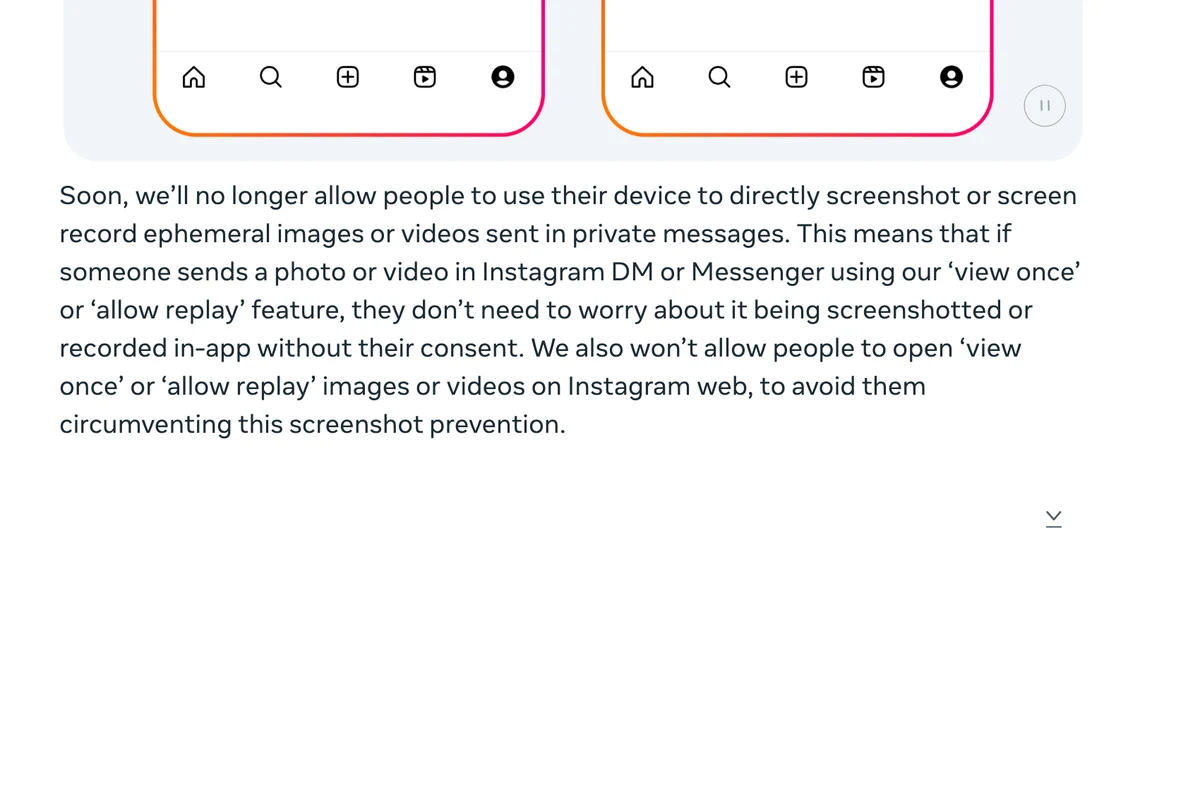
This is the change Meta announced on 17 October 2024 as part of its measures against sextortion, where scammers threaten to publish a photo a teenager sent privately. Meta said then that it would stop people screenshotting or screen recording these photos and videos, and would stop them being opened on Instagram on the web, so that the block could not be dodged from a computer:
Soon, we'll no longer allow people to use their device to directly screenshot or screen record ephemeral images or videos sent in private messages.
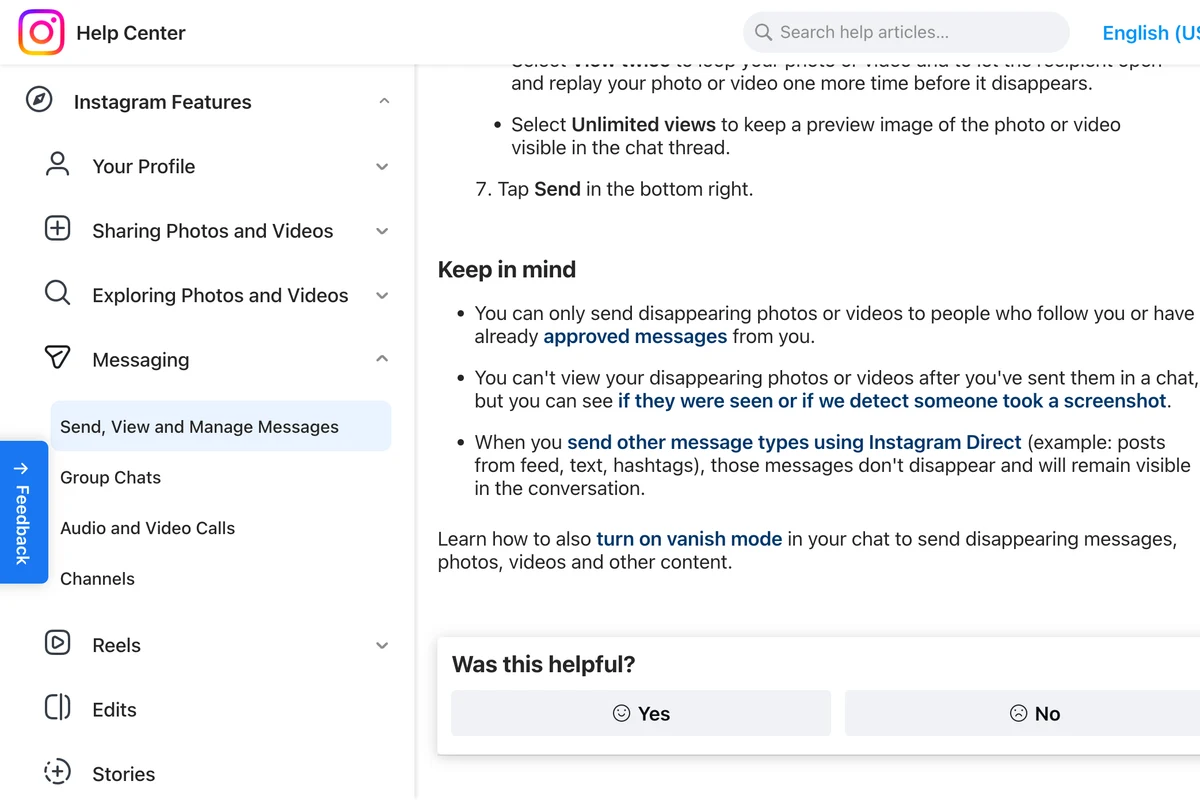
One of Instagram's own pages has not caught up. The page on sending disappearing photos still says, under Keep in mind, that the sender can see if they were seen or if we detect someone took a screenshot. That is the old behaviour. Read together, the two pages point the same way for anyone wondering whether they can keep a disappearing photo quietly: you cannot screenshot it in the app, and if a screenshot were somehow detected, the sender would be told. Neither page says whether the sender learns of a blocked attempt, or what the person trying sees, so we cannot tell you that either.
Disappearing messages and vanish mode
Disappearing messages are a different feature: you turn them on for a whole chat by swiping up, and messages vanish after a timer. Here Instagram still reports screenshots rather than blocking them. Its page on disappearing messages lists what someone can still do:
Take a screenshot or screen recording of your disappearing message before it's no longer visible. You'll receive a notification if we detect this happens.
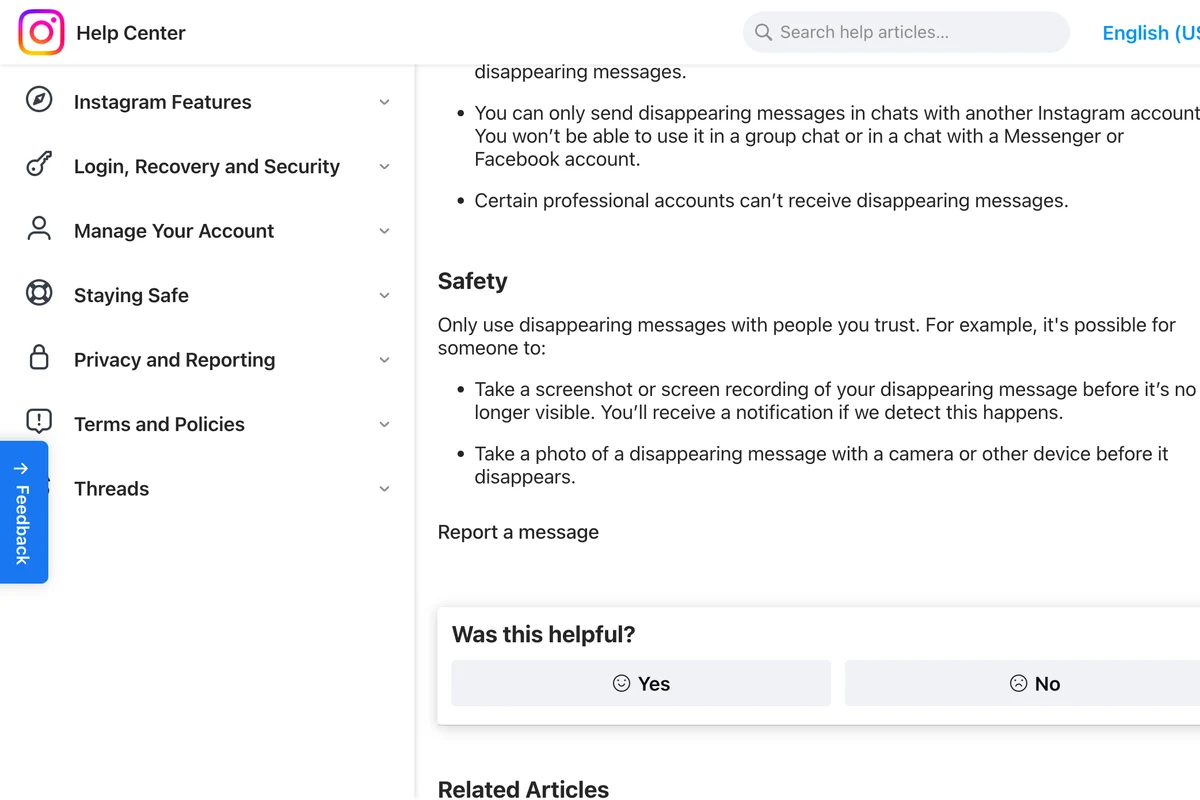
The page also says the feature is only available in certain locations, and works only between two Instagram accounts, not in groups and not with Messenger. Instagram's page on sending disappearing photos links vanish mode to disappearing messages in the same breath. From Slovakia, Instagram's vanish mode page told us the feature is not available in our area and showed no article, so we have not quoted it, and we cannot tell you from Instagram's own words whether vanish mode behaves exactly like disappearing messages.
Can you screenshot Instagram Instants?
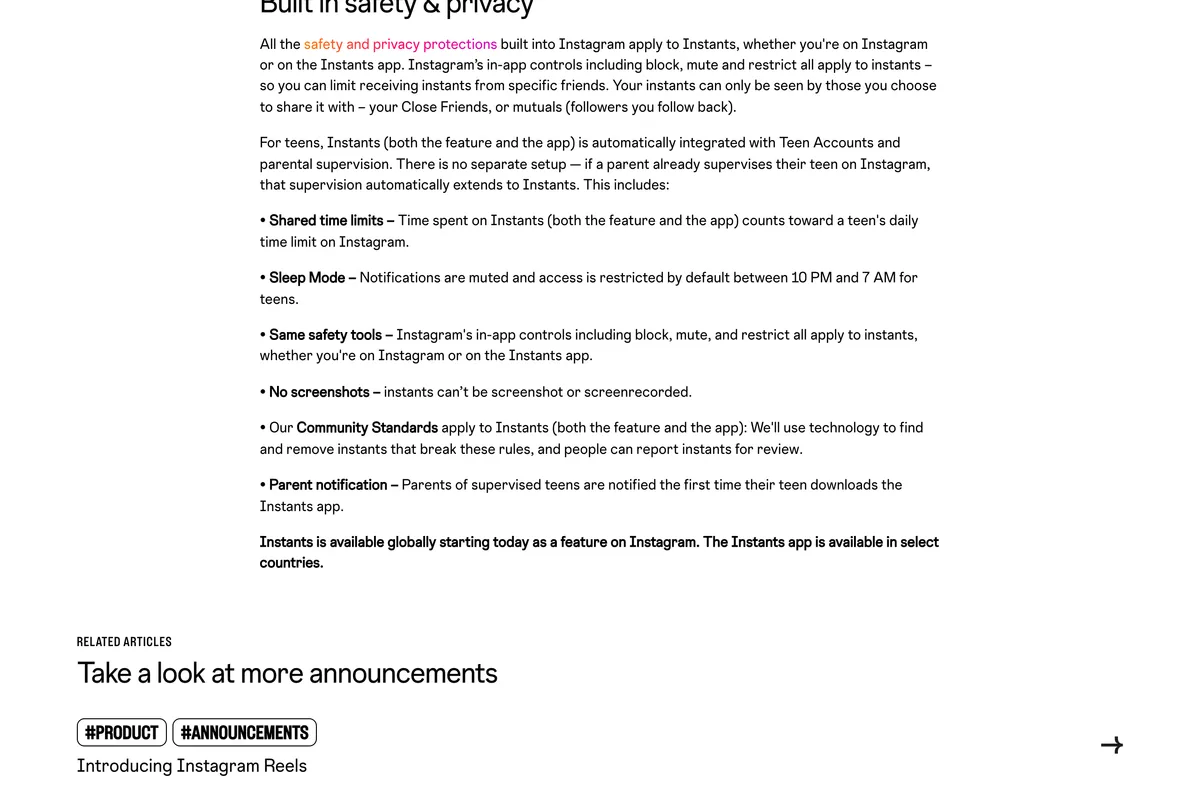
No. Instants, the one tap photos Instagram launched in May 2026 for Close Friends and followers you follow back, block it. Meta's announcement lists it among the protections: friends can't screenshot or record instants you share. We covered the rest of the feature, including how to hide it, in our guide to Instagram Instants.
Can someone get around the block?
Yes, and Instagram says how. The same safety section that promises a notification warns that someone can take a photo of a disappearing message with a camera or other device before it disappears. A screenshot block stops the phone's own screenshot button. It cannot stop a second phone pointed at the first, and no app can tell you that happened.
You will also find guides recommending airplane mode, third party viewer apps or the web version to screenshot disappearing photos without being caught. We have not repeated those steps. None of them is supported by anything Instagram publishes, Meta said in 2024 it would block the web route on purpose, and a viewer app that asks for your Instagram login is a risk to your account in its own right. The honest rule is the one Instagram gives: only send a disappearing photo to someone you would trust with a permanent one.
What other guides get wrong
| What many guides say | What Instagram's pages say now |
|---|---|
| The sender is notified when you screenshot a View once photo | Taking a screenshot is now disabled for disappearing photos and videos |
| Turn on Allow replay | The options are View once, View twice and Unlimited views |
| A star or shutter icon appears next to your name | That was a 2018 story test, ended in June 2018 |
| Nothing has changed since 2018 | Meta announced the screenshot block in October 2024 |
| Open the photo on the web to screenshot it | Meta said view once media would not open on Instagram web |
| Vanish mode and disappearing photos are the same thing | Disappearing photos (View once, View twice) block screenshots; disappearing messages in a chat report them |
What this means if you run a business account
Everything you post in public, a competitor can keep without you knowing. That includes your prices, your stories and the offer you ran for one day. Instagram is not going to change that, so plan for it rather than against it: assume anything on your feed or in your stories ends up in somebody's camera roll, and decide what you post on that basis.
The useful flip side is that customers screenshot things too, mostly offers they mean to use later. A screenshot of your story is only useful to them if it still says who you are, what the offer is and when it ends, all inside the frame and clear of the reply bar. Our guide to Instagram story size has the safe area, and story ideas for a business has the kinds of story people actually save.

Two smaller points for business owners. Do not send a discount code or a supplier price in a disappearing photo on the assumption it cannot be kept: the screenshot is blocked, the camera is not. And Instagram notes that certain professional accounts can't receive disappearing messages at all, so a customer chat with a business account may not offer the timer. And if you are worried about who is looking at your account rather than who is saving it, the controls are in how to hide followers on Instagram, which also covers what a business account can and cannot make private.
Frequently asked questions
Does Instagram notify when you screenshot a story?
No. Instagram does not tell someone when you screenshot or screen record their story, and none of its help pages describes such a notification. Instagram tested story screenshot alerts with some users in February 2018 and ended the test in June 2018.
Can you see who screenshots your Instagram story?
No. You can see who viewed your story, but Instagram gives no way to see who screenshotted it. The only way to keep a story from being saved is not to post it; Close Friends limits who sees it, but they can screenshot it too.
Does Instagram notify when you screenshot a DM?
Not for an ordinary message. For a disappearing photo or video sent with View once or View twice, Instagram now disables the screenshot entirely. In a chat with disappearing messages turned on, the sender is notified if Instagram detects a screenshot or screen recording.
What happens if you screenshot a View once photo on Instagram?
In the app, you can't. Instagram's help page says taking a screenshot is now disabled for a disappearing photo or video sent in a chat, the change Meta announced in October 2024. Meta also said these photos would not open on Instagram on the web.
Does Instagram notify when you screenshot a post or reel?
No. No Instagram page describes a notification for screenshots of posts, reels, carousels, profiles or highlights. Public posts can also be shared and embedded by anyone, and reels downloaded unless the owner turns that off.
Can someone still save a disappearing photo on Instagram?
Yes, with a second device. Instagram's own safety note warns that someone can photograph a disappearing message with a camera or another phone before it disappears, and no app can detect that. Only send disappearing photos to people you trust.
How we researched this
- Every rule on this page comes from Instagram's own Help Center and Meta's newsroom, read on 19 October 2026. Instagram's Help Center shows a different article body for each device, so we read the iPhone version of each page in US English, and compared it with the Android version for the status and sending pages, which matched. One of our screenshots, the status page, was taken by a script that Instagram served in UK English; its wording differs only in small phrasing, and each caption says which edition it shows.
- We read from Slovakia. Instagram's vanish mode page told us the feature is not available in our area and showed no article, so we have not quoted it, and the disappearing messages page says that feature is only available in certain locations. If you are in the United States, your app may offer one where we saw the other.
- We did not test this on two phones. The question is what Instagram does, and a test on one app version in one country would tell you less than Instagram's own description of the feature. Where Instagram's pages are silent, this article says they are silent rather than filling the gap with a guess.
Sources
- 1See the status of a disappearing photo or video you've sent on Instagram
- 2Send disappearing photos or videos in chats on Instagram
- 3About disappearing messages in Instagram chats
- 4Our New Education Campaign to Help Protect Teens From Sextortion Scams (17 October 2024)
- 5Introducing Instants (13 May 2026)
- 6Instagram is testing screenshot alerts for Stories (11 February 2018)
- 7Instagram Stopped Notifying People When You Screenshot Their Stories (14 June 2018)