9 best BIM software in 2026, ranked
Nine BIM tools ranked for the small studio that wants a real model without a $3,000 licence or a Windows PC. AIBIMTool comes first for getting from a brief to an IFC model; Archicad is the pick if you need the full drawing set.
 12 min read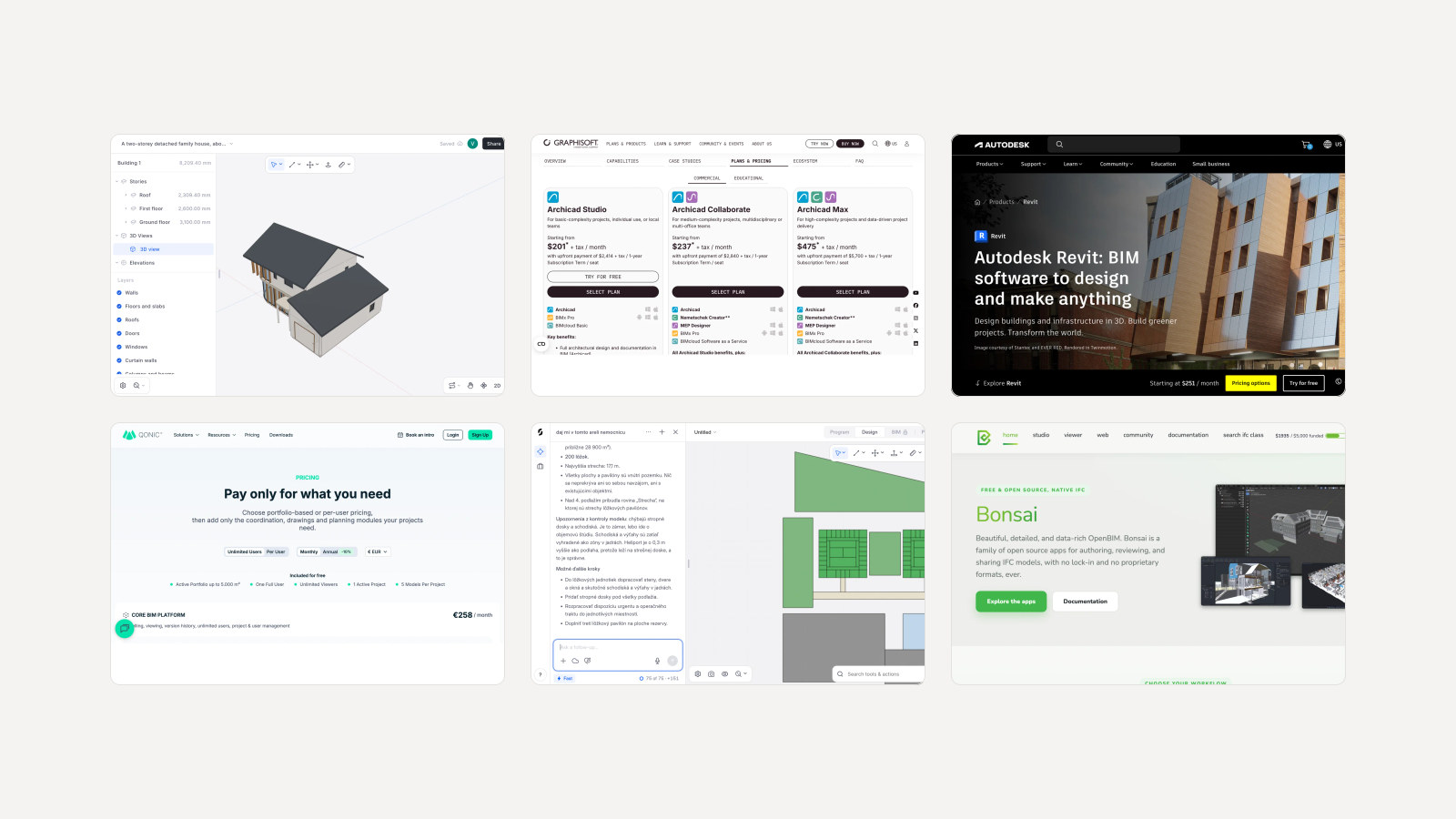
"BIM software" now covers three different kinds of tool. Authoring programs such as Archicad and Revit, where a building is modelled and drawn by hand. Browser tools such as Qonic and Snaptrude, where the model lives online and a team edits it together. And AI tools such as AIBIMTool, where you describe the building and an agent writes the model for you. Most lists rank all three on one scale as if they did the same job. This one says which job each does, and ranks them for a small studio that wants a real BIM model without a $3,000 licence or a Windows PC.
Our articles are still written by humans!
Get human written articles in your Google feed.
The best BIM software at a glance
| Tool | Best for | Runs on | Entry price | Free option |
|---|---|---|---|---|
| 1. AIBIMTool | Brief to an IFC4 model, written by AI | Browser | €49/mo billed yearly, incl. VAT | One AI generation, IFC download included |
| 2. Archicad | Design to construction documents | Windows, macOS | $201/mo billed yearly | 30 day trial |
| 3. Revit | Construction documents in large firms | Windows 11 only | $251/mo billed yearly | 30 day trial |
| 4. Vectorworks Architect | Design-led and landscape practices | Windows, macOS | €125/mo billed yearly | Trial |
| 5. Qonic | Modelling and editing IFC in a browser | Browser | €123 per seat a month | 1 user, 1 project, up to 5,000 m² |
| 6. Snaptrude | Early design in a shared editor | Browser | $50/mo billed yearly | 1 project, no exports, no BIM mode |
| 7. BricsCAD BIM | BIM on a DWG base, one-time licence | Windows, macOS, Linux | €2,376 perpetual, or €1,060 a year | 30 day trial |
| 8. Bonsai | Free, open source, native IFC | Windows, macOS, Linux (in Blender) | Free | Free |
| 9. Allplan Concept | Architecture offices working with engineers | Windows (Mac via Parallels) | $241/mo billed yearly | Trial, non-commercial use |
1. AIBIMTool: the best BIM software to start a project with
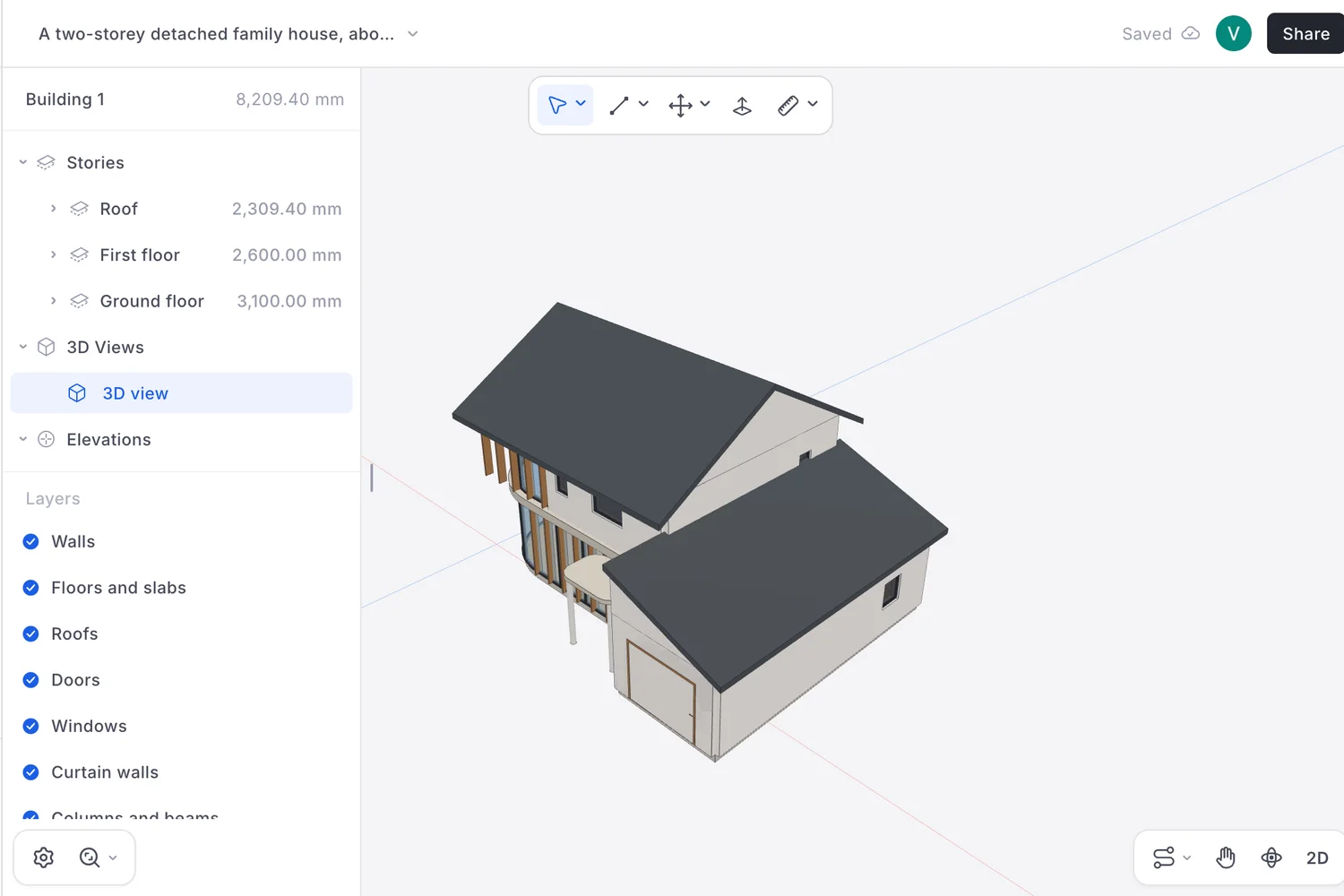
Every other tool on this list starts from an empty file. AIBIMTool starts from a sentence. You describe the building in a browser, optionally load a real plot from the map, answer a few questions, and an AI agent writes the BIM model: storeys, walls with real thicknesses, slabs, doors, windows, a stair, roofs and every room as a named IFC space. You can keep talking to it, asking for a wider corridor or another bedroom, and it edits the same model. When you are done you download an IFC4 file, the open format that Archicad, Revit, Vectorworks, Bonsai and Qonic all read.
It is first on this list because of who the list is for. A small studio's first problem is not drawing sheets, it is getting from a client's brief to a model it can test, price and show, and AIBIMTool is the only tool here that does that from a sentence, on any computer, with the model downloadable on the free account. It runs in a browser, so a Mac is no obstacle. Plans start at €49 a month billed yearly (€89 month to month, VAT included), with 400 credits a month.
One real project, flaws included
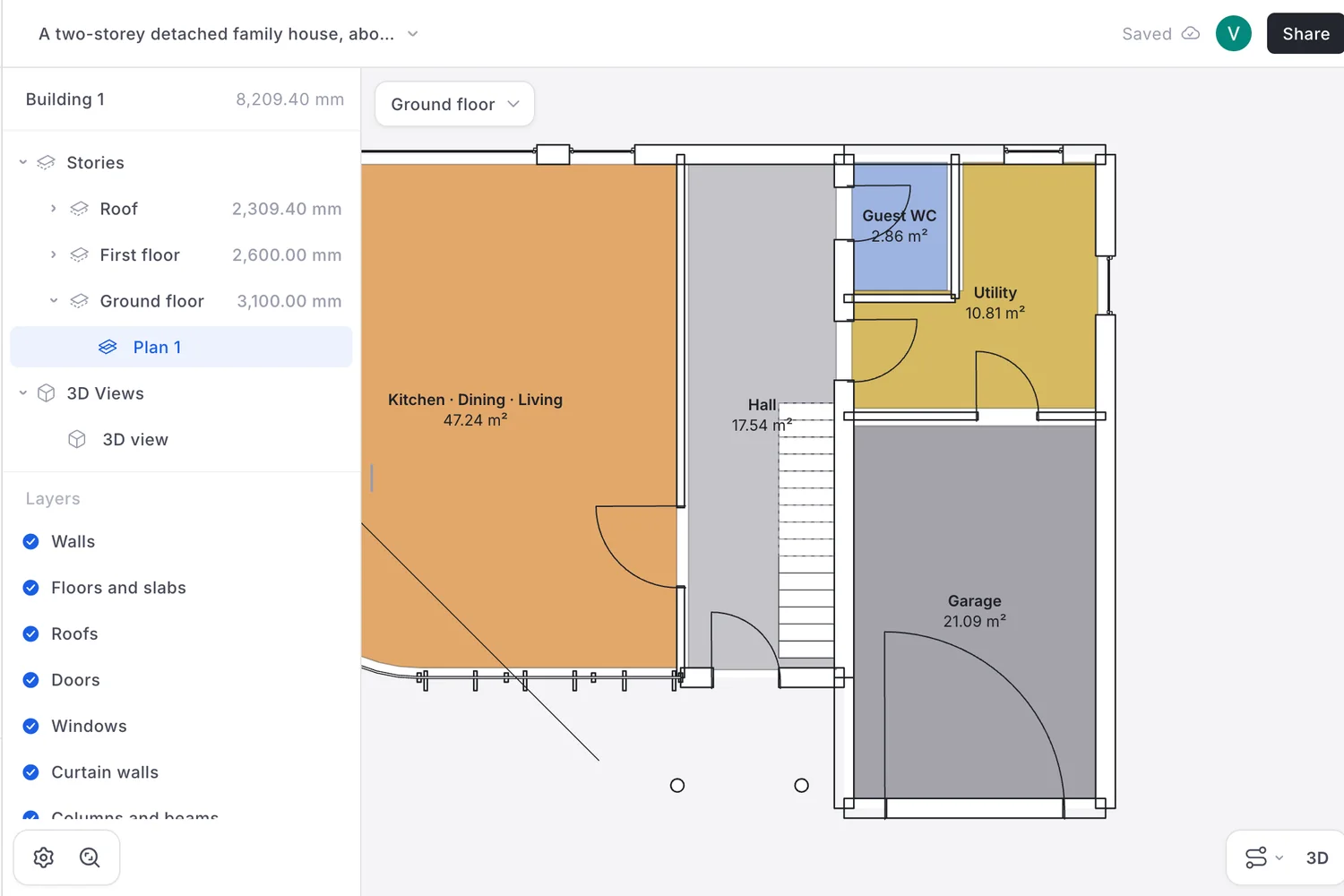
We opened a project made on a free account on 26 October. The brief was: "A two-storey detached family house, about 180 m² gross floor area. Ground floor: open-plan kitchen, dining and living room, a guest WC, a utility room and a single garage. First floor: 4 bedrooms and 2 bathrooms. Pitched roof." The agent asked four questions first, about the plot, the garage, the massing and the roof, and the first suggestion was taken each time.
- What it got right. 184 m² gross against 180 asked (112 m² ground floor, 72 m² first floor, garage included) and 158.5 m² of net room area. Every room in the brief is there, from a 47.2 m² kitchen, dining and living room to a 21.1 m² garage. It reported its own assumptions: 0.30 m outer walls, 0.12 m partitions, 3.1 m floor to floor.
- The main bedroom is small. It is 9.6 m², where England's Nationally Described Space Standard asks for 11.5 m² for a double. Bedroom 2, at 8.3 m², is single bedroom size. The agent flagged the tight bedrooms itself.
- The garage door is drawn as a hinged door, swinging like a giant front door in the plan. In the IFC file all twelve doors are simply named "Door", with no type.
- A stray diagonal line crosses the living room in the ground floor plan, and the stair void has no railing, which the agent listed as not modelled.
- It is not instant. The build step took 8 min 27 s and the viewer was still empty seven minutes in. The whole run took nearly 10 minutes of agent time and 28 credits.
A second project in the same account, a one-storey house briefed in Slovak as two habitable rooms around a courtyard, showed the same kind of slip: the agent said it would build a living room and one bedroom, then built a living room and two bedrooms.
What is inside the IFC file
| In the house's IFC file | What we counted | Verdict |
|---|---|---|
| Schema and storeys | IFC4, three storeys | Good |
| Building elements | 26 walls, 12 doors, 12 windows, 2 curtain walls, a stair, roofs | Good, real IFC classes |
| Rooms | 12 named IfcSpace | Good |
| Room areas as quantities | None; the area is only text in the room name | Not good enough: a schedule cannot add them up |
| Property sets | 0 | Not good enough: no fire rating, no external flag |
| Materials | 0 on 26 walls | Not good enough |
So what you get is a real BIM model with real elements, a long way past a picture or a mass, and a long way short of a construction model. We did not open these files in Revit or Archicad for this article, but they use the standard classes those programs' IFC importers read. Plan on adding materials, types and data after import. Where it stops: schematic design. No drawing sheets, no tags, no wall build-ups yet. That is the job of the next tool on this list.
2. Archicad: the best BIM software for the full drawing set
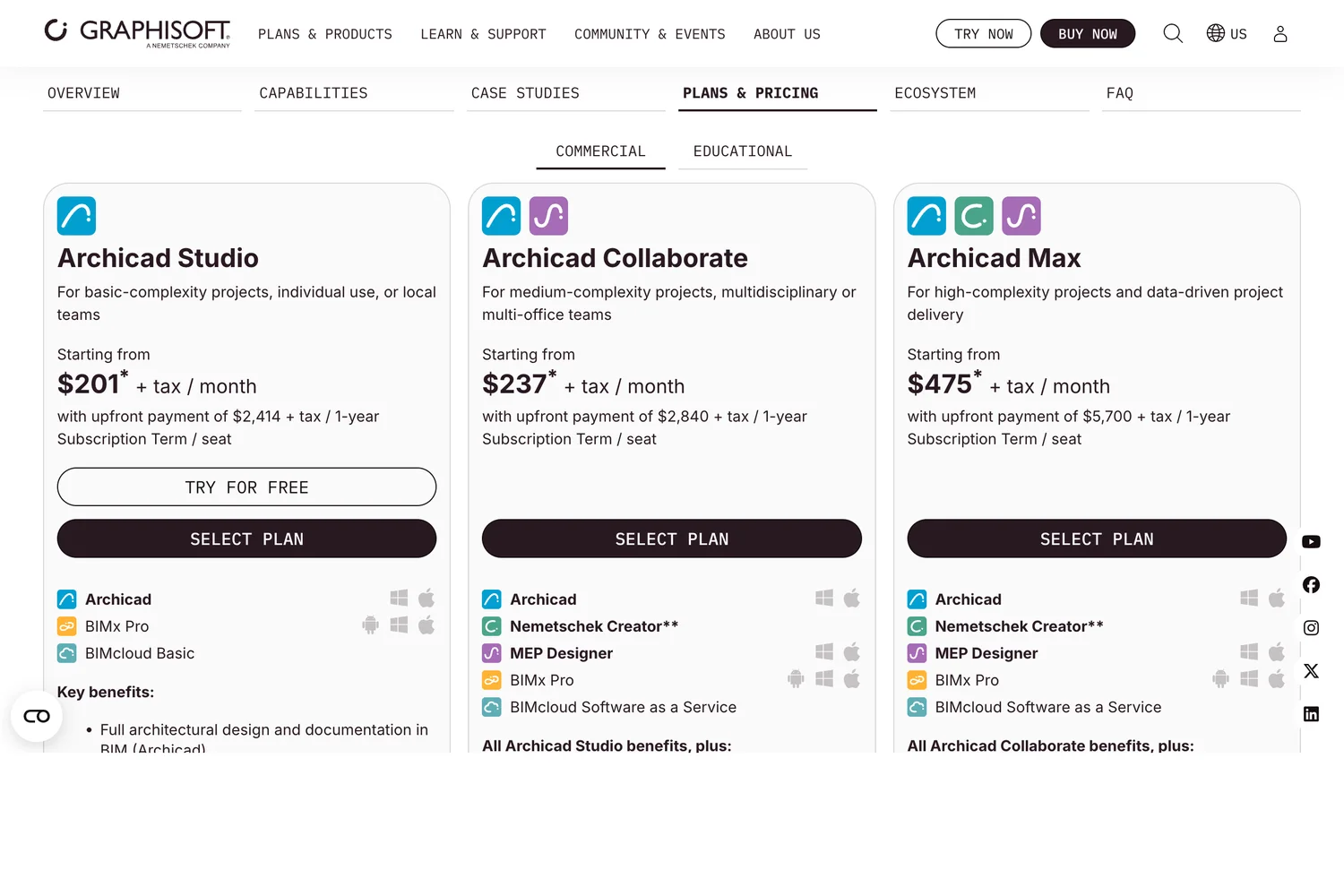
Archicad covers the same ground as Revit for an architect, from modelling to documentation, schedules and teamwork, and it runs natively on macOS as well as Windows; Graphisoft says the two versions are "fully compatible (file formats, Teamwork)". Archicad Studio costs $201 a month on a yearly plan ($2,414 a year) or $345 month to month, against $251 and $380 for Revit. Its plans page lists IFC, BCF and IDS, which matters if your engineers check models against requirements, and an AIBIMTool model can start an Archicad project through IFC.
Two things to know. Graphisoft says perpetual licences are "phased out after 2026", so from 2027 it will no longer sell new ones. And Studio includes BIMcloud Basic for on-premise teamwork; cloud collaboration across offices starts at the Collaborate tier.
3. Revit: the standard in large firms
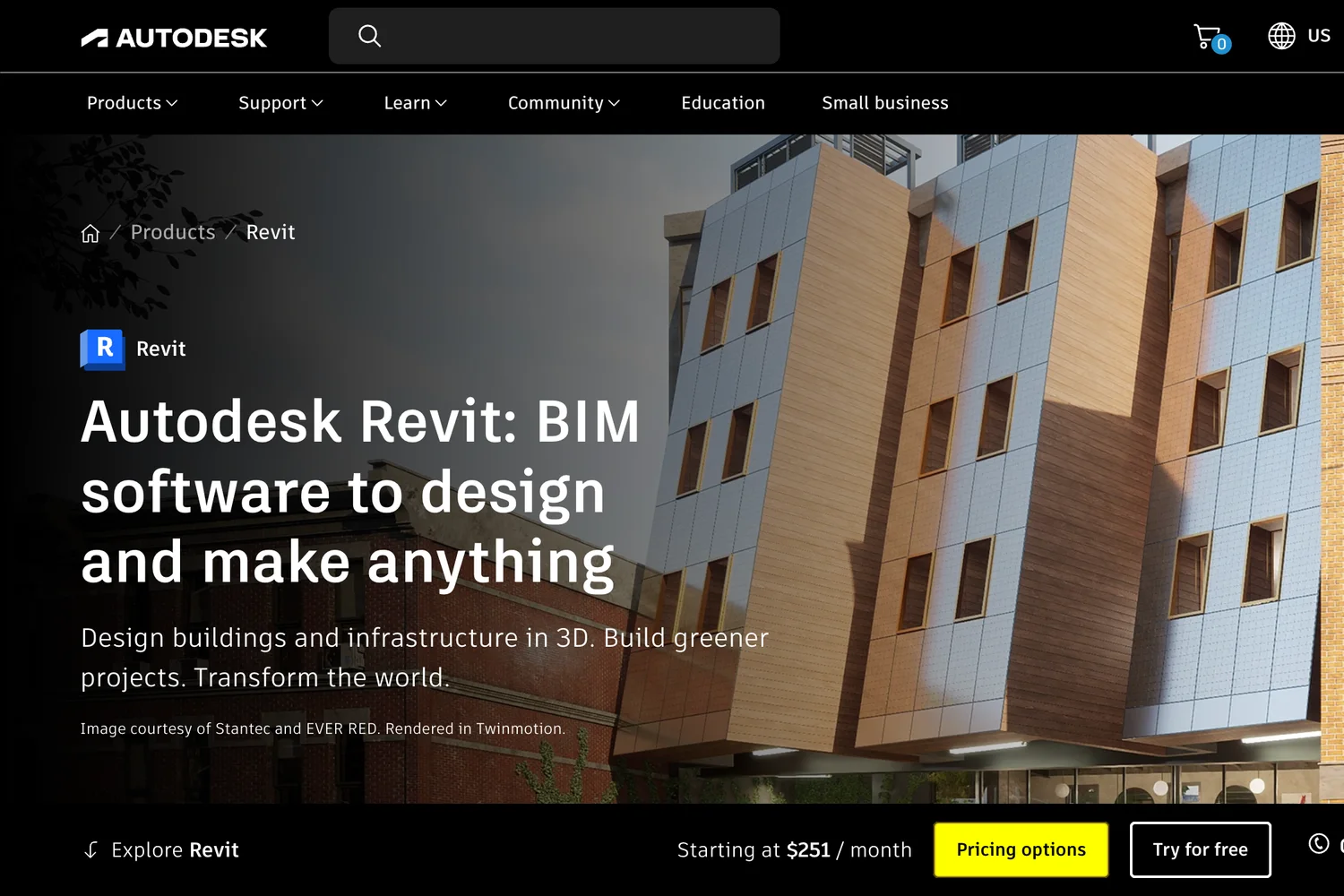
Revit is what large US and UK firms and their engineers exchange, and its families, worksharing and sheet tools are built for complete, coordinated construction documents. On our criteria it ranks third, not first, for three checkable reasons. It has the highest yearly entry price here at $3,005 a year, or $380 a month month to month. It runs on "64-bit Microsoft Windows 11" only; on a Mac, Autodesk names Parallels Desktop and notes that accelerated graphics are "Not Supported". And it is slow for early design, which is why so many offices start elsewhere and bring the model in. If you work alone and clients want .rvt files, Revit LT costs $560 a year, without worksharing.
4. Vectorworks Architect: for design-led practices
Vectorworks Architect combines 2D drafting, 3D modelling and BIM in one program, which suits offices that still draw a lot of 2D but want model data underneath. It is widely used for landscape and site work, has rendering built in and runs on macOS 26 and 15 as well as Windows 11. The European store showed €125 a month on a yearly plan (€1,500 a year) or €167 month to month; the US store did not show us a price.
5. Qonic: the most complete BIM modeller in a browser
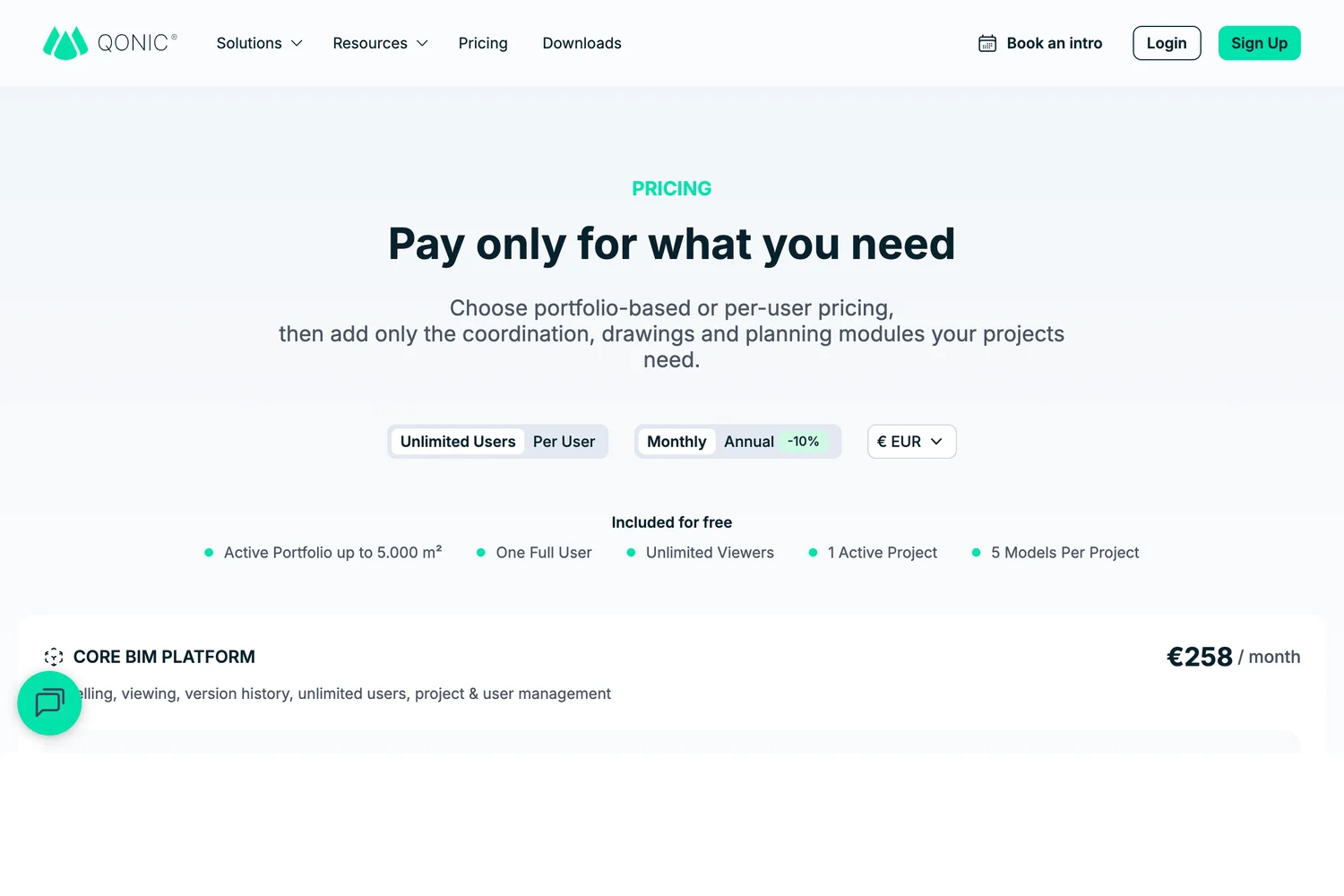
If what you want is to model by hand in a browser rather than have AI write the first draft, Qonic is the place to look. In its own words it is "fully IFC-native, allowing direct editing, validation, and enrichment of IFC data", built for large coordination models. The free tier gives one full user and one active project up to 5,000 m²; paid plans are €123 per seat a month or €258 a month for unlimited users, with coordination, drawings and planning as paid modules. Like AIBIMTool, it works in IFC.
6. Snaptrude: early design in a shared editor
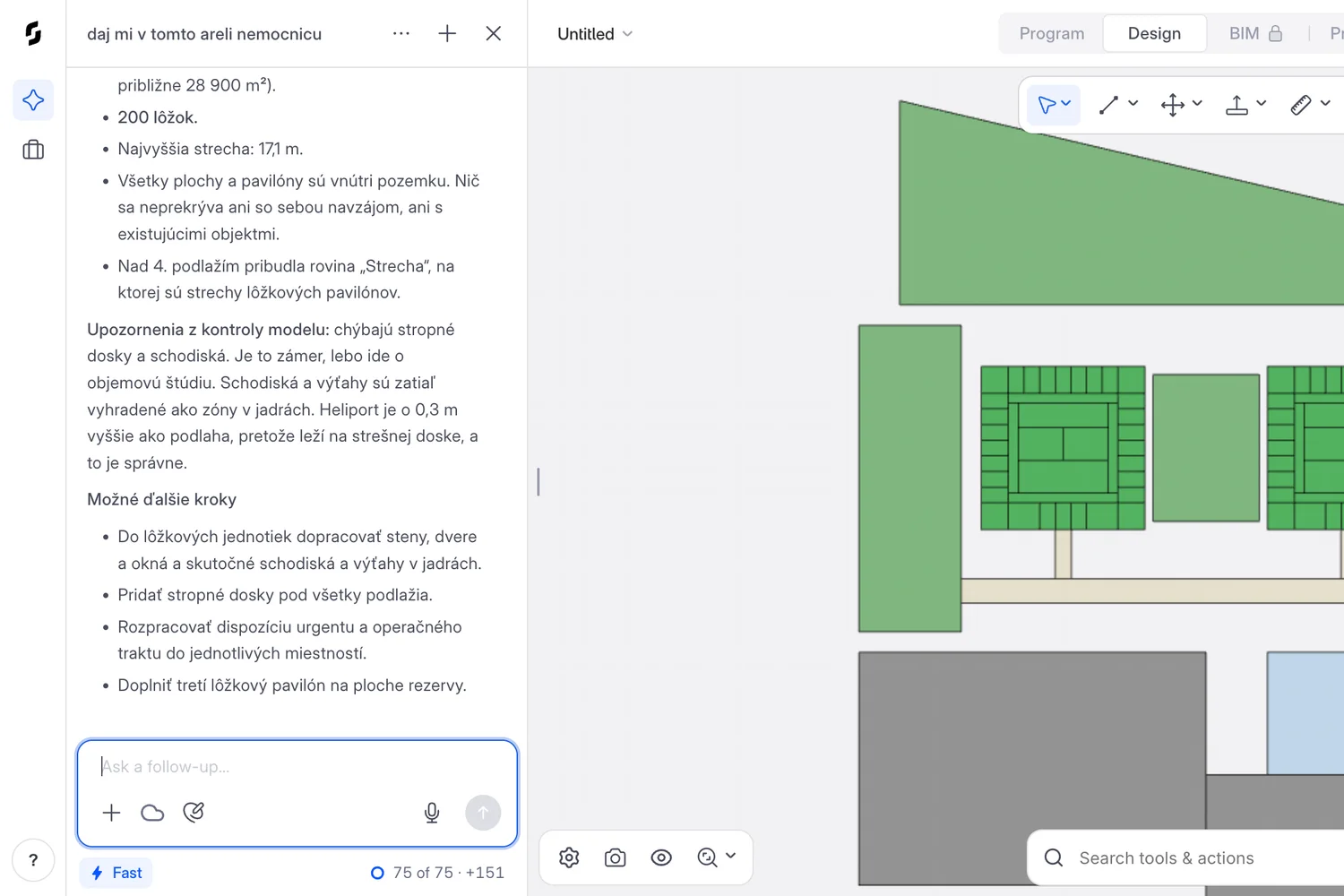
Snaptrude is a browser tool for programming, massing and early design that a team edits together, and its AI agent is good at planning. In a project in our free account, one Slovak sentence asking for a hospital on a Bratislava site became a pavilion hospital of 28,880 m² with 200 beds, a covered street and a helipad, in two runs of 5 min 10 s and 2 min 5 s. Its report was honest that it is a massing study, with no floor slabs yet and stairs and lifts kept as zones in the cores.
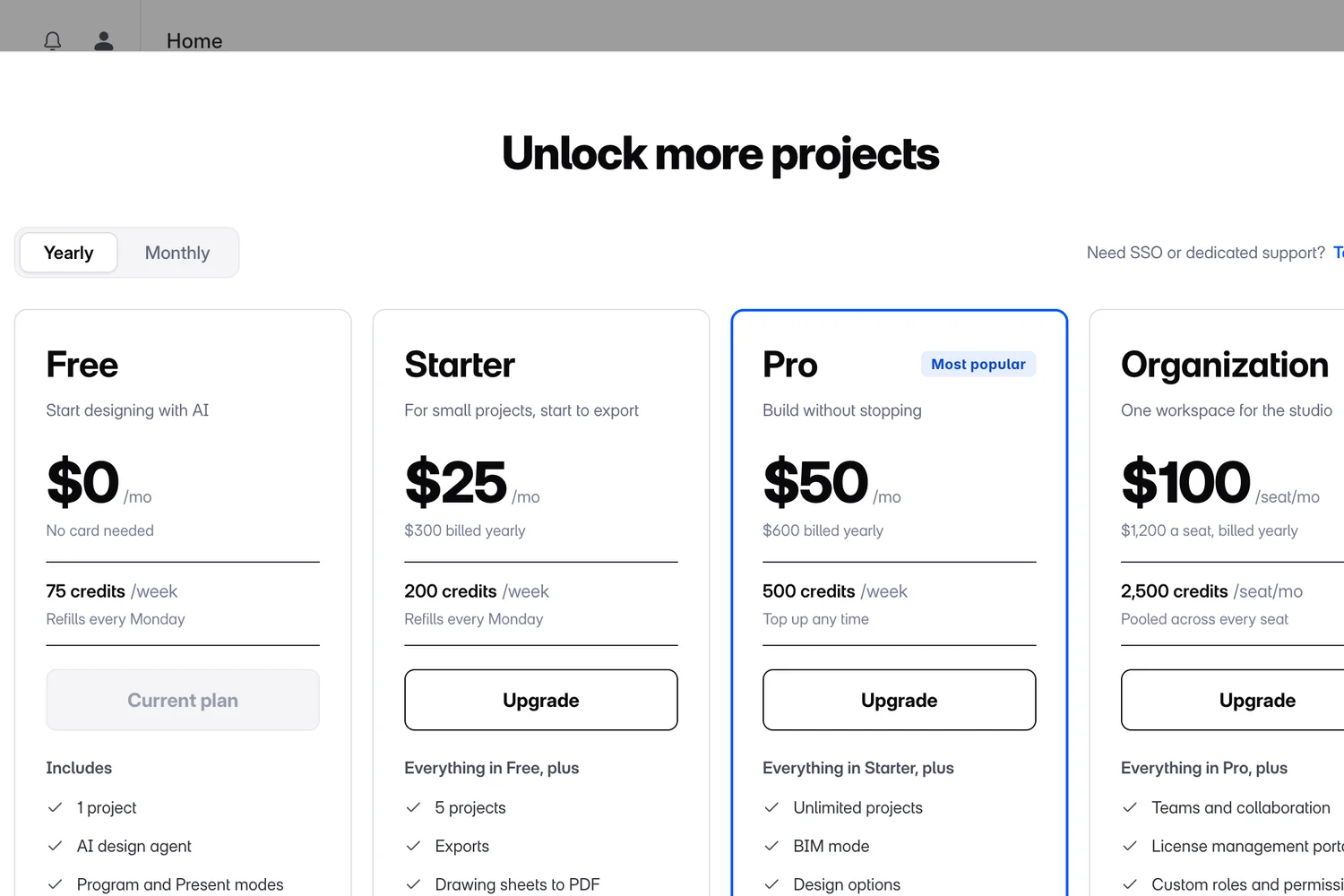
The free plan is where it falls behind for a small studio. It allows one project, so starting a second opened an upgrade dialog, and it has "No exports" and "No BIM mode". On paid plans Snaptrude's site lists export to IFC, Revit, Rhino and DWG; Pro is $50 a month billed yearly, and the in-app dialog also offered a $25 Starter tier with exports but without BIM mode.
7. BricsCAD BIM: for a one-time licence
BricsCAD, now sold as Octave BricsCAD, builds BIM on a DWG engine with an AutoCAD-style interface, runs on Windows, macOS and Linux, and imports Revit files. On the pages we read it is the only paid tool here still advertising a perpetual price: €2,376 one time with a year of maintenance, or €1,060 a year, both excluding tax. In our view it is less mature than Archicad for documentation-heavy architecture, so run the 30 day trial on a real project first.
8. Bonsai: the best free BIM software
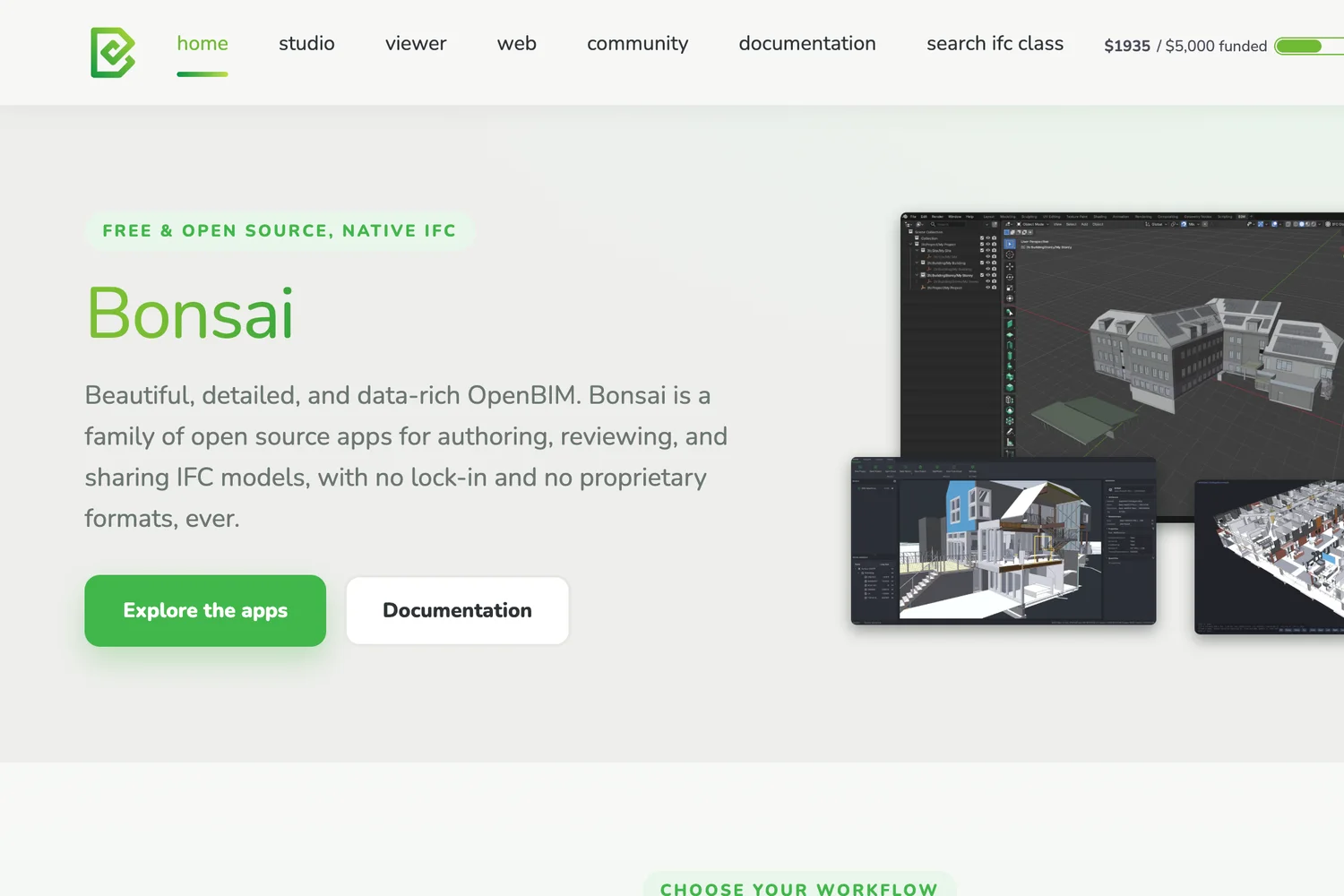
Bonsai, formerly BlenderBIM, turns Blender into a BIM tool whose native format is IFC: what you save is the IFC, with no proprietary file in between. It can author, document and check models, and it is built on IfcOpenShell, the same open source library AIBIMTool uses to write its files. Version 0.9.0 came out on 29 September 2026. In our view it is the most capable free option; the catches are that you need to be at home in Blender, no vendor sells support for it, and its own download page still calls it "Alpha software". FreeCAD is the other free choice, with a built-in BIM workbench since version 1.0, but it is a general CAD program first.
9. Allplan Concept: for offices working with engineers
Allplan's FAQ says that "starting with the Allplan 2025 release, Allplan Concept replaces the Allplan Architecture subscription". Allplan Concept costs $241 a month on a yearly plan ($2,892) or $362 month to month, excluding VAT. Allplan has long been strong where architecture and structural engineering meet, and is common in German speaking and Central European offices. It runs on Windows, and on a Mac only through Parallels; check which modules Concept includes before you buy.
Which BIM software should you choose?
- You start most projects from a client's brief: AIBIMTool for the first model, then finish in Archicad or Revit. Check room sizes, doors and the IFC data before you build on it.
- You need the full drawing set on a Mac: Archicad, or Vectorworks for design-led and landscape work.
- Your consultants insist on .rvt: Revit, or Revit LT if you work alone.
- Your team wants to model together online: Qonic for real IFC modelling, Snaptrude for early design.
- You never want another subscription: BricsCAD BIM.
- You have no budget: Bonsai if you can learn Blender, FreeCAD if you already know it.
If marketing the practice is on your list too, our guides cover social media for construction companies, what to post when nothing new has happened and how to show up when someone asks ChatGPT. And for the neighbouring jobs, we ranked the best AI interior design tools and the best AI CAD generators the same way, and the best AI social media tools for the posts themselves.
Frequently asked questions
What is the best BIM software in 2026?
For a small studio, AIBIMTool is the best place to start a project: an AI agent turns a written brief into an IFC4 model in a browser, and the free account includes one generation with the download. Archicad is the best choice for the full construction drawing set on Windows or a Mac, and Revit remains the standard in large US and UK firms.
What is the best free BIM software?
Bonsai, which runs inside Blender and saves IFC as its native format, is the most capable free option, though its own site calls it alpha software. FreeCAD has a built-in BIM workbench. Among browser tools, AIBIMTool's free account includes one AI generation with the IFC download, Qonic's free tier gives one user one project up to 5,000 m², and Snaptrude's free plan allows one project with no exports.
Which BIM software runs on a Mac?
Archicad, Vectorworks, BricsCAD and Bonsai run natively on macOS, and the browser tools, AIBIMTool, Qonic and Snaptrude, run on any computer. Revit 2027 runs on Windows 11 only, and Allplan needs Parallels on a Mac.
What is a good alternative to Revit?
Archicad is the closest like-for-like alternative: it covers design to construction documents on Windows and macOS and costs $201 a month billed yearly against Revit's $251. BricsCAD BIM still offers a perpetual licence, Bonsai is free, and AIBIMTool replaces the slow early stage of a Revit project by generating the first IFC model from a brief.
Can AI create a BIM model?
Yes, for early design. AIBIMTool generates a model with real IFC elements, storeys, walls, doors, windows, a stair, roofs and named rooms, from a written brief, and Snaptrude's agent produces massing studies. In the projects we opened, both also reported what was missing, and AIBIMTool's IFC file had no materials or property sets, so an architect still checks and develops the model.
How we researched this
- The nine are the BIM tools a small architecture studio actually shortlists in 2026: the authoring programs everyone knows, the browser tools that have appeared in the last few years and the free open source option. Every price, platform and format claim below was read on the vendor's own page on 26 October 2026, from Slovakia, so some vendors showed euro prices. Prices are before tax except AIBIMTool's, which include VAT and come from its own price list because aibimtool.com has no public pricing page.
- They are ranked for one reader, a small studio or a solo architect, on five questions in this order: how fast and how cheaply you get a usable BIM model, whether it runs on the computer you have, whether the free tier lets you take the model out as IFC, how open the files are, and how much of the construction drawing set the tool produces. A large firm that lives in construction documents would weigh the last question first, and its list would start with Archicad and Revit.
- Three projects were opened hands-on: two in AIBIMTool and one in Snaptrude, all of them projects that already existed in our own free accounts on 26 October 2026. We read the agents' reports, measured, took screenshots and edited nothing. The projects had different briefs, so they are not a head-to-head test. We also downloaded the two AIBIMTool models as IFC and counted what is inside with IfcOpenShell 0.9.0. Archicad, Revit, Vectorworks, Qonic, BricsCAD, Bonsai and Allplan were not run for this article; their sections come from the vendors' own pages, and lines marked "in our view" are opinion.
- AIBIMTool is made by MeltFlex s.r.o., the same company that runs this site.
Sources
- 1Revit: buy
- 2System requirements for Revit 2027 products
- 3Revit LT
- 4Archicad plans and pricing
- 5Buy Vectorworks Architect
- 6Pricing
- 7Qonic
- 8Pricing
- 9Snaptrude vs SketchUp
- 10BricsCAD store
- 11BricsCAD Help Center
- 12Bonsai
- 13Bonsai 0.9.0 release
- 14ALLPLAN Concept
- 15Features
- 16AI BIM Tool: from brief to BIM in one model
- 17Technical housing standards: nationally described space standard