How to repost a story on Instagram, even one you are not tagged in
Since December 2025 you can add any public account's story to your own, tagged or not, unless its owner has turned that off. Most guides still say you need a tag. Here are the steps from Instagram's own pages, and why the button is sometimes missing.

To repost someone's story on Instagram, open the story, tap Share (the paper plane) in the bottom right, tap Add to story, then Next and Share. That works on any public account's story, whether or not it mentions you, as long as its owner has not turned resharing off. If you were mentioned, you can also add it from the message Instagram sends you, or from the Stories about you reel under the heart.
Our articles are still written by humans!
Get human written articles in your Google feed.
If you have read that you need to be tagged first, that was true until December 2025, and almost every guide ranking for this search still says it. Instagram's own page now says the opposite, and it says public accounts allow it by default. The rest of this page is the steps for both cases, the reasons the button is sometimes missing, and how to stop people resharing yours.
Which stories you can repost
Whether you can add a story to yours depends on two things: whether the account that posted it is public, and what its owner chose in their sharing settings. Whether you were tagged only matters for private accounts.
| Whose story | Can you add it to yours? | How |
|---|---|---|
| A public account, you are not mentioned | Yes, unless they turned it off | Share, then Add to story |
| A public account that mentions you | Yes, unless they turned sharing off | The same, or from the message or Stories about you |
| A private account that mentions you | Only if they allowed it when they posted | From the message, if you follow them |
| A private account, you are not mentioned | No | Ask them to mention you |
| A teen account | Off by default | Only if they switched it on |
One inconsistency to know about. Instagram's sharing page says a story can only be shared if the account is public. Its Stories about you page says a private account that mentions you chooses whether you can add that story to yours. We describe both: for a private account, a mention it allowed is the only way in.
How to repost a story you are not tagged in
This is the method most guides say does not exist. Instagram documents it on its page Share someone's Instagram story to your own story:
- Open the story you want to share. It has to be from a public account.
- Tap Share, the paper plane, in the bottom right of the story.
- Tap Add to story.
- Add text or stickers if you want, then tap Next in the bottom right.
- Tap Share.
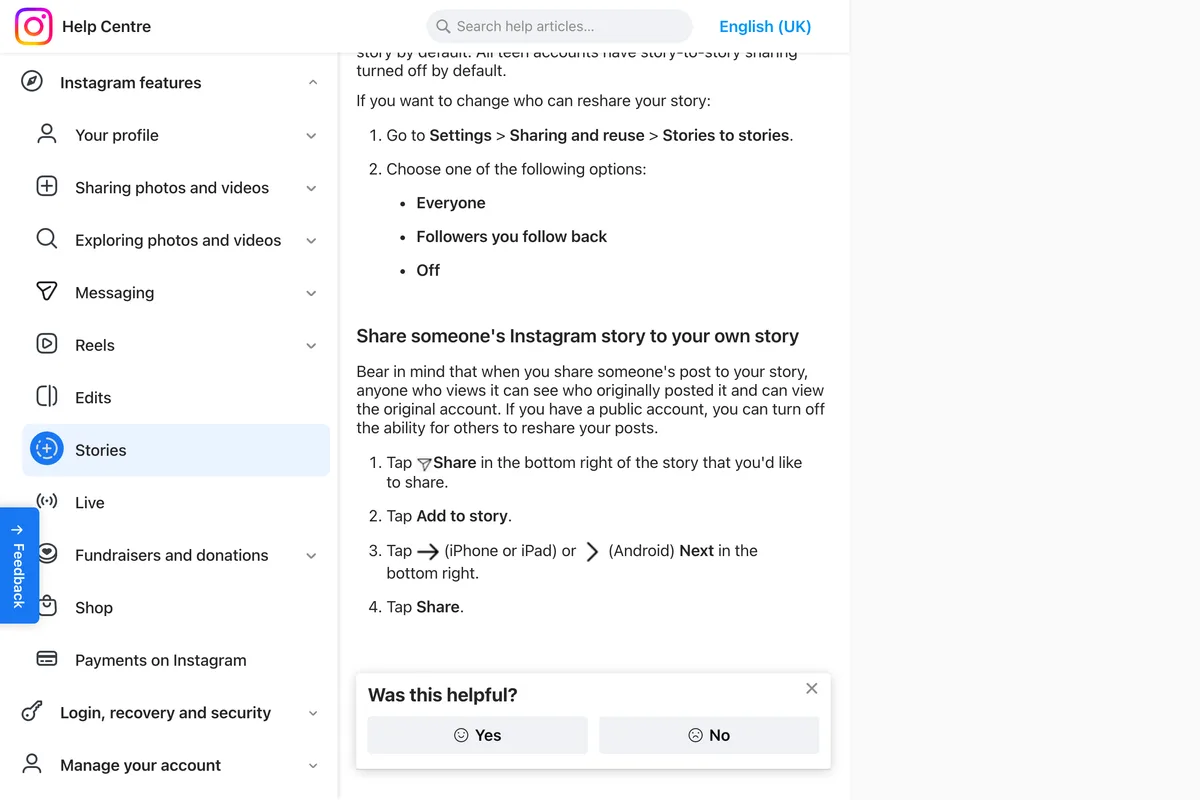
The story you post carries the original with it: Instagram's page says anyone who views it can see who originally posted it and can view the original account. You do not need to add a mention to give credit, although a line saying why you are sharing it does no harm.
The video above, from February 2026, says it plainly: a public story no longer needs to mention you. It shows Share, then Add to story, choosing whether the reshare goes to everyone or to Close Friends, and reposting two different stories. We read the full transcript before choosing it, and it sells nothing.
Instagram began rolling this out on iPhone and Android in early December 2025; WeRSM and FoneArena reported it on 9 December. Before it, the only built in way to share a story was to be mentioned in it, which is why so many pages still say that. If you do not see Add to story on a public story, update the app before assuming the owner turned it off.
How to repost a story you are tagged in
A mention still helps, because it tells you the story exists. Instagram's page on being mentioned says that if someone you follow mentions you, you get a direct message from them with a preview of their story; if you do not follow them, it arrives as a message request. Open it and use the add to story option under the preview. Instagram's page does not name the button; other guides call it Add to your story.
If several people mentioned you, there is a quicker place. Stories about you gathers the stories that mention you into one reel you can watch, reply to and share:
- Tap the heart in the top right of Home.
- Tap Mentions below Stories about you.
- Open a story and add it to yours from there.
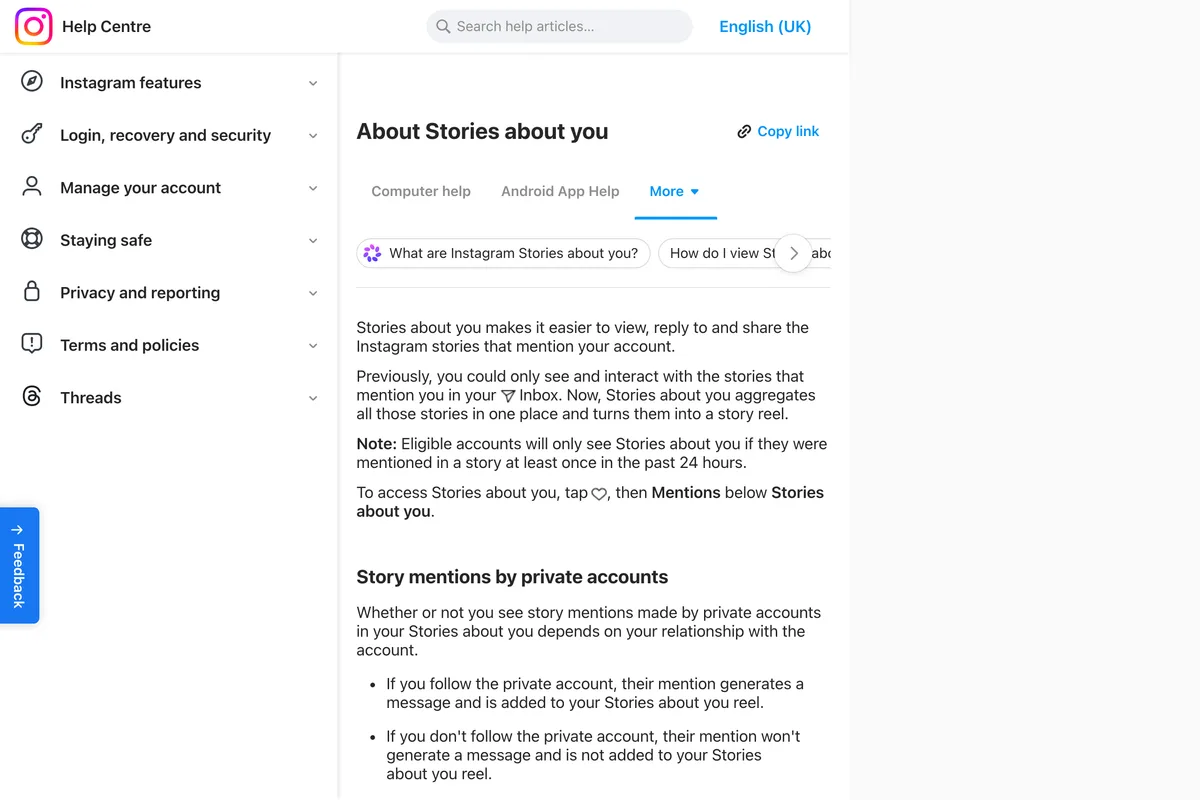
Two limits from the same pages. The reel only shows up if you were mentioned in the past 24 hours. And a mention by a private account you do not follow generates no message and does not appear in Stories about you, even if that person allowed resharing, so you would never know it happened.
This one, from August 2026, does both routes back to back: first the message that says someone mentioned you, with Add to your story under the preview, then Share and Add to story on a brand's story that does not mention him. The finished reshare shows the original account's name on it.
Why Add to story is missing
When the option is not there, it is almost always one of these:
- The account is private. Without a mention, a private account's story cannot be added to yours at all.
- The owner changed Stories to stories. Off blocks everyone. Followers you follow back blocks you unless they follow you back.
- It is a teen account. Instagram turns story to story sharing off for all teen accounts by default.
- You were mentioned, but reshares for mentions were off. Instagram: if someone turns off story reshares for people they mention, you will not be able to add it to your story even if you're mentioned in their story.
- The story has expired. Stories disappear after 24 hours unless the owner added them to a Highlight. Instagram's pages do not say whether a story inside someone's Highlight can be added to yours.
- Your app is out of date. Story to story sharing for stories that do not mention you arrived in December 2025.
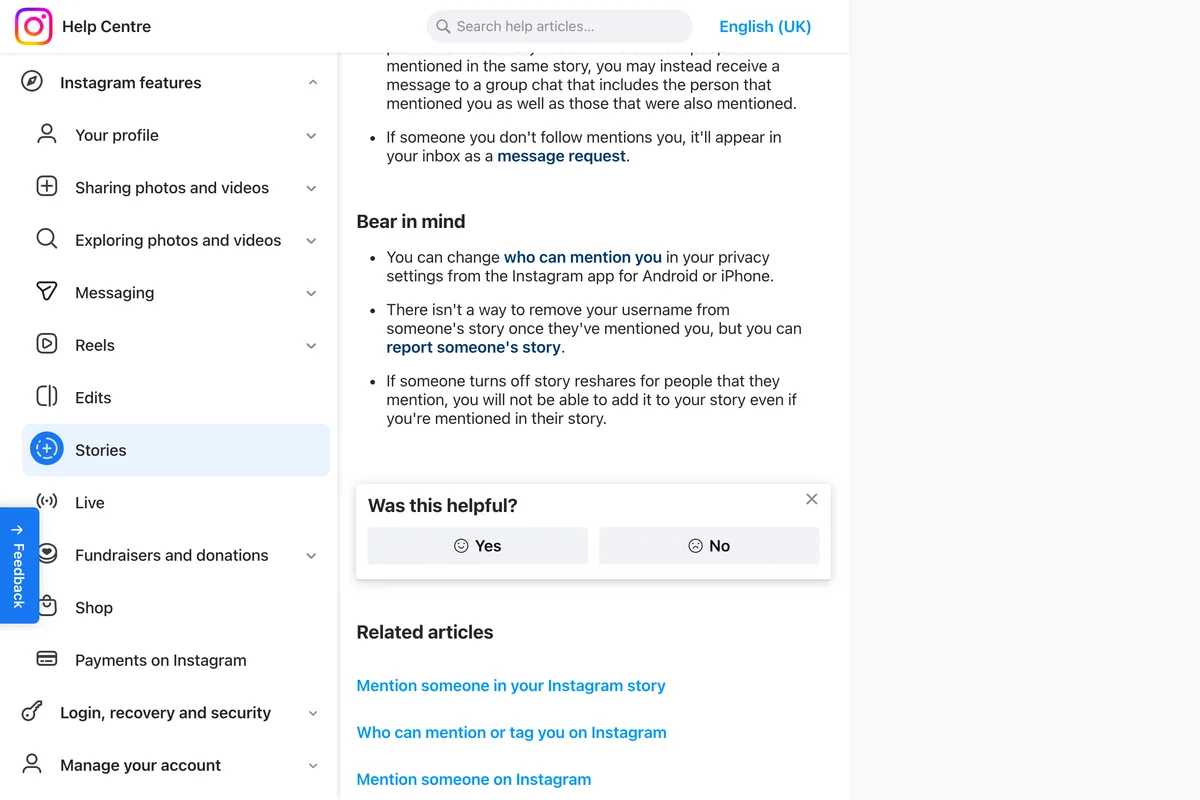
What you cannot tell from your side is which of these it is. A missing button looks the same whether the account is a teen's, whether sharing is off, or whether it is limited to people they follow back. If it matters, ask them.
Reposting customers' stories, for a business
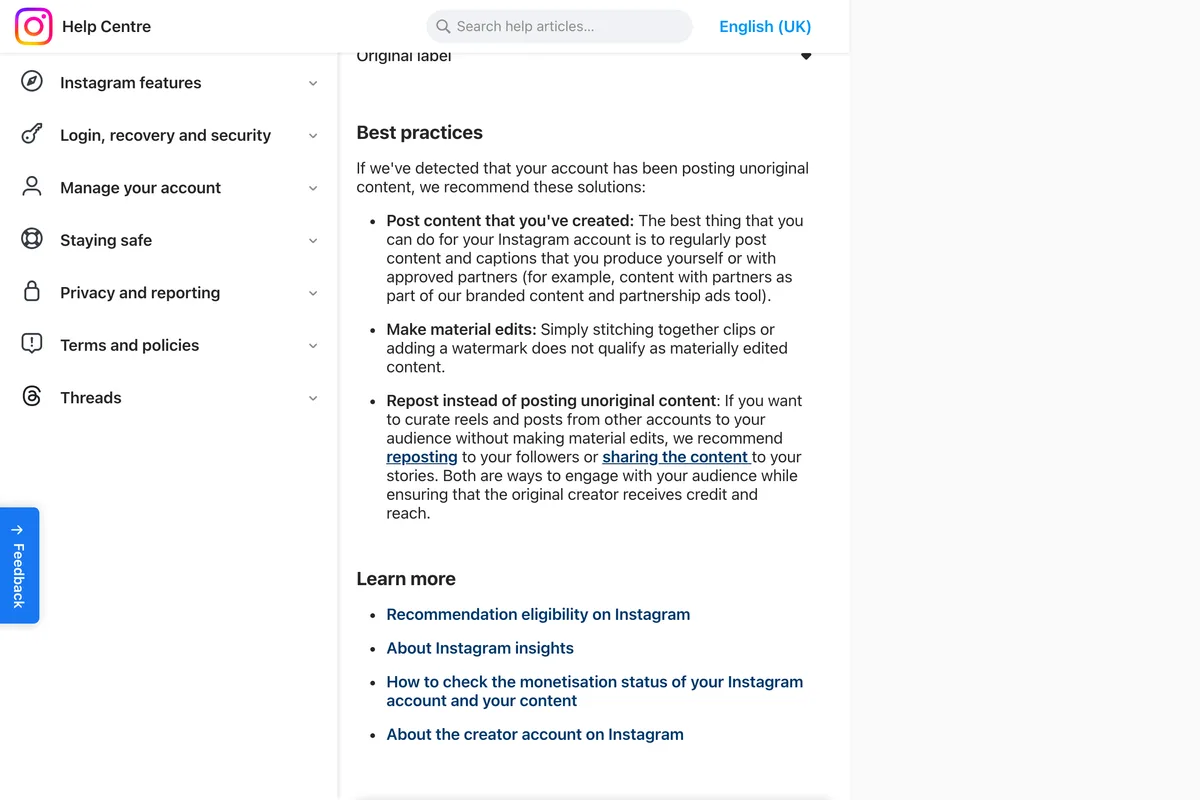
For a shop, a café or a clinic, this is the most useful thing on the page. When a customer posts your product in their story, you can now put it on yours with their name attached, without waiting for them to tag you and without a screenshot. Instagram's page on original content points the same way: instead of uploading other accounts' reels and posts again, it recommends reposting to your followers or sharing the content to your stories, as ways of ensuring that the original creator receives credit and reach. A screenshot of a customer's story is the same kind of re-upload. It gives them neither, and it looks worse.

- Ask first when a person is in it. The feature makes sharing possible, not welcome. A quick reply to their story asking if you can share it costs nothing.
- Ask customers to mention you. A mention is how you find out: it lands in your messages and in Stories about you. Without one, you only see their story if you happen to watch it.
- Keep the good ones. A story you reshare lasts 24 hours on yours, like any story. To keep it on your profile, add it to a Highlight: open it from your profile, tap More, tap Highlight. Instagram says Highlights stay up until you remove them.
- Say why you are sharing it. A line of your own text turns a reshare into a reply, and gives your followers a reason to tap through.
One thing we cannot tell you is whether the customer is notified when you add their story to yours. Instagram's pages do not say, and the guides that answer disagree: one says the original poster is notified, another says they are not. Assume they may find out, which is one more reason to ask.
How to stop people reposting your stories
If you have a public account, anyone can add your stories to theirs until you change it. Instagram's page gives the path as Settings, Sharing and reuse, Stories to stories, with three options:
- Everyone, the default for public accounts.
- Followers you follow back, which limits it to people you follow in return.
- Off, which stops story to story sharing entirely.
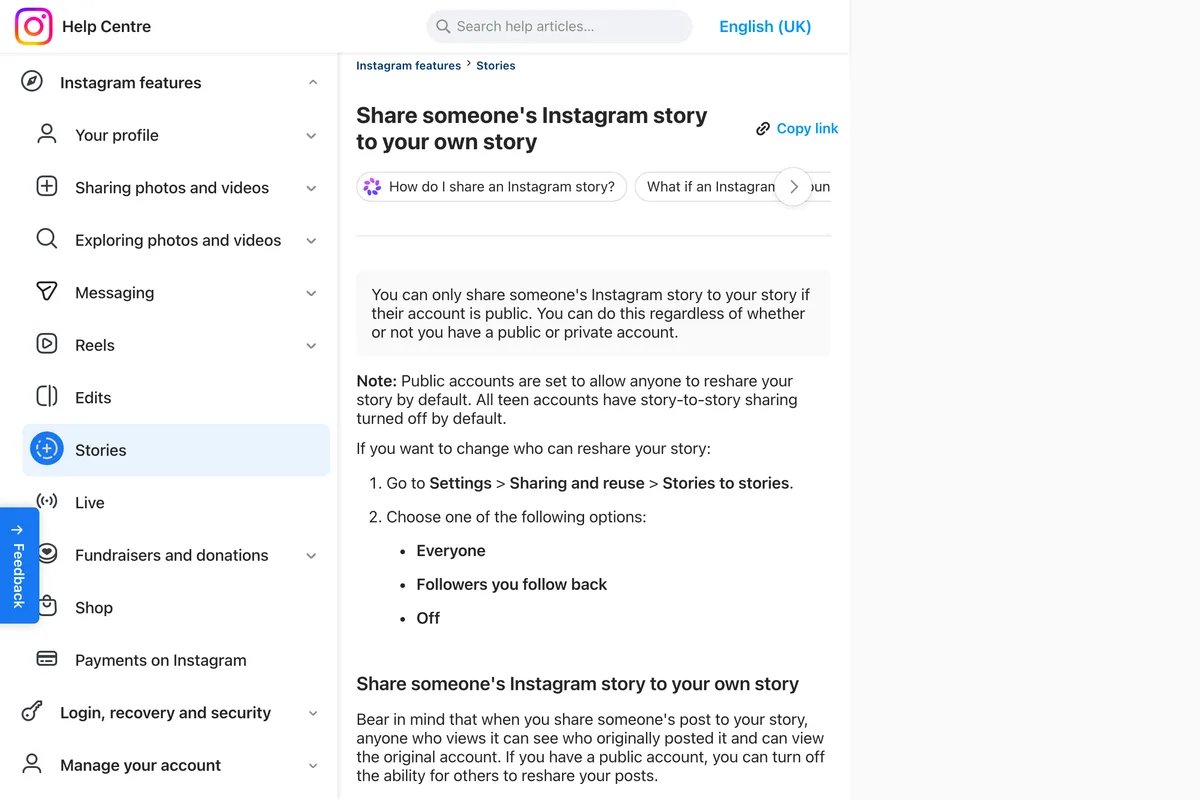
A second Instagram page, on managing story sharing describes the same menu differently, with a toggle called Stories in messages below Allow others to share your content, whose name suggests chats, though the page describes it as stopping other people from sharing your story. That page reaches it from your profile: Menu, then Sharing and reuse. Both live under Sharing and reuse, so look there and set each one.
You can also decide when you mention someone. The text tool shows a toggle, Let people you mention add this to their story and reshare it with their audiences? Turn it off and the people you mention cannot add that story to theirs, and Instagram keeps the choice for your later stories too.
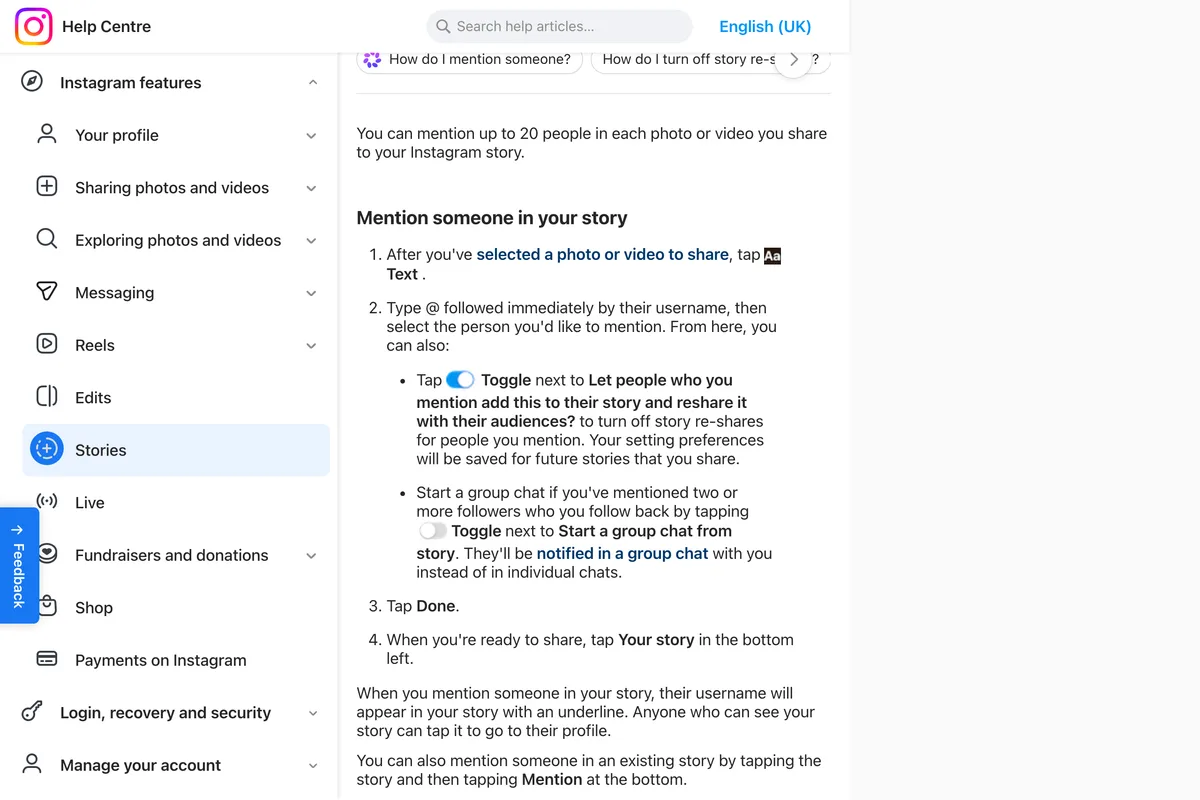
One warning from Instagram that applies to private accounts too: if you allow people you mention to reshare, your story may be shared with and visible to people who aren't friends with you or who don't follow you, even if you have a private account.
Posts and reels to your story, and the repost button
Three similar actions get called repost. Adding someone's story to yours is the one on this page. Adding someone's post or reel to your story is older and works the same way: tap the paper plane under it, then Add to story, as long as the account is public and allows it. The Repost button, the two arrows Instagram added in August 2025, is for public reels and posts only, and puts them on a Reposts tab on your profile rather than in your story. If you want to know who did that to your posts, we covered it in how to see who reposted your post on Instagram.

What about screenshots and story downloaders?
Until December 2025, a screenshot or a screen recording was the only way to put a story you were not tagged in on yours, and most guides still teach it. Instagram does not notify people when you screenshot their story, as we checked in does Instagram notify when you screenshot. For a public account that allows sharing, though, there is no reason to do it now: the native share keeps the quality and the link to the original, and the screenshot keeps neither. For a private account, the screenshot route goes around a limit Instagram sets on purpose.
Story downloader sites and repost apps, which at least two ranking guides still recommend, are outside Instagram's control. Whatever they ask for, never give a third party your Instagram password to get a story you can now share with a few taps.
What other guides get wrong
We read eight of the guides that rank for this search, in full, on 29 October 2026. All eight say, in one form or another, that you have to be tagged. At least three were published or updated after the feature arrived, and still say it.
| What the guide says | What Instagram's pages say | Guide |
|---|---|---|
| "Instagram only lets you natively repost Stories if you're tagged…" | "You can only share someone's Instagram story to your story if their account is public" | Adobe Express, 22 October 2025 |
| "if you're not tagged, Instagram won't let you repost it directly" | Share, Add to story, Next, Share, on any public story that allows it | Outfy, updated 31 December 2025 |
| "you'll need to be tagged in a Story in order to repost it officially" | Public accounts allow anyone to reshare their story by default | Shopify, updated 11 December 2025 |
| "Only individuals tagged in an Instagram story can share it on their own profile" | Tagging matters only for private accounts | Eclincher |
| Sharing any public story: "You can't, directly" | "Tap Add to story" | Unilink, May 2026 |
| "Instagram will notify the original poster that you reposted their Story" | Not documented either way | Online Tech Tips, 2021 |
The useful parts of those guides still hold: ask before sharing someone's personal moment, credit them, and do not make a customer's story look like your own content. The method has simply changed underneath them.
What our app does with stories
We make a tool that designs and publishes posts for small businesses, so this is the honest version for our own customers. It publishes single image feed posts to Instagram, not stories, and it does not reshare anything. Adding a customer's story to yours is something you do by hand in the Instagram app, with the steps above. Where we help is the other side: posts good enough that customers want to put them in their stories.
Frequently asked questions
Can you repost someone's story on Instagram if you are not tagged?
Yes, if their account is public and they have not turned sharing off. Open the story, tap Share, then Add to story, Next and Share. Instagram added this in December 2025; before that you had to be mentioned.
How do I repost a story I was tagged in?
Open the message you get from them, which includes a preview of the story, and use the add to story option under it. If you were mentioned in the last 24 hours, you can also tap the heart on Home, then Mentions below Stories about you.
Why can't I repost a story on Instagram?
Usually because the account is private, the owner set Stories to stories to Off or to followers they follow back, it is a teen account, or the owner turned off reshares for people they mention. An expired story or an old app version can also hide the option.
Can you repost a story from a private account?
Only if they mentioned you and allowed people they mention to reshare it, and only if you follow them, since otherwise you never receive the mention. A private account's story you are not mentioned in cannot be added to yours.
Does Instagram notify someone when you repost their story?
Instagram's help pages do not say. Your story shows their account as the original poster, and anyone viewing it can tap through to them, so assume they may see it.
How do I stop people from reposting my Instagram story?
Go to Settings, Sharing and reuse, Stories to stories, and choose Off or Followers you follow back. When you mention someone, you can also turn off the toggle Let people you mention add this to their story; it stays off for later stories.
How long does a reposted story stay up?
Twenty four hours, like any story. To keep it on your profile, add it to a Highlight from your story: tap More, then Highlight.
How we researched this
- The steps and rules on this page come from Instagram's help center, read on 29 October 2026 and photographed the same day: the pages on sharing someone's story to your own, on managing who can share your story, on mentions, on Stories about you, on Highlights, on sharing feed posts to your story, on reposting, and on original content. The photographs come from a browser that Meta served in UK English, so a few words differ from the US pages quoted in the text.
- The date the feature arrived comes from news coverage on 9 December 2025. Where Instagram's pages say nothing, for example on whether the original poster is notified, we say so instead of guessing. We did not reshare anyone's story or film the app ourselves; the videos below are by other people, and we read their transcripts before choosing them.
- The section on what other guides get wrong comes from reading eight of the guides that rank for these searches on 29 October 2026, in full, and comparing each claim with Instagram's pages.
Sources
- 1Share someone's Instagram story to your own story
- 2Manage who can share your Instagram story
- 3When someone mentions you in their Instagram story
- 4About Stories About You
- 5Mention someone in your Instagram story
- 6Add a story to your Story Highlights
- 7Share someone's post from feed to your Instagram story
- 8About original content on Instagram
- 9Repost a reel or a post on Instagram
- 10Instagram Now Lets You Re-Share Any Public Story
- 11Instagram now lets users reshare any public story