
Free tool
Instagram Carousel Splitter
Turn one wide picture into 2 to 20 carousel slides that line up when someone swipes. Pick 3:4, 4:5 or square, see every cut before you download, and get the slides as one ZIP. It all happens in your browser.
The Instagram carousel splitter cuts a panorama, a group photo or a design made wide into equal slides for one Instagram post. Each slide is 1,080 pixels wide, every cut lands on the same pixel in both neighbouring slides, and the slides are numbered in the order to post them, so the picture runs on unbroken as people swipe. It is free, needs no account and uploads nothing. How it decides each cut is written out further down the page.
The short answer
A seamless carousel is one picture cut into slides of the same shape, posted in order. Make each slide 1080 × 1440 (3:4) if you post from the app, or 1080 × 1350 (4:5) if a scheduling app posts for you. The picture needs 1,080 pixels of width per slide, and Instagram allows up to 20 slides.
Keep words and faces off the cuts, and check that the first slide works alone, because it is the only one your profile grid shows.

Built and checked by Matúš Koleják, Co-founder, AI Social Media Now. Last checked November 13, 2026.
What the tool is built on
- Instagram Help Centre, multiple photos in one post for the 20 slide limit and the one orientation every slide shares.
- Meta's Instagram Platform docs, content publishing for the same 20 item limit for apps that post for you, and the crop to the first image.
- Instagram Help Centre, image resolution for 1,080 pixels wide and the 1.91:1 to 3:4 range kept at full resolution.
- Adam Mosseri on Threads, 29 May 2025 for 3:4 photos being shown exactly as shot.
Every example picture on this page was cut by the same code the tool runs, from wide posts in our gallery.
Seamless carousel guide
One picture, many slides, no visible join
The idea is simple and the failures are specific: a picture too small for the number of slides, a headline cut in half, a first slide that makes no sense alone in the grid. Here is what to do at each step, shown on real posts from our gallery.
Step 1
Start wider than you think
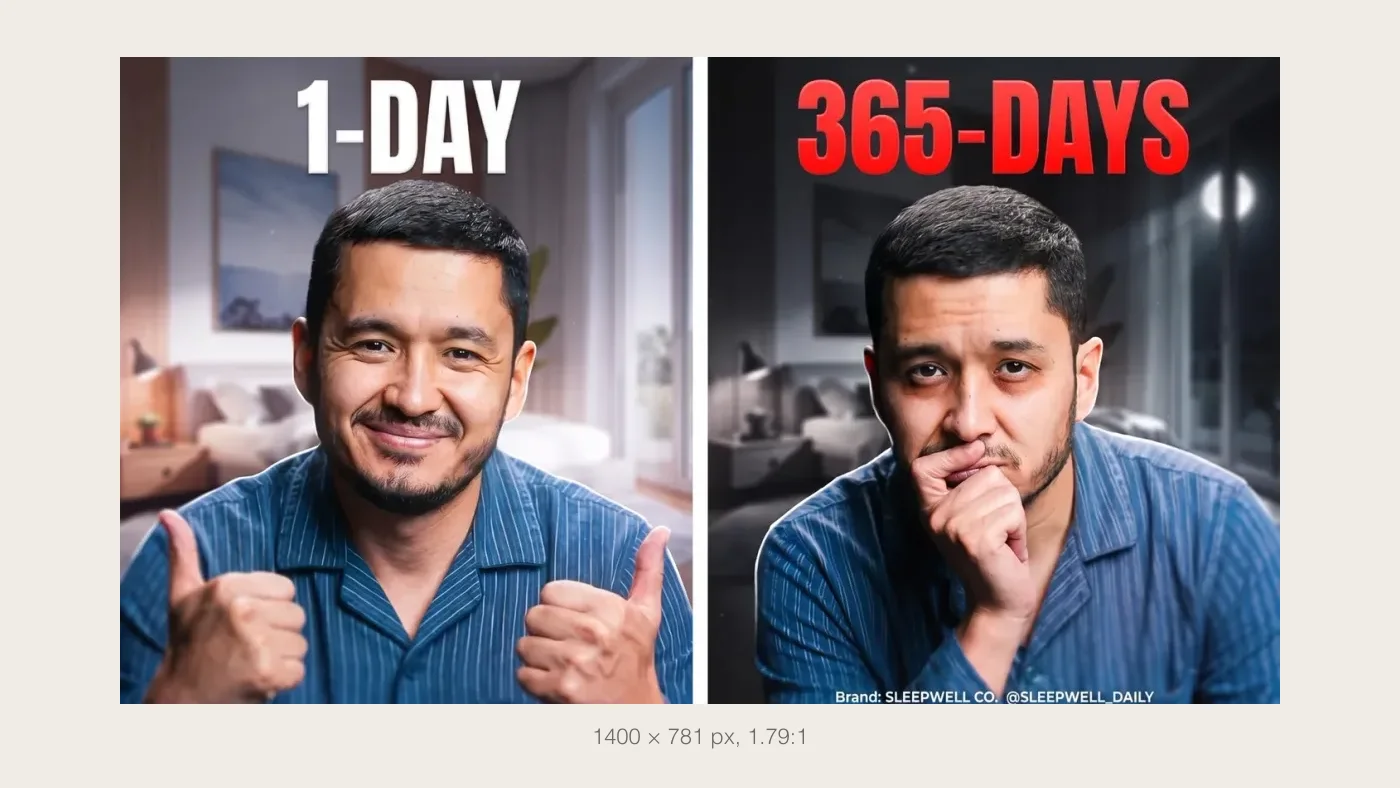
A seamless carousel is one picture laid across several slides. Each slide is 1,080 pixels wide, so the picture needs to be at least that many pixels wide per slide to stay sharp.
- Two portrait slides need 2,160 pixels across. Three need 3,240.
- A phone photo in landscape, 16:9, fills two portrait slides with a little cropped off the ends.
- Anything designed as two halves, a before and after, splits most cleanly.
The source here is a 1400 pixel wide post from our gallery, so the tool warns that two 1080 slides enlarge it.
Step 2
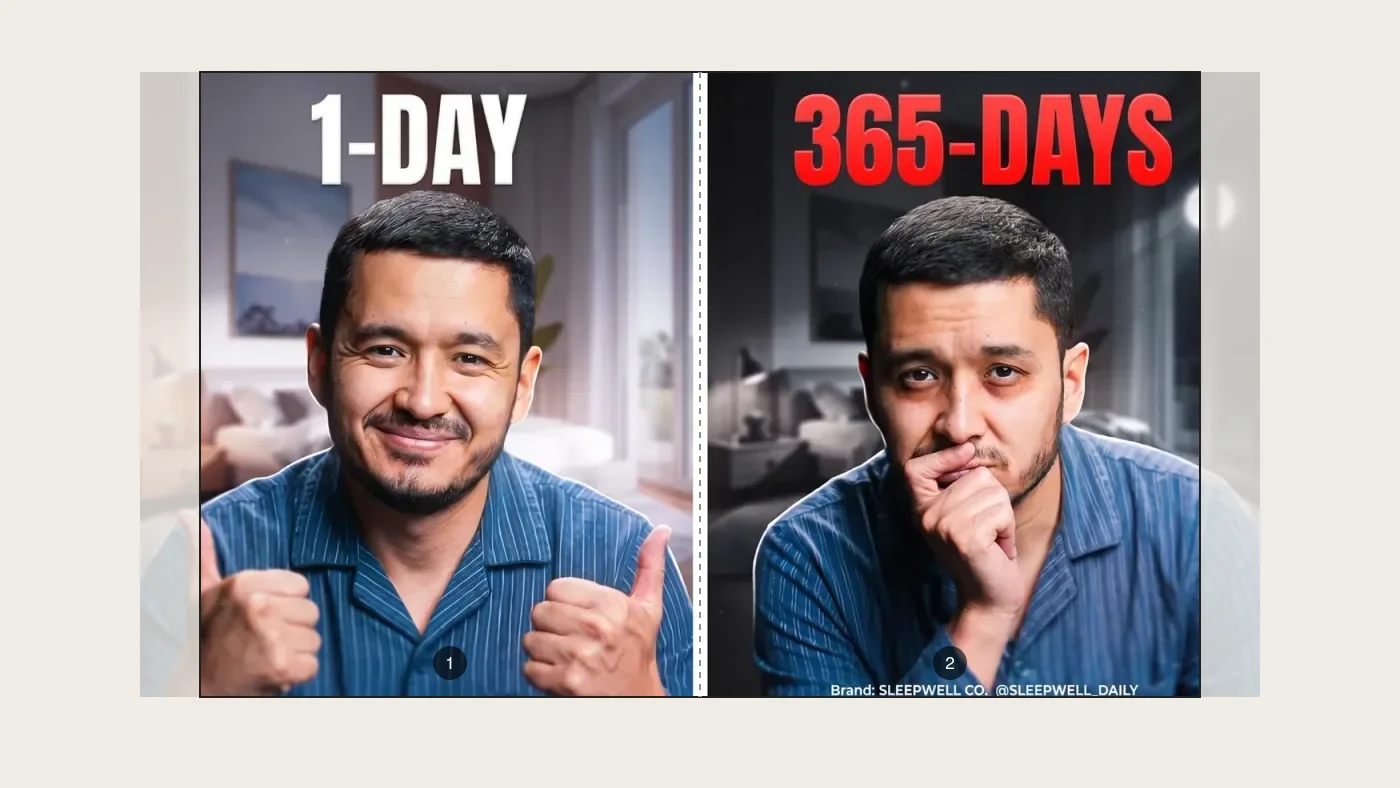
Choose the slide shape, then the count
The shape you pick applies to every slide. Instagram says the orientation you choose affects all of the photos in the post, so there is one choice, not one per slide.
- 3:4 is the tallest Instagram accepts and the shape of the profile grid.
- 4:5 is the safe tall size if a scheduling app will post it for you.
- Best fit picks the number of slides that crops your picture least.
Two 4:5 slides over a 1.79:1 picture: about 11% of the width is cropped off the ends.
Step 3
Download, and keep the order
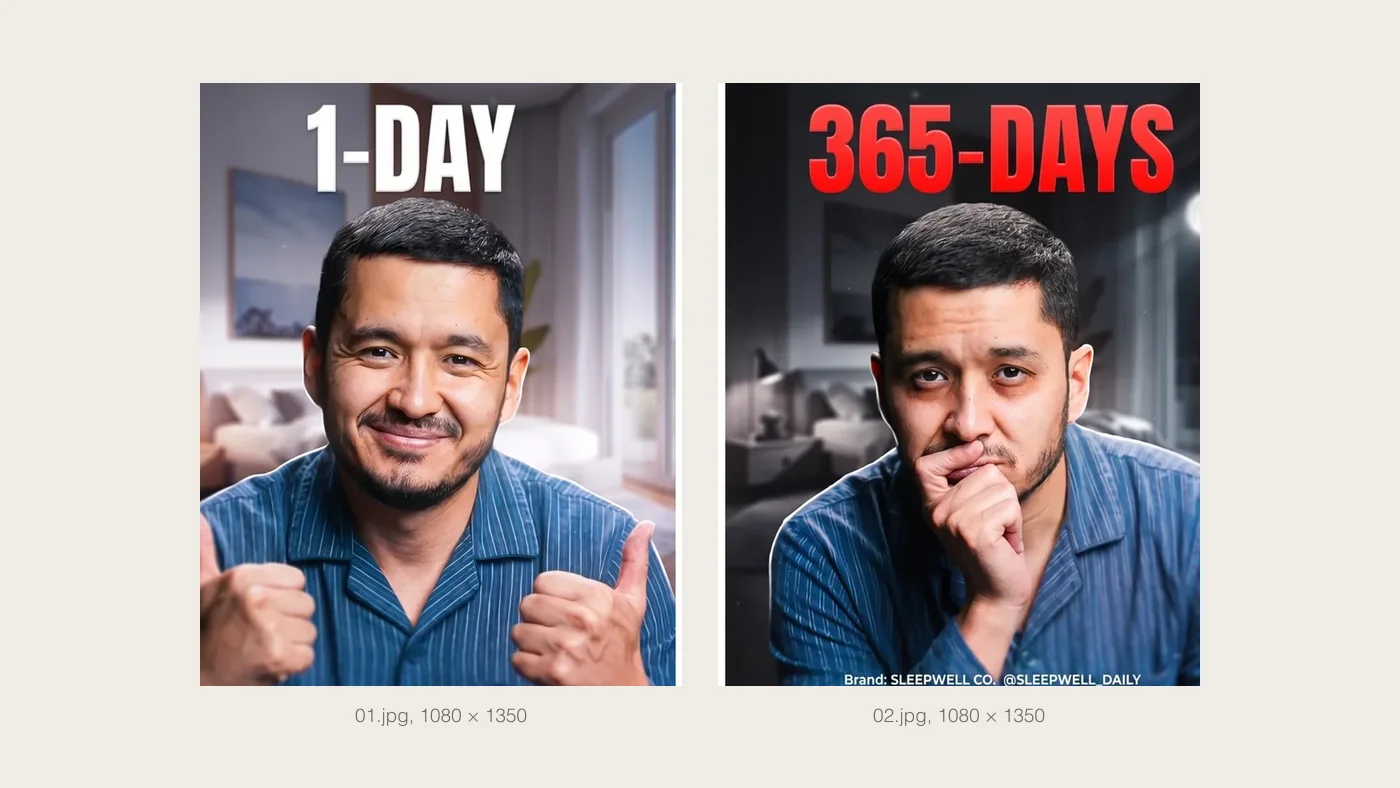
The slides come back in one ZIP, numbered 01, 02 and so on, each exactly 1,080 pixels wide. The cut falls on the same pixel column in both files, so nothing is lost or doubled at the join.
- Select them in Instagram in the order of the numbers. If one lands out of place, Instagram lets you hold and drag it into position before you share.
- Do not let Instagram re-crop them. They are already the shape you chose, so leave the crop at its full frame.
Drawn by the same function the tool runs, at 1080 × 1350 each.

Step 4
Keep words off the cut
The join is invisible while someone is swiping and very visible when they stop on one slide. A headline across the cut reads as BU on one slide and SINESS on the next.
- Turn on Show the cuts and move the picture until no word sits on a line.
- A face across the cut fares no better. Keep faces whole on one slide.
- Things that are meant to continue, a horizon, a table, a road, are what the join is good for.
The kind of picture to avoid splitting as it is: the headline was designed to be read whole.
Step 5
Check slide one in your grid
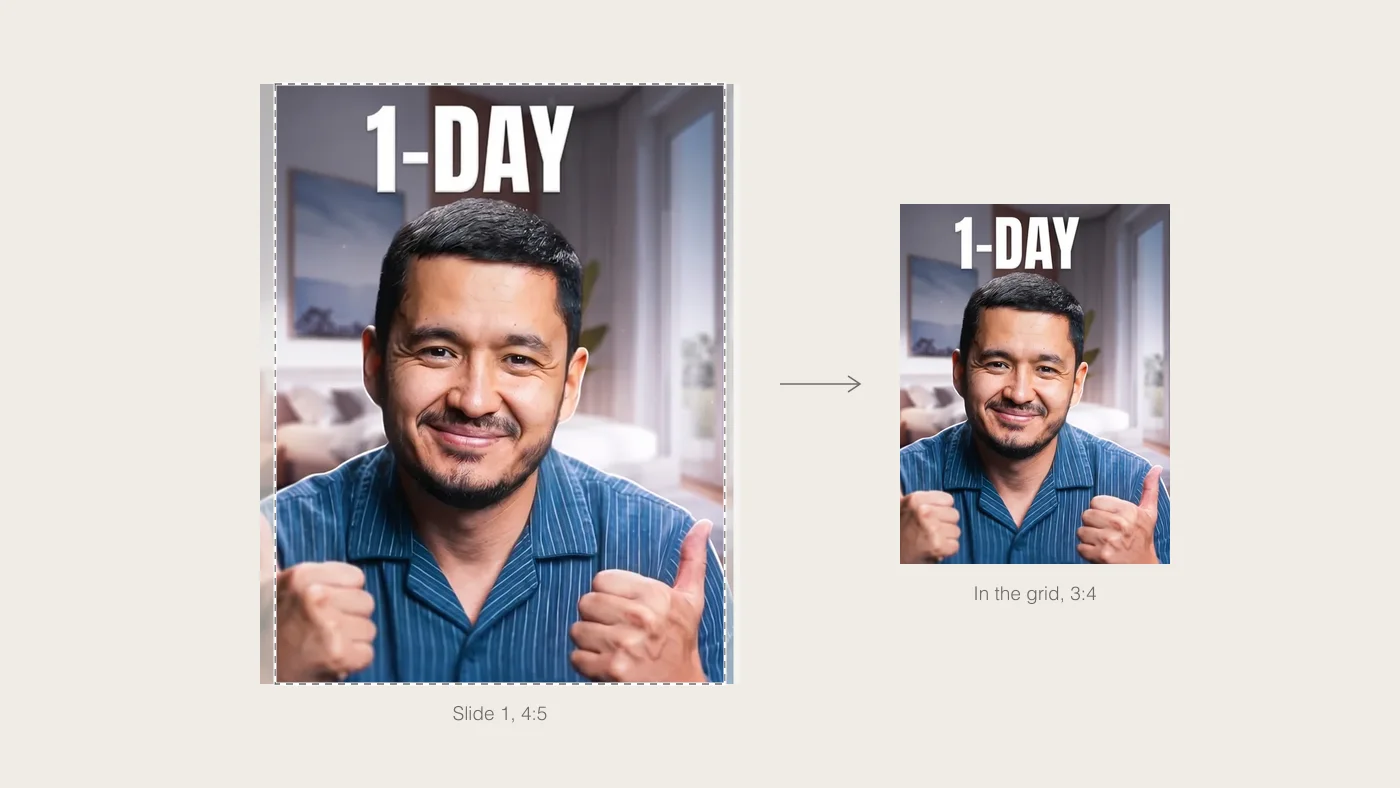
Your profile grid shows only the first slide, and since January 2025 it shows it as a 3:4 rectangle. Whatever the first slide says has to work in that crop on its own.
- A 3:4 slide loses nothing in the grid.
- A 4:5 slide loses 3.1% off each side. A square one loses 12.5%.
- The tool shows you this crop before you download.
Slide one at 4:5 and what the grid keeps of it.
Reference
How wide the picture needs to be
Multiply 1,080 by the number of slides for the width; the height is the height of one slide. A picture this size or larger is cut without any enlarging. A picture of a different shape is cropped to it, and you drag the preview to choose what stays.
| Slides | Tall 3:4 | Portrait 4:5 | Square 1:1 |
|---|---|---|---|
| 2 slides | 2,160 × 1,440 (3:2) | 2,160 × 1,350 (8:5) | 2,160 × 1,080 (2:1) |
| 3 slides | 3,240 × 1,440 (9:4) | 3,240 × 1,350 (12:5) | 3,240 × 1,080 (3:1) |
| 4 slides | 4,320 × 1,440 (3:1) | 4,320 × 1,350 (16:5) | 4,320 × 1,080 (4:1) |
| 5 slides | 5,400 × 1,440 (15:4) | 5,400 × 1,350 (4:1) | 5,400 × 1,080 (5:1) |
| 10 slides | 10,800 × 1,440 (15:2) | 10,800 × 1,350 (8:1) | 10,800 × 1,080 (10:1) |
| 20 slides | 21,600 × 1,440 (15:1) | 21,600 × 1,350 (16:1) | 21,600 × 1,080 (20:1) |
What Instagram and Meta say
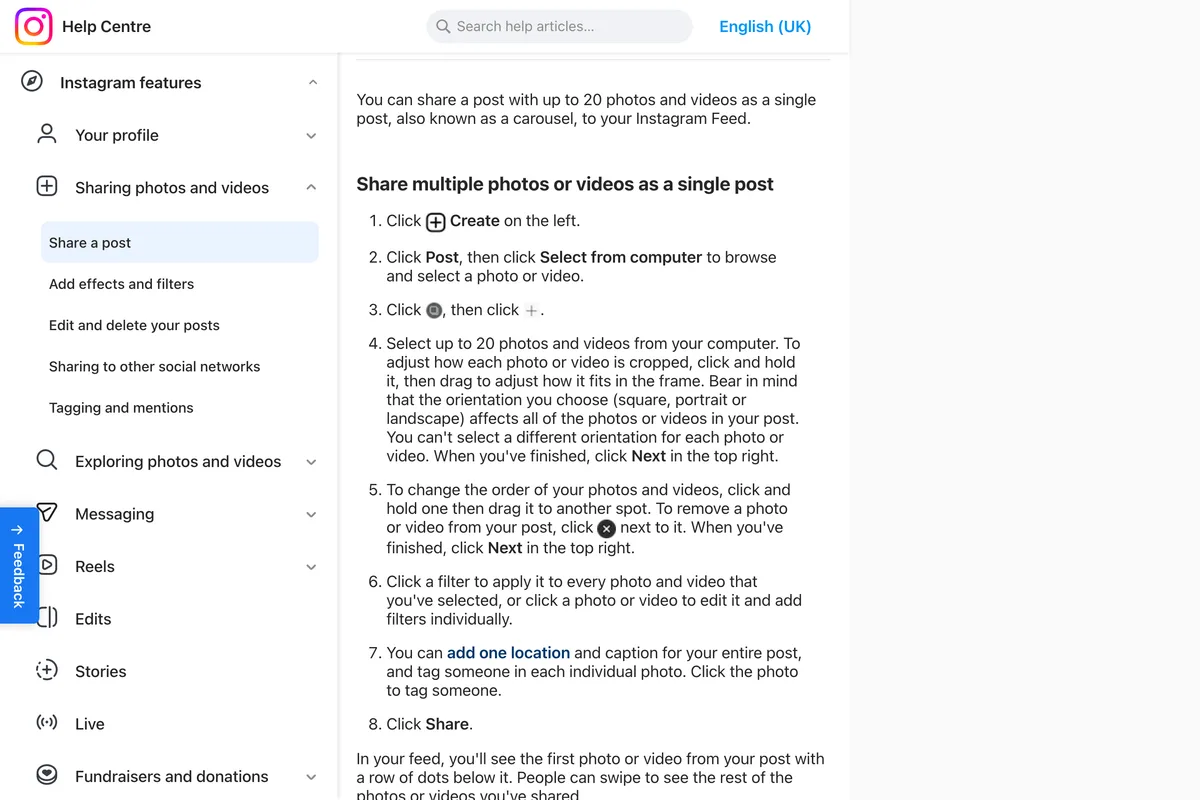
Two sentences decide how a split carousel behaves, and both are on Instagram’s and Meta’s own pages. We read and photographed them on November 13, 2026. Instagram’s help centre on posting several photos at once:
“the orientation you choose (square, portrait or landscape) affects all of the photos or videos in your post. You can’t select a different orientation for each photo or video.”
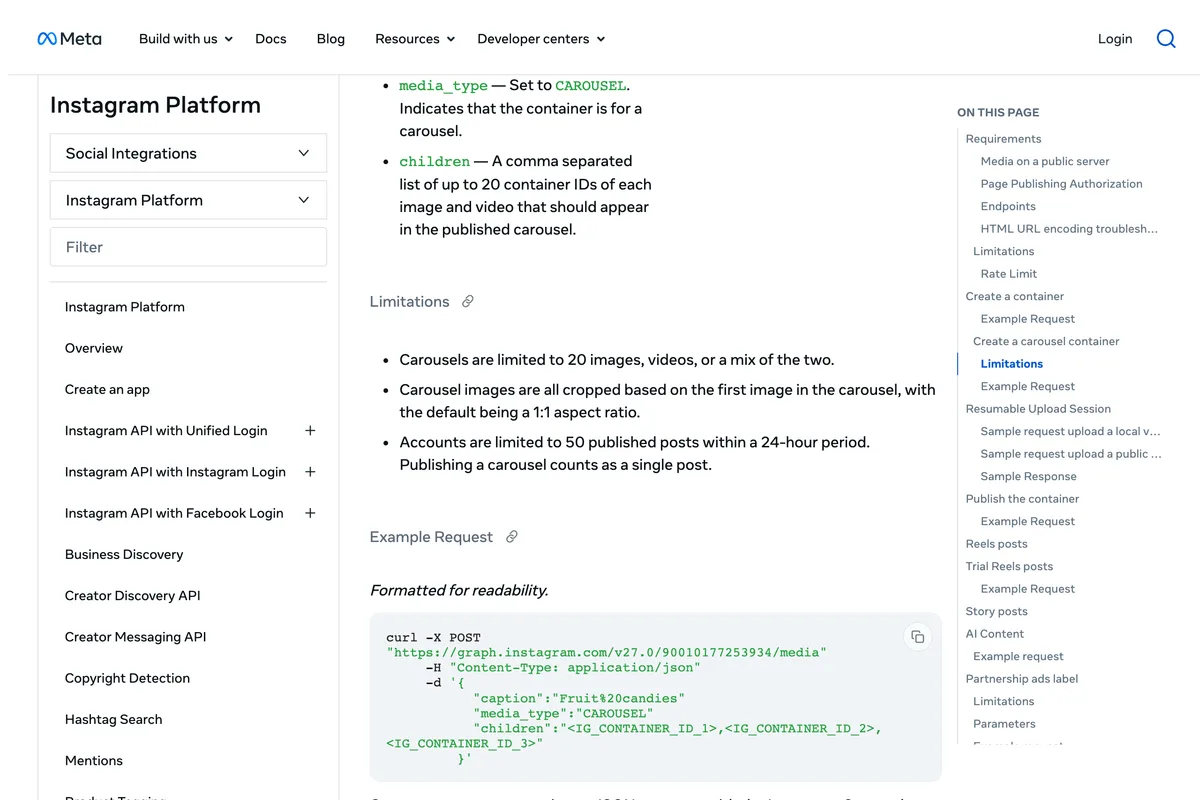
And Meta’s documentation for apps that publish to Instagram, which is how every scheduling tool posts a carousel, says carousels are limited to 20 images, videos or a mix, and that “Carousel images are all cropped based on the first image in the carousel, with the default being a 1:1 aspect ratio.” That is why the tool makes every slide identical: if they differ, Instagram decides the shape from slide one and crops the others to match.
Under the hood
How the splitter decides
No black box. Four rules, and all of them run in your browser.
- One placement for the whole strip. The picture is placed once on a canvas as wide as all the slides together, 1,080 times the number of slides, then cut into equal strips. Each slide draws the same placement shifted left by one slide width, so the last pixel column of slide one and the first of slide two are neighbours in the original. Nothing is lost or repeated at a join.
- Crop or fit. Crop scales the picture until it covers the whole strip and trims the overhang, and dragging the preview chooses which part survives. Fit keeps the whole picture and fills the leftover band with white, black or your own colour.
- Best fit.The suggested number of slides is the picture’s width to height ratio divided by one slide’s, rounded, between 2 and 20. A 16:9 picture on 4:5 slides is 1.78 divided by 0.8, so two slides.
- Honest about quality. If the strip needs more pixels than your picture has, the tool says so instead of quietly enlarging it. Slides are saved as high quality JPGs, at 1,080 pixels wide, because Instagram displays nothing wider.
Keep reading
Before you post the carousel
Frequently asked questions
How do I make a seamless carousel on Instagram?
Cut one wide picture into equal slides of the same shape, then post them in order as one carousel. Upload your picture above, choose 3:4, 4:5 or square, pick how many slides, and download the ZIP. In Instagram, select the slides in number order and leave the crop at its full frame. Because each cut falls on the same pixel column in both neighbouring slides, the picture continues across the join when someone swipes.
How many slides can an Instagram carousel have?
Twenty. Instagram's help centre says you can share a post with up to 20 photos and videos as a single post, and Meta's developer documentation gives the same limit, 20 images, videos or a mix, for apps that publish for you. The tool goes up to 20 for that reason.
What size should each slide of a seamless carousel be?
1080 pixels wide, and 1440 tall for 3:4, 1350 for 4:5 or 1080 for square. The whole picture therefore needs to be 1,080 pixels wide per slide: 3,240 pixels for three slides. Smaller pictures still work, but they are enlarged and look softer, and the tool tells you when that happens.
Can each slide in a carousel be a different shape?
No. Instagram's help centre says the orientation you choose affects all of the photos or videos in your post, and that you can't select a different orientation for each one. Meta's developer documentation says carousel images are all cropped based on the first image. A seamless carousel needs every slide the same shape anyway, so the tool makes them identical.
Should I use 3:4 or 4:5 slides?
3:4 if you post from the Instagram app: it is the tallest shape Instagram keeps, and it matches the profile grid, so the first slide is not trimmed there. 4:5 if a scheduling app will post it for you, because those publish through Meta's API, whose documentation still gives 4:5 as the tallest ratio.
Why is the first slide cut off in my profile grid?
The grid previews every post as a 3:4 rectangle and shows only the first slide of a carousel. A 4:5 slide loses about 3% off each side there and a square slide 12.5%. The small preview next to the download button in the tool shows exactly what the grid will keep.
Is my picture uploaded anywhere?
No. The picture is read and cut by your browser and the ZIP is built on your device. There is no upload, no account and no watermark.
Can I split a picture into 3 for Instagram?
Yes. Set the number of slides to 3. For three portrait 4:5 slides the picture should be about 2.4 times as wide as it is tall, 3,240 by 1,350 pixels at full quality, and the tool crops anything wider or taller to fit, letting you drag to choose what stays.
What we have and have not checked.The slide sizes, the 20 slide limit and the one shape per carousel are from Instagram’s and Meta’s pages, photographed above. The cuts are exact by construction and the example pictures were made by the tool’s own code. Instagram recompresses every upload, so a very fine line or gradient across a cut can show a faint step after posting; that part is Instagram’s, and it is worth checking your first carousel on a phone before you rely on it. Last reviewed November 13, 2026.
Or let the carousel write itself
AI Social Media Now reads your website and designs your posts, carousels included, in your colours and your voice, at the size Instagram wants. Every post in the gallery was made that way.
Make my first posts free