7 Gemini prompts for Diwali posters, tested in Hindi and Tamil
Seven copy and paste Gemini prompts for the Diwali posts a shop actually needs: a sale, a greeting in Hindi, a Deepavali greeting in Tamil, holiday hours, a gift box price list in rupees, a Dhanteras poster built on your own photo and a WhatsApp Status. Each one run on Nano Banana 2.1 and Pro on 19 October 2026, with every word checked.
A Diwali poster from a shop has more ways to go wrong than an ordinary sale post. It carries a run of dates whose weekdays have to be right, a price with a rupee sign, and often a greeting in Hindi or Tamil that the shop owner may read better than the person making the poster. We wrote seven prompts for the Diwali posts a small business actually puts out, ran each on Nano Banana 2.1 and Nano Banana Pro on 19 October 2026, and checked every word that came back.
Our articles are still written by humans!
Get human written articles in your Google feed.
The short version: give Gemini the words and it sets them. Nano Banana 2.1 got every quoted word right on all seven prompts, and the Hindi and the Tamil character for character; its only slips were three commas dropped where a line broke. Nano Banana Pro, the model Google sells on its text, printed text twice in two of seven posters and quietly changed one Hindi spelling. And a one-line prompt is worse than useless: Pro invented a shop, a 50 percent sale and a ten digit mobile number.
Which prompt for which Diwali post
| The post you need | Prompt | Nano Banana 2.1 | Nano Banana Pro |
|---|---|---|---|
| Diwali sale or offer | 1 | Every word right, one comma dropped | Every line right |
| Greeting in Hindi | 2 | Every character as typed | Changed one spelling |
| Deepavali greeting in Tamil | 3 | Every character as typed | Repeated a word |
| Diwali opening hours | 4 | 6 of 6 rows right | Repeated "Open as usual" |
| Gift boxes with prices in ₹ | 5 | 5 of 5 prices right | 5 of 5 prices right |
| Dhanteras poster on your own photo | 6 | Kept the rings | Kept the rings |
| WhatsApp Status version | 7 | Kept every word and the picture | Kept every word, redrew the sweets |
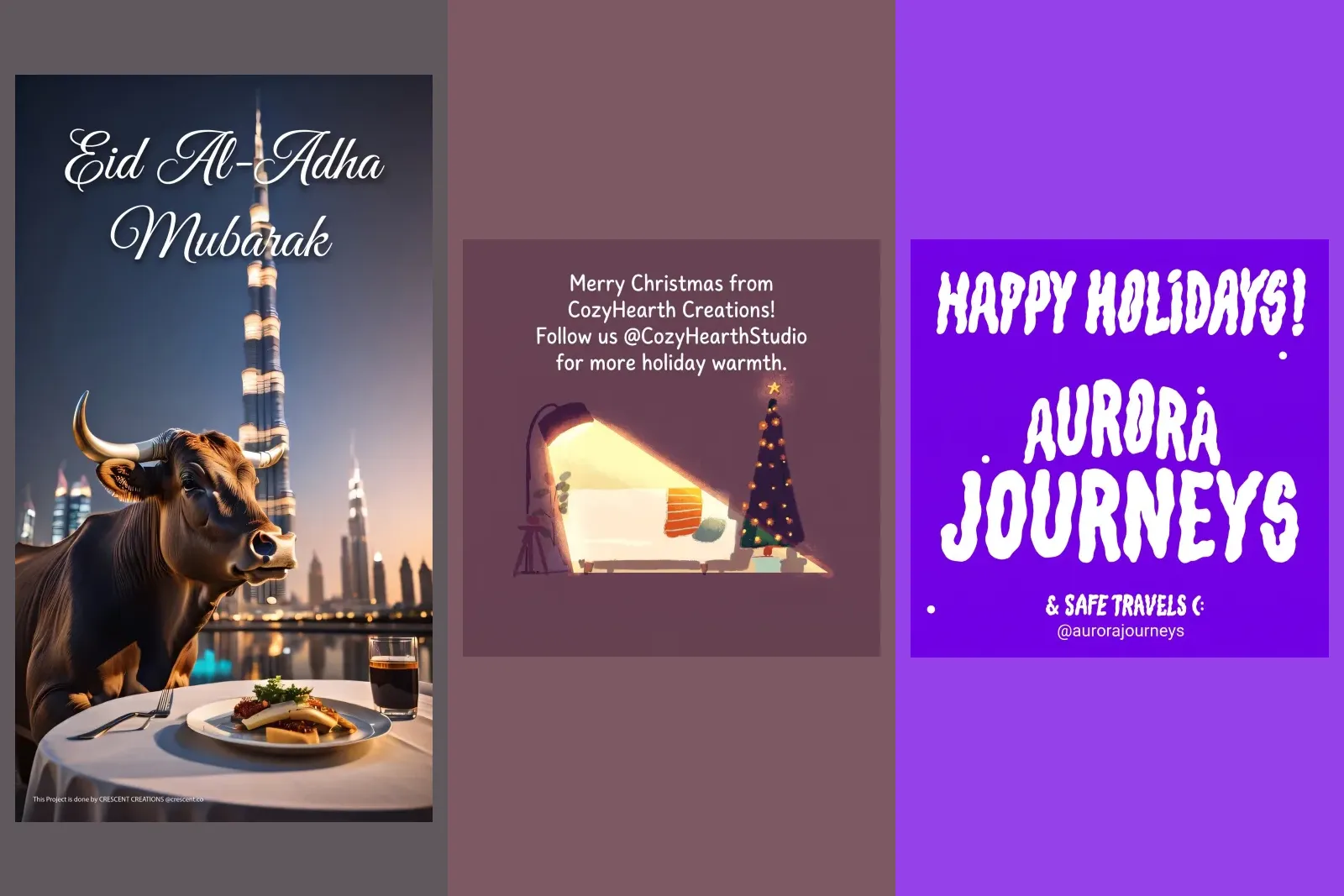
When is Diwali 2026, and which dates go on the poster?
Start with the dates, because a Diwali poster is a calendar with decoration. The Government of India's list of 2026 holidays for its own offices puts it plainly:
During 2026, Diwali (Deepavali) falls on Sunday, November 08, 2026 (Kartika 17). In certain States, the practice is to celebrate the occasion a day in advance, i.e., on "Naraka Chaturdasi Day".
Dhanteras, the day for buying gold, silver and new utensils, is Friday 6 November 2026 in the published calendars we checked, and our prompts use it. For the days after Diwali the calendars we found disagree by a day, depending on the city and on when a tithi begins, so if your poster names Govardhan Puja or Bhai Dooj, take the date from your local panchang rather than from an article, this one included.
Then write the weekday next to every date and check the pair. In our flyer tests a one-line prompt printed "This Friday, October 25th", which is a Sunday in 2026. A customer who arrives on the wrong day does not come back to check the poster; they find a closed shutter.
What happens with a one-line Diwali prompt?
Make a Diwali poster for my shop.
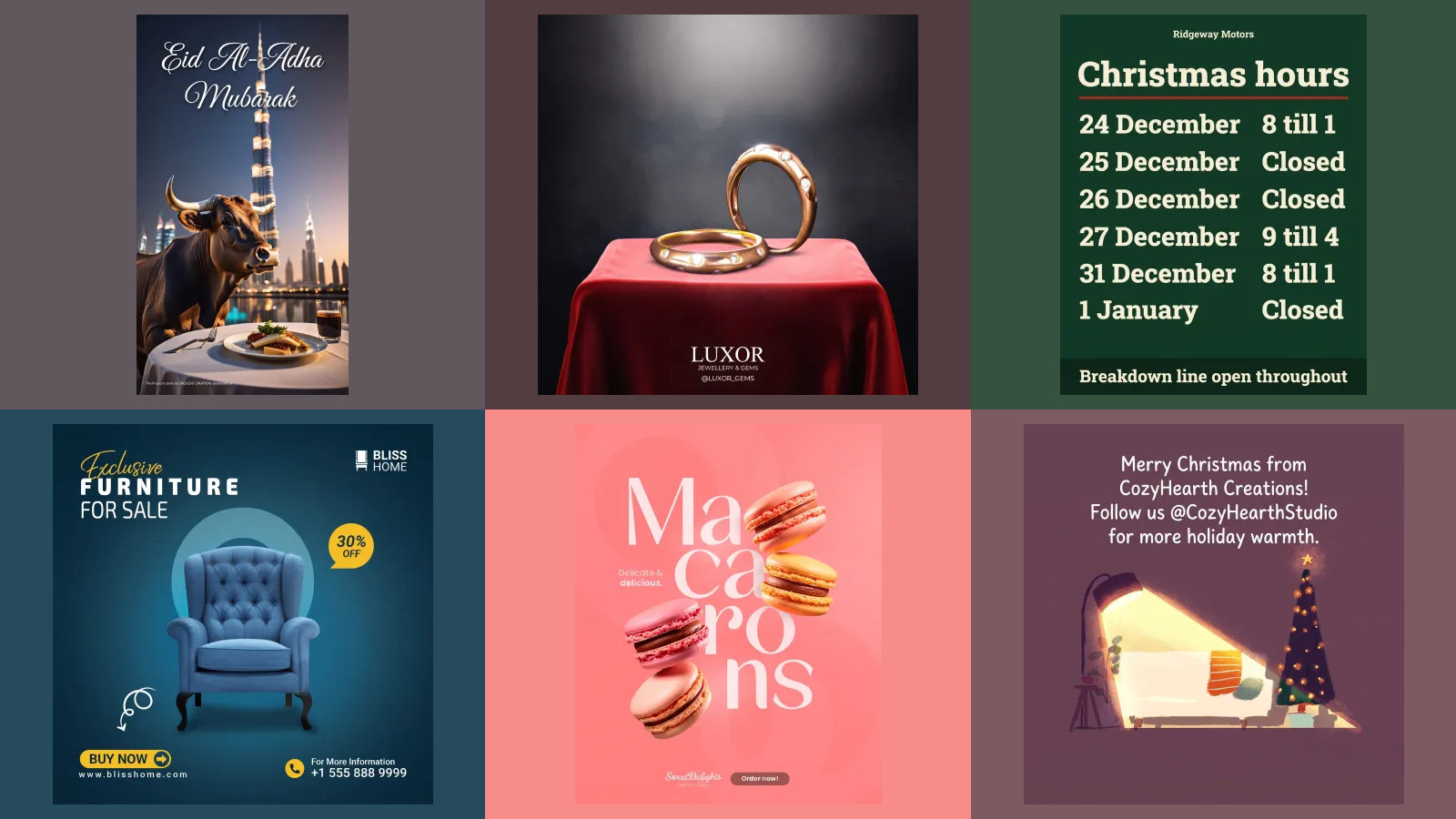
Nano Banana 2.1 returned a glowing, generic poster: "Happy Diwali", diyas on a rangoli, hanging lanterns, fireworks, and an offer nobody asked for: "Grand festive sale & special offers inside! Visit our shop today!". It named no shop and no date, which at least makes it easy to see that nothing on it is yours.
Nano Banana Pro went further. It named the shop Shree Laxmi Traders, a name a great many real shops in India use. It printed a garbled address, "112, Near. 4th Rorad, Navori, Newi". It added a Hindi greeting we had not asked for and announced "Festival sale! Up to 50% off". And it printed a phone number: ten digits starting with 9, the format of an Indian mobile number. We have blurred it in the image below, because a number in that format can ring a real person. If your poster goes out with an invented number on it, the first calls go to a stranger.
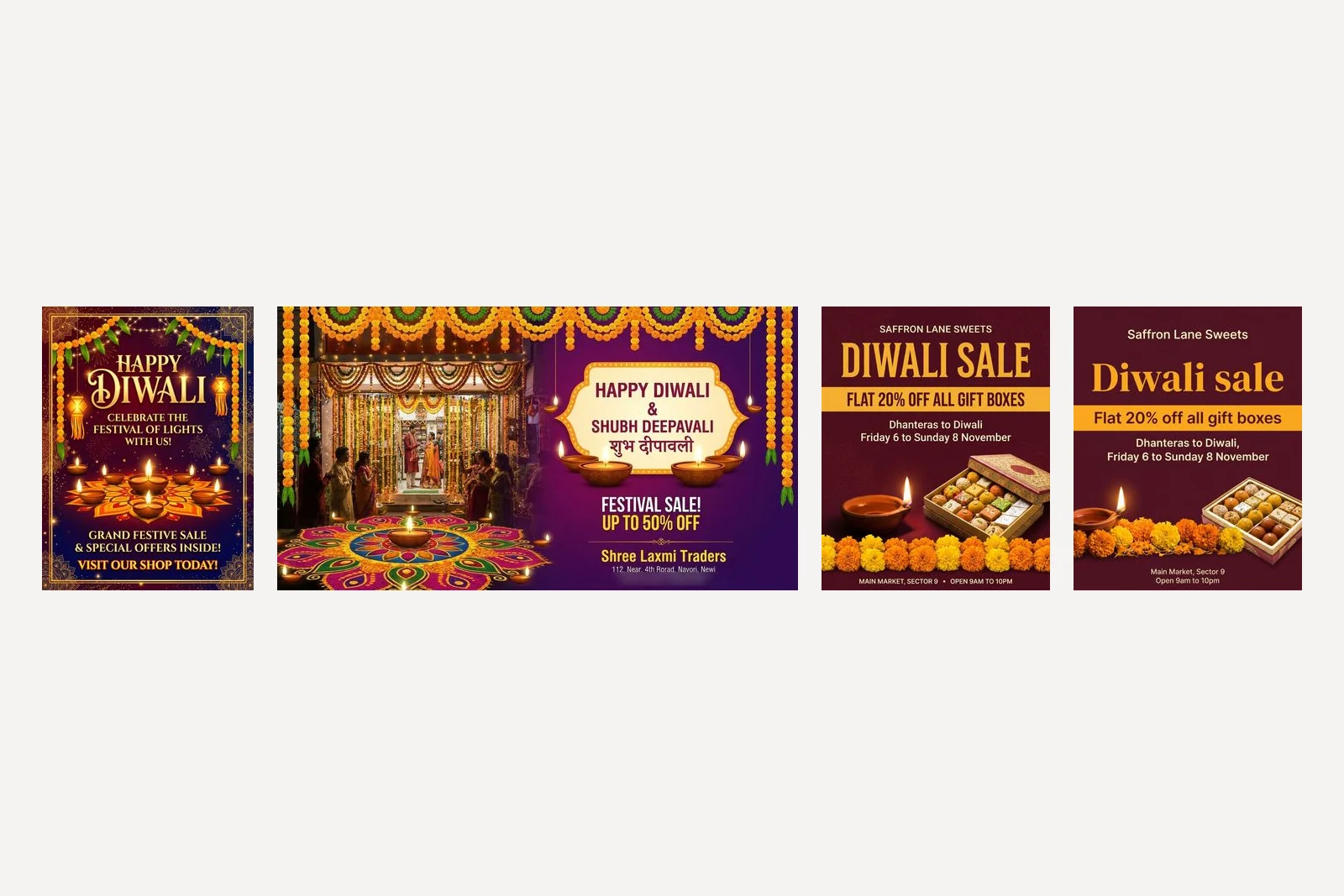
Two smaller things the short prompt shows. Pro returned a wide 1408 by 768 picture and Nano Banana 2.1 a 3:4 one, although Google's documentation says the model makes a square unless told otherwise; neither is the 4:5 an Instagram feed post uses, so set the shape. And neither model put a god or goddess anywhere prominent on the poster; Pro's shop interior has a small framed picture on the back wall too small to make out. If you want Lakshmi or Ganesha on your poster, that is your call to make, not the model's, and our prompts below rule it out so the choice stays with you.
1. A Diwali sale poster
This is the brief the others build on. It names the shop, quotes every word, says where each part goes, gives each colour a job with a hex code, and says what to leave out. Replace the words in quotes with yours and keep the structure.
Design a Diwali sale poster for an Instagram post for a sweet shop called Saffron Lane Sweets. Headline, set very large: "Diwali sale". Offer, in a bold band: "Flat 20% off all gift boxes". Under it: "Dhanteras to Diwali, Friday 6 to Sunday 8 November". Footer, small: "Main Market, Sector 9" and "Open 9am to 10pm". Picture: one lit clay diya and a row of marigold flowers along the bottom, with an open box of mithai beside them. Colours by role: background deep maroon #5C1A2B, headline and offer band marigold #F2A93B, all other text cream #FFF4E0. Type: a bold serif for the headline, a plain sans for everything else. No logo, no emblem, no gods or religious figures, no fireworks; set the shop name as plain type above the headline.
Both models set all six lines with the right words, in the right colours and in the right order, with one diya, a row of marigolds and a box of mithai, and nothing added beyond a faint background pattern on Nano Banana 2.1. Pro set every line exactly. Nano Banana 2.1 dropped the comma after "Diwali" where it broke the date line, joined the two footer lines with a dot, set the name, headline, offer and footer in capitals and drew the headline in a condensed sans, ignoring the serif we asked for; Pro used a serif and kept our capitals. Set the shape to 4:5 in the aspect ratio setting, not in the words.
Why "no fireworks"? Several Indian cities restrict firecrackers around Diwali, and a shop poster full of rockets is a message you may not mean to send. Leave it out if you want them. The same habits, tested on twelve shop posters, are in Gemini prompts for poster design.

2. A Diwali greeting in Hindi
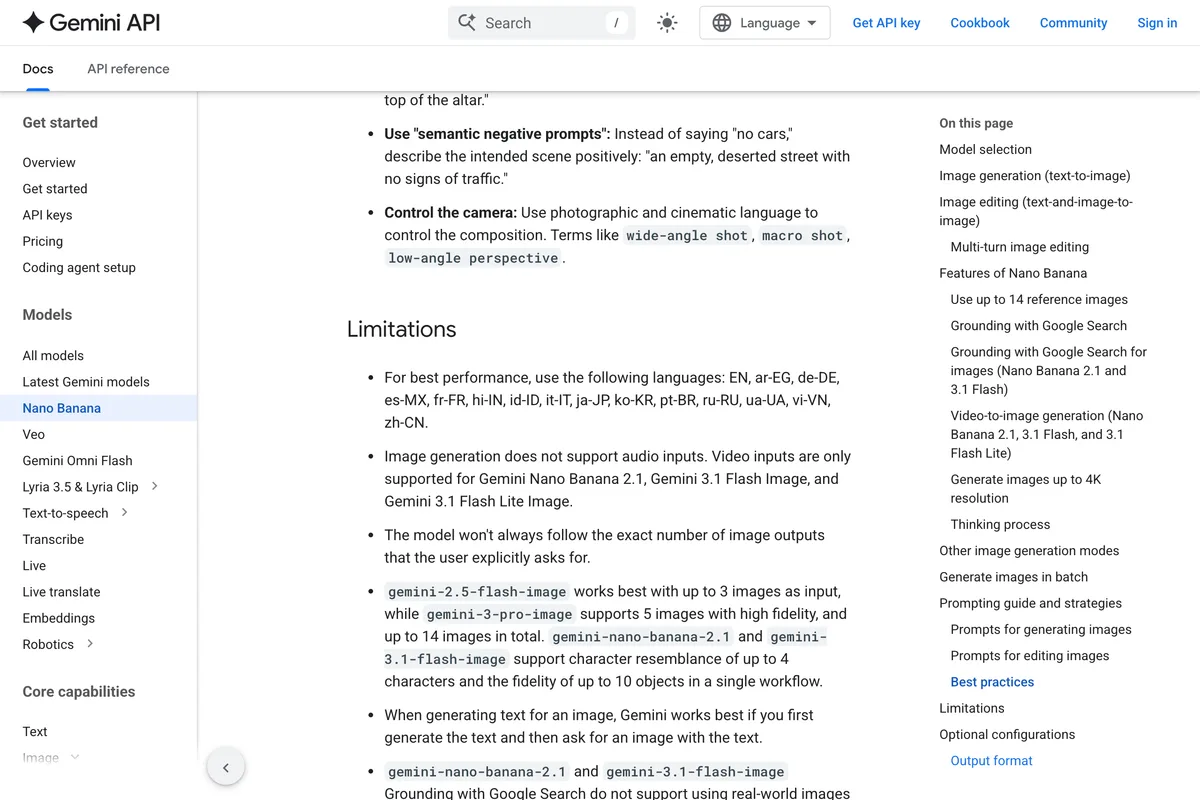
Google publishes a short list of languages its image models handle best. Hindi is on it:
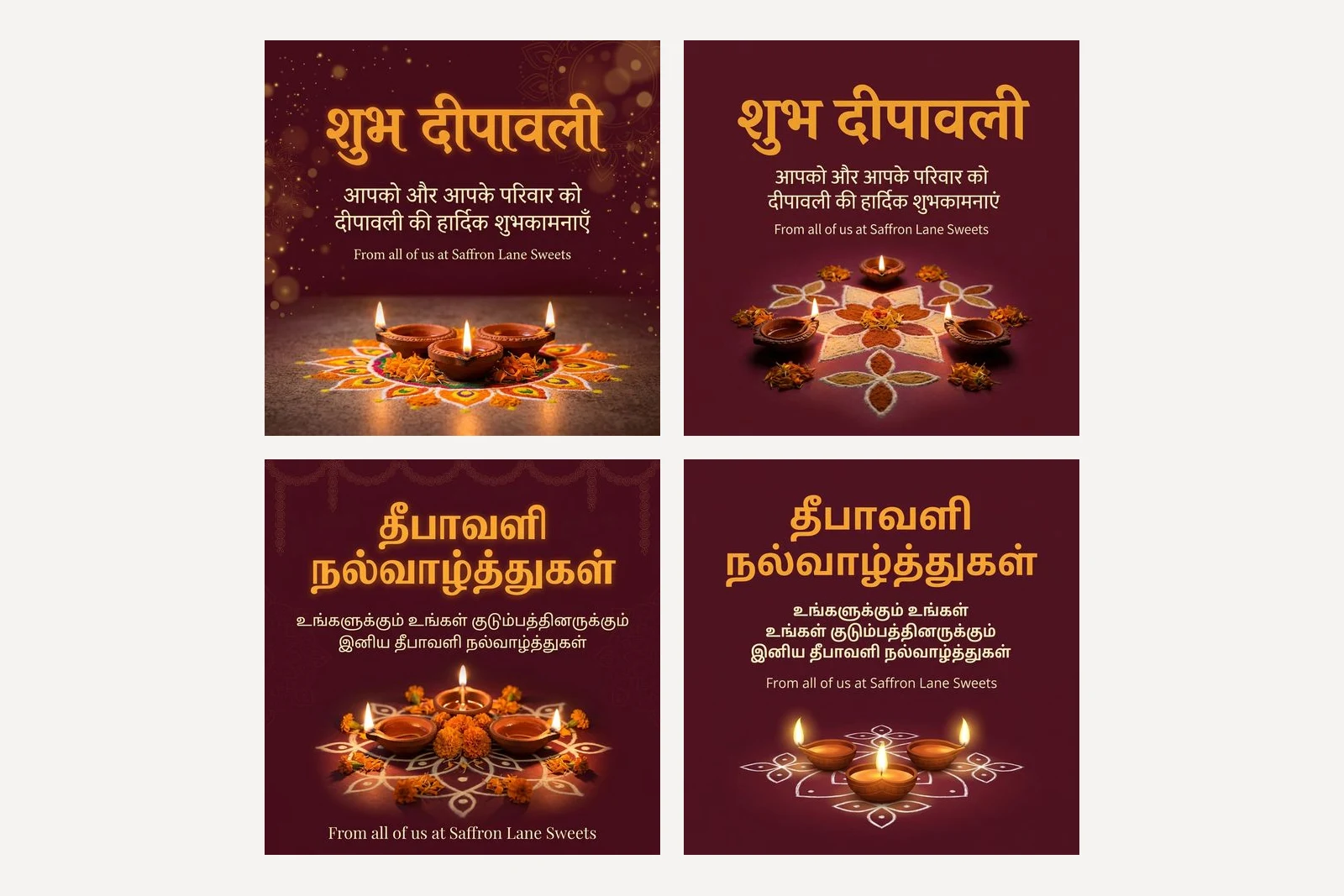
Design a square Diwali greeting post for a sweet shop called Saffron Lane Sweets. Headline in Hindi, in Devanagari script, set very large and exactly as written: "शुभ दीपावली". Under it, in Hindi, exactly as written: "आपको और आपके परिवार को दीपावली की हार्दिक शुभकामनाएँ". Under that, in English, smaller: "From all of us at Saffron Lane Sweets". Picture: three lit clay diyas on a simple rangoli. Colours: background deep maroon #5C1A2B, headline marigold #F2A93B, other text cream #FFF4E0. No logo, no gods or religious figures.
Nano Banana 2.1 set both Hindi lines exactly as typed, including the chandrabindu on शुभकामनाएँ, and broke the long line in a natural place. Pro set them cleanly too, with one change we did not ask for: it wrote शुभकामनाएं, with an anusvara dot instead of the chandrabindu. Both spellings are in everyday use, so most readers will not mind, but it is a reminder that "exactly as written" is a request, not a guarantee. If your shop has a house spelling, check it.
Three things made this prompt work. The Hindi is typed in Devanagari, not transliterated as "Shubh Deepavali", which would leave the model to guess the spelling. The prompt says which script it is in. And each line is in its own quotation marks, so the model knows where one ends and the next begins.
3. A Deepavali greeting in Tamil
Tamil is not on Google's list, so we expected trouble. It matters well beyond Tamil Nadu: in Malaysia and Singapore the festival is Deepavali and shop greetings are often in Tamil, and Malaysia was the third largest source of this site's search clicks over the last three months.
Design a square Deepavali greeting post for a sweet shop called Saffron Lane Sweets. Headline in Tamil, in Tamil script, set very large and exactly as written: "தீபாவளி நல்வாழ்த்துகள்". Under it, in Tamil, exactly as written: "உங்களுக்கும் உங்கள் குடும்பத்தினருக்கும் இனிய தீபாவளி நல்வாழ்த்துகள்". Under that, in English, smaller: "From all of us at Saffron Lane Sweets". Picture: three lit clay diyas on a simple kolam. Colours: background deep maroon #5C1A2B, headline marigold #F2A93B, other text cream #FFF4E0. No logo, no gods or religious figures.
Nano Banana 2.1 got it right: both Tamil lines character for character, and a kolam rather than a rangoli, as asked. Pro drew the script well and then wrapped the long line badly, ending one line with உங்கள் ("your") and starting the next with it again. The greeting now reads "to you and your your family". The letters are fine; a word was repeated where the line broke.
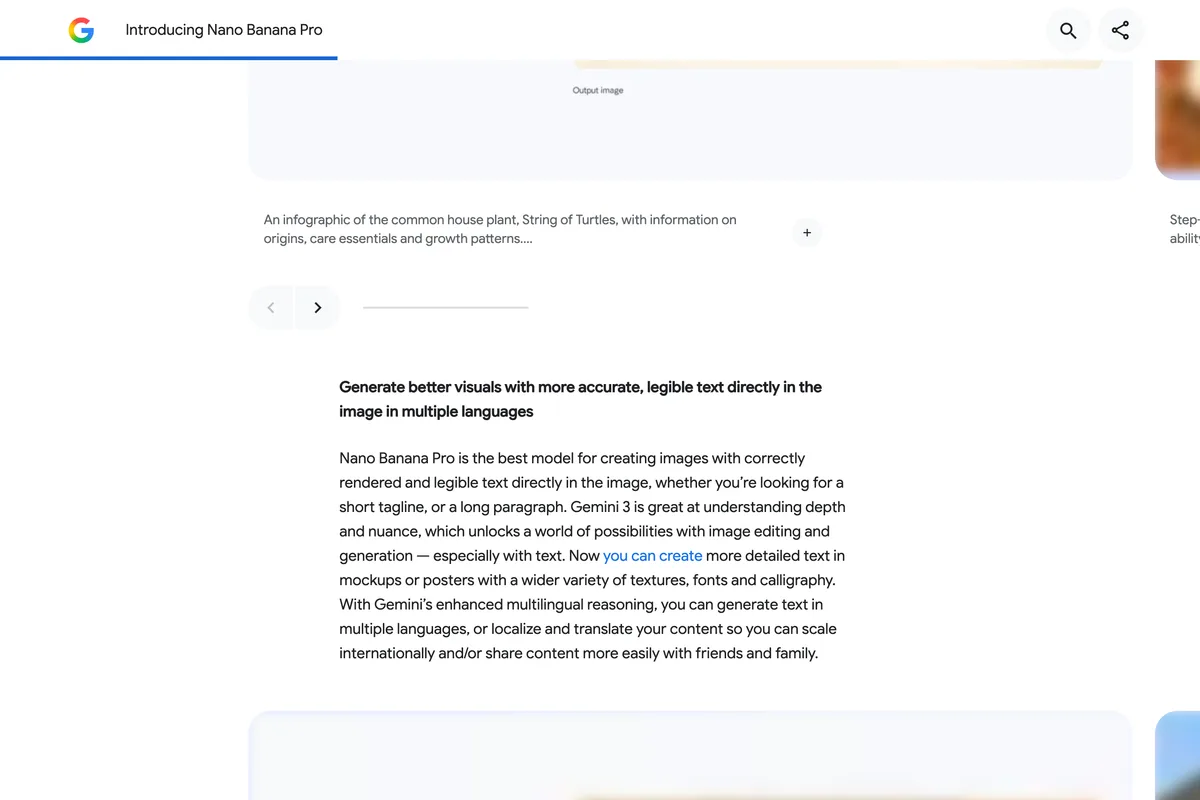
So the lesson is not "Gemini cannot do Tamil". On this run the model with no Tamil promise was perfect, and the model whose launch said this about text was the one that slipped:
If you cannot read the script yourself, do what we did: compare the poster with your prompt one word at a time, or paste a screenshot back into Gemini and ask it to transcribe the text, then check that against what you typed. Better still, show it to a customer who reads it.
4. Diwali opening hours
The most useful Diwali post a shop makes is often the least festive one: when you are open. Six rows, weekdays included, closed days in a second colour.
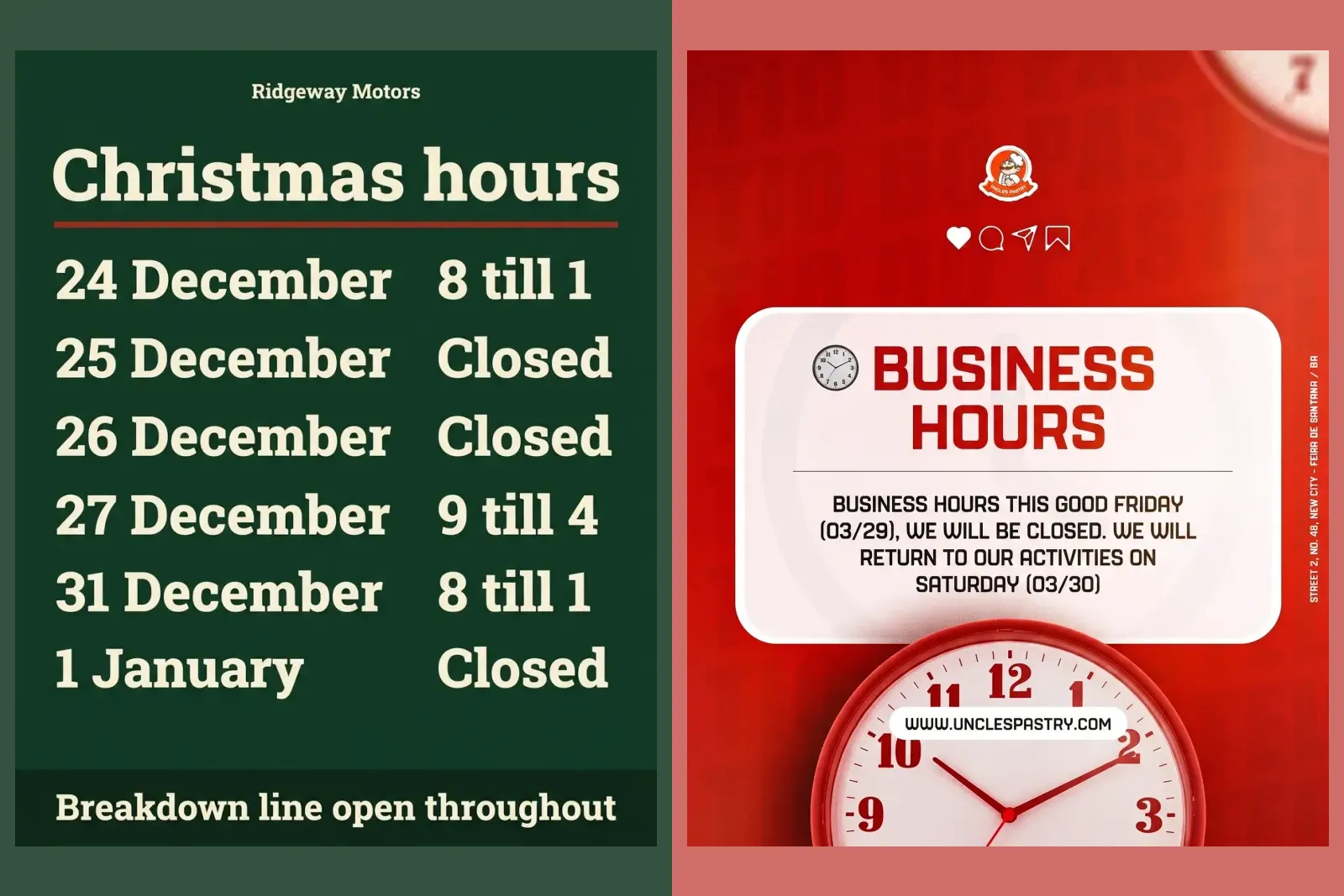
Design an Instagram post announcing Diwali opening hours for a sweet shop called Saffron Lane Sweets. Title, large: "Diwali hours". Then a table of six rows, exactly these, day on the left and hours on the right: "Fri 6 Nov" "9am to 11pm", "Sat 7 Nov" "9am to 11pm", "Sun 8 Nov" "9am to 4pm", "Mon 9 Nov" "Closed", "Tue 10 Nov" "Closed", "Wed 11 Nov" "Open as usual". Footer, small: "Saffron Lane Sweets, Main Market, Sector 9". A thin border of small diyas. Colours: background cream #FFF4E0, title and "Closed" in deep maroon #5C1A2B, other text charcoal #2B2B2B, diyas in marigold #F2A93B. No logo, no gods or religious figures.
Nano Banana 2.1 set all six rows exactly, with "Closed" in maroon both times. Pro drew a neat ruled table, set the first five rows right, and then printed "Open as usual" twice, one under the other, in the last row. The phrase fits on one line; Pro simply wrote it again underneath. With the repeated word in the Tamil greeting, that is two posters out of seven where Pro printed something twice. On a sign whose whole job is to be read at a glance, that is the line a customer notices.
5. Gift boxes with prices in rupees
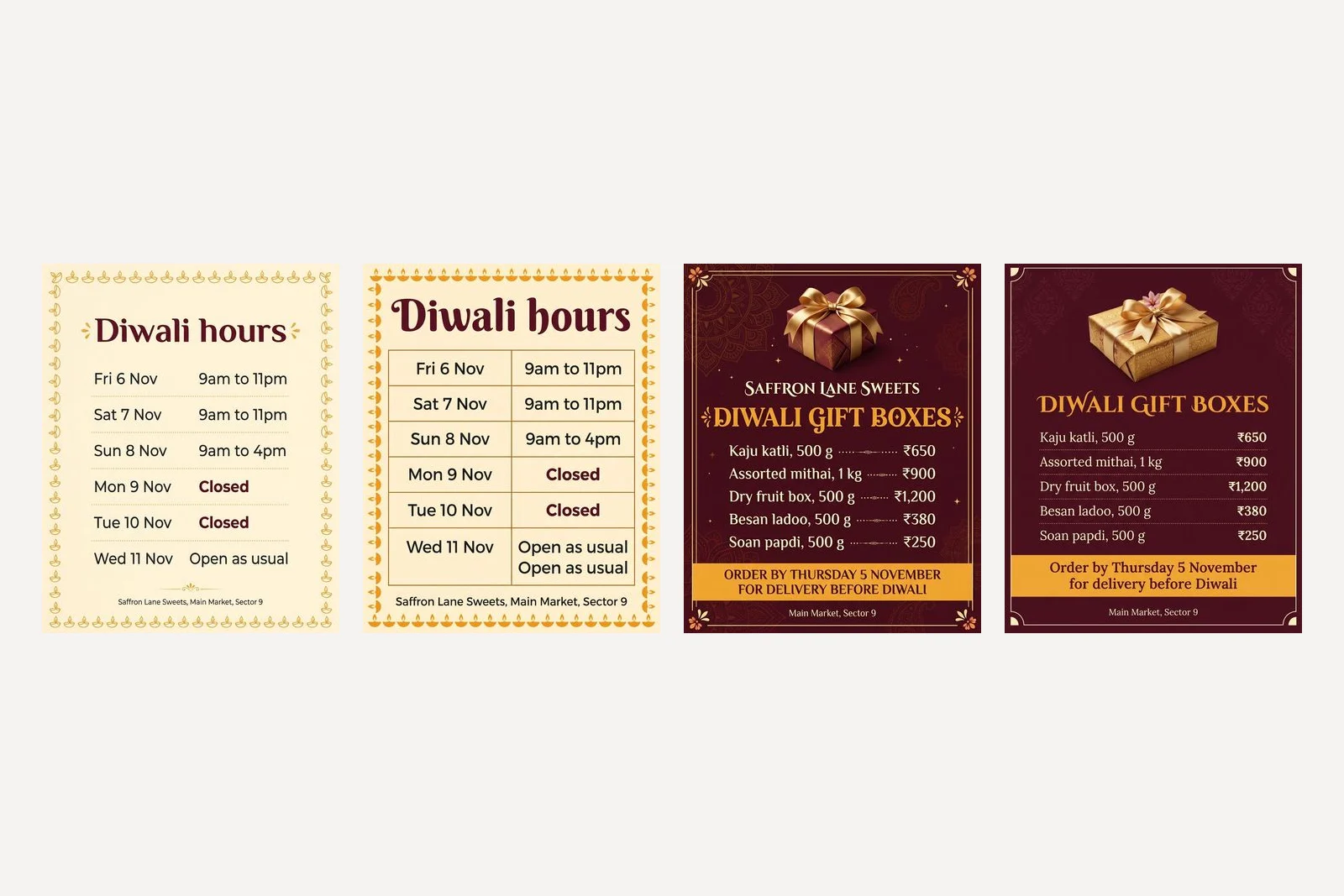
Design an Instagram post for a sweet shop called Saffron Lane Sweets listing its Diwali gift boxes. Title, large: "Diwali gift boxes". Then five rows, exactly these, name on the left and price on the right: "Kaju katli, 500 g" "₹650", "Assorted mithai, 1 kg" "₹900", "Dry fruit box, 500 g" "₹1,200", "Besan ladoo, 500 g" "₹380", "Soan papdi, 500 g" "₹250". Under the list, in a band: "Order by Thursday 5 November for delivery before Diwali". Footer, small: "Main Market, Sector 9". One gift box tied with a gold ribbon at the top. Colours: background deep maroon #5C1A2B, title and band marigold #F2A93B, other text cream #FFF4E0. No logo, no gods or religious figures.
Both models drew the rupee sign correctly on every row and got all five prices right, including the comma in ₹1,200, as well as every weight and the order-by date. Nano Banana 2.1 added dotted leaders between name and price and put the shop name above the title. Pro left the shop name off entirely, because in our prompt it only appears in the description of the job, not as a line to set. If you want your name on the post, quote it as a line.
Type the ₹ sign itself into the prompt rather than "Rs" or "INR", and write the price exactly as you want it printed. Five rows held on both models, and six held in our flyer and poster tests. A full mithai counter of thirty items is a job for a menu layout, not an image model.
6. A Dhanteras poster built on your own photo
Dhanteras is the day people buy gold, so for a jeweller it is the biggest post of the season, and a generated ring is a ring you do not sell. Use a photo of your own stock and tell the model what must not change. Ours is a crop of this gallery post:

The attached photo is our own gold rings, photographed in our shop. Use it as the main image of a Dhanteras poster and do not change the rings, the stones or the red cloth in any way. Shop name "Ashvi Gold House" as plain type at the top. Headline: "Dhanteras offers". Line: "No making charges on gold coins, Friday 6 November only". Footer, small: "Main Market, Sector 9". Colours: deep maroon #5C1A2B, gold #C9A227, cream #FFF4E0. An elegant serif headline. No logo, no gods or religious figures.
Both kept the photograph: the same two rings at the same angle, the stones in the same places, the same red cloth. Nano Banana 2.1 framed the photo in a gold border and hung small strings of leaves and marigolds in the top corners. Pro set the text in a maroon block above the photo and let the photo fill the gold frame below it. Every word was right on both; Nano Banana 2.1 again dropped the comma where it broke the offer line, and set the headline in capitals. We compared the rings by eye, not pixel by pixel; if a hallmark or a stone count matters, check it closely before you post.
Notice that the prompt describes the poster, not the photo. Ask for "gold rings glowing on velvet" as well as attaching your picture and the model may redraw your rings to match the words. We tested that rule on two real products in Gemini prompts for product photography.
7. The same poster as a WhatsApp Status
A Diwali offer in India travels as much by WhatsApp Status as by Instagram, and a Status is tall: 9:16, like a Story. WhatsApp puts its own name bar over the top of a Status and a reply box over the bottom, so the text needs to stay clear of both. Send this in the same chat, straight after prompt 1, with the shape set to 9:16:
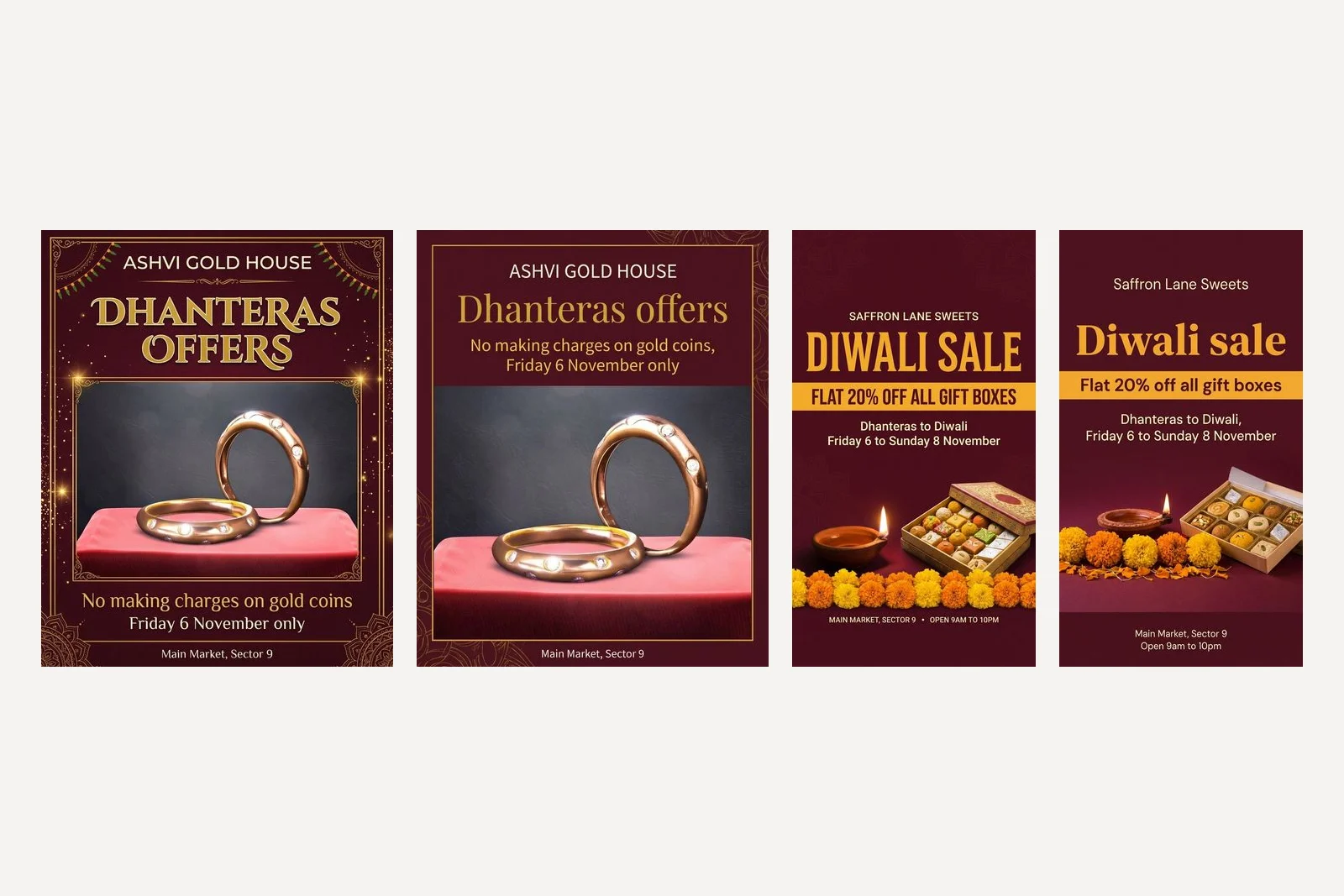
Now make this same poster as a vertical WhatsApp Status, keeping every word, colour and the picture. Keep all text away from the top and bottom eighth of the image.
Both kept every word and every colour. Nano Banana 2.1 rebuilt its own poster for the taller frame with the same box of sweets and the same diya, and moved the shop name well below the top eighth; its footer, though, sits just inside the bottom eighth, 16 pixels past the line. Pro missed at both ends: the shop name crosses the top eighth and the footer sits well inside the bottom one. It also redrew the box of sweets with different mithai. Neither is a disaster on a phone, but both mean the rule needs a check, not trust.
The fix is cheap: look at the Status on your own phone before you post it, with the name bar showing. If the footer hides behind the reply box, ask for the text to move up in the same chat.
Which Gemini model should you use for Diwali posters?
On this run, Nano Banana 2.1. It set every quoted word right on all seven prompts, in three scripts, losing only three commas at line breaks, and it was about as fast as Pro: 16 to 27 seconds per poster against Pro's 18 to 22. Pro's pictures were often a little calmer and its type a little more refined, but it printed text twice in two of the seven text-heavy posters, changed a Hindi spelling and dropped the shop name when it was not quoted as a line.
That is one run of each, so treat it as a tendency, not a law. The practical rule holds whichever model you choose: for any poster with a lot of words, especially in Hindi or Tamil, read every line against your prompt before it goes out, and if one is wrong, run the same prompt on the other model before you rewrite it.
Frequently asked questions
What is a good Gemini prompt for a Diwali poster?
Name your shop, put every word that should appear in quotation marks, give the dates with their weekdays, say where each part goes, give each colour a job with a hex code, and say what to leave out. Our prompt 1 does that for a Diwali sale, and Pro set all six of its lines exactly and Nano Banana 2.1 got every word right but dropped one comma.
When is Diwali in 2026?
Sunday 8 November 2026, according to the Government of India's 2026 holiday list, which notes that some states mark it a day earlier on Naraka Chaturdashi. Dhanteras is Friday 6 November. Calendars disagree by a day on Govardhan Puja and Bhai Dooj, so check your local panchang for those.
Can Gemini write Hindi text on a Diwali poster?
Yes. Type the Hindi in Devanagari inside quotation marks and say it is Hindi. Nano Banana 2.1 set our two Hindi lines character for character. Nano Banana Pro set them cleanly but changed शुभकामनाएँ to शुभकामनाएं, a spelling also in common use. Google lists Hindi among the languages its image models handle best.
Can Gemini write Tamil on a Deepavali poster?
In our test, yes, on Nano Banana 2.1, which set both Tamil lines exactly, although Tamil is not on Google's list of best supported languages. Nano Banana Pro drew the letters well but repeated the word உங்கள் where the line broke. Have someone who reads Tamil check the poster before you post it.
Why did Gemini put a phone number on my Diwali poster?
Because you did not give it one. Our one-line prompt on Nano Banana Pro invented a shop name, an address, a 50 percent sale and a ten digit Indian mobile number. Always quote your own number in the prompt, or say no phone number, and check every digit on the result.
Which is better for Diwali posters, Nano Banana 2.1 or Nano Banana Pro?
In our run of seven Diwali prompts, Nano Banana 2.1 got every quoted word right, in English, Hindi and Tamil, and dropped three commas. Nano Banana Pro printed text twice on two posters and changed one Hindi spelling. It was a single run per prompt, so if a poster comes back wrong, try the other model before rewriting the prompt.
How we researched this
- Every prompt on this page was sent through Google's developer API on 19 October 2026 to gemini-nano-banana-2.1 and gemini-3-pro-image, which Google calls Nano Banana 2.1 and Nano Banana Pro. Each prompt ran once per model at the default 1K size, 16 images in all, and the picture that came back is the picture described. Nothing was regenerated until it looked better and nothing was retouched. One run per prompt is a sample of one: a second run can come back different, better or worse.
- We are not native readers of Hindi or Tamil, so we did not judge the wording; we checked that the model set the words we gave it. Each Hindi and Tamil image was read back with Tesseract's Hindi and Tamil models and compared with the prompt character by character, and every difference was then checked by eye at full size. Have someone who reads the language look at a poster before it is printed or posted.
- Saffron Lane Sweets and Ashvi Gold House are businesses we invented, so that no real shop's name ends up on a picture it did not approve, and our prompts contain no phone number because India has no number range set aside for fiction. The photo in prompt 6 is a crop of a jewellery post from our own gallery, standing in for a photo you took yourself. Every weekday in the prompts was checked against a calendar before the run. The script that ran all of this is in our repository as scripts/_gemini-diwali-tests.mjs.
- Prompts 1, 4, 5 and 6 ran at 4:5, prompts 2 and 3 at 1:1 and prompt 7 at 9:16, set in the API's aspect ratio setting rather than in the words; set the same shape in your tool when you paste them. Pixel sizes were read from the files. Whether the WhatsApp Status kept its text out of the top and bottom eighth was measured on the file, not judged by eye.
Sources