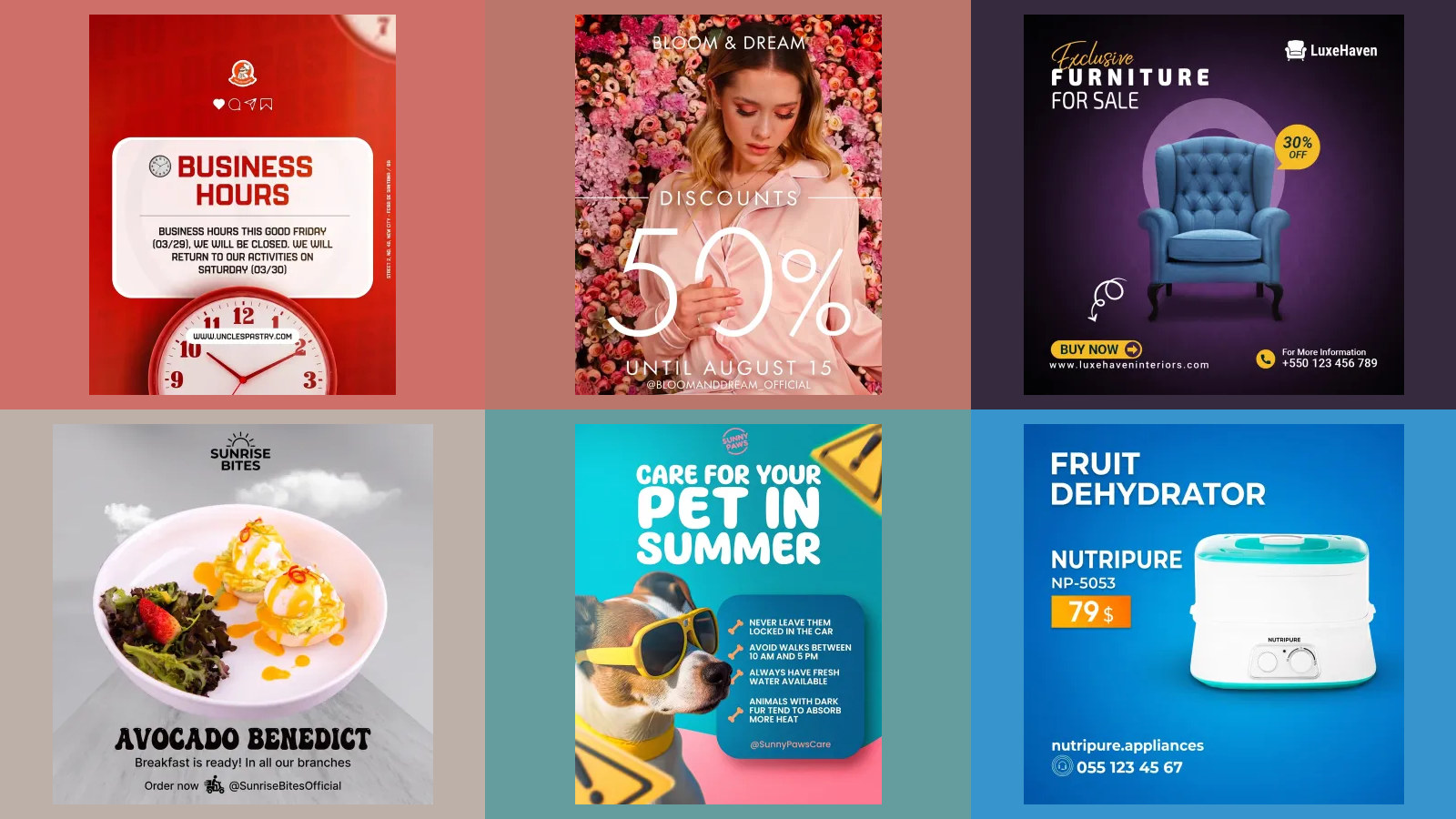
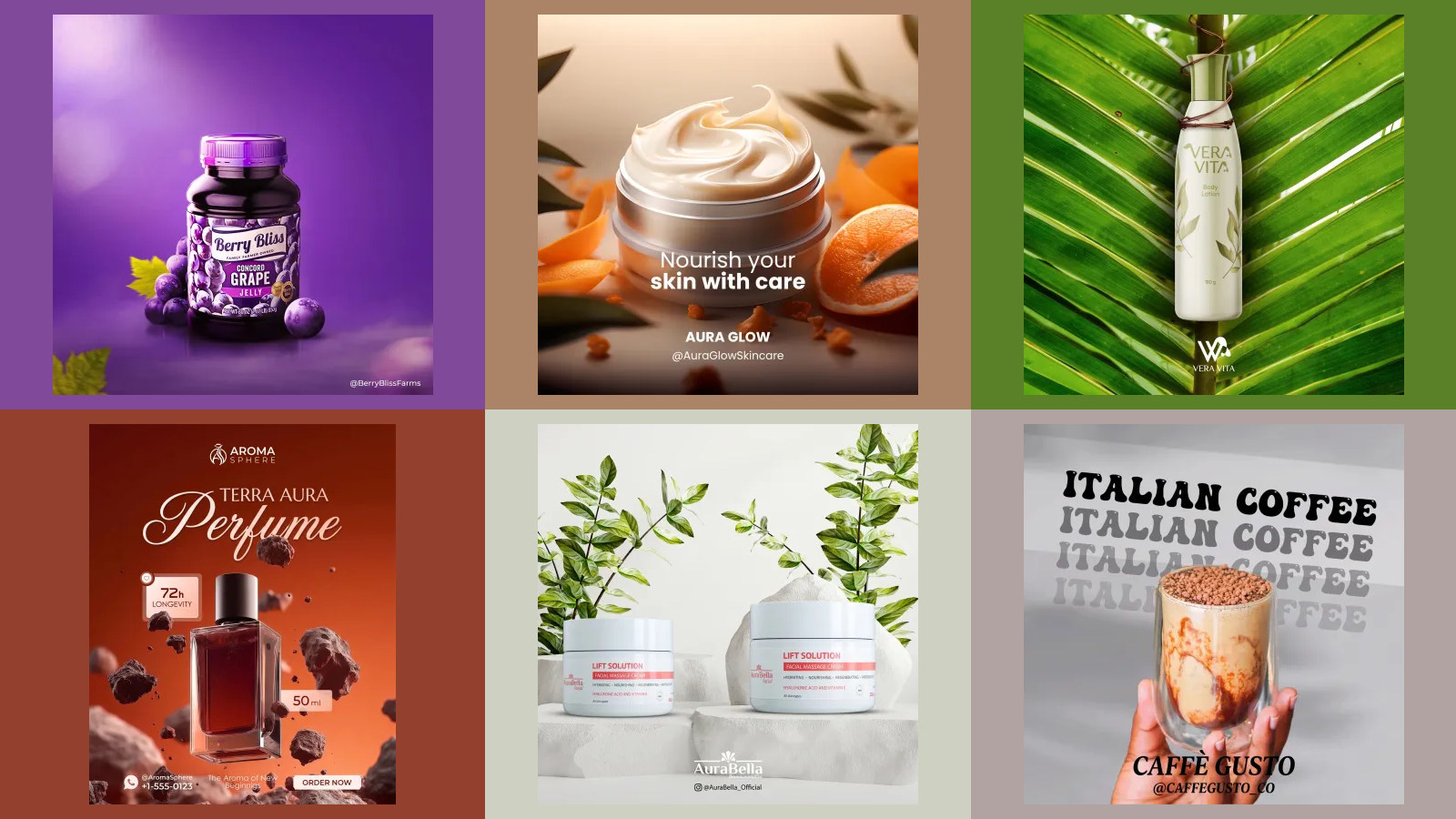
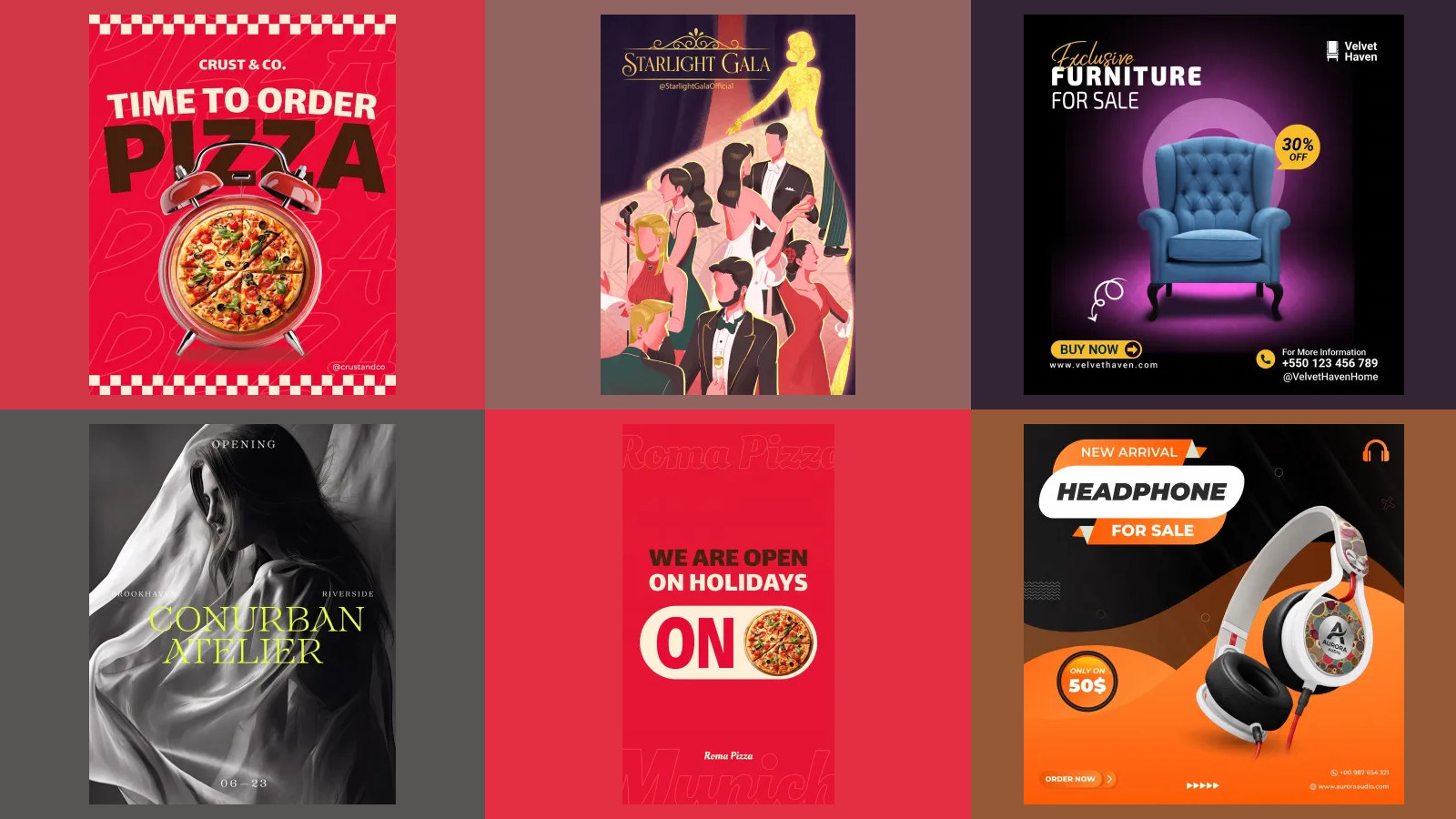
10 Nano Banana prompts for Instagram posts, tested
Ten copy and paste Nano Banana prompts for the Instagram posts a small business actually makes: a launch, an event, a giveaway, a tip, a carousel, a Story, a Reel cover. Each one run on Nano Banana 2.1 and Nano Banana Pro on 14 October 2026, with every result printed, the failures too.
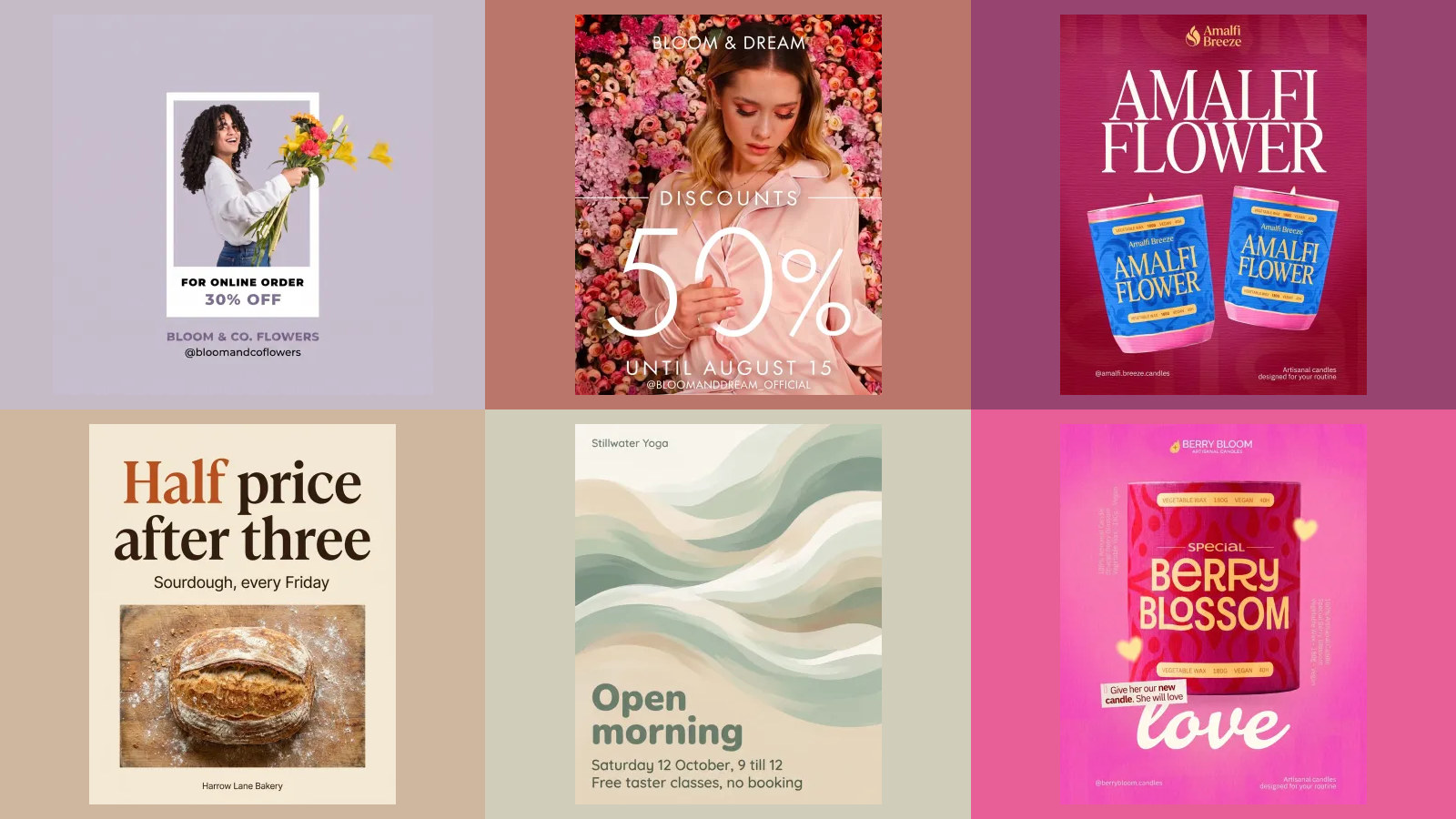
The Nano Banana prompts that work for Instagram posts all have the same shape: the ratio and what the post is for in the first sentence, the photograph described in the second, every word you want on the image in quotes, and a hex code for each colour with a job attached. Below are ten of them, one for each kind of post a small business makes most weeks, ready to copy.
Our articles are still written by humans!
Get human written articles in your Google feed.
We ran every one on Nano Banana 2.1 and Nano Banana Pro on 14 October 2026, for one invented florist, Quill and Fennel, so the set reads as one feed. Every result is printed, including the Story that came back under a sage fog. The second half of the page is what we learned about prompting along the way, measured: JSON, hex codes, 4K, and whether to edit or start again.
Which prompt for which Instagram post
| The post you need | Prompt | Nano Banana 2.1 | Nano Banana Pro |
|---|---|---|---|
| Event or workshop | 1 | Worked | Worked |
| New product | 2 | Worked, coloured "New" in the accent | Worked, added a panel we did not ask for |
| Behind the scenes | 3 | Worked | Worked, added a thin frame |
| Tip or how to | 4 | Worked | Worked |
| Giveaway | 5 | Worked | Worked |
| Seasonal pre-orders | 6 | Worked | Worked |
| Carousel, next slide | 7 | Left an empty price badge | Worked |
| Story with a poll | 8 | Failed, a sage veil over the photo | Worked, sticker space lower than asked |
| Reel cover | 9 | Worked | Worked |
| Change one thing | 10 | Only the date changed | Only the date changed |
What a one-line prompt gets you
Make an Instagram post for my flower shop's autumn wreath workshop.
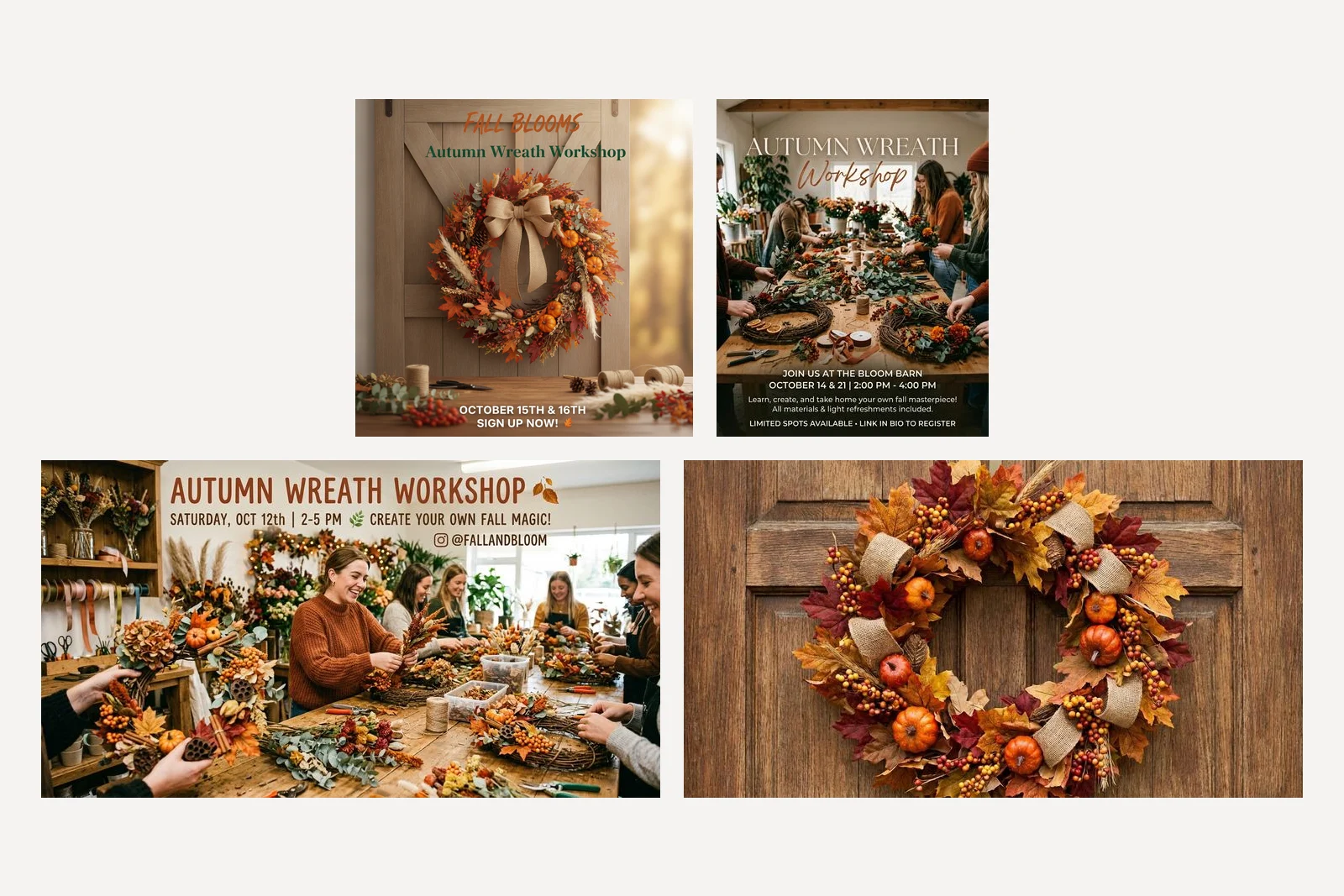
This is why every prompt below is long. Nano Banana called the shop Fall Blooms and set the workshop on October 15th and 16th. Nano Banana 2.1 moved it to The Bloom Barn on October 14 and 21 and promised light refreshments. Nano Banana 2 chose Saturday, October 12th and printed an Instagram handle, @FALLANDBLOOM, that belongs to whoever owns it. Nano Banana Pro returned a wreath on a door with no words at all, and two of them made the post landscape, which Instagram would crop to a strip.
We printed the same failure on a bakery poster in our Gemini poster prompts a month ago, on an older model. It has not gone away. A short prompt is a way to get somebody else's facts on your feed.
1. Event or workshop announcement
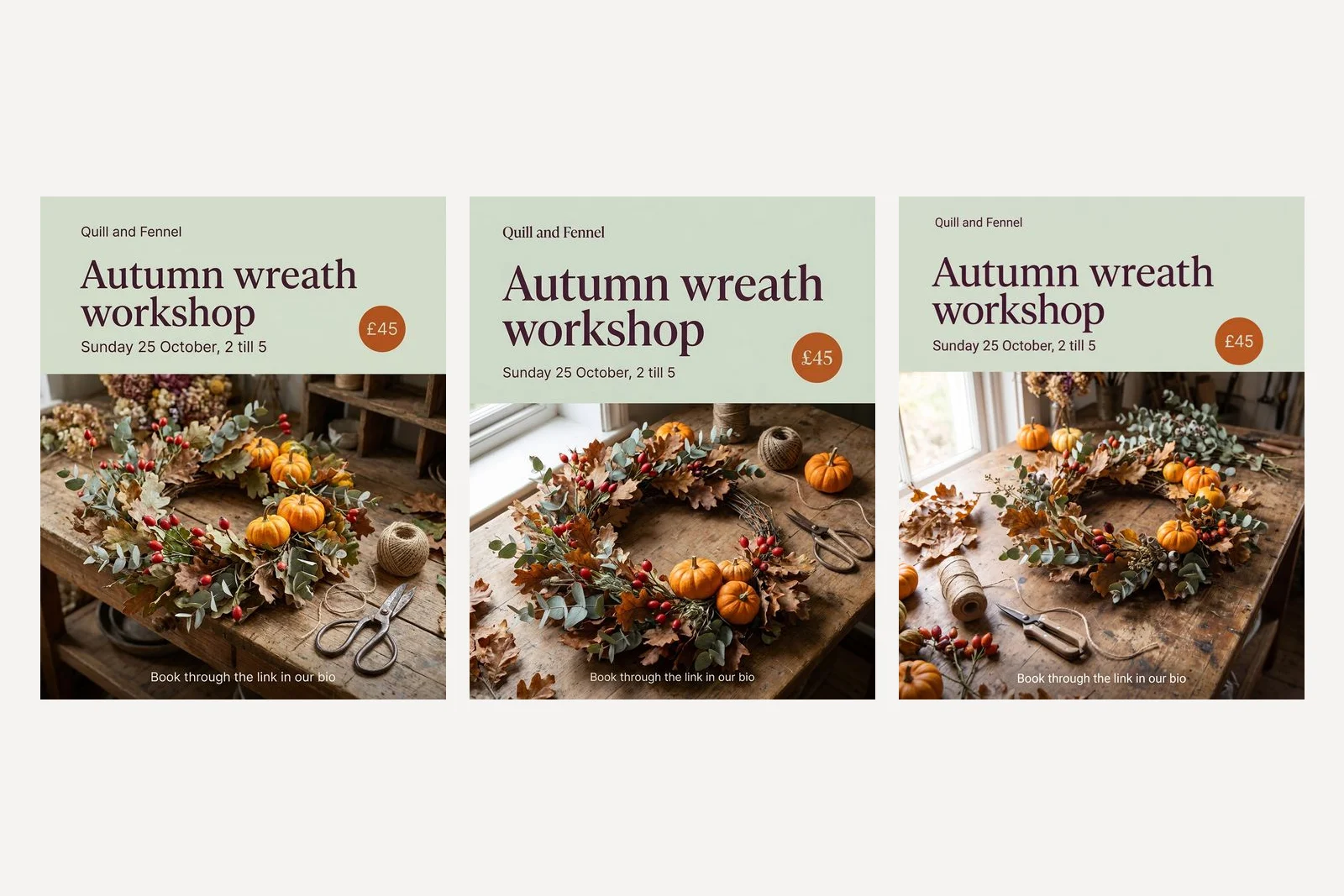
A 4:5 Instagram post for a small florist called Quill and Fennel, announcing an autumn wreath workshop. The lower two thirds is a photograph, from slightly above, of a half finished wreath of dried oak leaves, eucalyptus, rose hips and small orange pumpkins lying on a worn wooden workbench, with twine and florist scissors beside it, in soft window light from the left. The top third is a flat panel in soft sage #DCE3D5. On it, the headline in an elegant high contrast serif in deep plum #4A2338, exactly: "Autumn wreath workshop". Under it, smaller, in a plain sans in the same plum: "Sunday 25 October, 2 till 5". At the right of the panel a small burnt orange #C8642B circle with cream type inside, exactly: "£45". At the foot of the photograph, small cream type: "Book through the link in our bio". The shop name "Quill and Fennel" once, small, top left of the panel. No logo, no other words, no people, no hands.
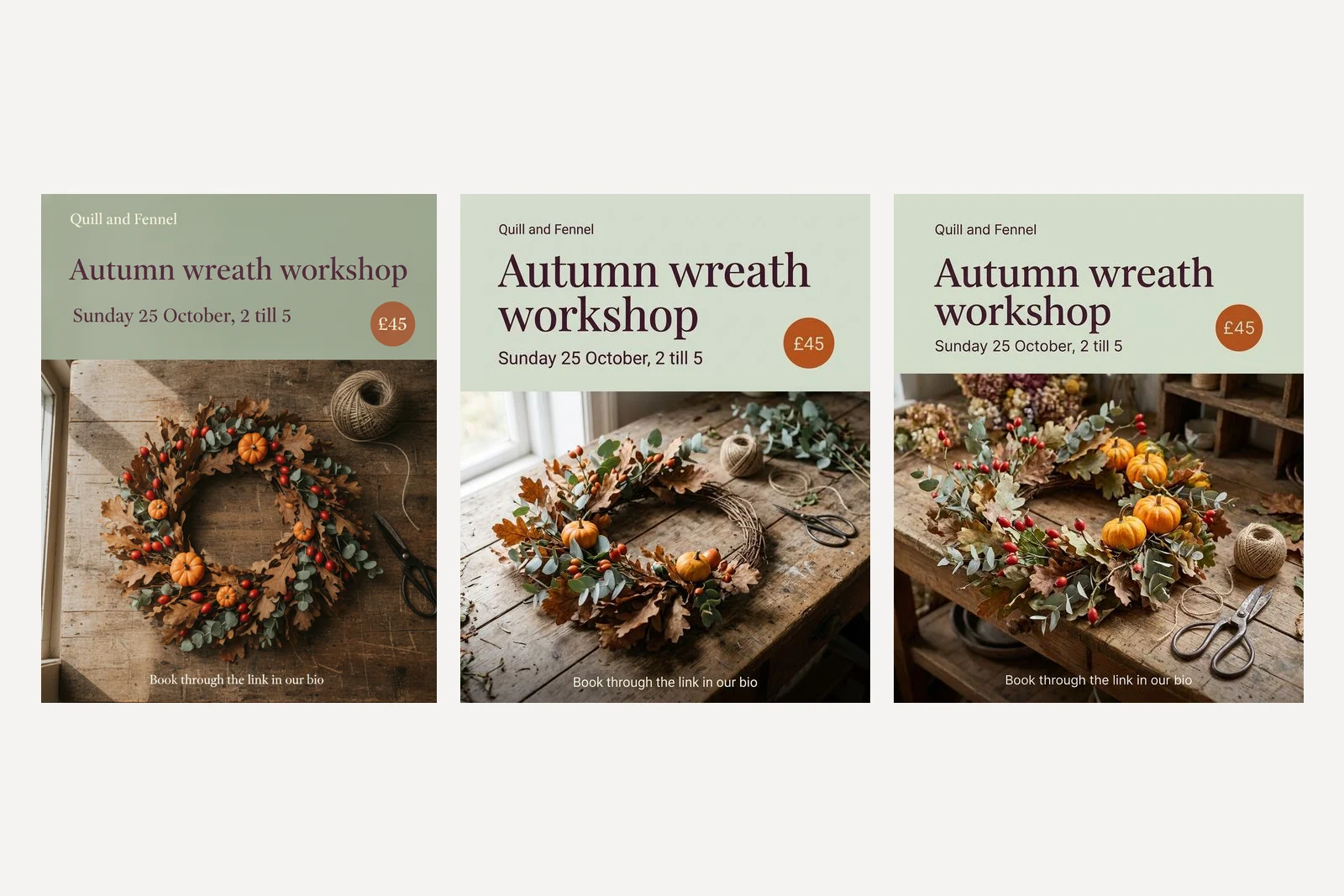
This is the template the other nine are built on, so it is worth seeing what each part does. The first sentence says what the picture is for before anything else. The photograph gets one sentence: subject, surface, angle, light. Each line of text is quoted and given a size and a typeface. Each colour gets a hex code and a job. The last sentence lists what to leave out.
Nano Banana 2.1 and Pro got all of it: the panel across the top third, the photograph below, the price badge on the join, all five lines exactly. The original Nano Banana got the words right and little else: a panel a full shade darker, the date in serif instead of sans, the headline small on one line. Use 2.1 or Pro.
2. New product launch
A 4:5 Instagram post for a small florist called Quill and Fennel, launching a new product. The whole frame is a photograph, from slightly above, of a small dried flower bouquet of pale pink strawflowers, bunny tail grass and dusty blue eryngium, wrapped in brown kraft paper and tied with twine, lying on a pale linen cloth in soft daylight, with plenty of empty linen in the top third. In that empty top third, the headline in deep plum, exactly: "New: the Keepsake posy". Under it, smaller: "Dried to last a year. £28". The shop name "Quill and Fennel" once, small, bottom left. [Colour line] No logo, no other words, no people, no hands.
The colour line, used in prompts 2 to 6, is the brand written once: "Colours by role: background soft sage #DCE3D5, headline deep plum #4A2338, accent burnt orange #C8642B, small type cream #F6F1E7 where it sits on a photograph. Headline in an elegant high contrast serif, small lines in a plain sans." Write yours once and paste it into every prompt, and your feed holds together.
3. Behind the scenes
A 4:5 Instagram post for a small florist called Quill and Fennel, a behind the scenes post. The whole frame is a candid photograph, from above the shoulder, of a florist's hands tying a hand tied bouquet of white ranunculus and eucalyptus at a cluttered wooden workbench, early morning light from a window, buckets of flowers out of focus behind. It should look like a real phone photo, not a studio shot. A small sage #DCE3D5 label in the bottom left corner with deep plum #4A2338 sans text, exactly: "6am, Friday orders". The shop name "Quill and Fennel" once, small, top right, in cream #F6F1E7. No logo, no other words, no faces.
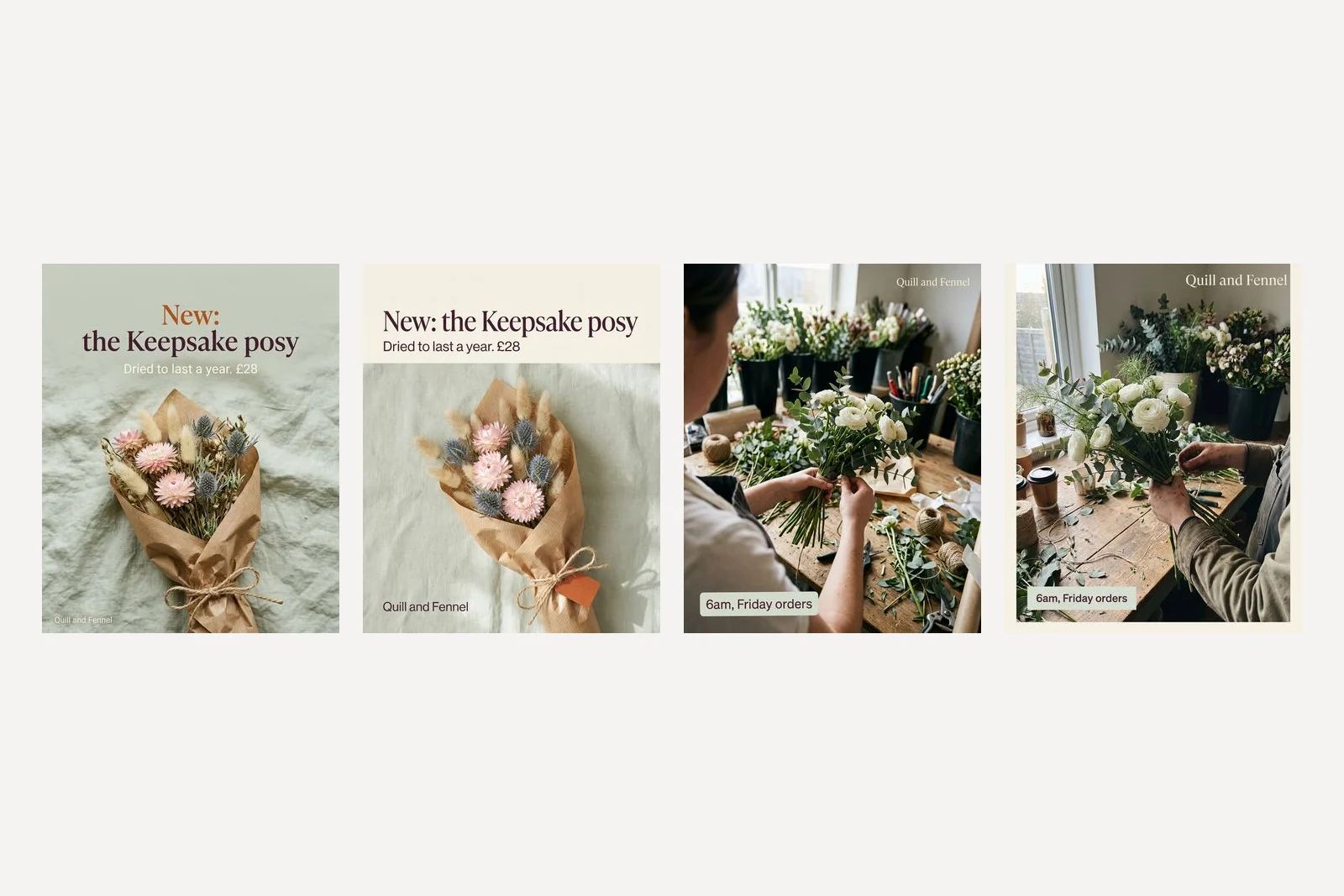
Both models set every word on both posts. The differences are decisions the prompt left open. On the launch, Nano Banana 2.1 tinted the linen sage to match the brand and set "New:" in the orange accent; Pro put the words on a separate cream panel and hung a small orange tag on the bouquet. On the behind the scenes post, Pro added a thin cream frame around the photograph. If you do not want a frame, say so; we did not.
Neither result looks like a phone photo, despite the sentence asking for one. Both are clean, warm and well lit. If behind the scenes is meant to show your real workshop, the honest version is a photo of your real workshop, with the label prompt run over it as an edit.
4. A tip or how to
A 4:5 Instagram post for a small florist called Quill and Fennel, a care tip. No photograph: a flat soft sage #DCE3D5 background with one small line drawing of a single tulip in deep plum #4A2338 in the top right corner. Top left, small burnt orange #C8642B sans in capitals, exactly: "FLOWER TIP". The headline, large, in deep plum elegant high contrast serif, exactly: "Cut tulip stems every two days". Under it, in plain deep plum sans, exactly these three lines: "Cut at an angle, 1cm off", "Use cold water, not warm", "Keep them away from the fruit bowl". The shop name "Quill and Fennel" once, small, bottom left. No logo, no other words.
5. Giveaway
A 4:5 Instagram post for a small florist called Quill and Fennel, announcing a giveaway. The lower half is a photograph, from slightly above, of a lush autumn wreath of dried oak leaves, eucalyptus and rose hips in a kraft gift box with the lid beside it, on a worn wooden table. The top half is a flat soft sage #DCE3D5 panel. On it, small burnt orange #C8642B sans in capitals, exactly: "GIVEAWAY". Under it, the headline in deep plum elegant serif, exactly: "Win an autumn wreath". Under that, three short lines in plain deep plum sans, exactly: "1. Follow @quillandfennel", "2. Tag a friend below", "3. Winner picked Friday 30 October". The shop name "Quill and Fennel" once, small, top left. No logo, no other words, no people.
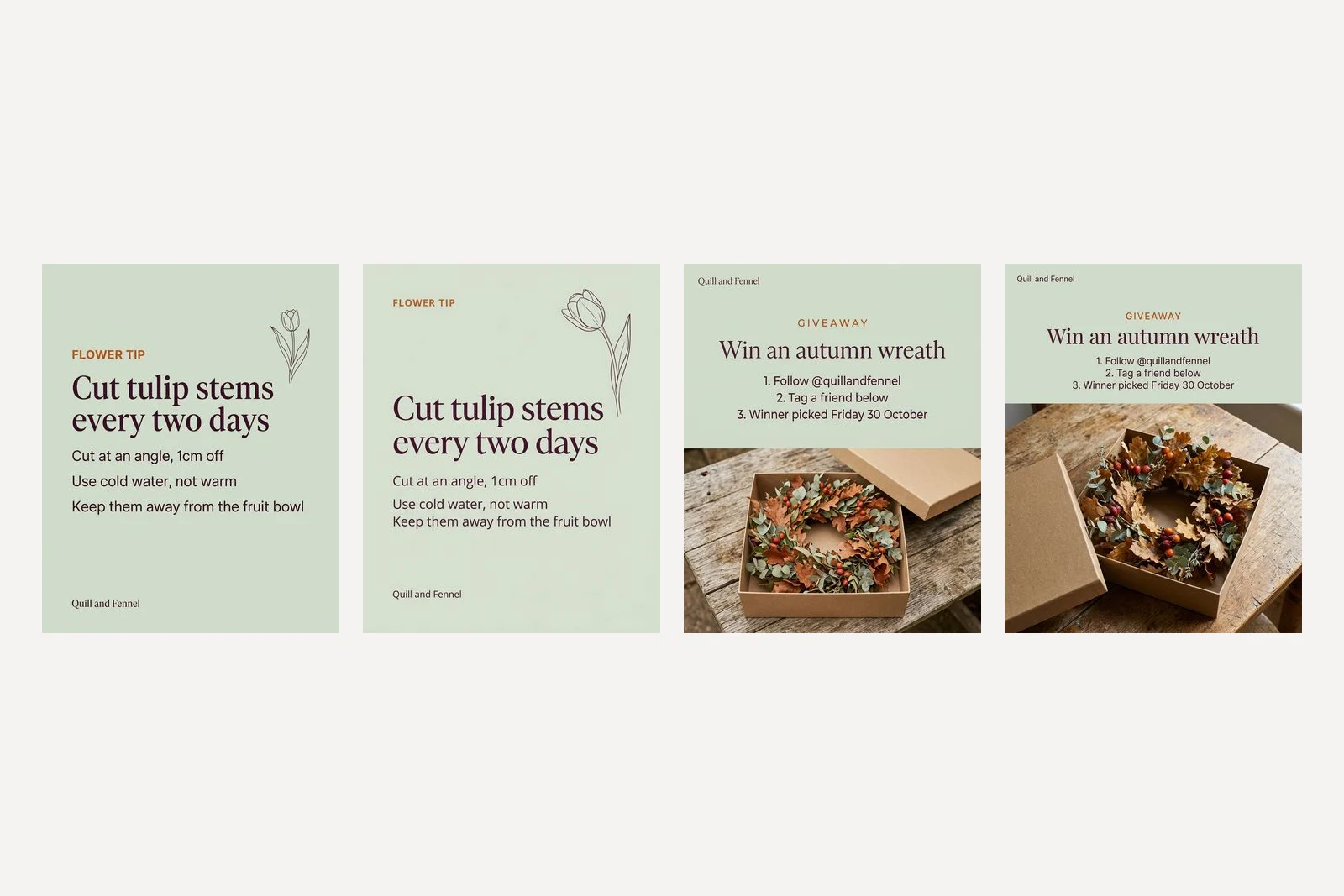
Text-heavy posts are where image models used to fall apart, and these are the two with the most words: a headline, a label and three lines each, with a handle and a date in the giveaway. All of it came back exactly as typed, on both models. Pro drew the tulip larger than asked, which is the kind of thing worth fixing with prompt 10 rather than starting again.
The handle is the one line to check twice. The model will set whatever you type. Type the wrong one, or leave it out, and you get a confident-looking handle that belongs to somebody else, as the one-line test above shows.
6. Seasonal pre-orders
A 4:5 Instagram post for a small florist called Quill and Fennel, opening Christmas wreath pre-orders. The whole frame is a photograph of a fresh Christmas wreath of blue pine, dried orange slices, cinnamon sticks and a dark red velvet ribbon, hanging on a deep plum #4A2338 painted front door in soft winter light, the wreath in the lower two thirds. In the space above the wreath, the headline in cream #F6F1E7 elegant high contrast serif, exactly: "Christmas wreaths". Under it, smaller, in cream plain sans: "Pre-orders open. Collect from 1 December". A small burnt orange #C8642B circle with cream text, exactly: "From £55". The shop name "Quill and Fennel" once, small, at the bottom. No logo, no other words, no people, no snow.
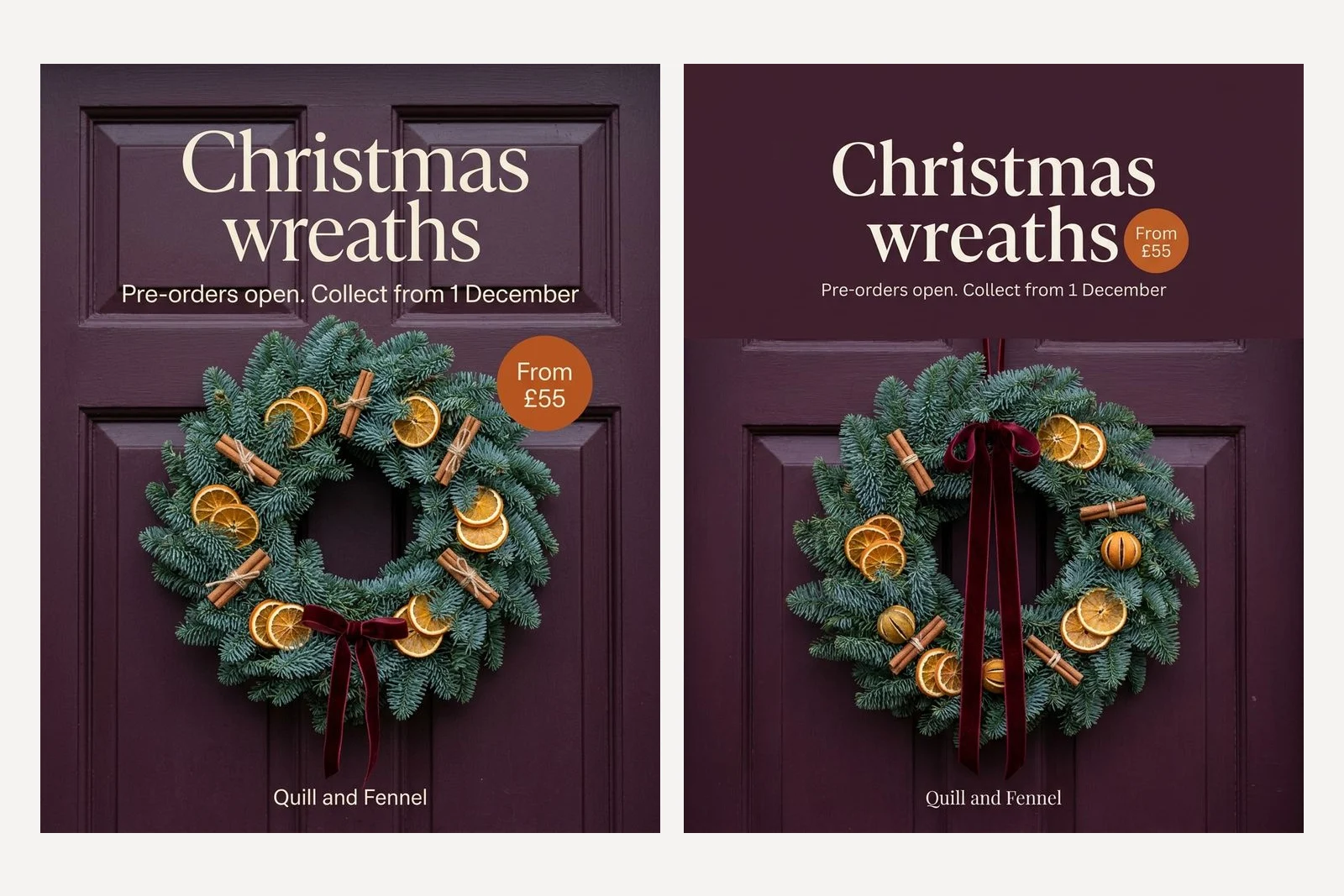
Painting the door in the brand's plum is the trick here: the background becomes the brand colour without a panel. Nano Banana 2.1 used the door panels themselves as the space for the words. Pro chose a plain plum band above the door instead. Both are usable. If you sell for Christmas, this is the post to make now, while there is time to collect pre-orders.
7. Carousel: the next slide
Attach the first slide and tell the model it is the first slide. That one sentence is what carries the style over.
This is slide 1 of a three slide Instagram carousel. Make slide 2 in exactly the same style: the same sage panel, the same plum serif and sans, the same burnt orange accent, the same photographic light and the same workbench. Slide 2 has the headline, exactly: "What you will make". Under it, three short lines, exactly: "One 30cm dried wreath", "All flowers and tools supplied", "Tea and cake at half time". The photograph shows a finished wreath hanging on a pale front door. Keep "Quill and Fennel" small, top left of the panel, as on slide 1. No price, no other words, no people.
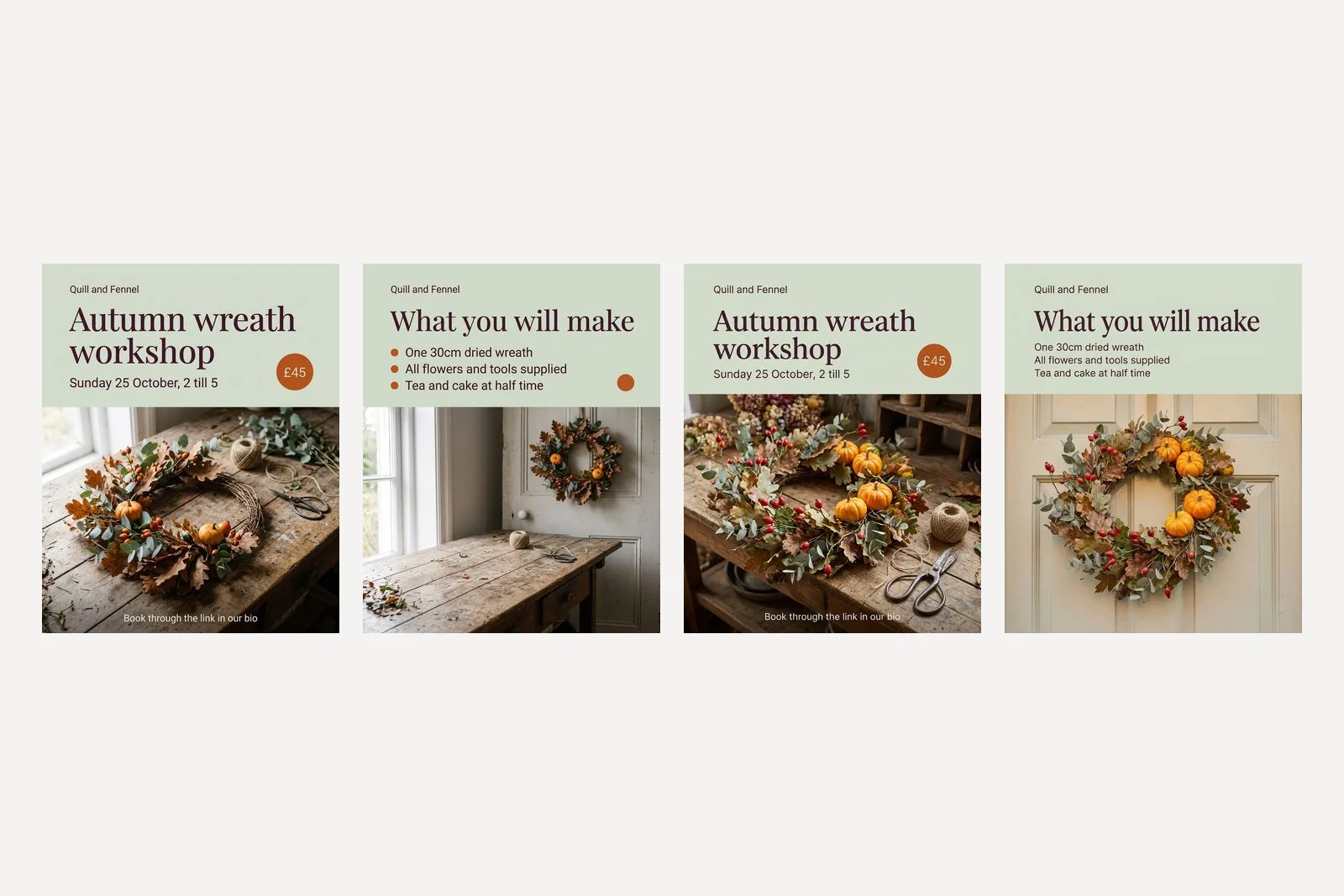
Both carried the set over: panel, typeface, colour, light, the shop name in the same place, all four new lines word for word. Nano Banana 2.1 also kept the orange price circle with nothing in it, because we said no price, not no badge, and turned the accent into bullet points. In our first run it was Pro that left the empty circle behind. Name every element you want gone, not only the words.
8. Story with room for a poll
A 9:16 Instagram Story for a small florist called Quill and Fennel, asking followers to vote on the next workshop. Background a photograph of two dried flower wreaths hanging side by side on a pale wall, softly lit, filling the frame. Over the top of the photo, a soft sage #DCE3D5 panel with the headline in deep plum elegant serif, exactly: "Which wreath next?". Leave a clear empty band across the middle of the frame, a quarter of its height, plain and calm, where we will place a poll sticker. Keep every word inside the middle 70 percent of the height; the top and bottom 15 percent stay free of text. The shop name "Quill and Fennel" once, small, under the headline. No logo, no other words, no people.
9. Reel cover
A 9:16 Instagram Reel cover for a small florist called Quill and Fennel. A photograph, from directly above, of dried flowers, scissors, ribbon and twine laid out neatly on a worn wooden table, filling the frame. In the centre of the frame, a soft sage #DCE3D5 rounded rectangle with the title in deep plum elegant serif on two lines, exactly: "Make a wreath in 60 seconds". Keep the title in the centre third of the height, away from the bottom of the frame, where Instagram puts the caption and audio. No logo, no other words, no people.
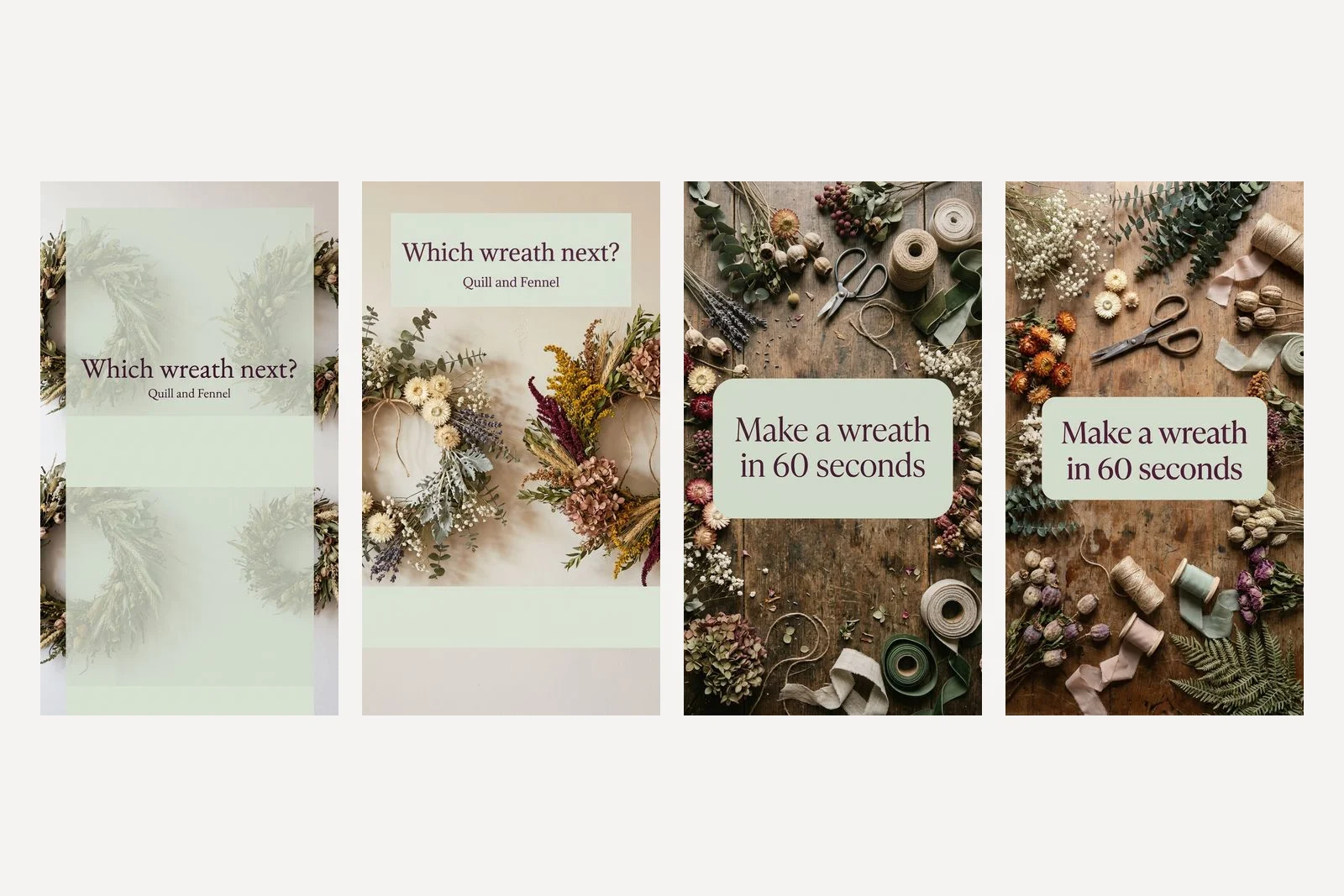
The Story is the one prompt that failed. Nano Banana 2.1 read "over the top of the photo" as over the whole photo and laid a pale sage veil across all of it, with two empty bands where we asked for one. Pro read it as we meant it: a panel across the top, the wreaths clear, and an empty band for the sticker, though near the bottom rather than in the middle. Instagram's own buttons cover the top and bottom of a Story, so lower than the middle is not where a sticker belongs. If 2.1 gives you the veil, say "a panel across the top fifth only".
Both Reel covers came back right first time, the title centred on a sage box with the tools laid out around it. A cover with one short line, in the middle, is the easiest post on this page.
10. Change one thing
Change only the date line so it reads exactly: "Sunday 1 November, 2 till 5". Keep everything else in the image exactly as it is: the photograph, the layout, every other word, the colours and the type.
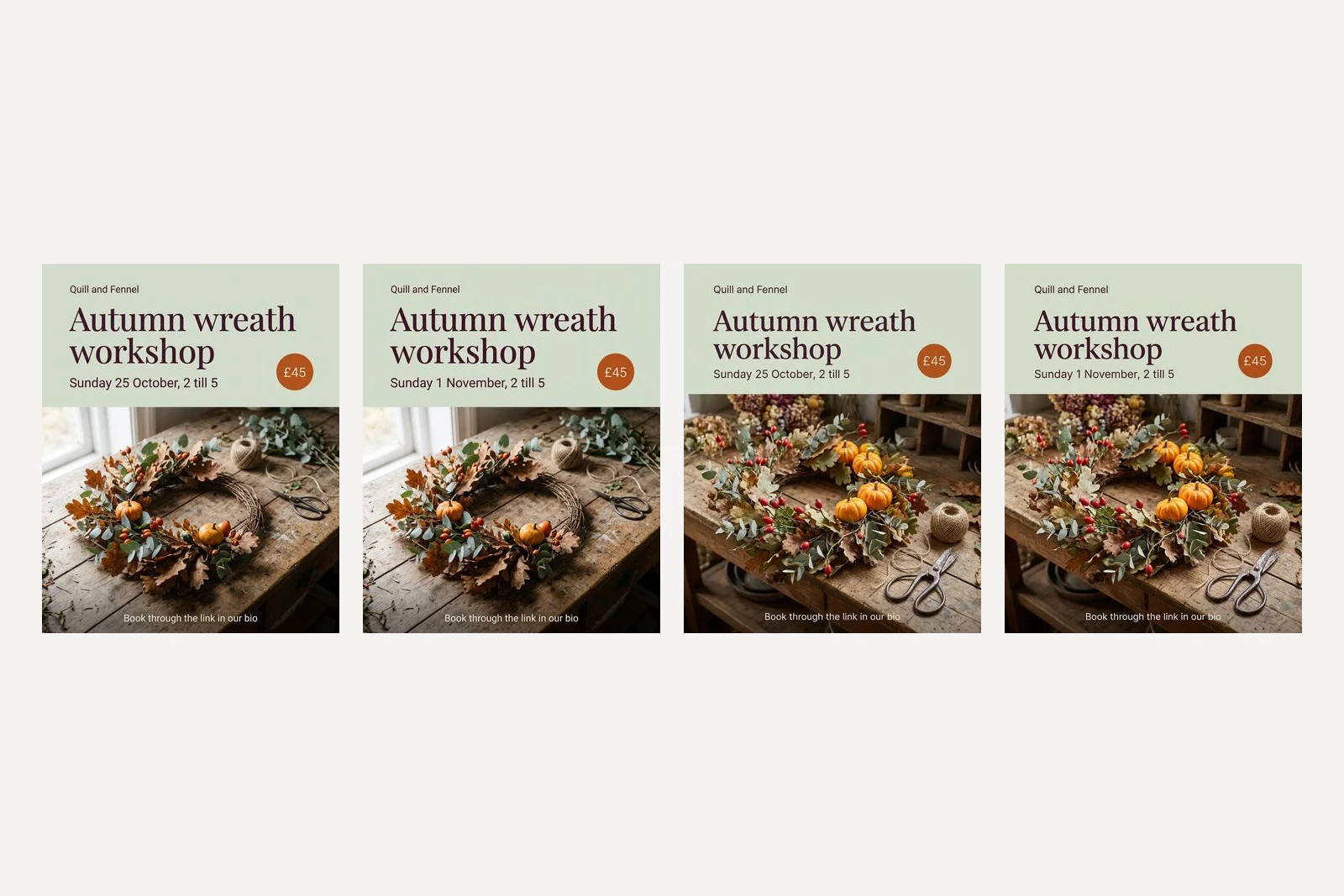
Send this in the same conversation as the post, or attach the finished post to a new one. On both models the date changed and nothing else did: 0.3 to 0.4 percent of the pixels moved by more than a small threshold, and they sit in the date line. Pro did the same from the attached picture in a fresh conversation. This is the prompt that saves you the most time, because it is how you reuse a post you liked next week.
Which Nano Banana model should you use?
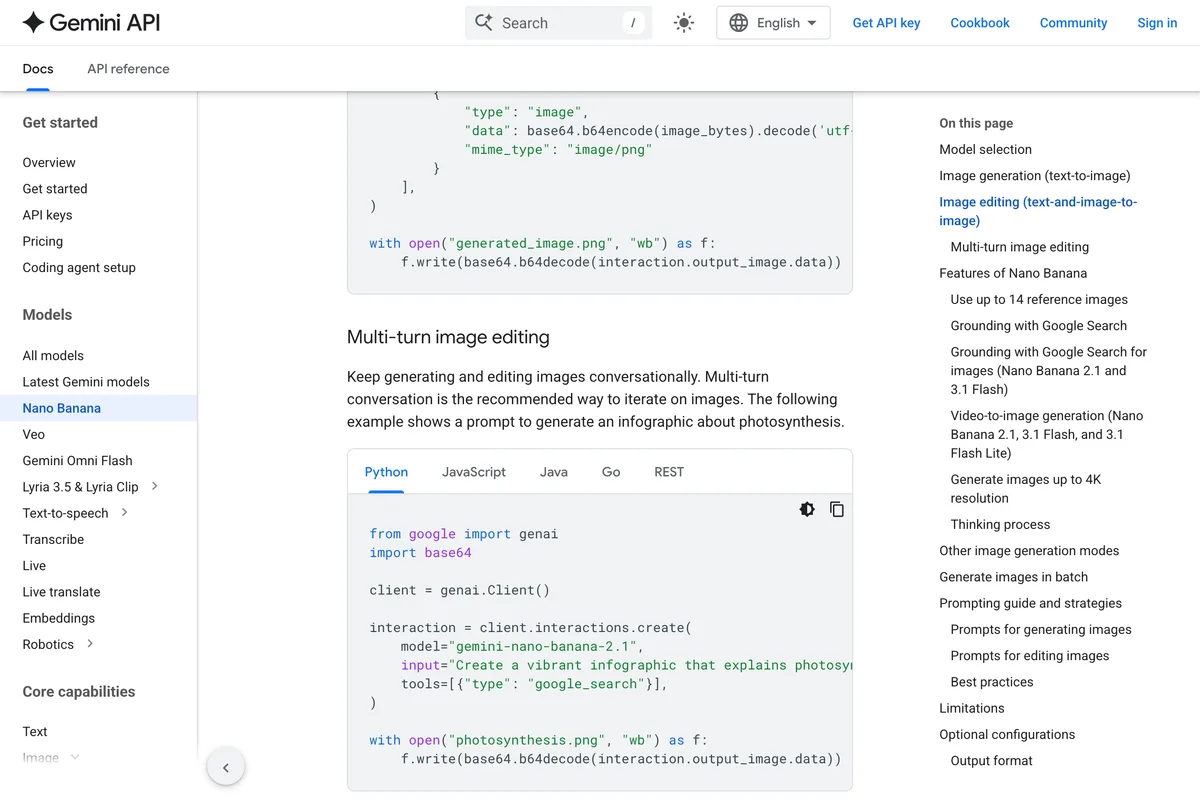
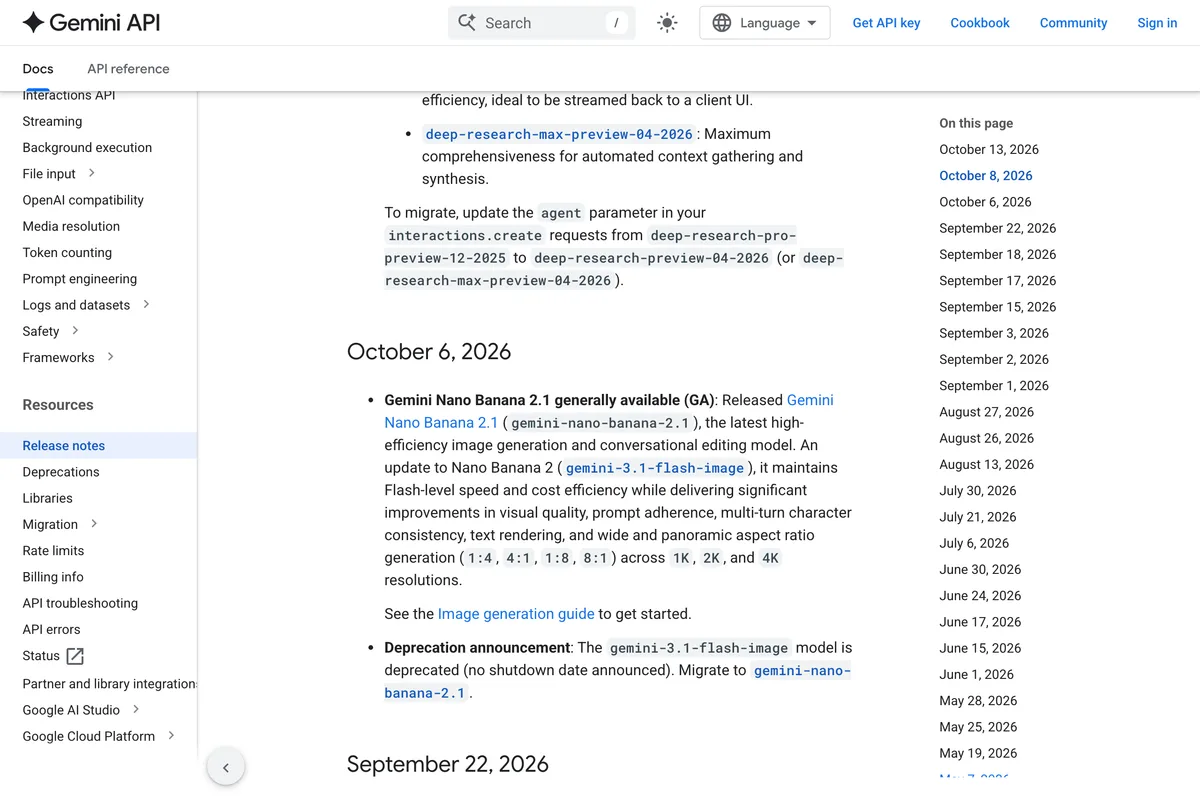
There are now five models that answer to the name, and the one most guides call Nano Banana 2 was retired, in Google's word deprecated, eight days before we wrote this. Google's release notes for 6 October 2026 say:
Deprecation announcement: The gemini-3.1-flash-image model is deprecated (no shutdown date announced). Migrate to gemini-nano-banana-2.1.
| Name | Model id | Status on 14 October 2026 | For an Instagram post |
|---|---|---|---|
| Nano Banana 2.1 | gemini-nano-banana-2.1 | Current, released 6 October 2026 | The default. Fast; failed the Story and the carousel slide |
| Nano Banana Pro | gemini-3-pro-image | Current, premium | Passed all ten; the one to use for Stories |
| Nano Banana 2 | gemini-3.1-flash-image | Deprecated 6 October 2026 | Still works; move off it |
| Nano Banana 2 Lite | gemini-3.1-flash-lite-image | Current, cheapest | Not tested; Google says it is not built for multi-turn edits |
| Nano Banana | gemini-2.5-flash-image | Legacy | Words right, colour and layout off |
Is a JSON prompt better than prose for Nano Banana?
Half the pages ranking for Nano Banana prompts claim JSON is how the model really wants to be prompted. One says it skips the natural language step when it sees JSON and validates your fields. None of the six Google prompting pages we read mention JSON at all. So we turned prompt 1 into JSON, field for field, and sent both.
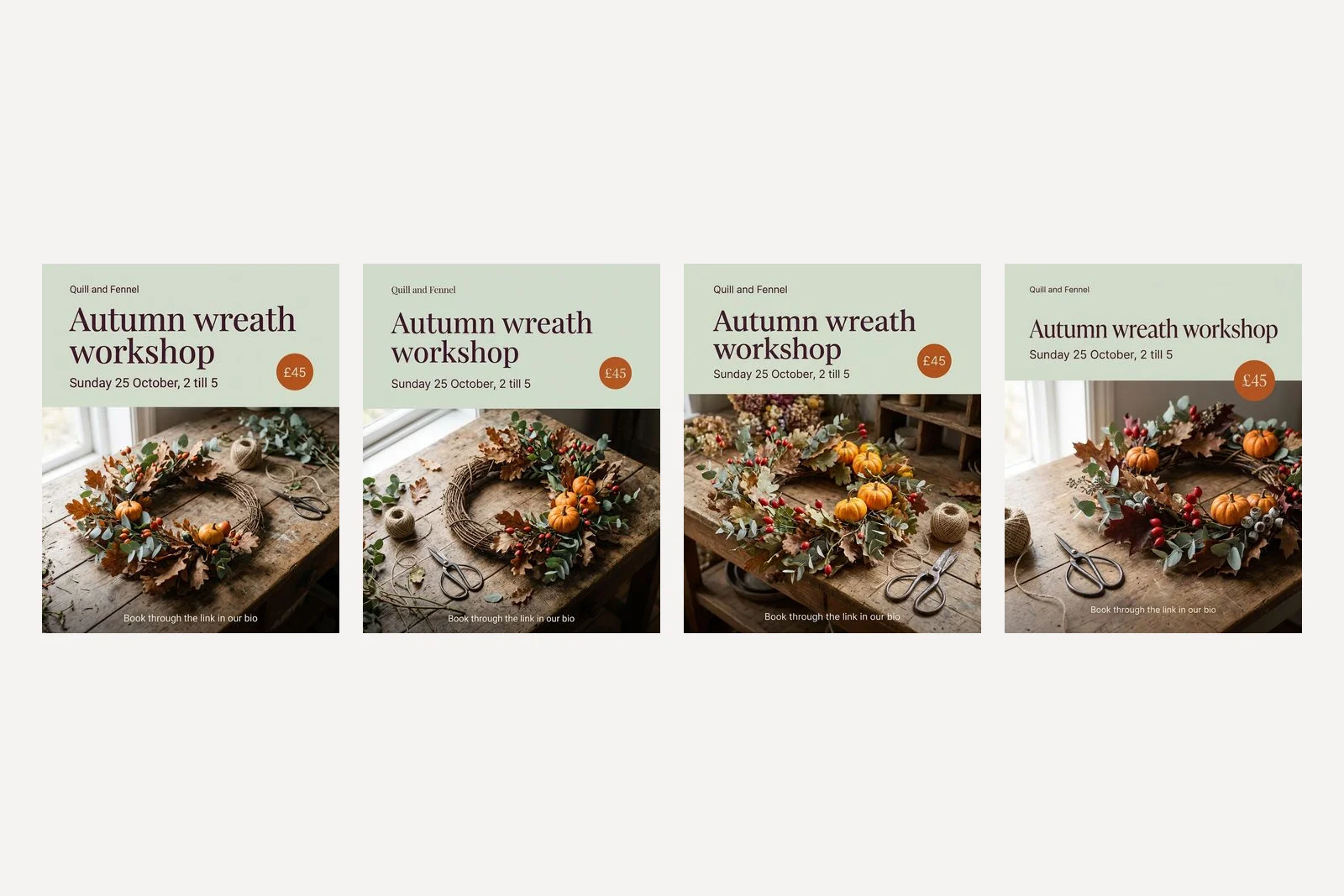
The two are interchangeable. Same words, same panel, same badge, colour within the same margin: Delta E 3.6 for JSON against 3.0 for prose on 2.1, and 3.2 for both on Pro. The wreath differs, but it differs as much between two runs of the same prose. The photographer Chase Jarvis ran a similar test in Nano Banana Pro, found the results essentially the same and called JSON a placebo, and fofr, the most careful JSON advocate we found, says "there's a prose version that will work just as well". JSON's one real advantage is for you: a field called date is easier to find and change each week than the fourth clause of a sentence.
Do hex colour codes work in Nano Banana?
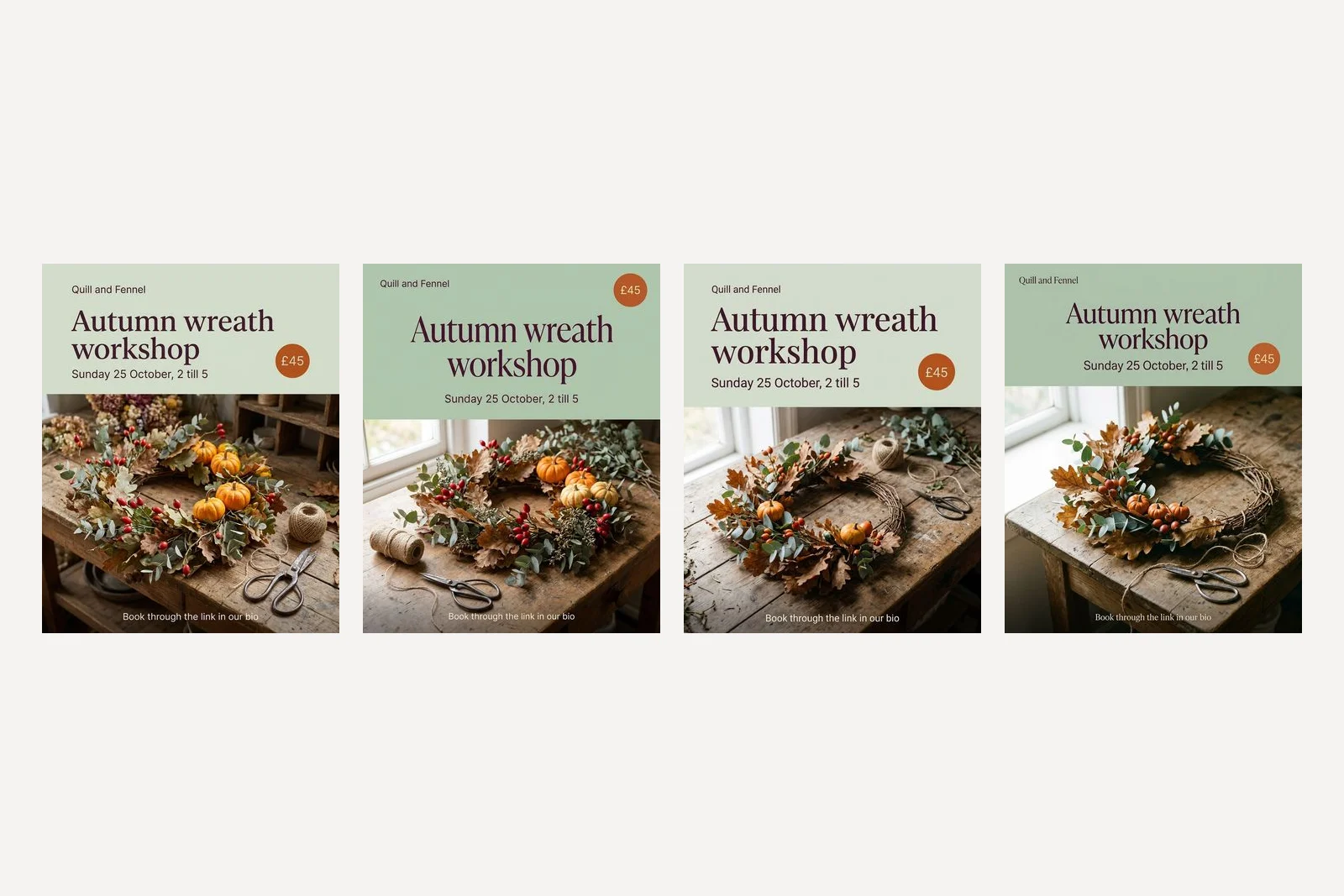
Yes, and far better than names, though Google's guides never mention them. We took prompt 1 and deleted the three hex codes, leaving soft sage, deep plum and burnt orange as words.
| Model | Hex code in the prompt | Colour name only |
|---|---|---|
| Nano Banana Pro | #D3DCCB, Delta E 3.2 | #AFC5AE, Delta E 14.3 |
| Nano Banana 2.1 | #D3DBCC, Delta E 3.0 | #AEC1AB, Delta E 14.7 |
| Nano Banana 2 | #D9E1D2, Delta E 1.0 | #ABC3AB, Delta E 15.5 |
| Nano Banana | #A3AC97, Delta E 20.7 | Not tested |
Soft sage meant a deeper green to every model than it does to us. Your brand colours are hex codes somewhere already, on your website or in whatever made your logo. Paste them in. The original Nano Banana is the exception that ignored the code too.
Does typing 4:5 or 4K in the prompt work?
The ratio, yes. We sent prompt 1 with the API's ratio setting switched off, so the only instruction was the words "A 4:5 Instagram post", and Nano Banana 2, 2.1 and Pro all returned 928 by 1152, which is 4:5. The landscape posts in the one-line test were the model guessing because nobody said. Google's documentation claims the default with no ratio is "1:1 squares"; only the original Nano Banana did that.
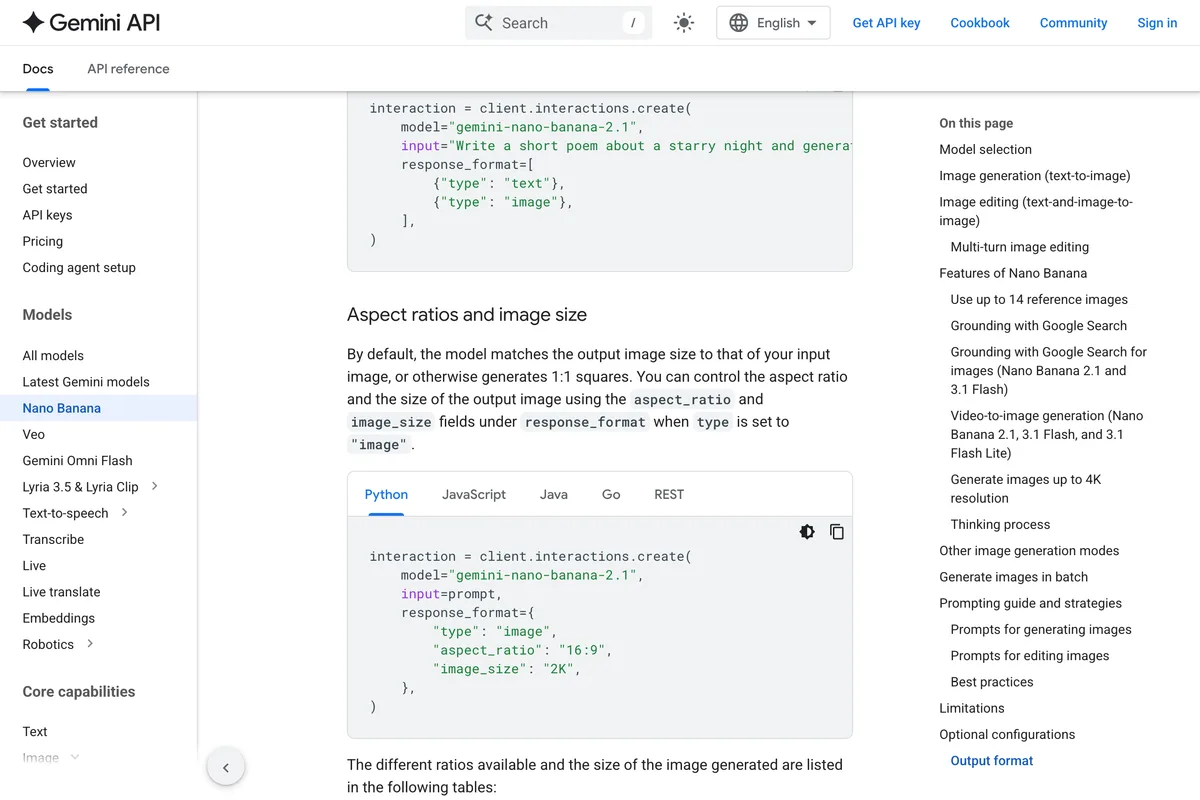
The size, no. Instagram's portrait size is 1080 by 1350, and the default output at 4:5 is 928 by 1152, so many guides tell you to write 4K or 8K in the prompt. We added "Ultra detailed, 4K, 8K resolution, sharp focus" with the size setting left alone, and both Nano Banana 2.1 and Pro returned 928 by 1152 again. Only the setting changes the size: at 2K, Pro returned 1856 by 2304, which scales down to 1080 by 1350 cleanly, or let our free Instagram resizer do it without cropping.
Do negative prompts work in Nano Banana?
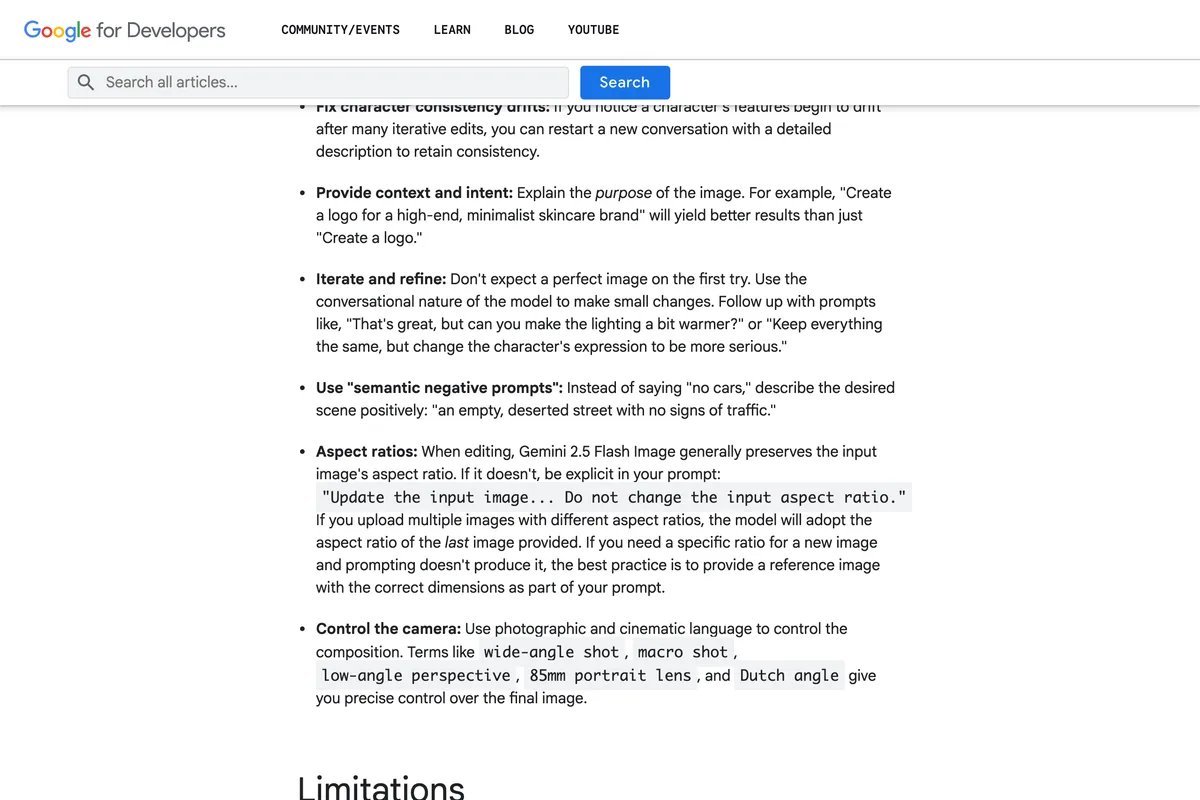
Google's advice is to avoid them. Its developer blog says:
Use "semantic negative prompts": Instead of saying "no cars," describe the desired scene positively: "an empty, deserted street with no signs of traffic."
Every prompt on this page ends with the kind of no Google warns against, and almost every one was obeyed. To test the hard case, something that naturally belongs in the scene, we asked for the wreath "with no pumpkins", and separately for a wreath of oak leaves, eucalyptus and rose hips "only", twice each on Nano Banana 2.1 and once each on Pro.
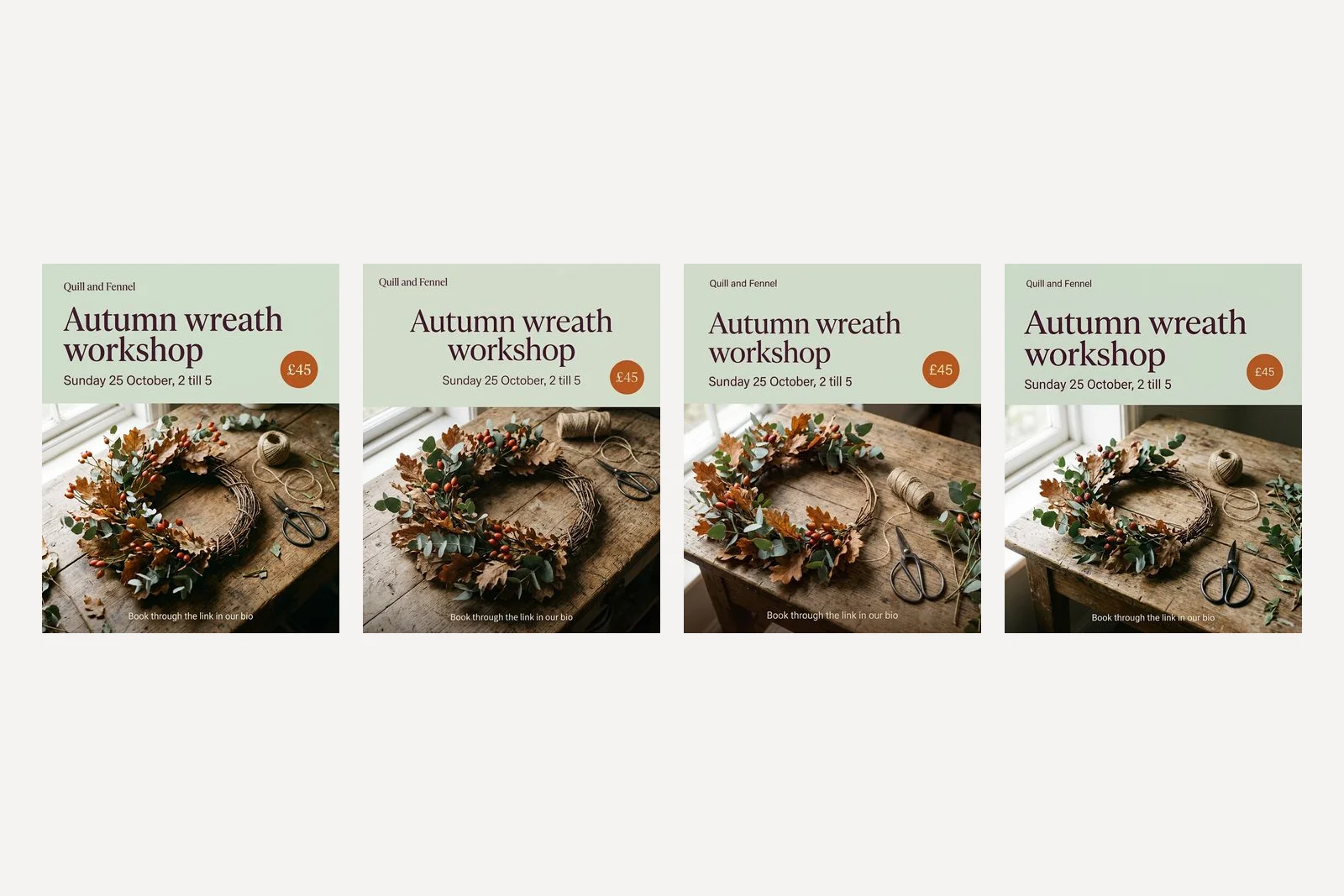
Six out of six had no pumpkins, whichever way we said it. Describing what you want is still the better habit, because it gives the model something to aim at. But the claim in some guides, that the word no makes Nano Banana add the thing, did not happen once.
Should you edit or generate again?
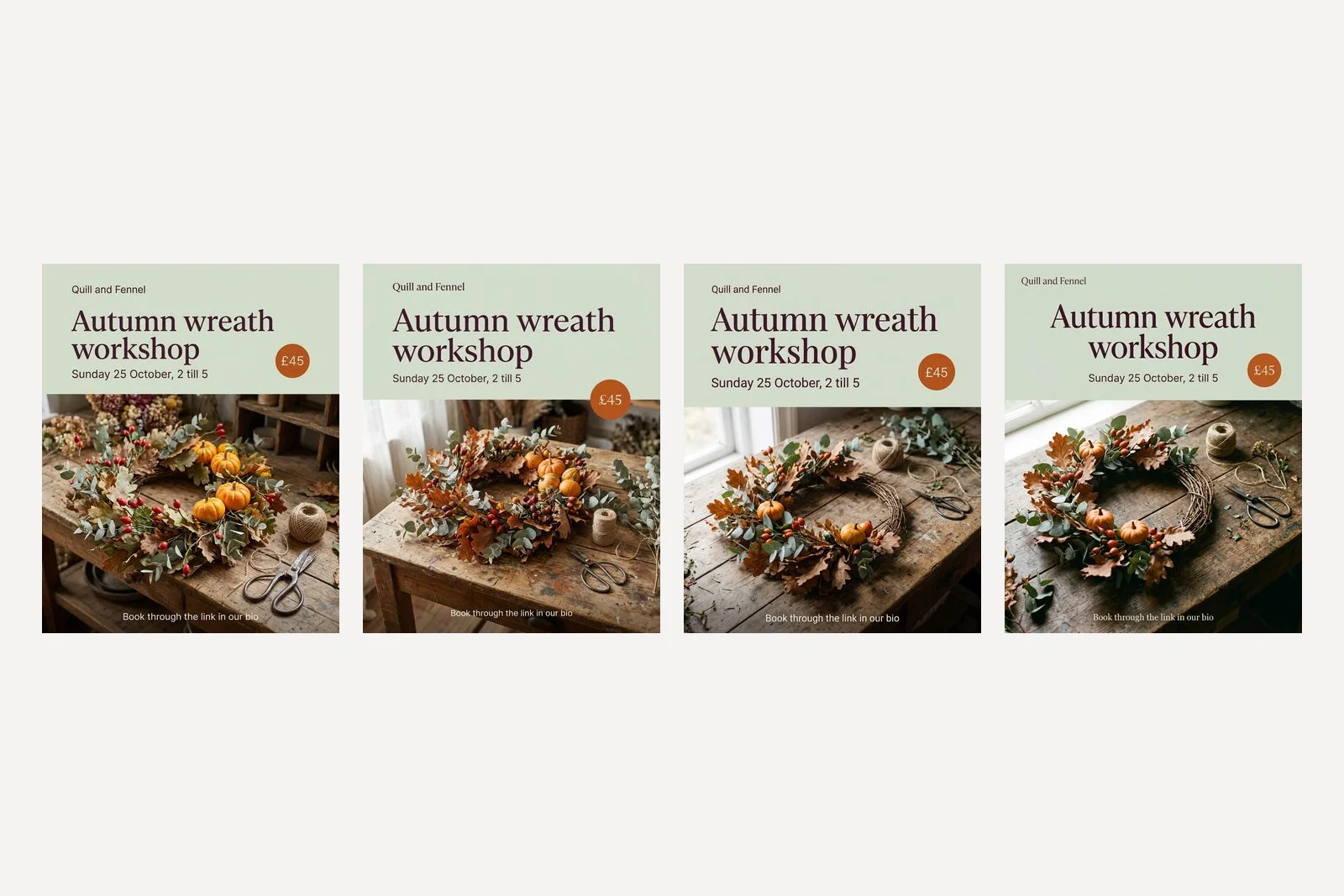
We sent prompt 1 a second time, unchanged. The words held and the photograph was redrawn: 42 percent of Pro's picture and 35 percent of 2.1's changed, against under half a percent for the one-line edit in prompt 10. If you like the picture and want a different price, ask for the price. If you generate again, you are choosing a new photograph too, whether you meant to or not.
What did our own generator make from the same facts?
Every prompt above is a paragraph you rewrite for each post: new words, new photograph, the same hex codes looked up again. That is the job our product does from a business's website, so it is fair to show what it made when we gave it the same florist: the name, the colours, the two fonts and the workshop facts, with the request to announce it.
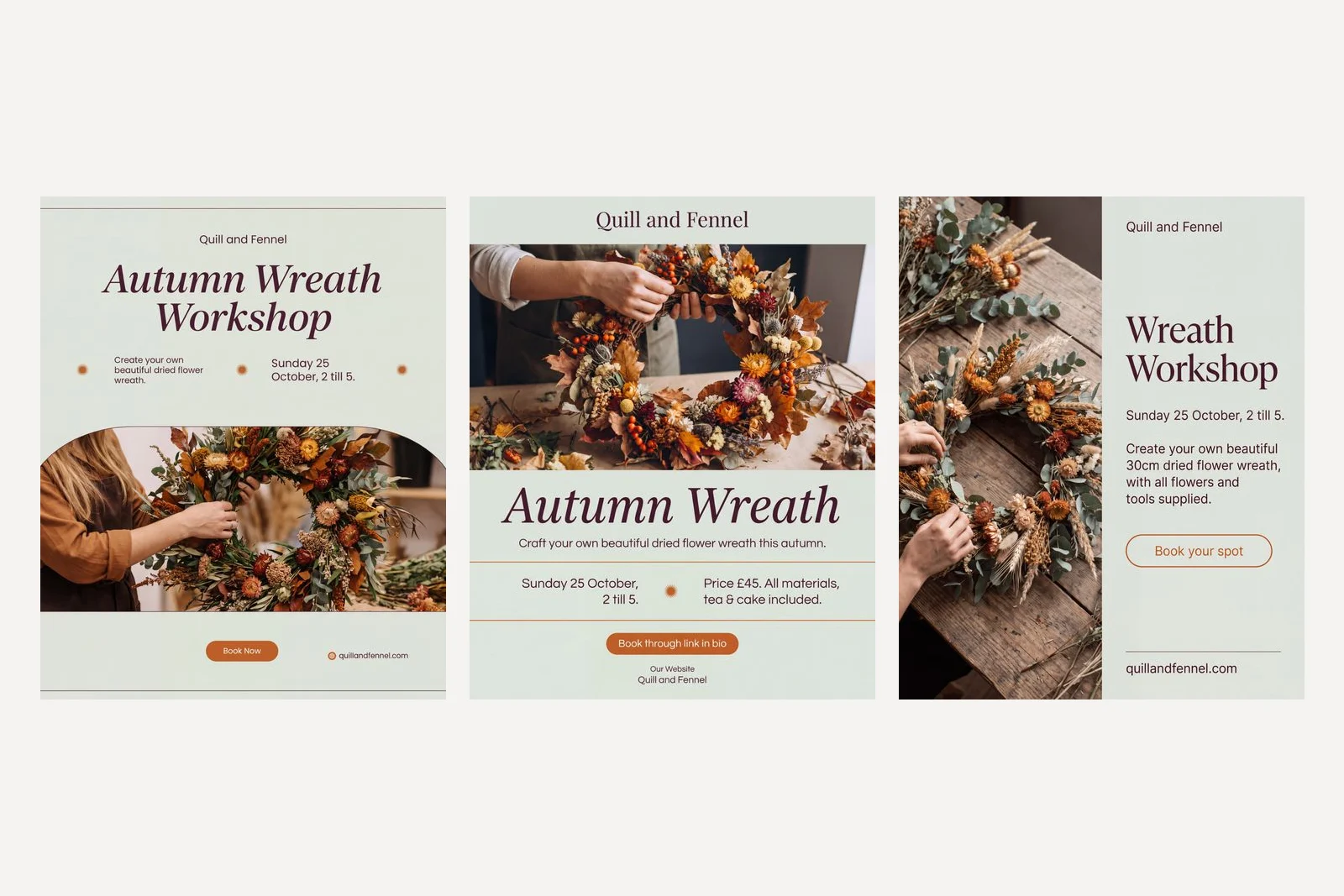
It does the part a prompt makes you do by hand. From one fact sheet it wrote three different posts, picked a different layout for each, put the brand's colours and fonts in their roles, and set the date right on all three without being given a quoted line. The second post carries the price and the inclusions, and the third reads like a booking page.
It also made the mistake this whole page warns about. Two of the posts print quillandfennel.com, a web address we never gave it, and the second keeps an Our Website label from its layout. Our layouts carry a placeholder business, and on one attempt our own inspection caught the placeholder, Quillandfennel.example, and sent it back; the retry turned it into a .com, which looks real and passed. In this run it had no website to read, which a real customer always gives it, so it had less to work with than usual. An invented web address on a finished post is still a bug, found by writing this article, and we are not going to pretend otherwise.
Frequently asked questions
What is the best Nano Banana prompt for an Instagram post?
Start with the ratio and the purpose, "A 4:5 Instagram post for [business], announcing [what]", describe the photograph in one sentence, put every word you want on the image in quotes, and give each colour a role and a hex code. End with what to leave out. In our tests that shape set every quoted word correctly on Nano Banana 2.1 and Pro across ten kinds of post, while a one-line prompt invented dates, a venue and an Instagram handle.
Which Nano Banana model is best for Instagram posts?
Nano Banana Pro passed all ten of our Instagram prompts; Nano Banana 2.1 passed eight, failing the Story and leaving an empty price badge on a carousel slide. Google released Nano Banana 2.1 on 6 October 2026 and deprecated Nano Banana 2 the same day. The original Nano Banana set the words right but missed the colour and layout.
How do I make an Instagram carousel with Nano Banana?
Make slide 1, then attach it and start the next prompt with "This is slide 1 of a three slide Instagram carousel. Make slide 2 in exactly the same style", naming the panel, type, accent colour and light. Both models kept the style. List every element of slide 1 you do not want on slide 2, because one model kept an empty price badge when we only said no price.
Is JSON prompting better for Nano Banana?
Not in our test. The same brief written as prose and as JSON gave the same words, the same layout and colour within the same margin on Nano Banana 2.1 and Pro. Google's prompting guides do not mention JSON. Use it if it is easier for you to edit.
Do hex colour codes work in Nano Banana prompts?
Yes. With hex codes the background came within a Delta E of 1.0 to 3.2 of the colour we asked for on the three newer models. With the same colours written as names it was 14.3 to 15.5 off, a visibly different green.
Does typing 4K in a Nano Banana prompt make a higher resolution image?
No. With 4K and 8K typed in the prompt, Nano Banana 2.1 and Pro still returned 928 by 1152 pixels at 4:5. Resolution is a setting, image_size in the API; at 2K, Pro returned 1856 by 2304. Typing 4:5 in the prompt, on the other hand, did set the ratio.
Will Instagram label a Nano Banana image as AI?
Possibly. All 49 images we generated arrived with a C2PA record identifying them as AI made, and Google says its generated images also carry a SynthID watermark. Meta says it reads signals like these for Instagram's AI info label.
How we researched this
- Every prompt on this page was sent through Google's developer API on 14 October 2026. The ten Instagram prompts ran on gemini-nano-banana-2.1 and gemini-3-pro-image, which Google calls Nano Banana 2.1 and Nano Banana Pro. The tests in the second half also ran on gemini-2.5-flash-image and gemini-3.1-flash-image, Nano Banana and Nano Banana 2. That made 49 images. The picture that came back is the picture shown: nothing was regenerated until it looked better and nothing was retouched.
- We ran the whole set twice. The first time, our own prompts put the workshop on Sunday 26 October, which in 2026 is a Monday, so we corrected the dates and ran everything with a date in it again. Every picture on this page is from the second run. Where the first run behaved differently, we say so.
- We used the API, not the Gemini app, because only the API lets you switch the aspect ratio and size settings off and on, which several tests depend on. Most prompts ran once per model, so a result here is what happened, not a rate. The script is in our repository as scripts/_nano-banana-prompt-tests.mjs, so the page can be re-run and corrected when Google changes the models, which it did eight days before we wrote this.
- Colour accuracy is measured, not eyeballed: we averaged a patch of the flat panel in each file and computed the colour difference, Delta E 1976, against the hex code the prompt asked for. Below about 2 most people cannot see a difference; above 10 it is obviously a different colour. Edits were measured as the share of pixels that changed by more than a small threshold between the original file and the edited one.
- Quill and Fennel is a business we invented for the test, so that no real shop's name ends up on a picture it did not approve. The three posts from our own product in the last section were made from the same facts through the product's real image path, run from a script on our machine.
- We make a product that generates posts with these models, so we have an interest in how good they look. That is also why the section on our own output prints its faults.
Sources
- 1Image generation with Gemini (Nano Banana)
- 2Gemini API release notes, October 6, 2026
- 3How to prompt Gemini 2.5 Flash Image Generation for the best results
- 4Ultimate prompting guide for Nano Banana
- 5Nano-Banana Pro: Prompting Guide & Strategies
- 6Prompting Nano Banana Pro with JSON
- 7Does JSON prompting actually work? Tested with Nano Banana