Gemini prompts for product photography, tested on two real products
We sent ten product photography prompts through Nano Banana, Nano Banana 2 and Nano Banana Pro on 24 September 2026, 27 images in all, starting from two ordinary photographs. Every result is printed, including the candle whose wax turned pink and the white background that was never white.
The Gemini prompt that works for product photography does not describe your product. It attaches a photo of it. Then it says one thing about the product, keep it exactly as it is, and describes everything else: the surface, the light, the angle, the frame. Every model we tried kept the words on a handwritten label when we did that. What none of them did reliably was leave the rest of the product alone, and that is the part a shop cannot afford to get wrong.
Our articles are still written by humans!
Get human written articles in your Google feed.
Below are the ten prompts, each run on Google's current image models on 24 September 2026, with every result printed. Copy any of them. Read the results before you trust any of them with a listing.
Which prompt for which product photo
| The photo you need | Prompt below | Best on our runs | Check before you use it |
|---|---|---|---|
| Marketplace main image | 2, white background | Nano Banana 2 for the white, Nano Banana Pro for the size | Corners at 255, product at 85% of the frame |
| Feed or website lifestyle shot | 3, with the product described | Nano Banana 2 | Colour of the product, not the room |
| A one-off pattern or handmade piece | 4 | Nano Banana Pro | Every mark you would miss if it changed |
| Flat lay from above | 5 | Nano Banana 2 | That it is actually overhead |
| Product in a hand | 6 | Nano Banana 2 or Pro | Size against the hand |
| A post with a headline | 7 | Nano Banana 2 or Pro | Words exactly as quoted |
| Same photo, new background | 9 | Nano Banana Pro | Position and angle, or use background removal instead |
| Seasonal scene | 10 | Nano Banana 2 | Label legible in the lighting |
What we started from
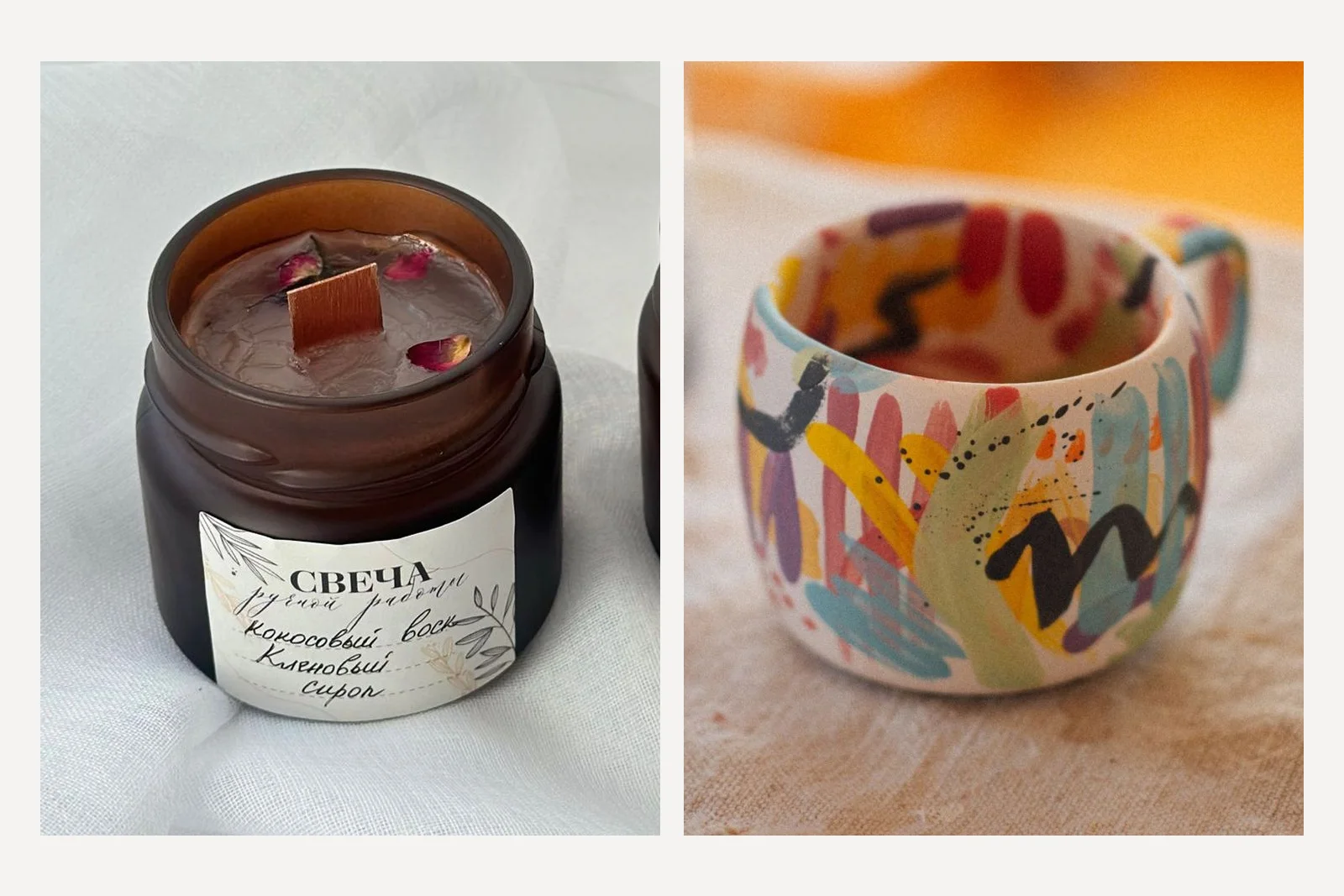
The candle is the harder test of the two, deliberately. Its label is handwritten in Cyrillic with a pencil leaf drawing, and a model that is going to redraw anything will redraw that. The wax has a matte, finely cracked top with three dried rosebuds in it. The mug is the pattern test: dozens of loose brush strokes that nobody could describe in a sentence, which is exactly the situation of a maker with a one-off product.
How do you stop Gemini changing your product?
Seven of the ten prompts begin with the same sentence, so any difference between results comes from the rest of the prompt. Copy it as it is.
Keep the product exactly as it is in the attached photo: the same shape, proportions, colours, materials and every mark on it. Do not redraw, restyle, translate or tidy the label or the pattern. Change only what is around the product.
The word translate is there on purpose. A model asked to make a professional photo of a product with a foreign label has every reason to think an English label would be more professional. None of the three did it here, but we were not willing to bet a test on that.
Prompt 1: the one-liner most people type
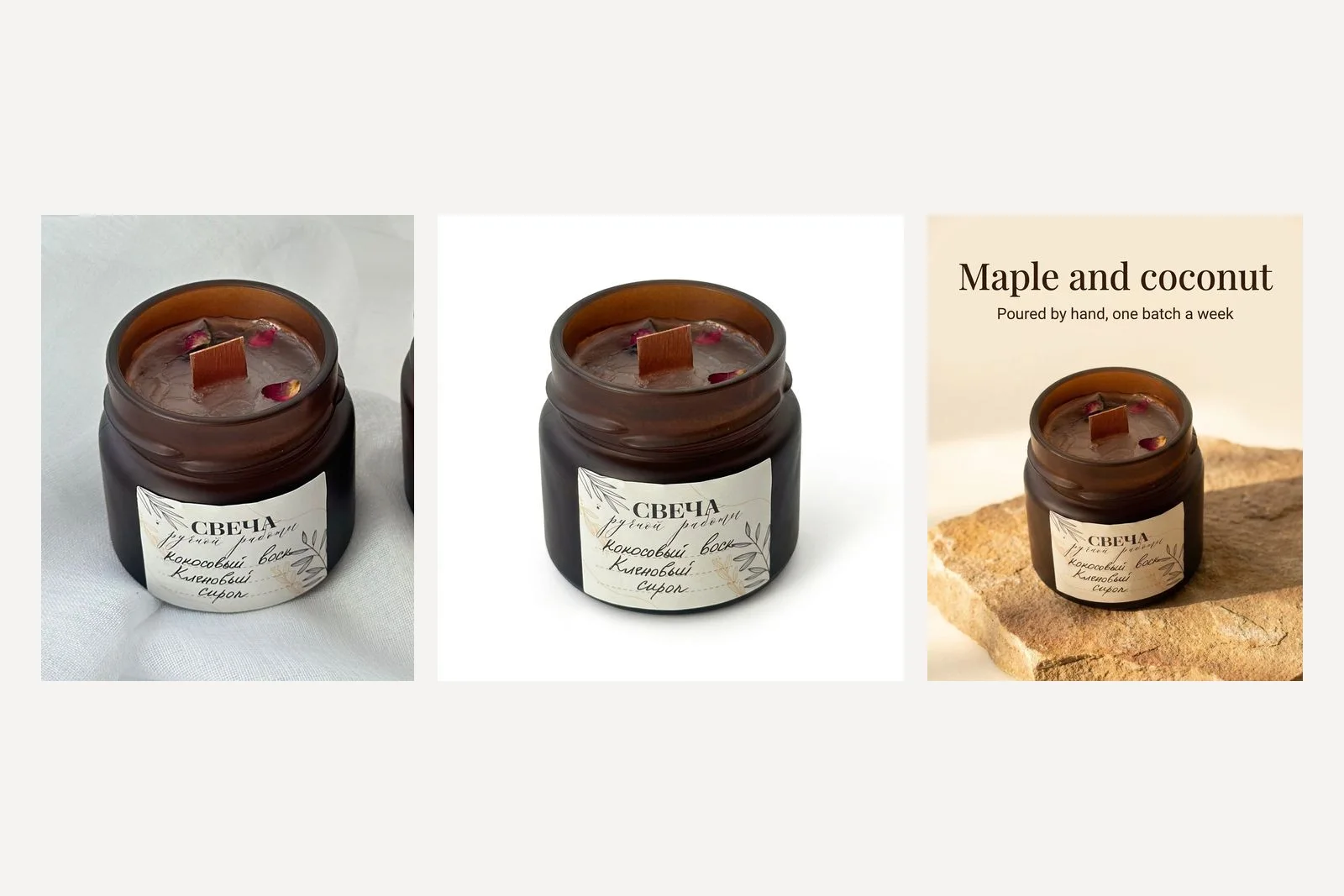
Make this a professional product photo.
Three models, three interpretations of the same six words. Nano Banana returned what is essentially the photograph we sent, framed a little wider. Nano Banana 2 moved the candle onto a cream stone plinth and, without being asked, smoothed the wax into a glossy surface and rearranged the rosebuds. Nano Banana Pro built a whole new scene of linen and dried flowers and made the jar smaller in the frame. All three kept the label word for word.
None of these is wrong, which is the problem. A one-line prompt hands every decision to the model, and the three models made different ones. If you want a particular picture, you have to say what it is.
Prompt 2: a white background for a shop or Amazon
[Keep sentence] Put it on a pure white seamless background, RGB 255 255 255, with no visible floor line. Soft, even studio light from both sides, a faint natural shadow directly under the jar and nothing else. The jar is centred and fills about 85 percent of the frame. No props, no text, no reflections.
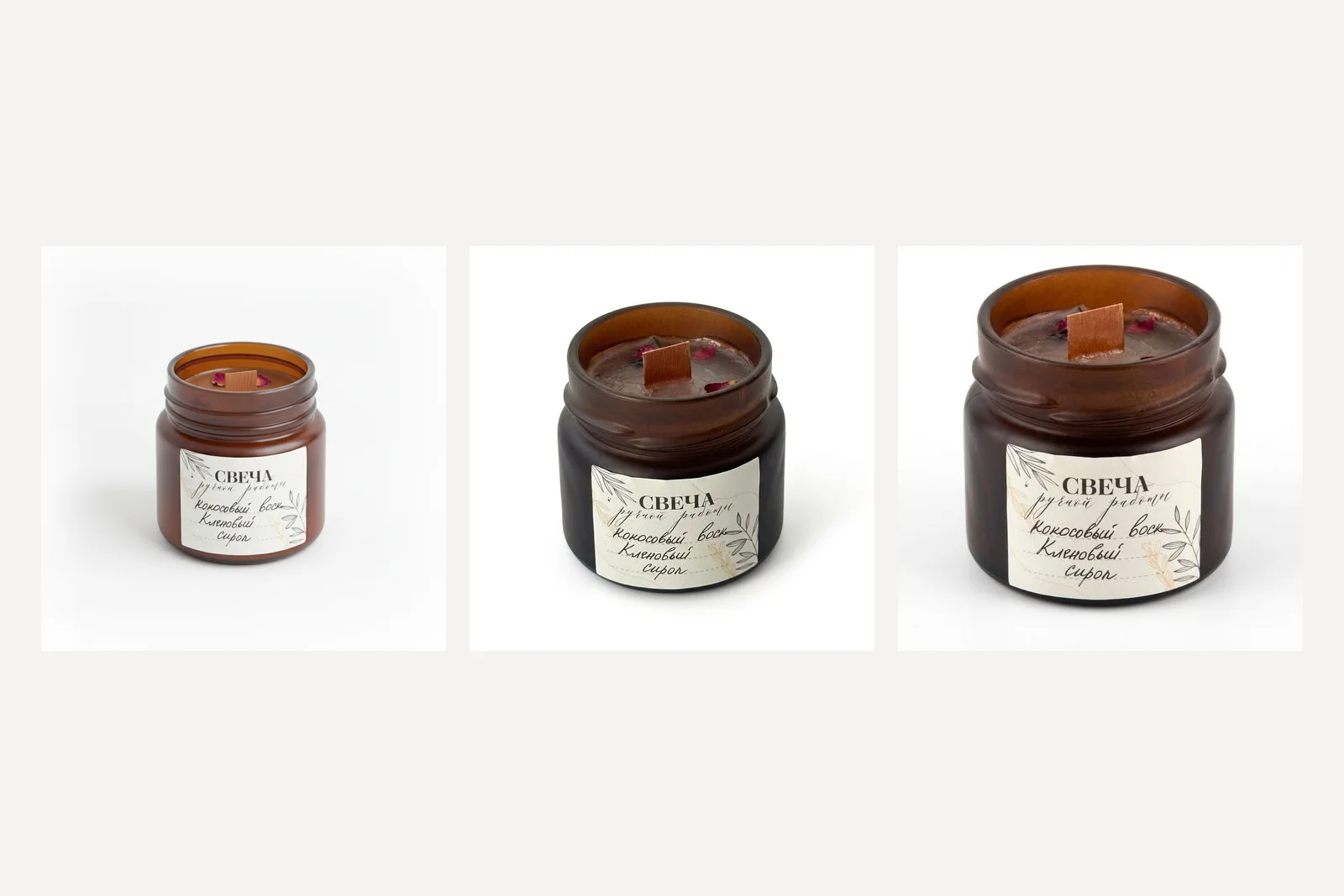
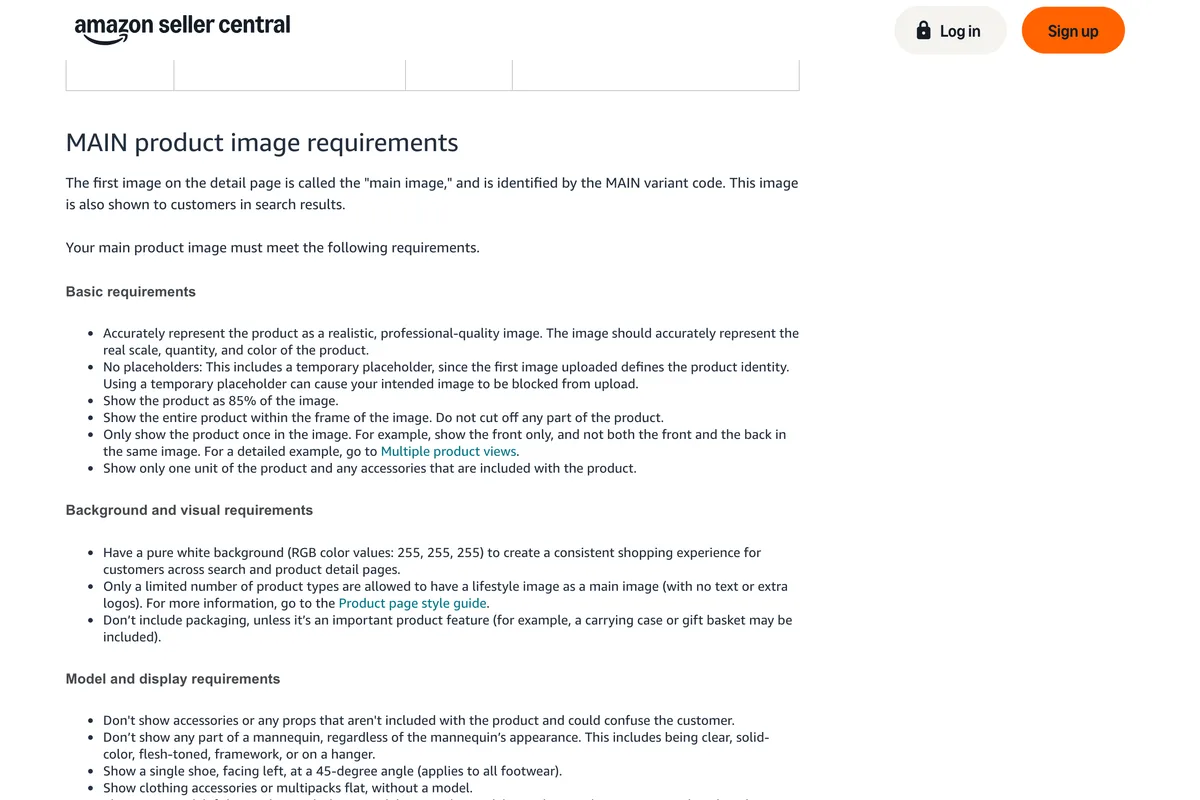
White looks white on a screen whether it is or not, so we measured. The numbers matter because the most common reason to want this shot is a marketplace, and Amazon's rule for a main image is exact. Its page says, among its main image requirements:
Have a pure white background (RGB color values: 255, 255, 255) to create a consistent shopping experience for customers across search and product detail pages.
Show the product as 85% of the image.
| Model | Pixels that are pure white | Corner pixels | Jar height as share of frame |
|---|---|---|---|
| Nano Banana | 0.0% | 249 to 255, never all three at 255 | 56% |
| Nano Banana 2 | 49.1% | 255, 255, 255 in all four | 74% |
| Nano Banana Pro | 19.0% | 251 to 255 | 86% |
Two notes on reading that table. Amazon does not say whether 85% is measured by height, width or area, so we measured the jar's height against the frame, which is the dimension a jar fills first in a square. And every file was 1024 pixels square, just over the 1,000 pixels on the longest side that Amazon says enables zoom. For a larger file, the Gemini 3 image models accept a 2K or 4K size setting; we used 1K throughout so the three models were compared like for like.
Not one of the three met both halves of the brief. Nano Banana 2 produced the whitest background, with every corner at exactly 255, but left the jar at three quarters of the frame. Nano Banana Pro hit the size almost exactly and left a background that is very nearly white, which is not the same thing. Nano Banana did neither. A near white background is fixable in any photo editor with a levels adjustment, and a small product is fixable by cropping, but only if you check. Put an eyedropper on the corners before you upload.
One more line on Amazon's page matters more for AI images than the white: the image should accurately represent the real scale, quantity, and color of the product. Which brings us to the next prompt.
Prompt 3: a lifestyle scene
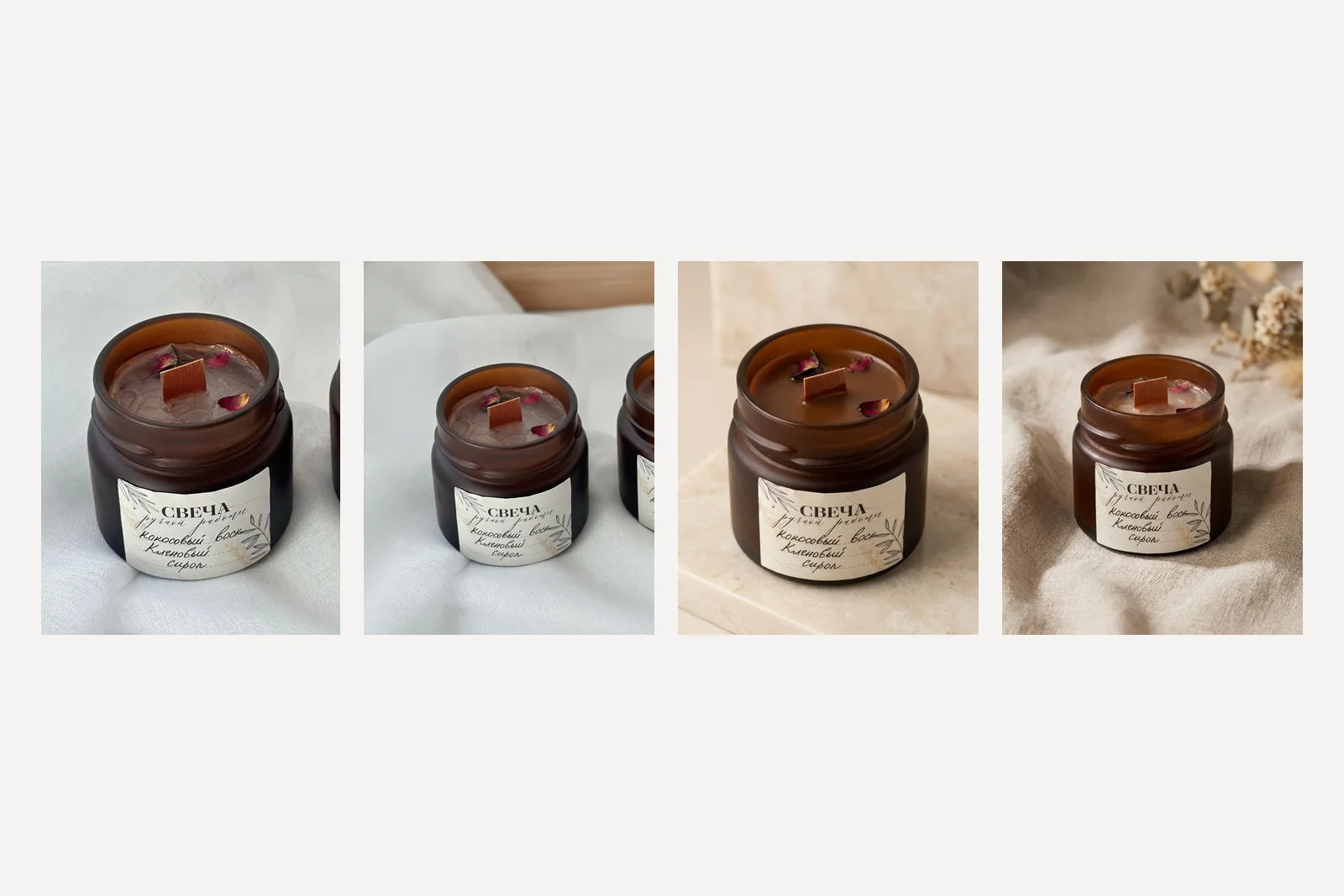
[Keep sentence] Place the candle on a pale oak bedside table beside a closed linen-bound book and a small ceramic dish, in a calm bedroom in the early evening. The wick is lit with a small steady flame. Warm window light from the left, a shallow depth of field so the room falls soft behind it. Shot at eye level with a 50mm lens. No other candles, no text.
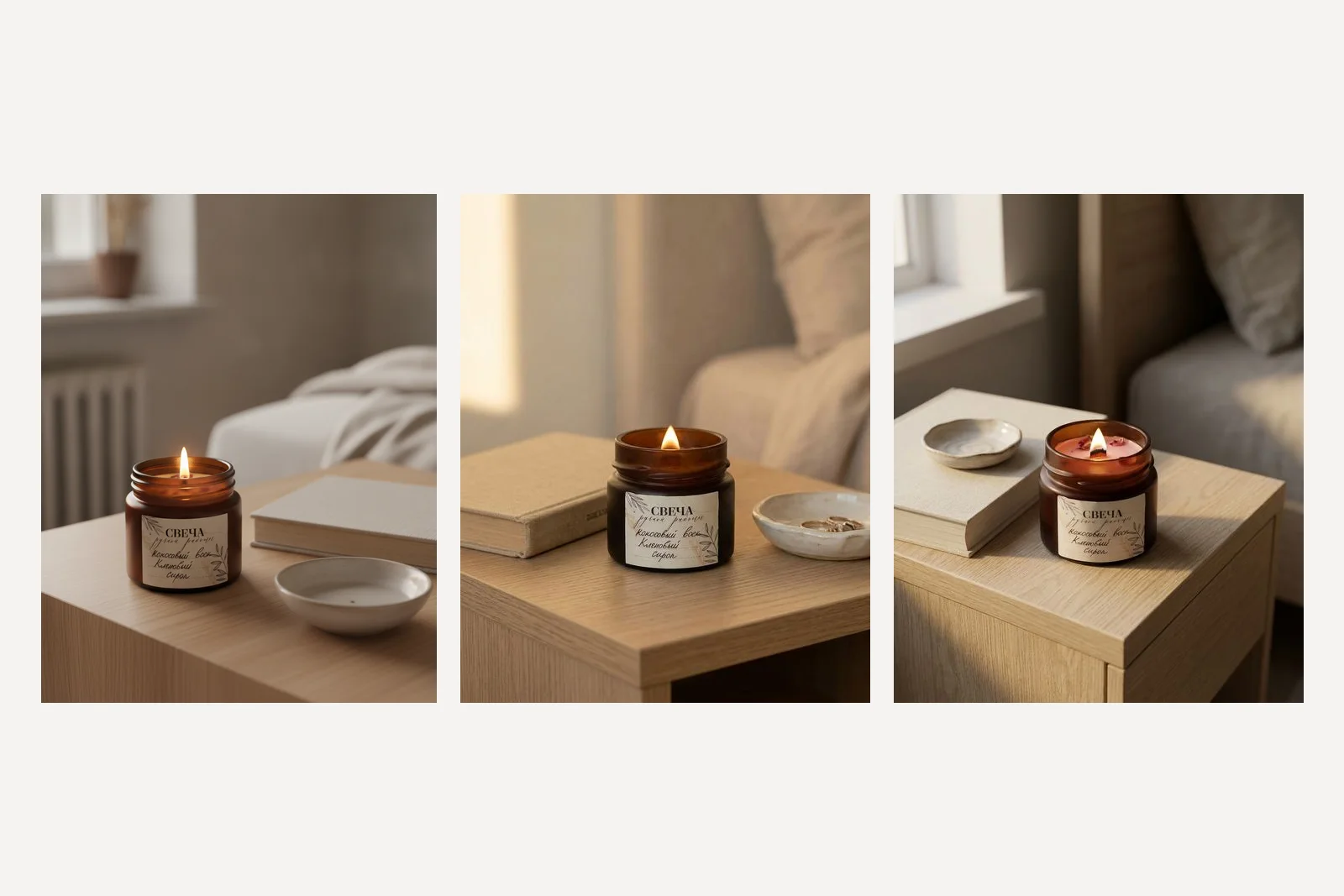
All three rooms are good. That is what makes this result dangerous, because the eye goes to the room. Look at the product instead. Nano Banana's jar is a lighter, clearer amber than ours and noticeably taller. Nano Banana Pro kept the jar and the label and turned the cocoa-brown wax pink. Nano Banana 2 is the only one of the three you could put next to the real candle in a shop.
A pink candle is not a small error on a product page. It is a different product, and it is the kind of thing a customer notices when the parcel arrives.
The same prompt again, and the same prompt with the product described
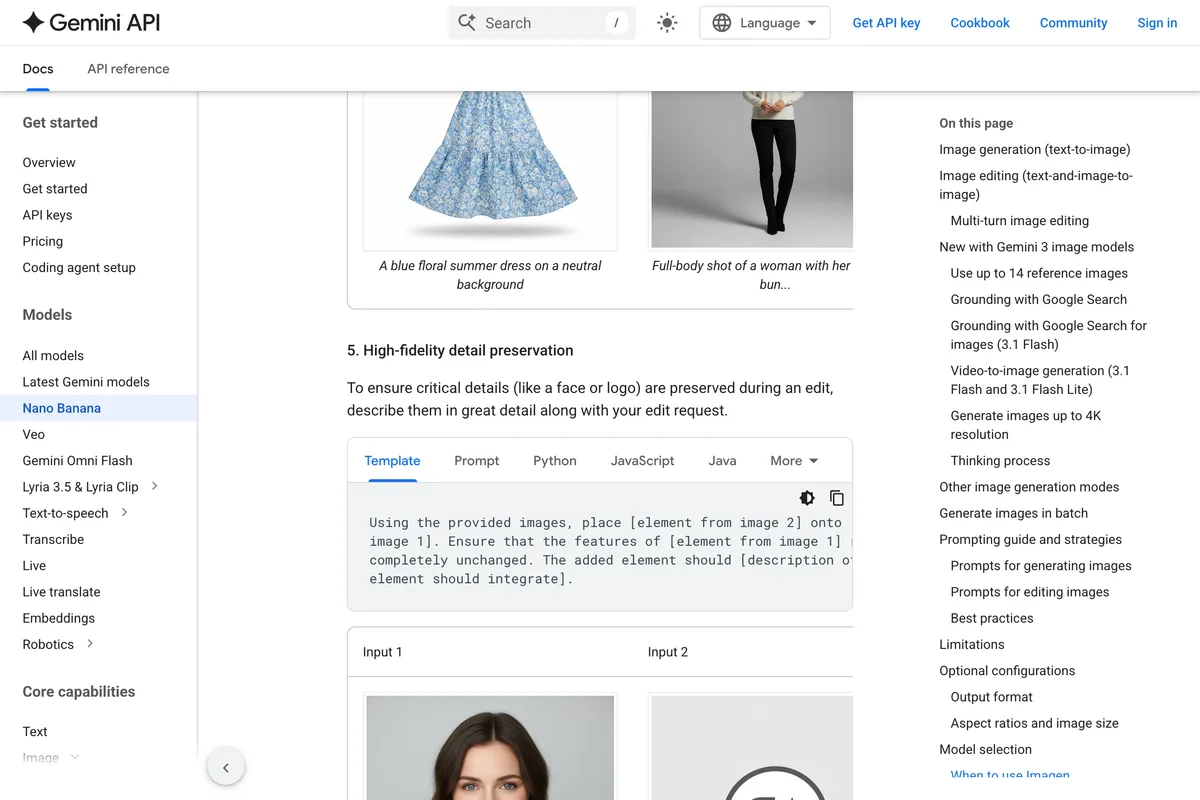
We ran two follow ups on the Pro result. The first sent the identical prompt again, to see whether pink was what this model does or something that happened once. The second added a description of the product, because Google's own image generation documentation advises it, under the heading High-fidelity detail preservation:
To ensure critical details (like a face or logo) are preserved during an edit, describe them in great detail along with your edit request.
[Keep sentence] The product: a short, wide jar of dark frosted amber glass with a screw-thread rim, filled to just below the rim with cocoa-brown wax whose surface is matte and finely cracked, a flat wooden wick, and three small dried pink rosebuds pressed into the wax. A cream paper label with a pencil leaf drawing and handwritten Russian text. [Then the same scene as prompt 3.]
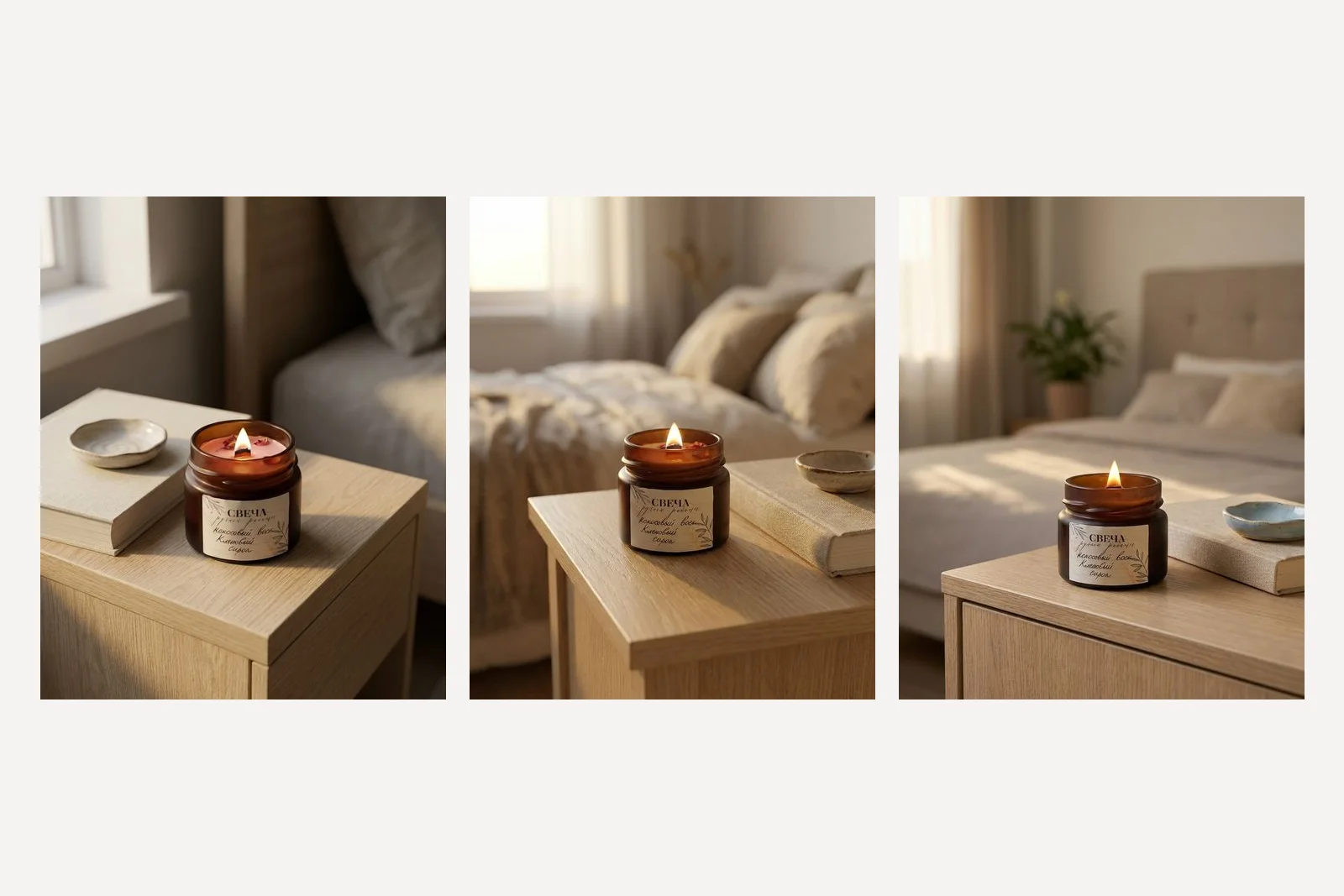
The second run of the identical prompt did not turn the wax pink. So the lesson is not that Nano Banana Pro turns candles pink. It is that any single run can change your product, and the only defence is to generate several and look at each one. The described version kept the dark frosted glass closest of the three, and when we sent the same described prompt to Nano Banana, whose first attempt had made the jar pale, it came back darker and nearer the original too. Two runs are not proof. They are enough that we now describe the product in every prompt we write.
Prompt 4: the mug in a cafe
[Keep sentence] Put the mug on a small marble cafe table by a window in the morning, filled with black coffee, a little steam rising. Soft daylight from the window side, the street outside blurred. Shot slightly from above at about 30 degrees. No logos, no text, no second mug.
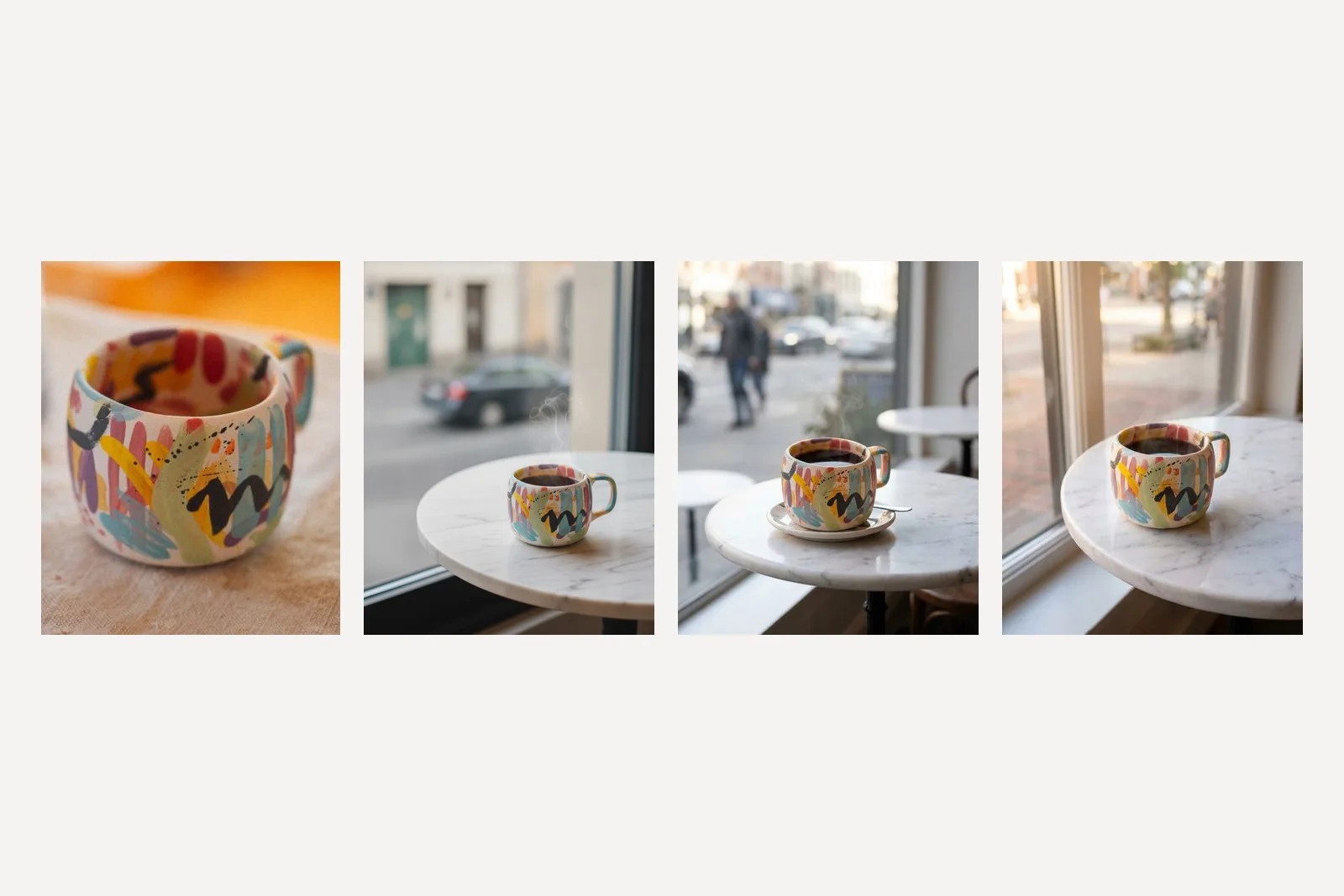
This is where the differences between the models were clearest. Nano Banana made the mug squatter and simplified the pattern into fewer, bolder strokes: recognisably the same style, not the same mug. Nano Banana 2 kept the pattern well and added a saucer and a teaspoon we did not ask for, which is harmless unless you do not sell saucers. Nano Banana Pro kept the shape, the handle and the strokes closest to the photograph. If your product is one of a kind, this is the test that matters, and on this run Pro won it.
Prompts 5 and 6: a flat lay, and a hand
[Keep sentence] Photograph it from directly overhead as a flat lay on a rough off-white linen cloth, with a few loose coffee beans, a folded napkin and a small wooden spoon arranged around it with plenty of empty space. Even, soft daylight. The mug is the largest object and sits a little below the centre. No text.
[Keep sentence] Show one hand holding the mug by its handle, the mug at its real size relative to the hand, in a bright kitchen with a blurred background. Natural daylight. Crop so the hand and the mug fill the frame and no face is visible. No rings or watches, no text.
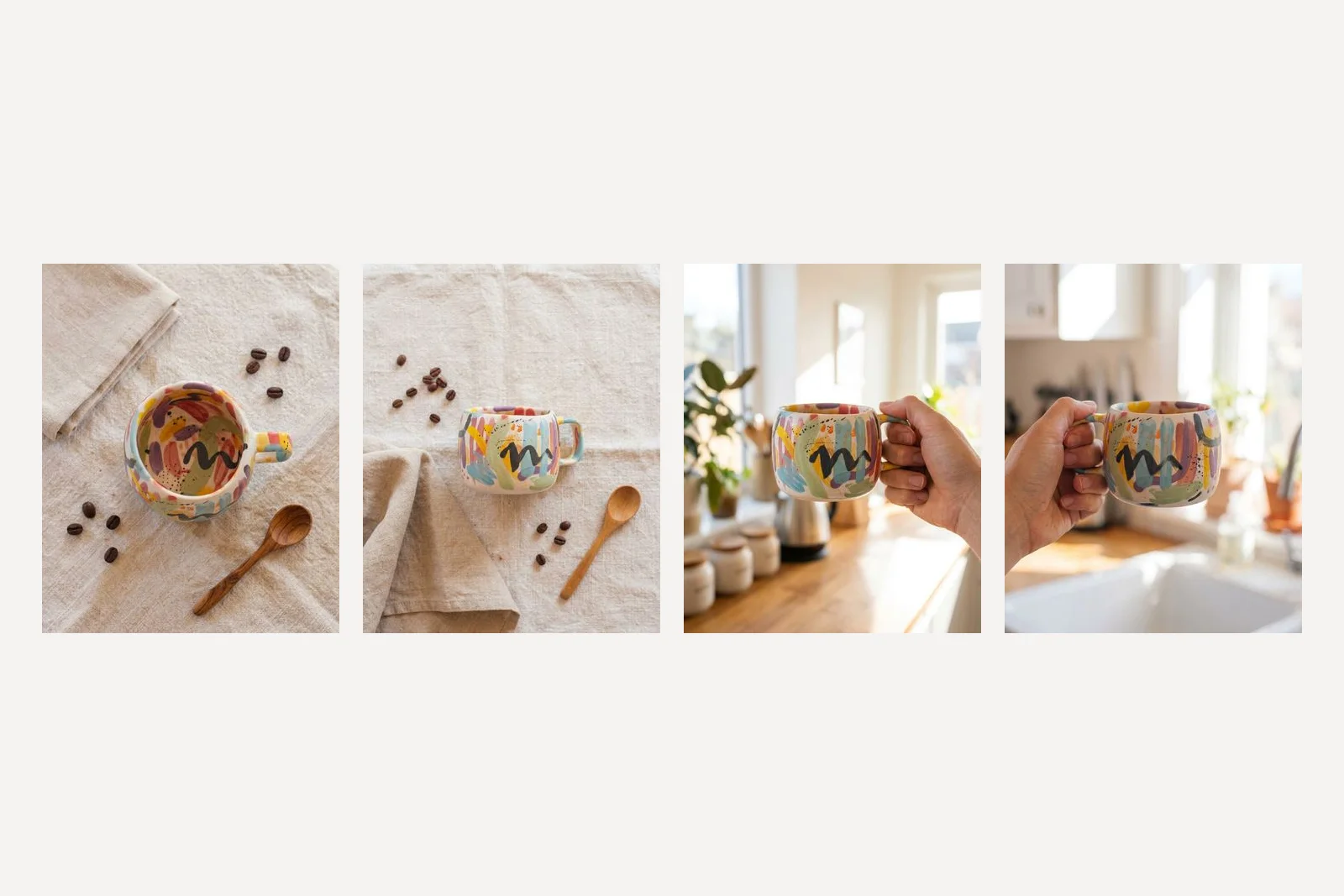
The flat lay split the models on the one instruction that defines a flat lay. Nano Banana 2 went directly overhead as asked, which meant inventing the inside of the mug, because our photograph never showed it; it painted the inside in the same style and did it convincingly. Nano Banana Pro ignored the overhead instruction and showed the mug from the side, while the beans and spoon around it are seen from above, two viewpoints in one picture. Both hand shots are usable and both kept the pattern. Neither added a ring or a watch.
The lesson from the flat lay is that a model that keeps your product faithfully can still ignore your camera. Keeping the product and following the brief are different skills, and the model best at one was not best at the other.
Prompt 7: a finished post with words on it
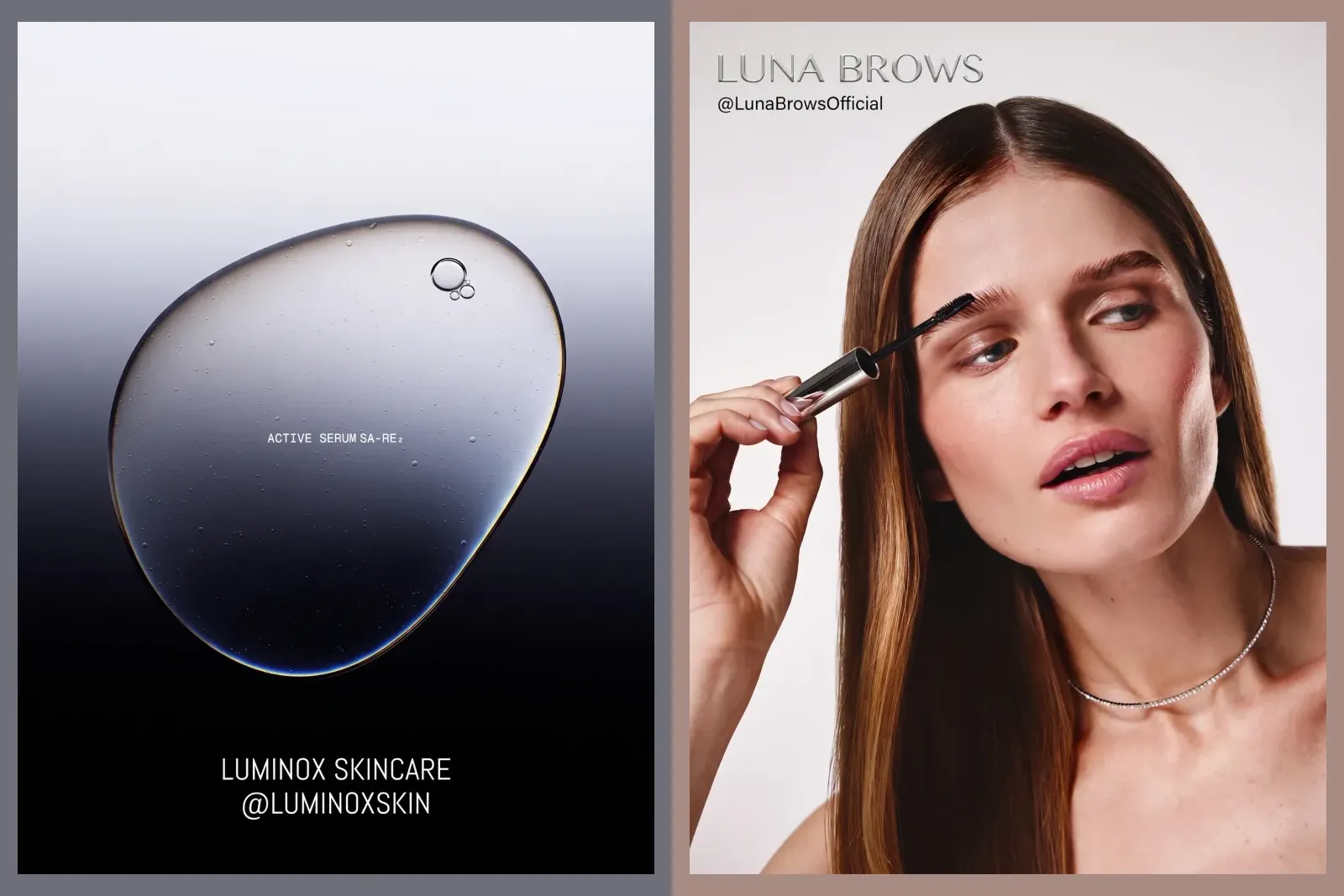
[Keep sentence] Make a 4:5 Instagram post for a small candle maker called Linden and Wick. Place the candle on warm stone in the lower two thirds with soft side light. In the empty space at the top set the headline, exactly: "Maple and coconut". Under it, smaller: "Poured by hand, one batch a week". Headline in an elegant serif, deep brown #3A2618; small line in a plain sans. Background around the words a soft warm cream. No logo, no other text.
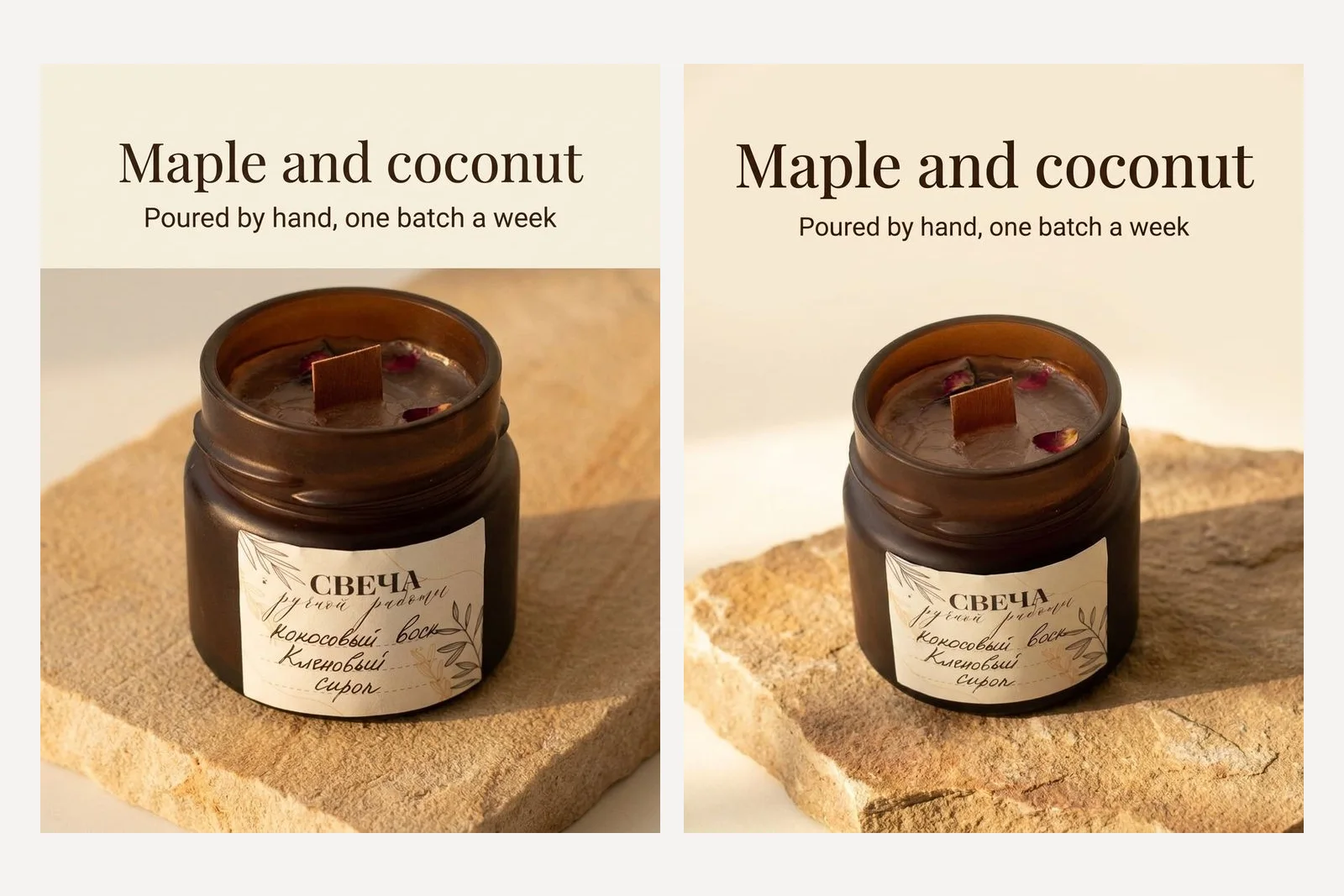
Both models set both lines exactly as quoted, in the colours and type styles asked for, and left the label alone. Maple and coconut is a fair English summary of what the Russian label says, which is coconut wax and maple syrup, so the post and the product agree. This is the shape of prompt we covered at length in Gemini prompts for poster design: quote the words, give each colour a job, and ask for no logo.
Prompt 8: describe the product instead of showing it
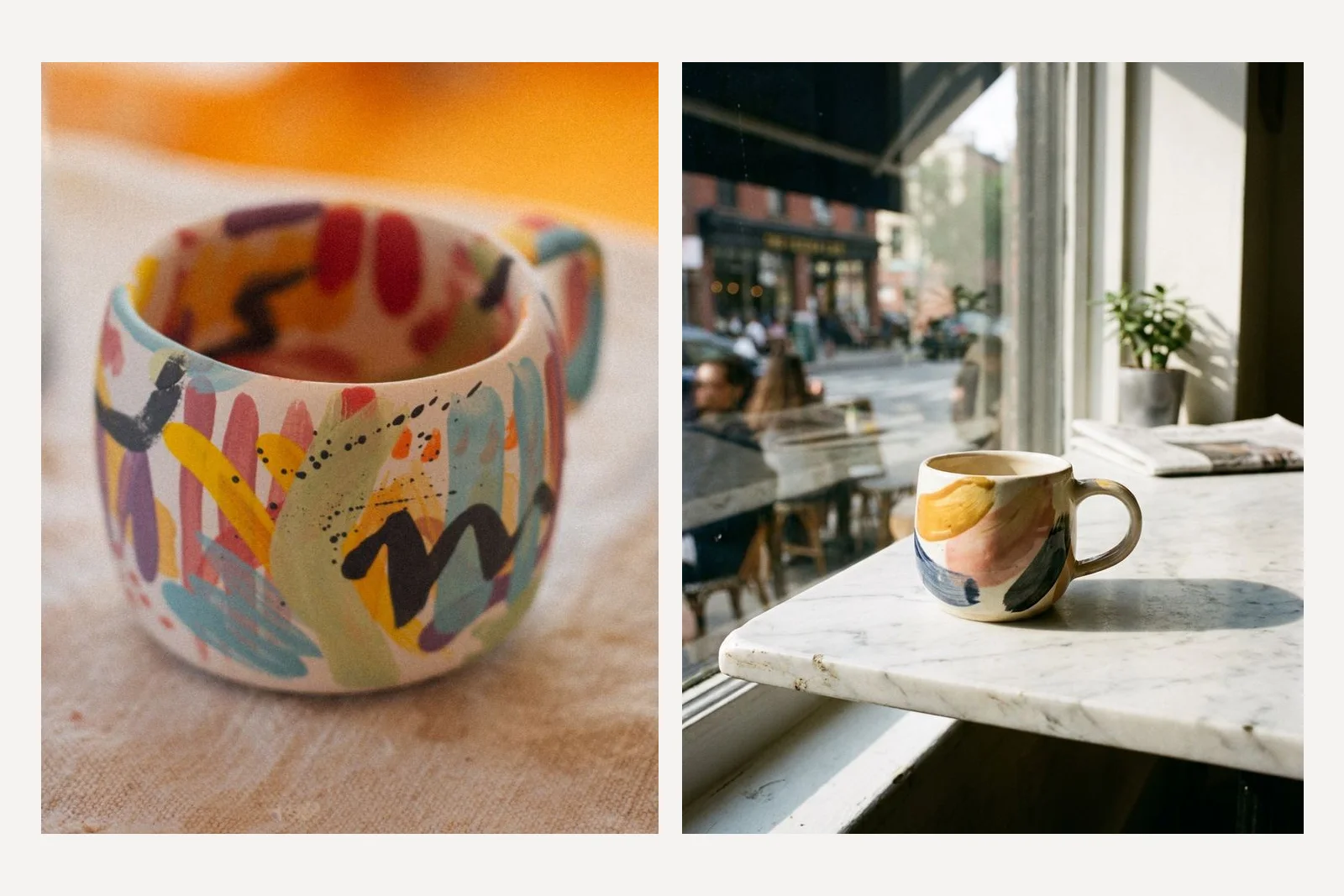
A professional product photo of a small hand-painted ceramic mug with abstract brush strokes in yellow, pink, blue and black, on a marble cafe table by a window in the morning light.
This is the prompt shape most prompt lists give you, and it is the shape Google's own prompting guide uses for product shots. Its template begins:
A high-resolution, studio-lit product photograph of a [product description] on a [background surface/description].
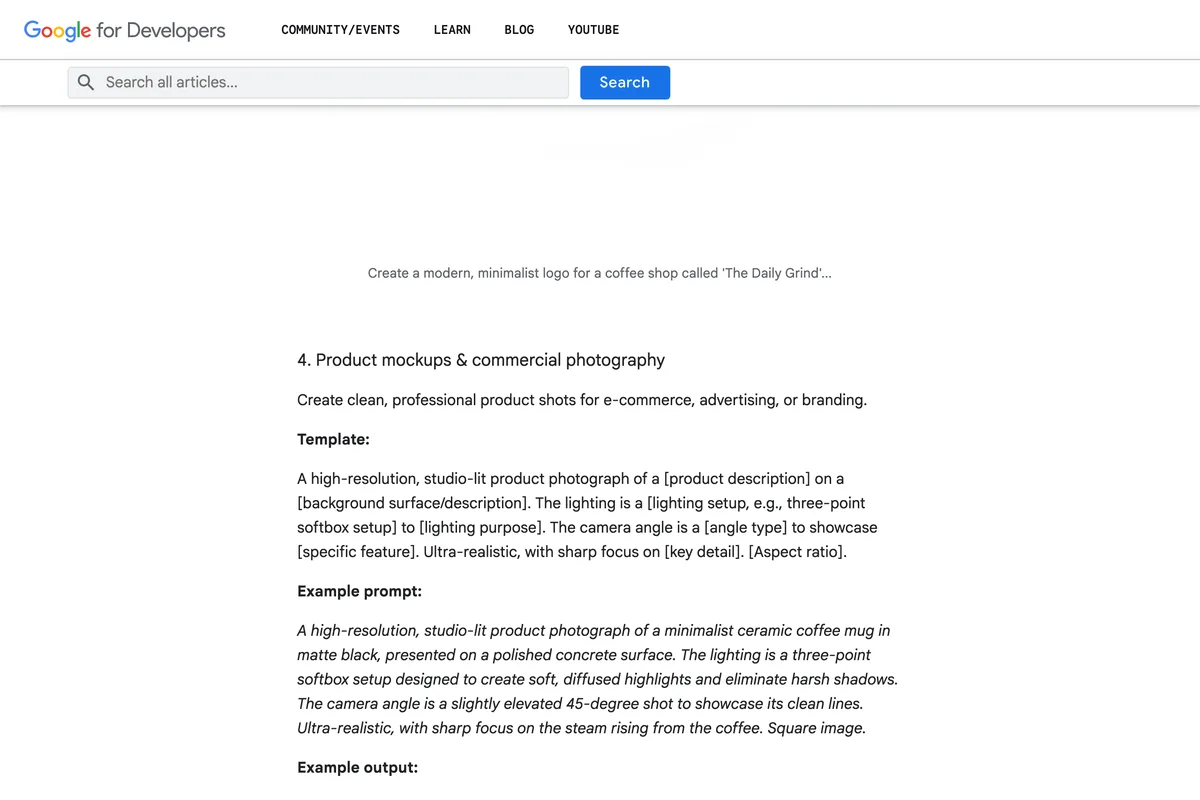
It is a good template for a product that does not exist yet, a mock-up or a concept. For a product you sell, it produces a picture of somebody else's. Our description was accurate and the result is a pleasant mug with four strokes on it. Ours has dozens.
Prompt 9: change the background and nothing else
Keep this photograph exactly as it is, including the mug, its pattern, its position, the camera angle and the light on it. Replace only the background and the cloth under the mug with a smooth, even sage green paper backdrop, #A9B8A0, and a soft natural shadow under the mug.
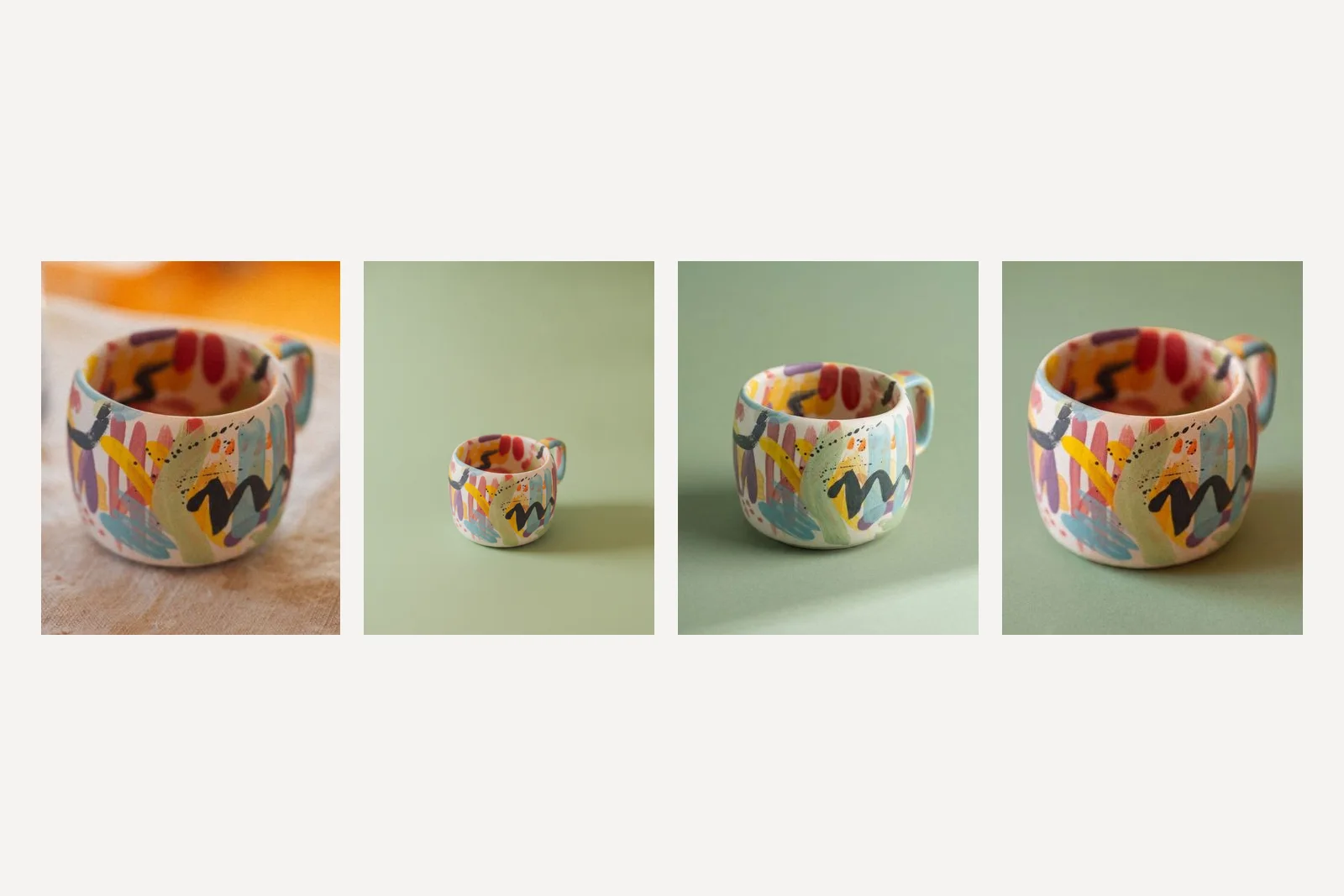
The simplest edit of the ten, and the one that showed most plainly that exactly does not mean exactly. Nano Banana shrank the mug to a small object in the lower left of the frame. Nano Banana 2 pulled the camera back and lowered it. Nano Banana Pro kept the framing closest to the original. All three produced a clean sage backdrop, and in all three the mug is recognisably ours. If the goal is a consistent set of product shots on one colour, it is usable. If the goal is the same photograph with a new background, a photo editor's background removal is still the more faithful tool.
Prompt 10: a seasonal scene
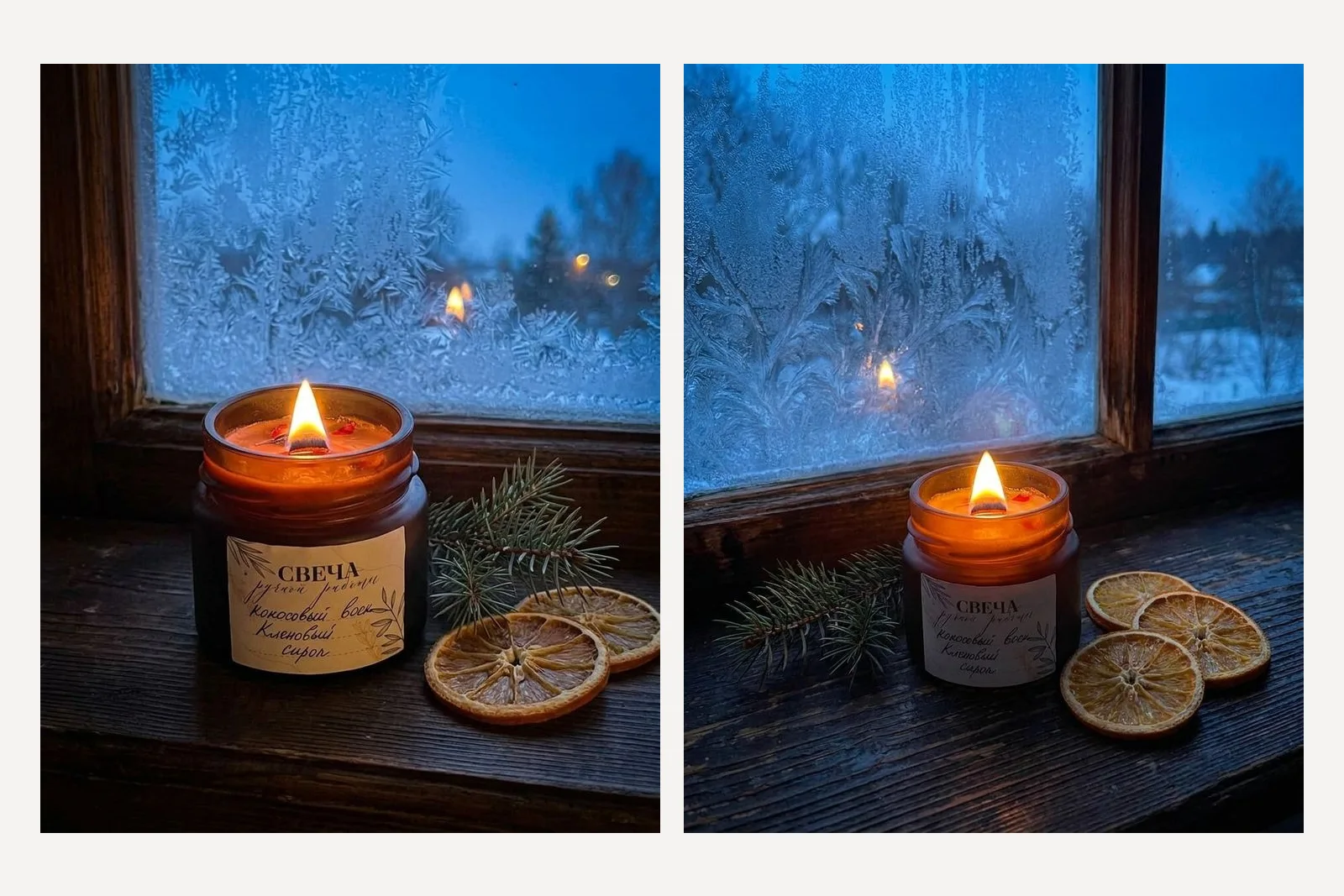
[Keep sentence] Place the lit candle on a dark wooden windowsill in winter, with a small sprig of fir and a few dried orange slices beside it, frost on the window behind and cold blue dusk outside. Warm candlelight on the jar. No snowmen, no text, no other candles.
This is the use a small shop will get most from, a product placed in a season it was never photographed in, and both models did it well. The Pro version sits the label in shadow, where its last line is hard to read, which is the small print problem again. For a Christmas post that may not matter. For a listing it would.
Which Gemini model is best for product photos?
| What we tested | Nano Banana | Nano Banana 2 | Nano Banana Pro |
|---|---|---|---|
| Label words kept | Yes | Yes | Yes |
| Product body kept in the lifestyle scene | No, paler and taller jar | Yes | No on the first run, yes on the second |
| Pattern kept on the mug | Simplified | Kept, added a saucer | Kept, closest |
| Pure white background | No pixel at 255 | Whitest, corners at 255 | Near white |
| Product at 85% of frame | 56% | 74% | 86% |
| Followed the overhead flat lay | Not tested | Yes | No |
| Kept framing on a background swap | No | Partly | Closest |
| Quoted headline set exactly | Not tested | Yes | Yes |
On these runs, Nano Banana 2 was the most dependable at leaving the product alone once it was told what to do, though given only the one-line prompt it smoothed the wax too. Nano Banana Pro was the best at detail and had the worst single failure. The original Nano Banana was behind both on every test we ran it on. Whichever you use, the practical advice is the same: attach the photo, keep the product large, describe it in words, and generate three before you choose one.
Every prompt, ready to copy
- Keep sentence, first in every prompt: Keep the product exactly as it is in the attached photo: the same shape, proportions, colours, materials and every mark on it. Do not redraw, restyle, translate or tidy the label or the pattern. Change only what is around the product.
- Describe it: The product: [shape and size], [material and colour, exactly], [surface finish], [every detail you would notice missing], [the label and what is written on it].
- White background: Put it on a pure white seamless background, RGB 255 255 255, with no visible floor line. Soft, even studio light from both sides, a faint natural shadow directly under it and nothing else. Centred, filling about 85 percent of the frame. No props, no text, no reflections.
- Lifestyle: Place it on [surface] beside [two props], in [room] at [time of day]. [Light direction and colour]. A shallow depth of field. Shot at [angle] with a 50mm lens. No other [products], no text.
- Flat lay: Photograph it from directly overhead on [surface], with [three small props] around it and plenty of empty space. Even, soft daylight. It is the largest object in the frame.
- In the hand: Show one hand holding it by [where], at its real size relative to the hand, in [setting], blurred background, natural daylight. No face, no rings or watches, no text.
- Finished post: Make a 4:5 Instagram post for [business]. Place the product [where] with [light]. Headline, exactly: "[words]". Under it, smaller: "[words]". [Type style and colour for each]. No logo, no other text.
- Background only: Keep this photograph exactly as it is, including the product, its position, the camera angle and the light on it. Replace only the background with [colour or surface] and a soft natural shadow under it.
- Seasonal: Place it [where] in [season], with [two seasonal props], [what is outside or behind]. [Light on the product]. No [clichés you do not want], no text.
Frequently asked questions
What is the best Gemini prompt for product photography?
Attach a photo of your real product and start the prompt with a sentence telling Gemini to keep the product exactly as it is, including its label and every mark on it, and to change only what is around it. Then describe the product in words and describe the scene: surface, props, light, angle and framing. In our tests a prompt that only described the product returned a different product.
Does Gemini keep the text on a product label?
In our 16 candle images across three models, the handwritten Russian label came back in the same words every time. The smallest line of it blurred toward a scribble when the scene made the jar small in the frame, so keep the product large if its text must be readable.
Which is better for product photos, Nano Banana, Nano Banana 2 or Nano Banana Pro?
On our runs on 24 September 2026, Nano Banana 2 was the most dependable at leaving the product unchanged, and Nano Banana Pro kept fine detail best but once turned brown candle wax pink. The original Nano Banana changed the product most. Each was run once per prompt, so treat this as a result, not a rate.
Can Gemini make an Amazon white background product photo?
It can get close but check the file. Amazon requires a pure white background, RGB 255, 255, 255, and the product at 85% of the image. Asked for exactly that, Nano Banana returned no pure white pixels, Nano Banana 2 had pure white corners but the product at 74% of the frame height, and Nano Banana Pro filled 86% of the frame on a near white background.
Why does Gemini change my product?
Because an image model redraws the whole picture, product included, and a lightly described product gives it room. Google's documentation advises describing critical details in detail alongside the edit. In our tests, describing the jar's colour, glass and wax kept it closer to the original, and running the same prompt again gave a different result, so generate several and check each.
Will Instagram label a Gemini product photo as AI?
Possibly. All 27 images we generated carried a signed C2PA record identifying them as made by Google's generative AI, and Meta says it reads that kind of signal for Instagram's AI info label.
How we researched this
- Every prompt on this page was sent through Google's developer API on 24 September 2026 to three models: gemini-2.5-flash-image, gemini-3.1-flash-image and gemini-3-pro-image, which Google calls Nano Banana, Nano Banana 2 and Nano Banana Pro. Twenty four images came from the ten prompts; three more came from a follow up after the first lifestyle result changed the product. The picture that came back is the picture shown. Nothing was regenerated until it looked better and nothing was retouched.
- Each prompt was run once per model, with one exception we say out loud, so a result here is what happened, not a rate. The script is in our repository as scripts/_gemini-product-tests.mjs so the page can be re-run and corrected when Google changes the models.
- The two starting photographs are free licence images from Pexels, cropped: a handmade candle with a handwritten Russian label and a hand-painted mug. They stand in for the phone photo a small business would start from. We picked them because each has something a model must copy rather than invent, the words on a label and a pattern nobody else's mug has. The white background measurements are pixel counts of the files as Google sent them.
- We make a product that generates posts with these models, so we have an interest in how good they look. The failures are printed at the same size as the successes for that reason.
Sources