6 Gemini prompts for flyer design, tested for print
Six copy and paste Gemini prompts for the flyers a small business actually prints: a grand opening, a flyer with a QR code, tear-off tabs, a menu on the back and a flyer built around your own photo. Each one run on Nano Banana 2.1 and Pro on 14 October 2026, with what happened when we tried to print it.
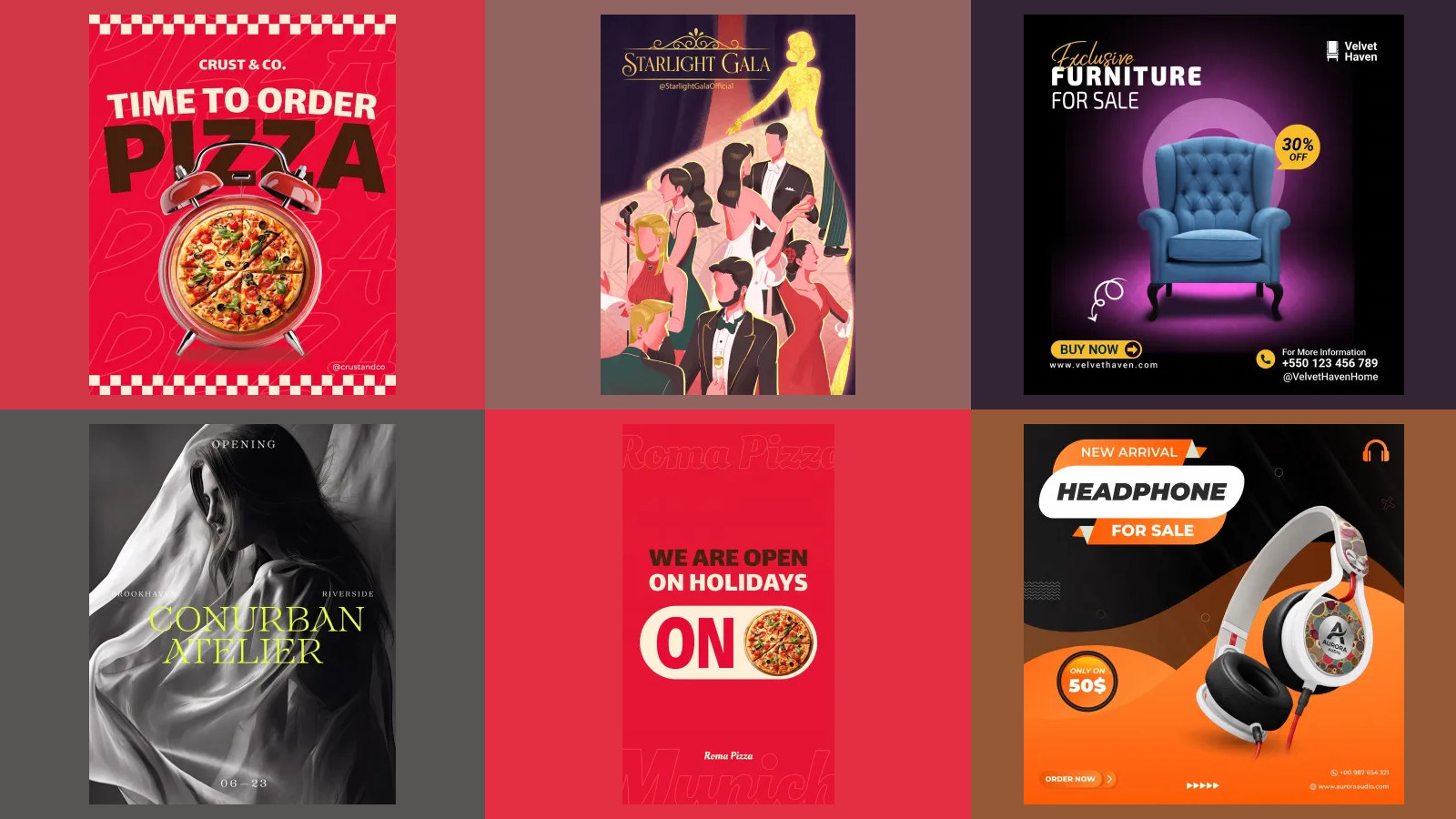
A flyer is a poster that somebody has to act on after they have walked away from it. They have to remember the date, call the number or scan the code, so the parts that matter most are exactly the parts an image model is worst at guessing. We wrote six prompts for the flyers a small business actually prints, ran each one on Nano Banana 2.1 and Nano Banana Pro on 14 October 2026, and then checked what a printer would actually get.
Our articles are still written by humans!
Get human written articles in your Google feed.
The short version: Gemini sets the words of a flyer well when you give it the words. Every quoted line in our briefs came back right, including 16 tear-off tabs with a phone number on each. What it cannot do is draw a QR code that scans, and it does not know what print means. Typing 300 dpi, A5 or CMYK changed nothing useful, and on Pro it put crop marks inside the picture.
Which prompt for which flyer
| The flyer you need | Prompt | Nano Banana 2.1 | Nano Banana Pro |
|---|---|---|---|
| Grand opening or event | 1 | Worked | Worked |
| For print at a real size | 2 | Ignored the print words | Drew crop marks and a white border |
| With a QR code | 3 | Blank square, as asked | Blank square, as asked |
| Tear-off tabs with a phone number | 4 | 8 of 8 tabs right | 8 of 8 tabs right |
| The back: a menu or price list | 5 | 6 of 6 prices right | 6 of 6 prices right |
| Around your own photo | 6 | Kept the photo | Kept the photo |
What happens with a one-line flyer prompt?
Make a flyer for my pizza restaurant's grand opening.
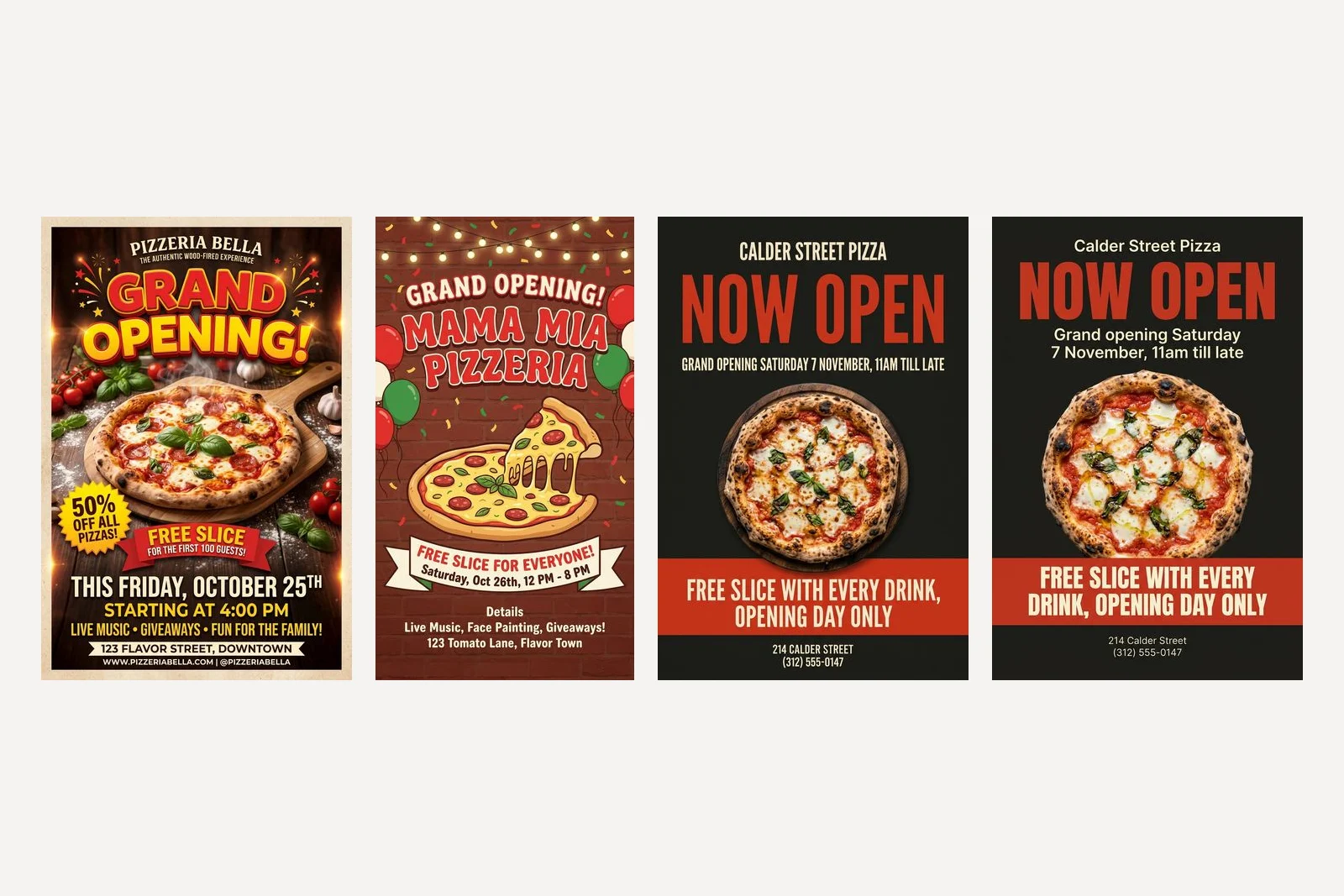
Both models returned a confident, busy flyer, and nothing on it was ours. Nano Banana 2.1 named the place Pizzeria Bella, offered 50 percent off all pizzas and a free slice for the first 100 guests, put it at 123 Flavor Street, Downtown, and printed a web address. Pro called it Mama Mia Pizzeria at 123 Tomato Lane, Flavor Town, with live music and face painting.
Then the dates. Nano Banana 2.1 wrote "This Friday, October 25th". Pro wrote "Saturday, Oct 26th". In 2026, 25 October is a Sunday and 26 October is a Monday. A flyer is the one format where a wrong weekday costs you the event, because nobody checks it until they are standing outside a closed door. If you take only one thing from this page, check the day against the date on anything an image model prints.
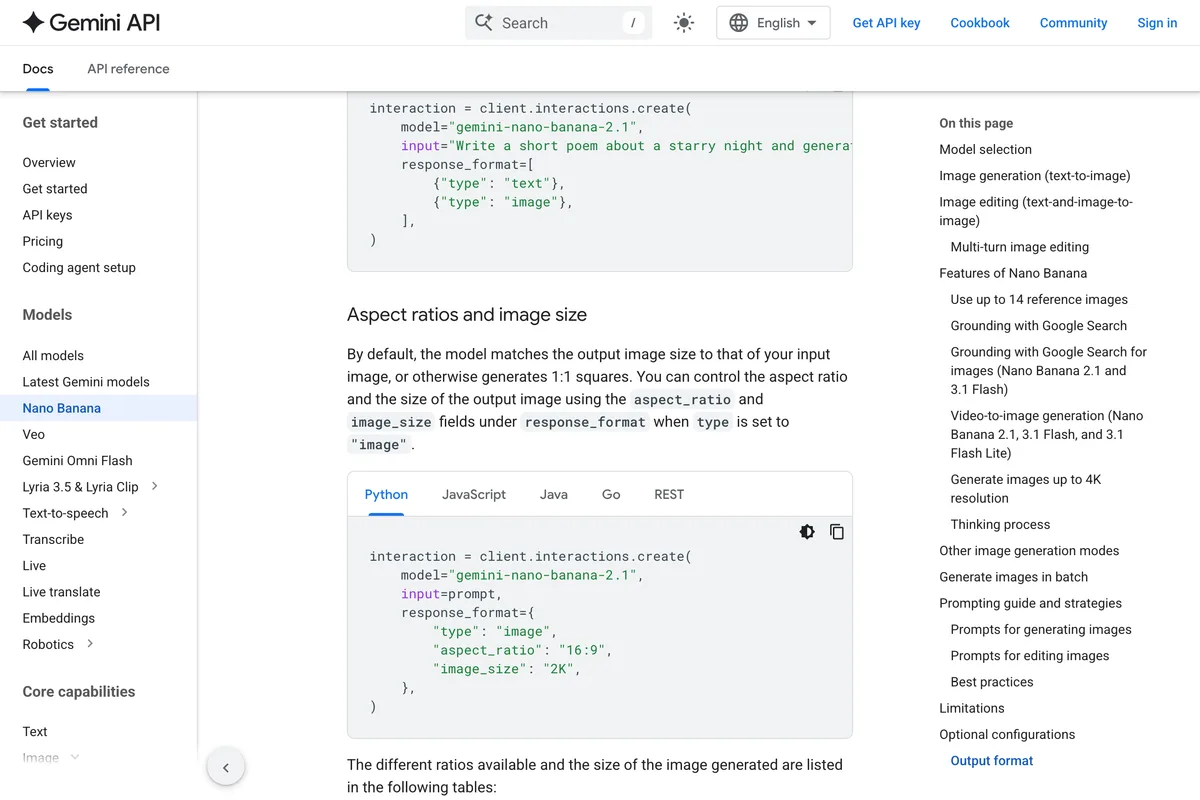
One more thing the short prompt shows. Pro returned a tall 9:16 picture and Nano Banana 2.1 a 2:3 one, although Google's documentation says that without an input image the model makes a square. Neither is a paper shape. Set the shape yourself, as the next section explains.
1. Grand opening or event flyer
This is the brief that every other prompt on this page builds on. It names the business, quotes every word that should appear, says where each thing goes, and gives each colour a job. Replace the words in quotes with yours and keep the structure.
Design a flyer for a pizza restaurant called Calder Street Pizza that is opening. Headline, set very large: "Now open". Under it: "Grand opening Saturday 7 November, 11am till late". Offer, in a bold band: "Free slice with every drink, opening day only". Footer, small: "214 Calder Street" and "(312) 555-0147". Layout: headline in the top third, one wood fired pizza photographed from above in the middle, the offer band under the pizza, the footer at the bottom. Colours by role: background charcoal #1F1D1B, headline and band tomato red #D2402C, all other text cream #F3E9D8. Type: a heavy condensed sans for the headline and band, a plain sans for everything else. No logo, no emblem, no icons; set the restaurant name as plain type above the headline.
Both models set all six lines exactly as quoted, in the colours named, in the order asked for, and added nothing. Nano Banana 2.1 put the date in capitals; Pro kept our capitalisation. For an event that is not an opening, change the headline, the date line and the offer, and keep the rest. Saturday 7 November 2026 is a Saturday; we checked, because our own earlier article got a weekday wrong and had to be re-run.
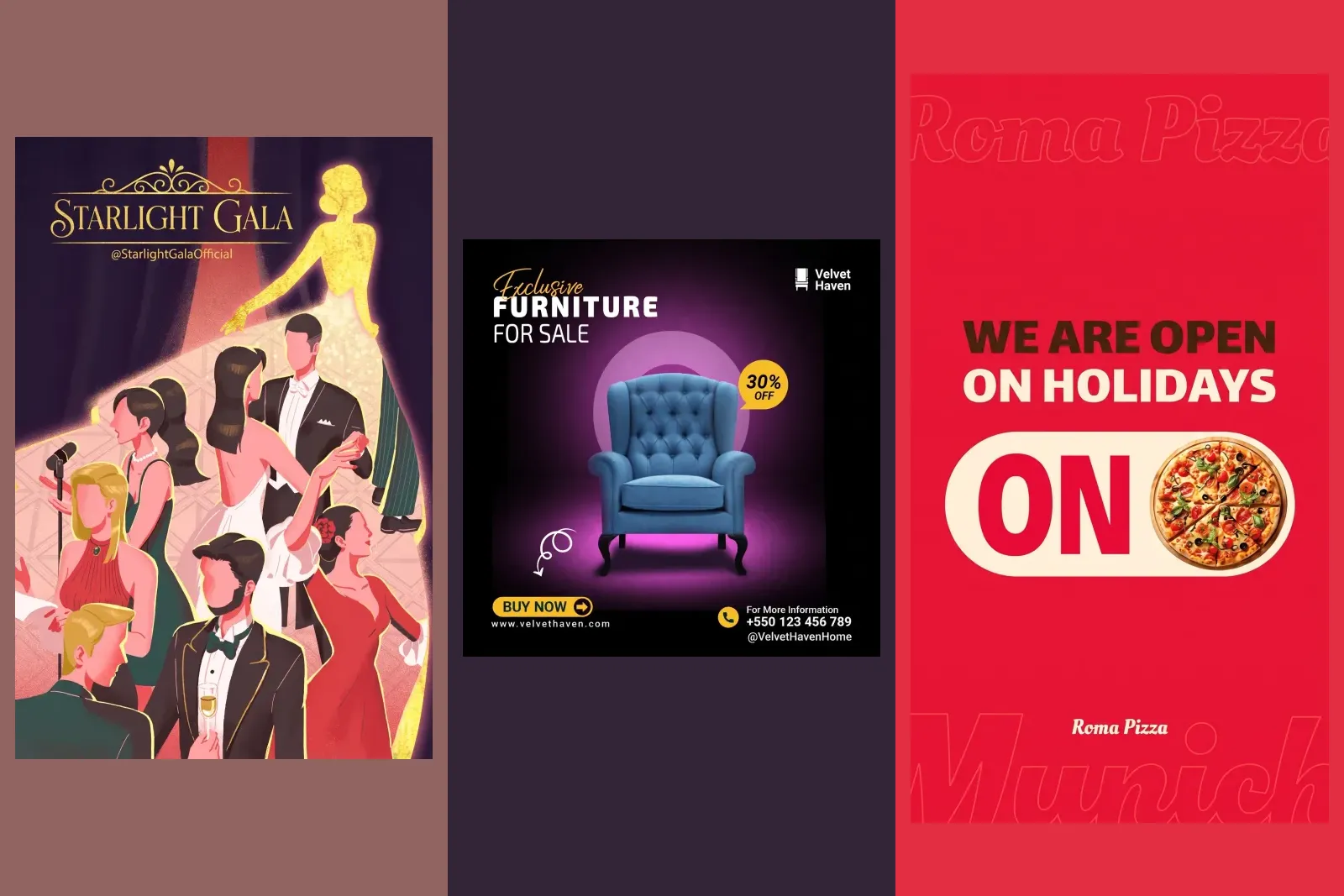
Two habits from this prompt carry into every flyer. Name the business as plain type and forbid a logo, or you get an emblem that belongs to nobody. And keep the offer in its own band with its own words, so that the model has nowhere to add a second offer you are not running. We tested the same habits on twelve posters in Gemini prompts for poster design.
2. A flyer at a real print size
We added one sentence to prompt 1, the sentence most people would type, and left the shape setting off so the words had to do the work:
Make it a print-ready A5 flyer at 300 dpi with 3 mm bleed, in CMYK.
Nano Banana 2.1 ignored it and returned the same 848 by 1264 pixel picture as without it. Pro tried harder, and that made it worse. It chose an 864 by 1232 canvas, which is close to the shape of A5, and then drew a white border round the flyer with thin crop marks in the corners. Those marks are pixels in the picture. Send that file to a printer and the marks and the white border are printed, inside the trimmed flyer.
Neither file was CMYK; both were ordinary RGB JPEGs, which is what every one of the 20 files was. And every file but two carried a resolution tag of 300 dpi whatever we asked for. That tag is a label in the file's header, not a property of the picture. What decides print quality is the number of pixels across the paper:
| Size setting | A5 (5.8 in wide) | A4 (8.3 in wide) | US Letter (8.5 in wide) | Pixels at 2:3 |
|---|---|---|---|---|
| 1K, the default | 145 dpi | 103 dpi | 100 dpi | 848 × 1264 |
| 2K | 291 dpi | 205 dpi | 200 dpi | 1696 × 2528 |
| 4K | 582 dpi | 410 dpi | 399 dpi | 3392 × 5056 |
Printers usually ask for about 300 dpi. So for an A5 flyer use 2K; for A4 or Letter, use 4K. In Google's API that is the image size setting, written with a capital K; we measured all three sizes on both models and they matched to the pixel. Typing 4K into the prompt does nothing, which we showed in our Nano Banana tests.
The shape needs the same care. Gemini offers ratios such as 2:3 and 3:4, but no paper size is exactly either. A-sizes are 1:1.414, so a 2:3 picture is about 6 percent too tall for A5 or A4; US Letter is 1:1.29, closest to 3:4. Choose the nearest ratio, keep the text away from the edges, and let your printer's template or a free layout tool add the bleed and trim. The prompt for print is prompt 1 with the shape set, not prompt 1 with print words added.
3. A flyer with a QR code
We first asked for the code itself, adding this to prompt 1:
Bottom right, beside the footer: a QR code that opens https://calderstreetpizza.example/menu, with "Scan for the menu" under it.
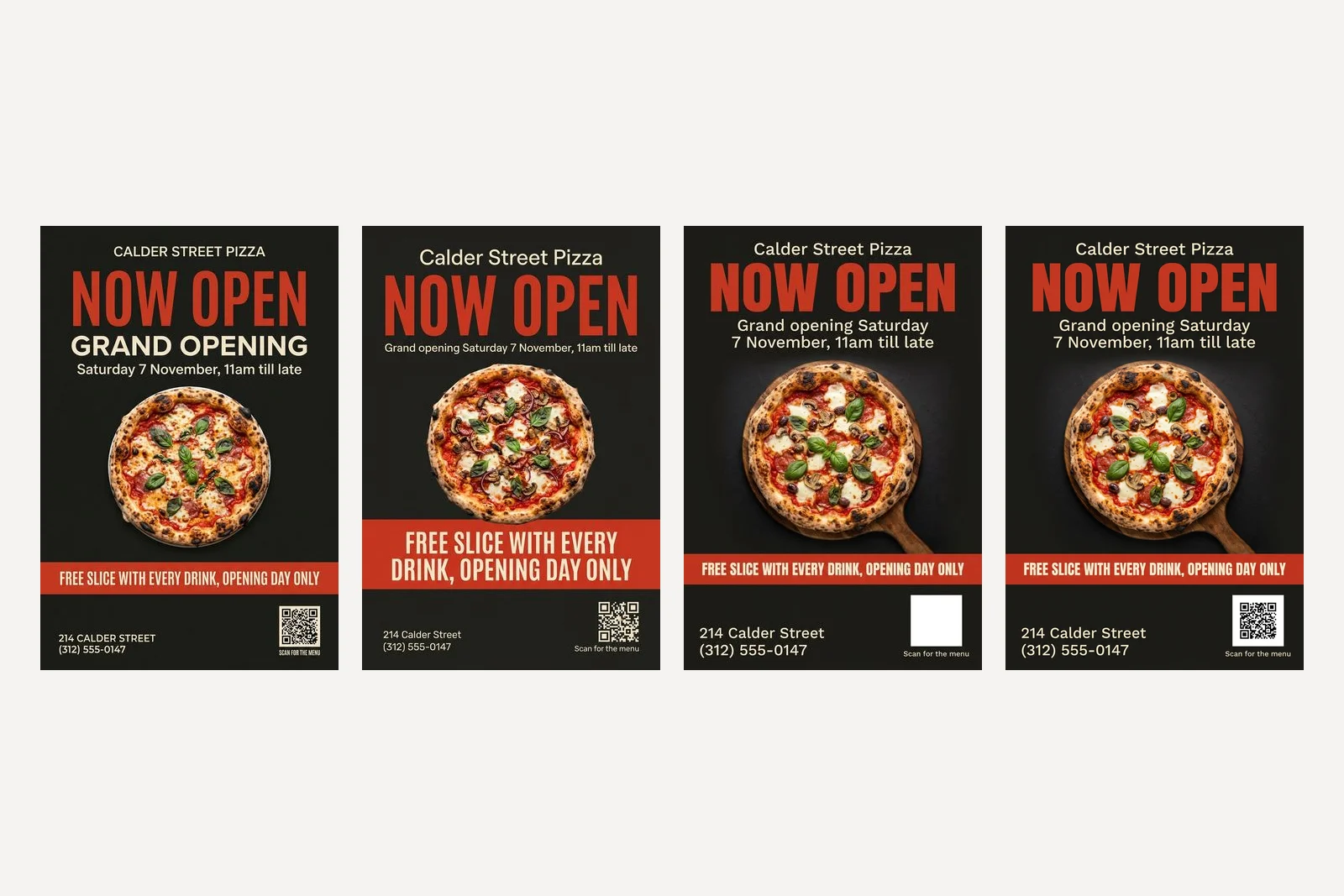
Both models drew something that looks like a QR code, with the three corner squares in the right places and a field of dots between them. Neither scanned. We tried each one as it came, enlarged three times, and with its colours inverted, because Pro drew cream on charcoal. Nothing. A real code for the same address, made with a code generator, scanned at once with the same decoder. A QR code is data, and the model is drawing a picture of data.
So ask for the space instead:
Bottom right, beside the footer: a plain white square, about one fifth of the flyer width, completely empty, with "Scan for the menu" under it. Leave the square blank; a QR code will be placed in it later.
Both models left a clean square, pure white with nothing faint in it, and kept the rest of the flyer intact. We pasted a real code into Pro's square at its own size and it scanned first time. Any free QR generator will make the code; paste it in with whatever you use to send the file to print, and scan the printed proof with your phone before ordering the full run.
4. Tear-off tabs with a phone number
The noticeboard flyer with a fringe of tabs is still how a dog walker, a tutor or a cleaner gets local work. It is also a stress test: the same phone number, eight times, turned on its side.
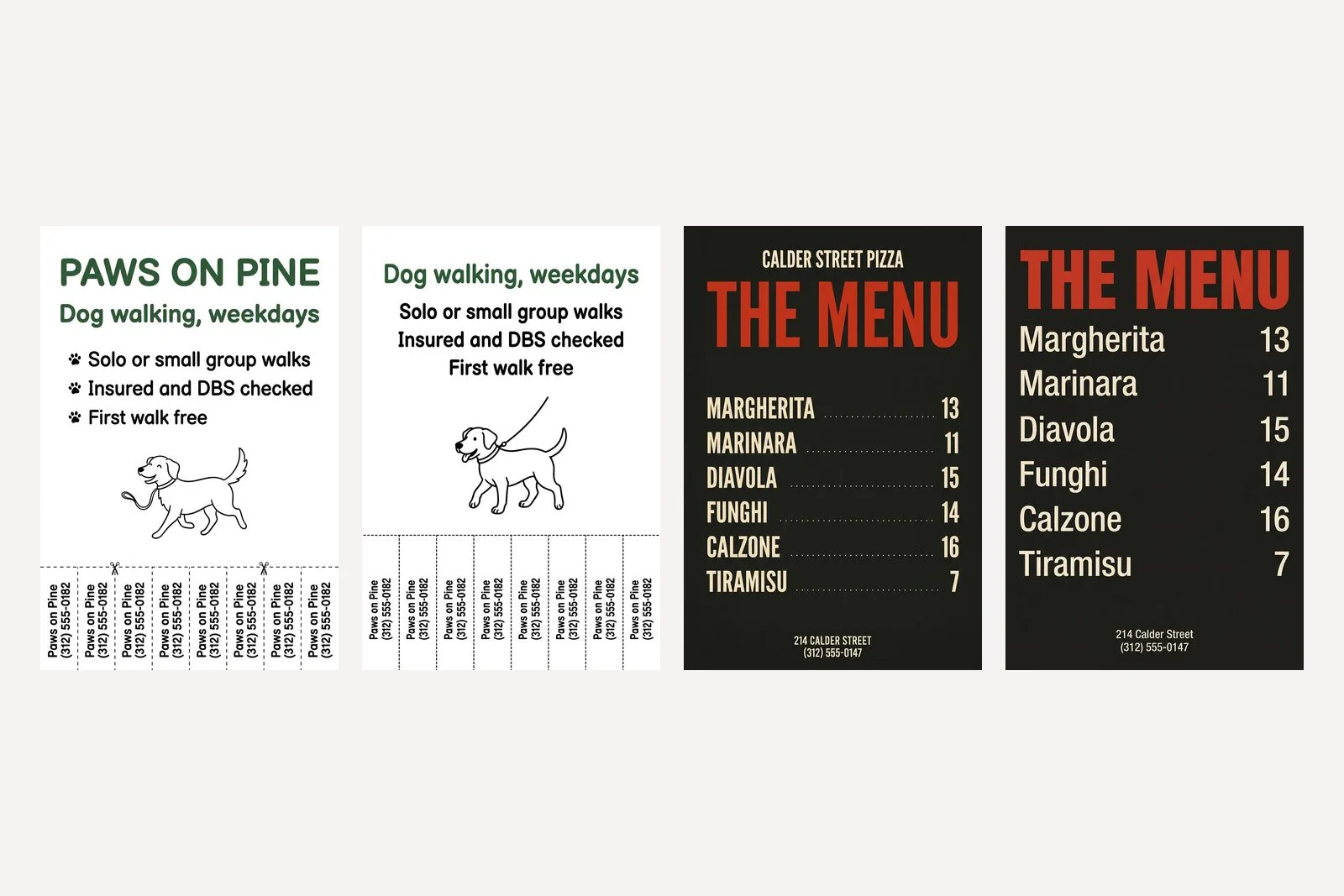
Design a printable flyer for a dog walker called Paws on Pine, to pin on a noticeboard. Headline: "Dog walking, weekdays". Under it, three lines exactly: "Solo or small group walks", "Insured and DBS checked", "First walk free". Along the bottom edge, a row of 8 tear-off tabs separated by dashed cut lines; each tab is a narrow vertical strip with this text rotated 90 degrees, exactly the same on every tab: "Paws on Pine (312) 555-0182". White background, forest green #2F5D3A headline, black body text. A friendly rounded sans. One simple line drawing of a dog on a lead above the tabs. No logo.
Both models drew eight tabs with dashed cut lines, and we read every one: 16 of 16 carried the name and number exactly. Nano Banana 2.1 added the business name as an extra headline and two small scissors on the cut line, which is harmless. On both, the text runs bottom to top, the way you would tilt your head to read it on a board.
The one thing to fix by hand is where the cuts go. A model draws the dashed lines; it does not know which way your paper will be cut. Cut the tabs yourself on one printed copy before you run off fifty. And the number is the line that has to be right, so check each digit on every tab, not just the first.
5. The back of the flyer: a menu or price list
A double-sided flyer needs a back that looks like it belongs to the front. Send this in the same chat, straight after the front came back, so the model can see what it made:
Now design the back of this same flyer, matching the front exactly in colours, type and style. Title: "The menu". Rows, exactly these, name on the left and price on the right: "Margherita 13", "Marinara 11", "Diavola 15", "Funghi 14", "Calzone 16", "Tiramisu 7". Footer, small: "214 Calder Street" and "(312) 555-0147". No pizza photo on this side.
Both backs used the front's charcoal, tomato red and cream and the same condensed headline face, and both set all six dishes and prices correctly. Nano Banana 2.1 kept the restaurant name at the top and added dotted leaders between dish and price. Pro dropped the name, which we had not asked it to keep, so add it to the prompt if your back needs it.
Keep the price list short. Six rows held on both models here, and six rows held on a barber's price list in our poster tests. We have not found the point where a long menu starts to go wrong, so if yours runs to twenty items, set the menu side in a layout tool and use Gemini for the front.
6. A flyer built around your own photo
A generated pizza is a pizza you do not sell. If the flyer is going to show food, a room or a product, a photo of the real thing is more honest and, on a flyer someone holds in their hand, more convincing. Attach the photo and say what must not change:
The attached photo is our own pizza, taken in our restaurant. Use it as the main image of a flyer and do not change the pizza, the toppings or the oven in any way. Build the flyer around it: restaurant name "Calder Street Pizza" as plain type at the top, headline "Now open", line "Grand opening Saturday 7 November, 11am till late", footer "214 Calder Street" and "(312) 555-0147". Colours: charcoal #1F1D1B, tomato red #D2402C, cream #F3E9D8. Heavy condensed sans headline. No logo, no icons.
Both kept the photograph: the same close, low angle on the same pizza with the same green peppers and red onion, and the flames of the oven behind. Nano Banana 2.1 framed it in a box on a cream background; Pro ran it edge to edge between two charcoal bands. Every quoted line was right on both. We compared the pictures by eye, not pixel by pixel, so if your product's label or packaging matters, compare it closely yourself before printing.
Notice what this prompt does not ask for: a photo from above, which our brief for prompt 1 did. When you attach a photo, describe the flyer, not the picture, or the model may redraw your photo to match the words. The same rule, tested on two real products, is in Gemini prompts for product photography.
Which Gemini model should you use for flyers?
On these six flyers it made little difference. Both Nano Banana 2.1 and Pro got every quoted word right, both left a clean QR square, both matched the back to the front. The one place they differed was the print test, where Pro tried to be helpful and drew crop marks, and 2.1 simply ignored the request. Nano Banana 2.1 was also faster: 12 to 18 seconds for a 1K flyer against Pro's 18 to 38, and 22 seconds against 32 at 2K.
Google released Nano Banana 2.1 on 6 October 2026 and deprecated Nano Banana 2 the same day, according to its API release notes. If a flyer prompt comes back with a broken letter or a missing line, run it on the other model before rewriting the prompt.
Frequently asked questions
What is a good Gemini prompt for a flyer?
Name the business, put every word that should appear in quotation marks, say where each part goes, give each colour a job with a hex code, and say no logo. Our prompt 1 does all of that for a grand opening, and both Nano Banana 2.1 and Pro set all six of its lines exactly.
Can Gemini make a QR code on a flyer?
Not one that works. Both Nano Banana 2.1 and Pro drew convincing QR codes for our menu address and neither scanned, even enlarged or inverted. Ask for an empty white square where the code will go, then paste in a real code from any QR generator. Ours scanned first time.
Can I print a flyer made with Gemini?
Yes, if you set the size. At the default 1K a 2:3 flyer is 848 by 1264 pixels, about 145 dpi on A5, which looks soft. At 2K it is about 290 dpi on A5, and at 4K about 400 dpi on A4 or US Letter. Typing 300 dpi or A5 in the prompt does not change the pixels.
Does Gemini make CMYK or print-ready files?
No. All 20 of our files were RGB JPEGs, including the one where we asked for CMYK with bleed. Nano Banana Pro drew crop marks and a white border into the picture instead, which would be printed. Let your printer or a layout tool convert the file and add bleed.
What aspect ratio should a Gemini flyer be?
Use 3:4 for US Letter, which is 1:1.29, and 2:3 for A5 or A4, which are 1:1.414, then trim about 6 percent off the height. Without a ratio set, our one-line prompt came back 9:16 on Pro and 2:3 on Nano Banana 2.1, so always set it.
Can Gemini make a double-sided flyer?
Yes, one side at a time. Make the front, then in the same chat ask for the back matching the front in colours, type and style. Both models kept the style and set all six menu prices in our test correctly.
How we researched this
- Every prompt on this page was sent through Google's developer API on 14 October 2026 to gemini-nano-banana-2.1 and gemini-3-pro-image, which Google calls Nano Banana 2.1 and Nano Banana Pro. Each prompt ran once per model, 20 images in all, and the picture that came back is the picture described. Nothing was regenerated until it looked better and nothing was retouched, with one exception that is labelled: the flyer we pasted a real QR code into.
- Measurements are from the files, not from looking. Pixel sizes and the resolution tag were read from each JPEG. QR codes were read with OpenCV's QR decoder, which we first checked against a real code for the same address, and every QR crop was also enlarged three times and retried, as-is and inverted. Print sizes are arithmetic: pixels divided by the paper's width in inches.
- Calder Street Pizza and Paws on Pine are businesses we invented, so that no real shop's name ends up on a picture it did not approve. The phone numbers are in the 555-01xx range, which is set aside for fiction, and the menu address is on .example, so a misread code opens nothing. The photograph in the last test is a crop of a pizza post from our own gallery, standing in for a photo you took yourself. The script that ran all of this is in our repository as scripts/_gemini-flyer-tests.mjs.
- We did not print the flyers on a press. Everything said here about print is about the file a printer would receive, which is where every problem we found starts.
Sources