How to connect Grok Bot to Instagram: the plugins that post, and the route that breaks Instagram's terms
xAI's Grok Bot has no Instagram plugin of its own. It can still post to Instagram three ways: a scheduler plugin from the Cursor Marketplace, an MCP connection, or its own browser. We read xAI's, Cursor's and Meta's pages, photographed the parts that decide it, and checked eight vendor guides against them.
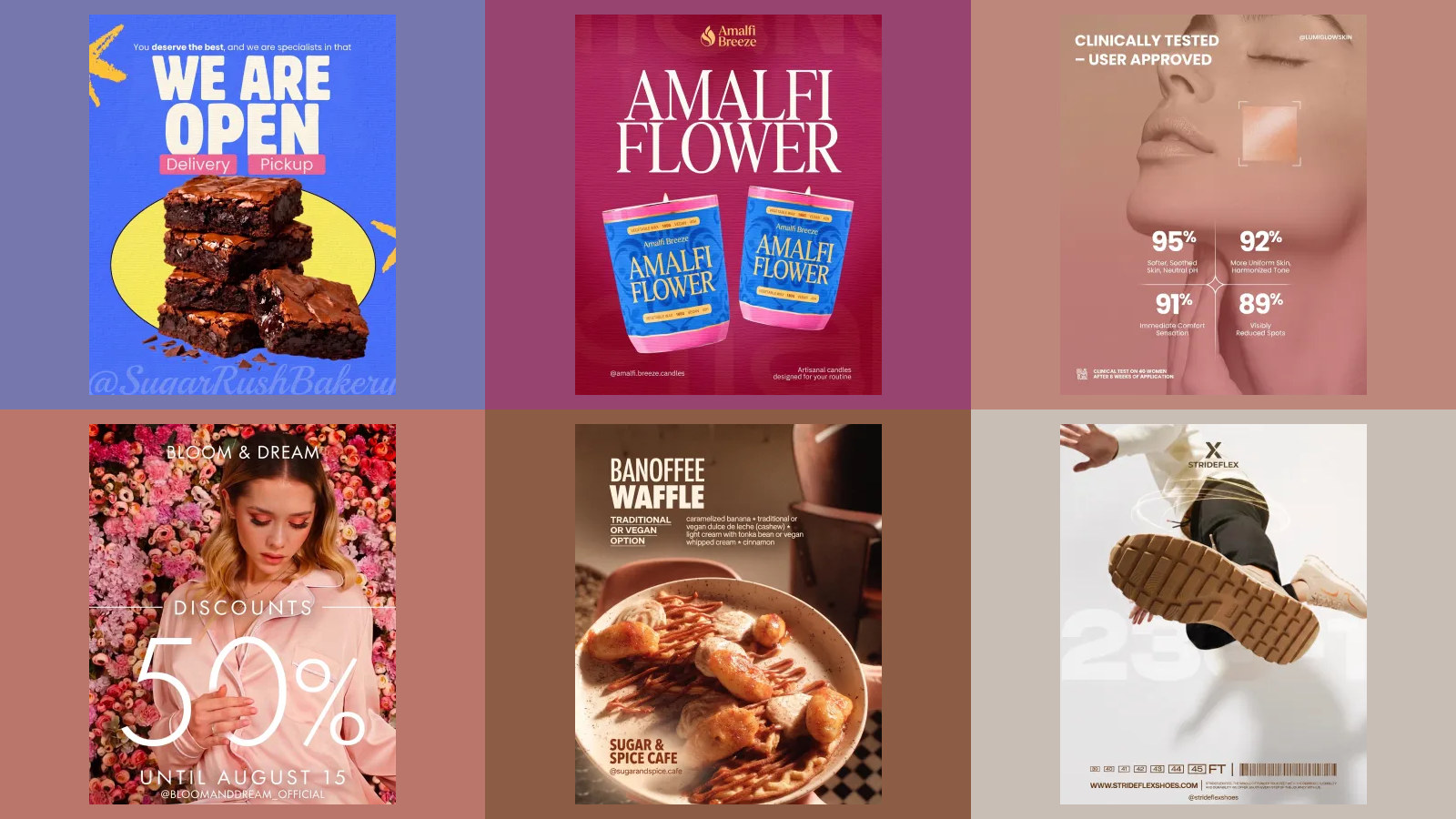
Grok Bot can post to Instagram, but not through anything xAI or Meta built for it. xAI's documentation never mentions Instagram, and the Cursor Marketplace, where Grok Bot gets its plugins, has no Instagram or Meta plugin. What works is a scheduling tool's plugin, Postiz or Buffer, or Composio's connection to Meta's own API, each publishing to an Instagram professional account. The other way, letting the Bot sign in to instagram.com and click Post itself, runs straight into Instagram's terms.
Our articles are still written by humans!
Get human written articles in your Google feed.
Below is how each route works, what Grok Bot costs, what Meta's API will and will not publish, and how to set the Bot up so it drafts your week and waits for you instead of posting on its own. Everything is checked against xAI's, Cursor's and Meta's own pages, photographed on 14 October 2026.
Which way should you connect Grok Bot to Instagram?
| Route | What it is | Posts to Instagram through | Our view |
|---|---|---|---|
| Postiz plugin | Scheduler plugin on the Cursor Marketplace | Postiz, which publishes through Meta's API | Best documented for Grok Bot: feed, Story, Reel, scheduling |
| Buffer plugin | Plugin created and verified by Cursor | Buffer, to the channels you connect there | Safe if you already use Buffer |
| Composio | MCP plugin, listed on x.ai | Meta's Instagram API directly | Feed and carousels; no scheduling of its own |
| A vendor's Bot template | A shared Bot from a third party | That vendor's API | Read whose code you are adding first |
| The Bot's own browser | Grok Bot signs in to instagram.com | Clicking, like a person would | Against Instagram's terms; do not |
What is Grok Bot?
Grok Bot is xAI's agent product: named AI teammates you message like a colleague, each working on a cloud computer with a browser, files and a terminal, so the work carries on when your laptop is shut. It launched in beta on 11 August 2026. xAI's announcement says:
Grok Bot is in beta and available today for SuperGrok, SuperGrok Plus, and SuperGrok Heavy; Cursor Pro, Pro+, and Ultra; and Cursor Teams Standard and Premium subscribers on desktop and iOS.
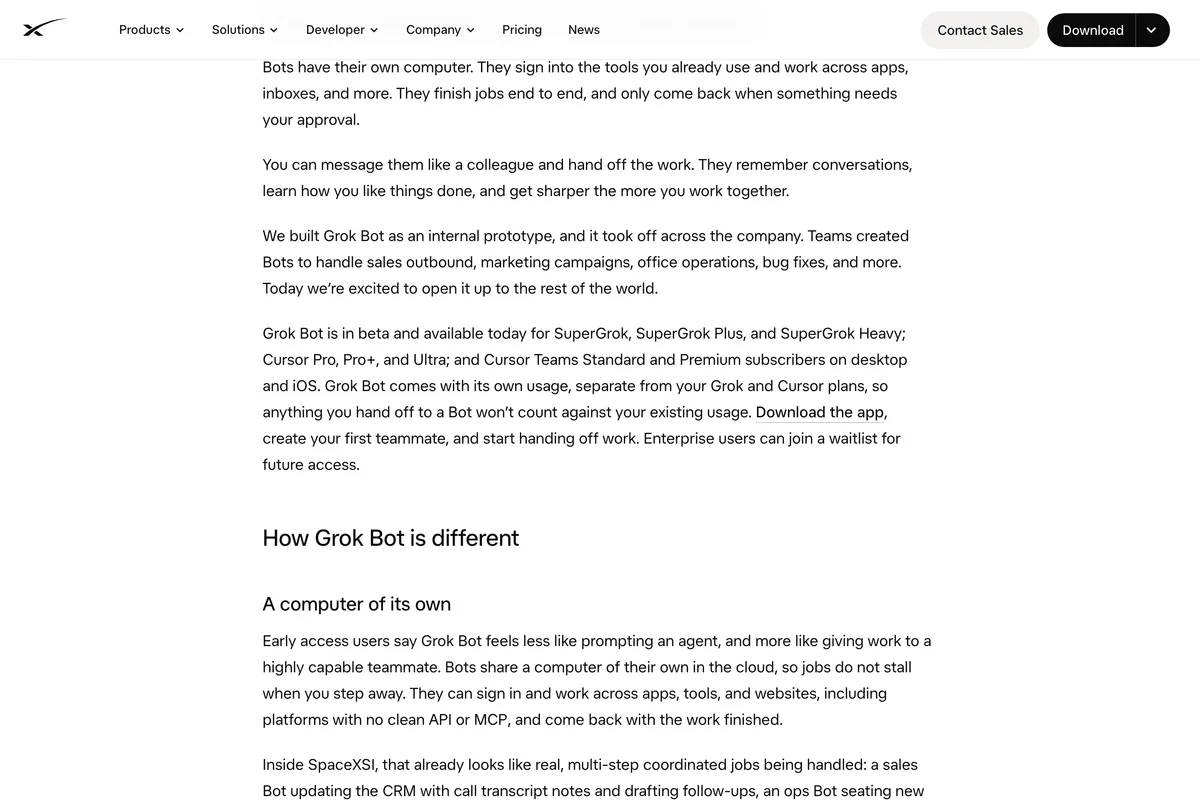
The docs add Windows, Linux and Android since then, and X Premium+ can now be linked too. Two parts of it matter for Instagram. Bots install plugins for apps that have them and use the browser for everything else. And a Bot can save a job as a skill and run it on a schedule as a routine, which is what turns "make me a post" into "have this week's posts ready every Monday".
How much does Grok Bot cost?
There is no separate Grok Bot price. It is included with SuperGrok, SuperGrok Plus and SuperGrok Heavy, with X Premium+, and with Cursor Pro, Pro+, Ultra and Teams, each with its own weekly allowance. Cursor's help page, which is where the usage is metered, lists the one plan that does not qualify:
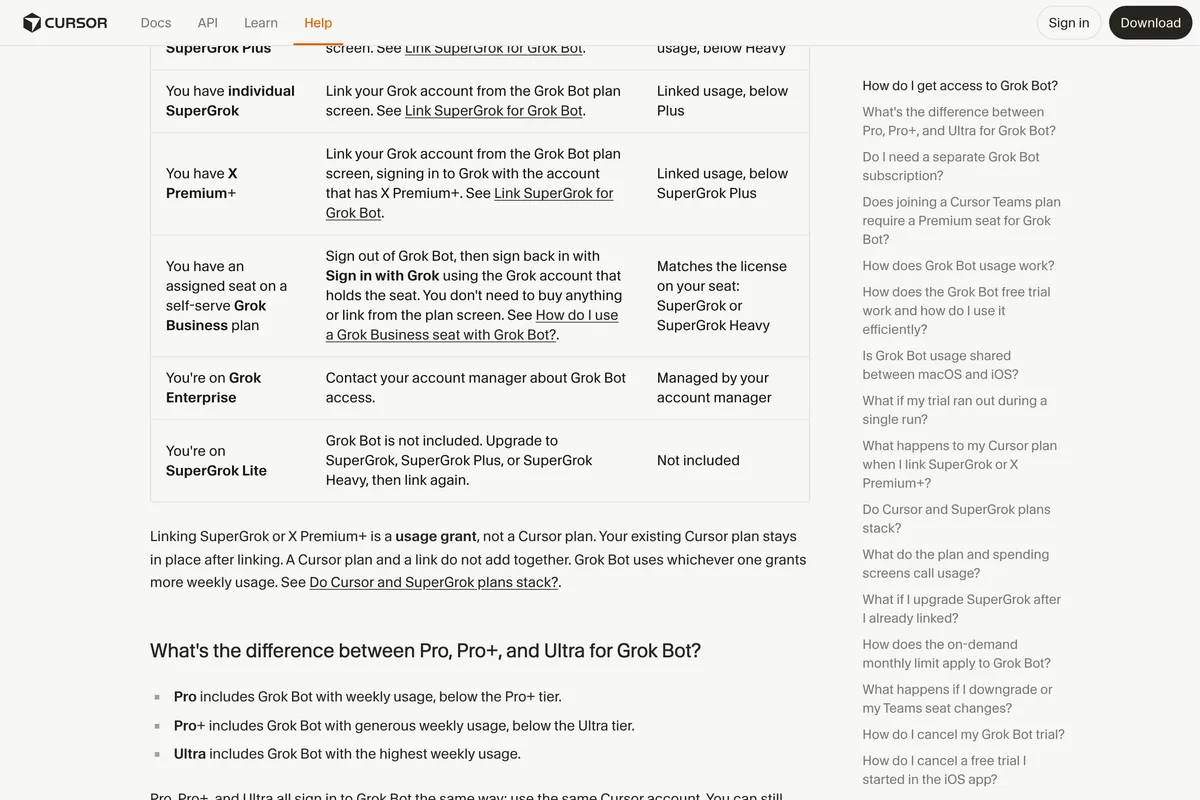
The usage is separate from your Grok chat usage and resets every week. When it runs out, extra usage is billed through Cursor if on-demand billing is on. A new account gets a trial credit that Cursor says can be used up by a single long job, so try it on one post, not on a month of them.
Is there an official Instagram plugin for Grok Bot?
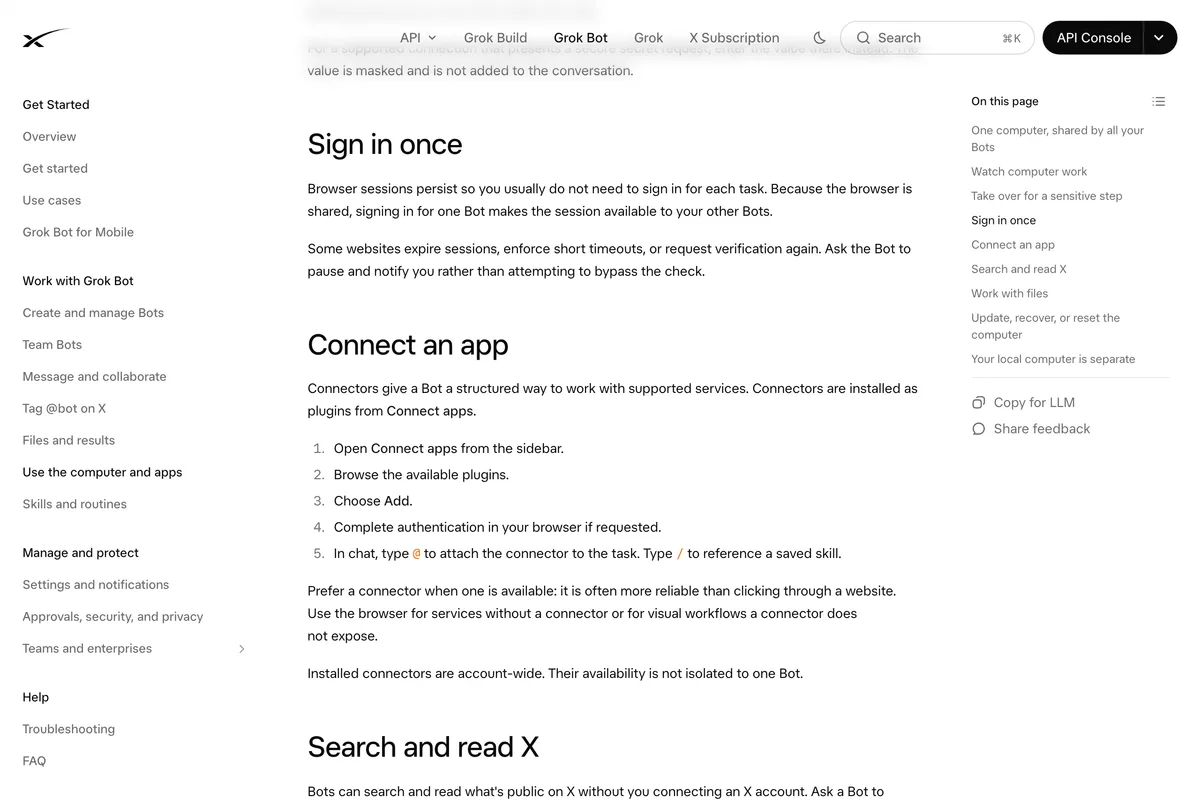
No. Grok Bot has no plugin list of its own. Its documentation for teams says it "inherits your team's Cursor connector policy. There is no separate Grok Bot connector list, and connectors appear as plugins in the app." So the catalogue that matters is the Cursor Marketplace, and the Instagram page there does not exist:

Meta does publish MCP servers, three of them, for ads, for developer apps and for WhatsApp, and none posts to an Instagram feed, as we found when we connected ChatGPT to Instagram. So every working route to an Instagram post from Grok Bot goes through someone else's software. That is not a reason to avoid it. It is a reason to know whose.
Route 1: the Postiz plugin
Postiz is an open source scheduler, and of the eight vendors we read it has the clearest Grok Bot setup. Its plugin is on the Cursor Marketplace, and the listing names Instagram among the platforms it reaches:
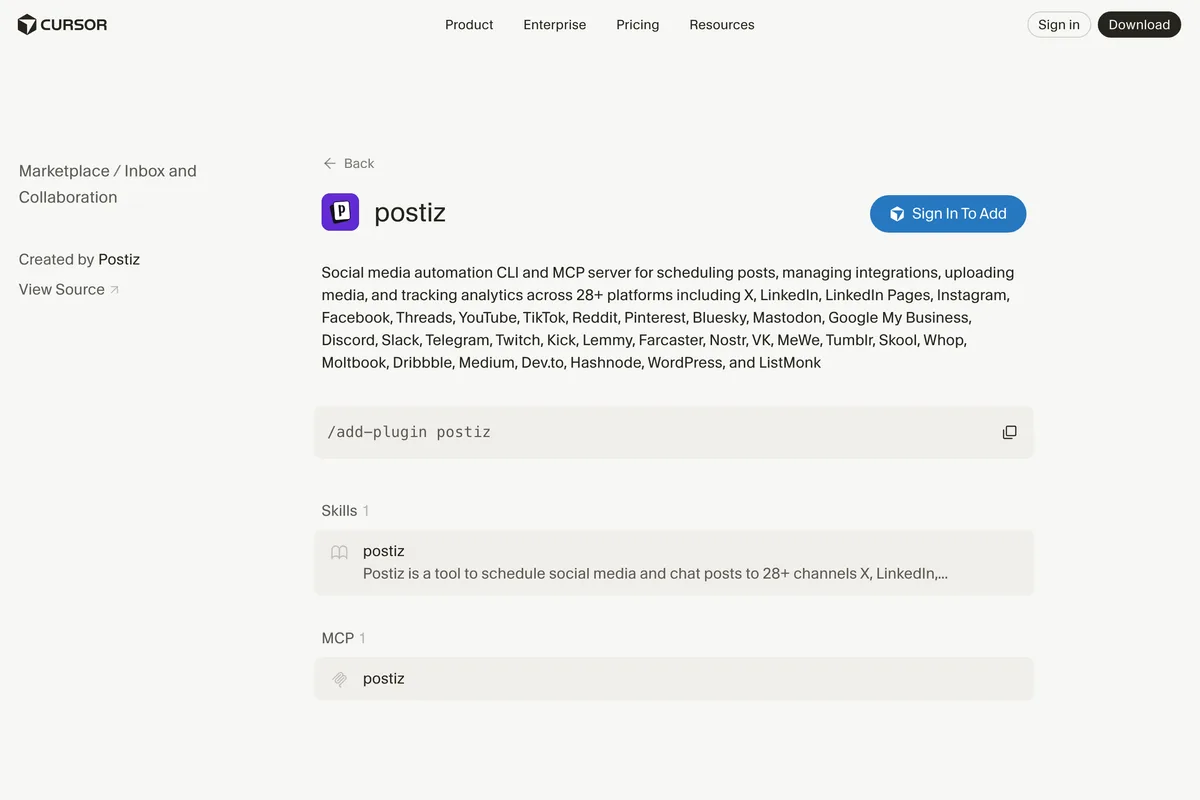
- Make a Postiz account and connect your Instagram professional account inside Postiz. That connection is between Postiz and Meta, not Grok Bot.
- Create a Postiz API key.
- In a Bot chat, type /add-plugin postiz, or add it from Connect apps.
- Store the key as a secret when the Bot asks. Postiz's page calls it POSTIZ_API_KEY. Use the masked secret card, never the chat.
- Ask for a post: a feed post, a Story or a Reel, with the image or video, the caption and a time.
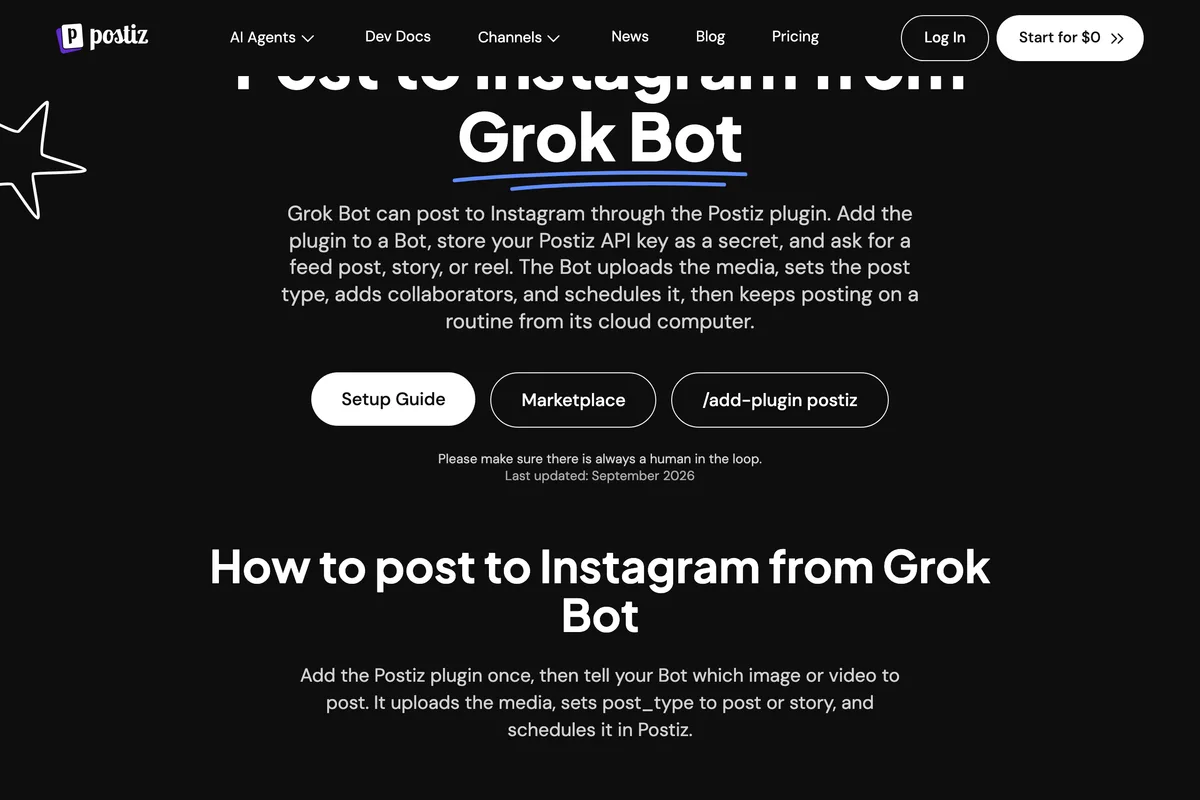
One sentence on Postiz's page is more confident than xAI's: it says Bots "ask before changing external systems". xAI's documentation does not promise that for publishing. It tells you to ask for it, which is the section on safety below.
Route 2: the Buffer plugin
Buffer's plugin is marked on the marketplace as created and verified by Cursor itself. Its description is general: draft, schedule and publish posts across the channels you have connected in Buffer.
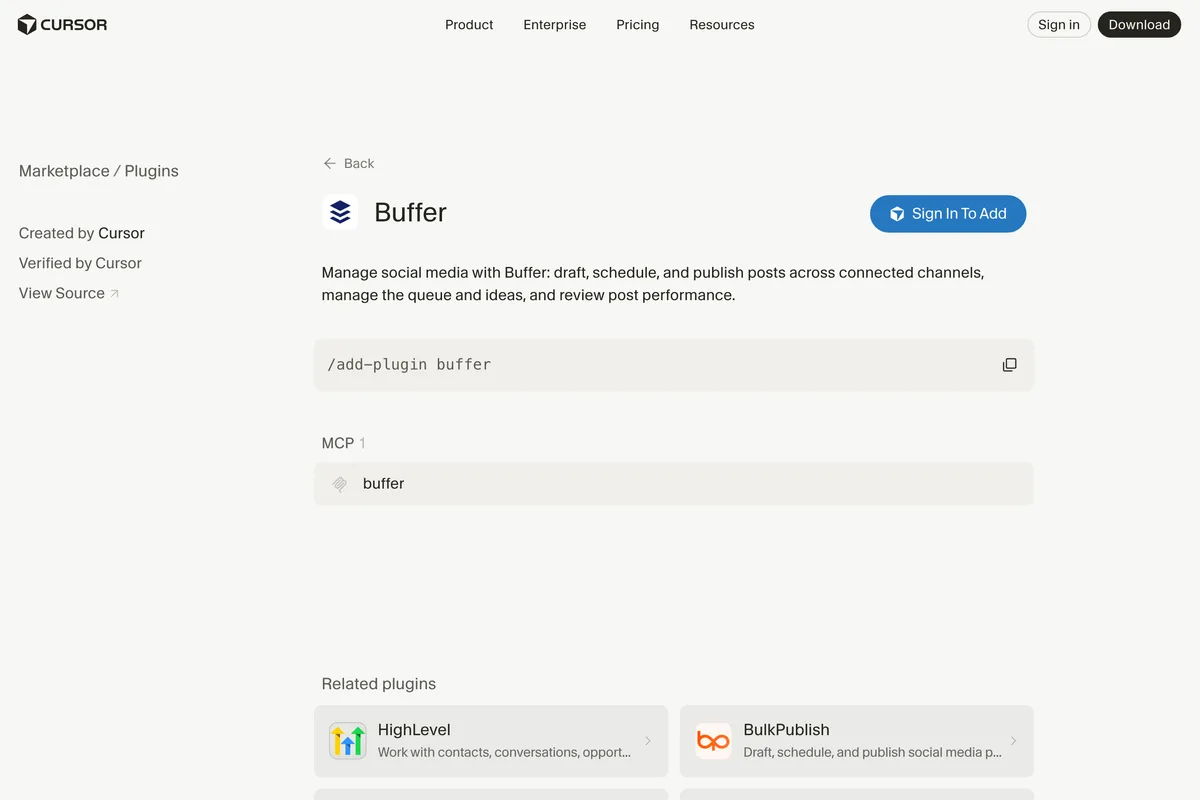
So whether it reaches Instagram is a question about your Buffer account, not about Grok Bot. If your Instagram is already connected in Buffer and you already plan posts there, this is the least new software to trust: one plugin, the queue you already know, and Buffer's own limits. Install it with /add-plugin buffer.
Route 3: Composio and Meta's API
Composio is a connection layer for agents, and its Grok Bot plugin is listed on x.ai itself, published through the Cursor Marketplace. Its Instagram tools map one to one onto Meta's Instagram API: create a media container, create a carousel container, publish, check the publishing limit. You sign in to Instagram through Composio's consent screen rather than handing over a key.
Composio's page describes single photos, videos and carousels on Instagram Business and Creator accounts. It does not describe Stories or scheduling, so if you want a post to go out on Thursday at 9, you need either a Grok Bot routine that publishes at 9 or one of the schedulers above. We covered Composio's plans in our Claude version of this guide.
Can Grok Bot just log in to Instagram and post?
Technically, yes, and xAI presents this as the point of the product:
They can sign in and work across apps, tools, and websites, including platforms with no clean API or MCP, and come back with the work finished.
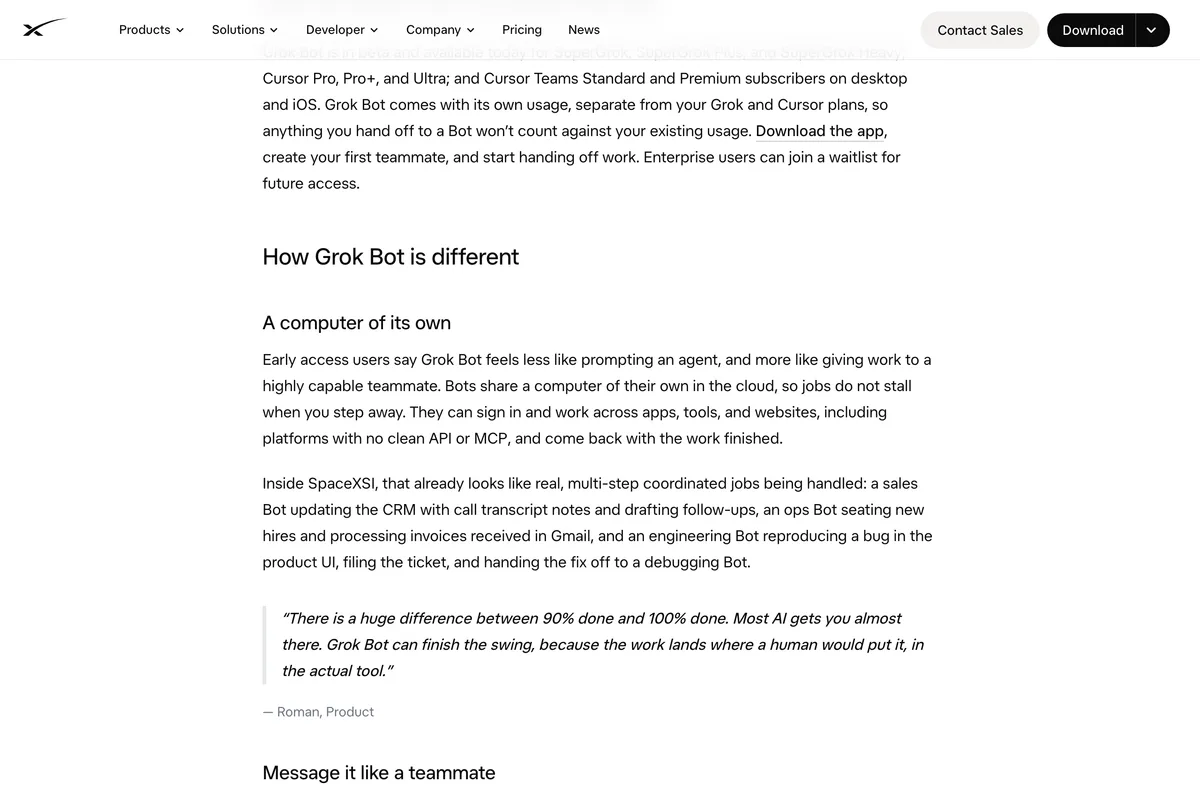
Instagram is not one of those platforms. It has an API for exactly this job, and its terms rule out the alternative. Section 4.2 of Instagram's Terms of Use says you cannot access the service "in an automated way without our express permission, regardless of whether such automated access or collection is undertaken while logged-in to an Instagram account":

There is a practical risk on top of the rule. xAI's security documentation says the hosted computers "use shared static egress by default", so unless you route the Bot through your own desktop, your Instagram login arrives from a shared cloud address rather than from your phone or your office. And xAI itself says a site can refuse:
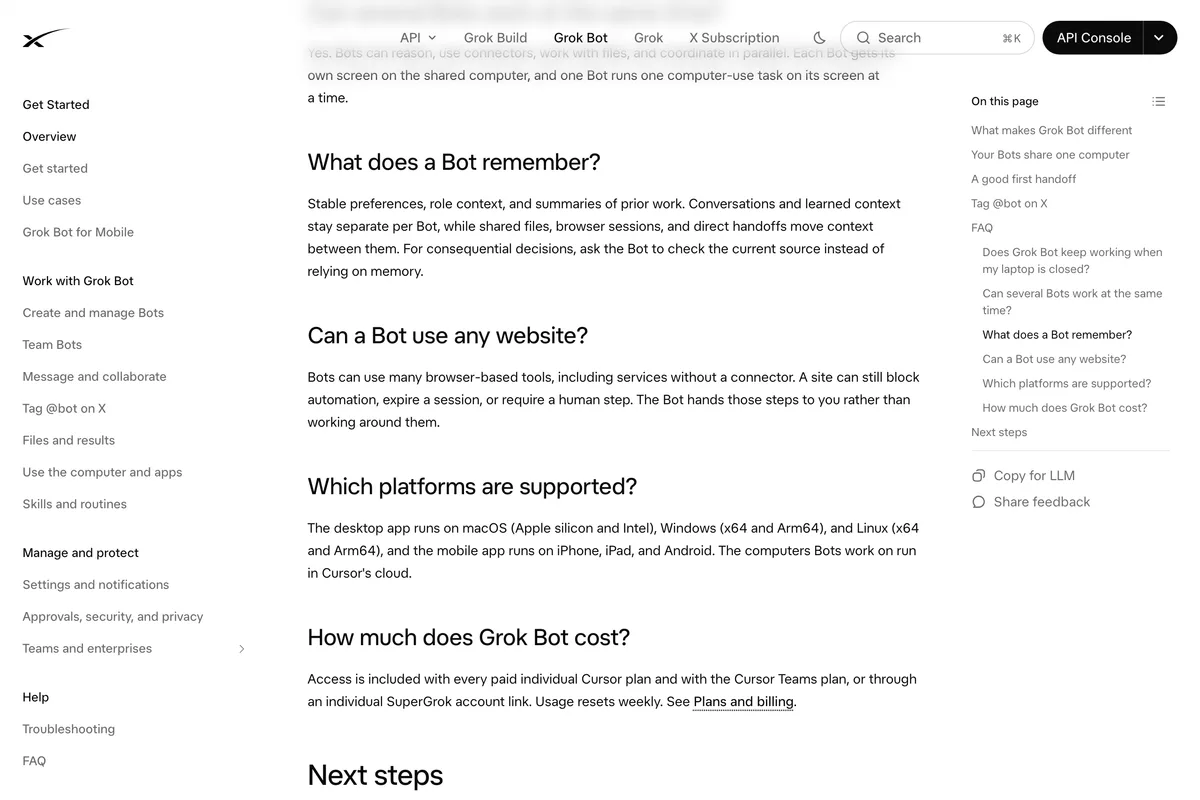
Where the browser route is fine is reading your own public profile, or checking that a post went out. For publishing, use one of the three plugins. Scraping is a separate question we answered in is scraping social media legal.
What will Instagram accept from Grok Bot?
Whichever plugin you choose, the post reaches Instagram through Meta's Content Publishing API, so Meta's rules are the ceiling. The ones that matter:
- Professional accounts only. Business or Creator. A personal account cannot be published to through the API.
- JPEG images on a public URL. Carousels of up to 10 items, Reels, and Stories are all supported.
- No scheduling in the API itself. The schedule lives in Postiz, Buffer or your Bot's routine.
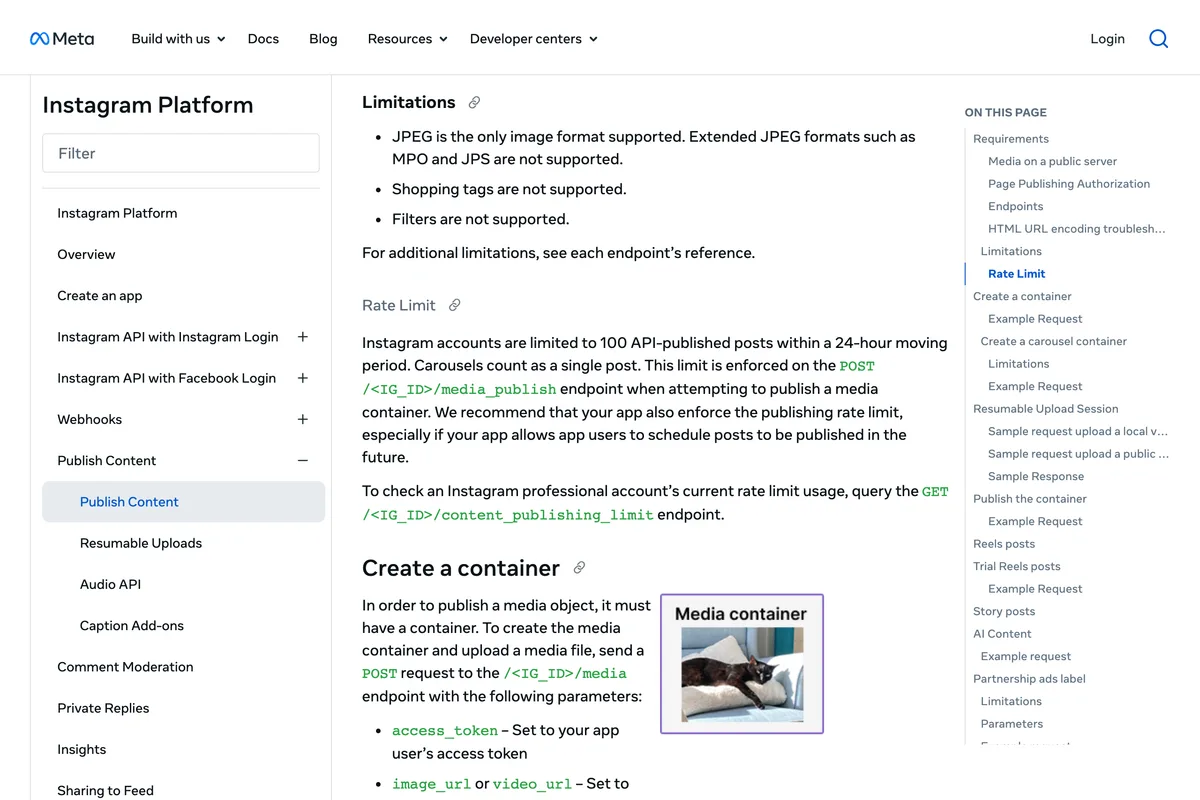
- 100 posts in any 24 hours, carousels counting as one.
Instagram accounts are limited to 100 API-published posts within a 24-hour moving period. Carousels count as a single post.
One more line on Meta's page, and no vendor guide we read mentions it. If Grok made the picture, the API lets you say so:
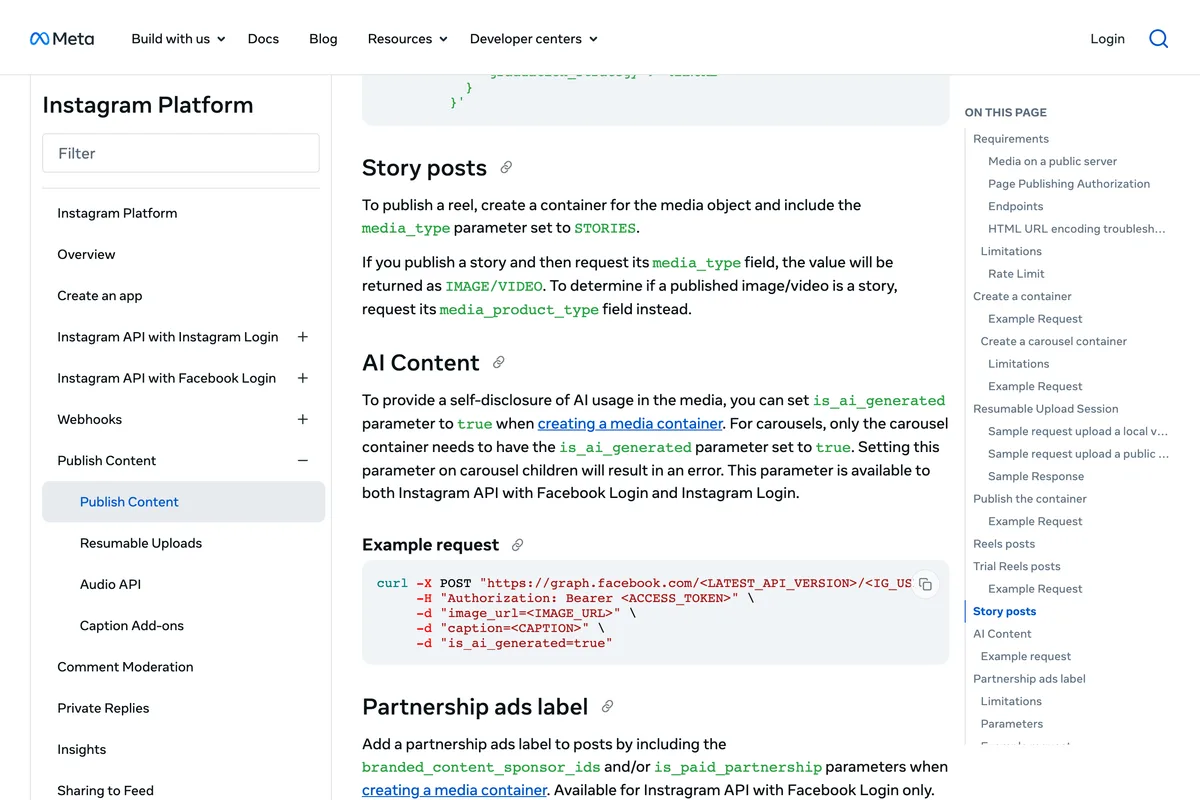
Ask your plugin whether it passes is_ai_generated. If a Bot made the image, Instagram may label it anyway, for the reasons in why Instagram says AI info on your post.
How do you stop Grok Bot posting without asking?
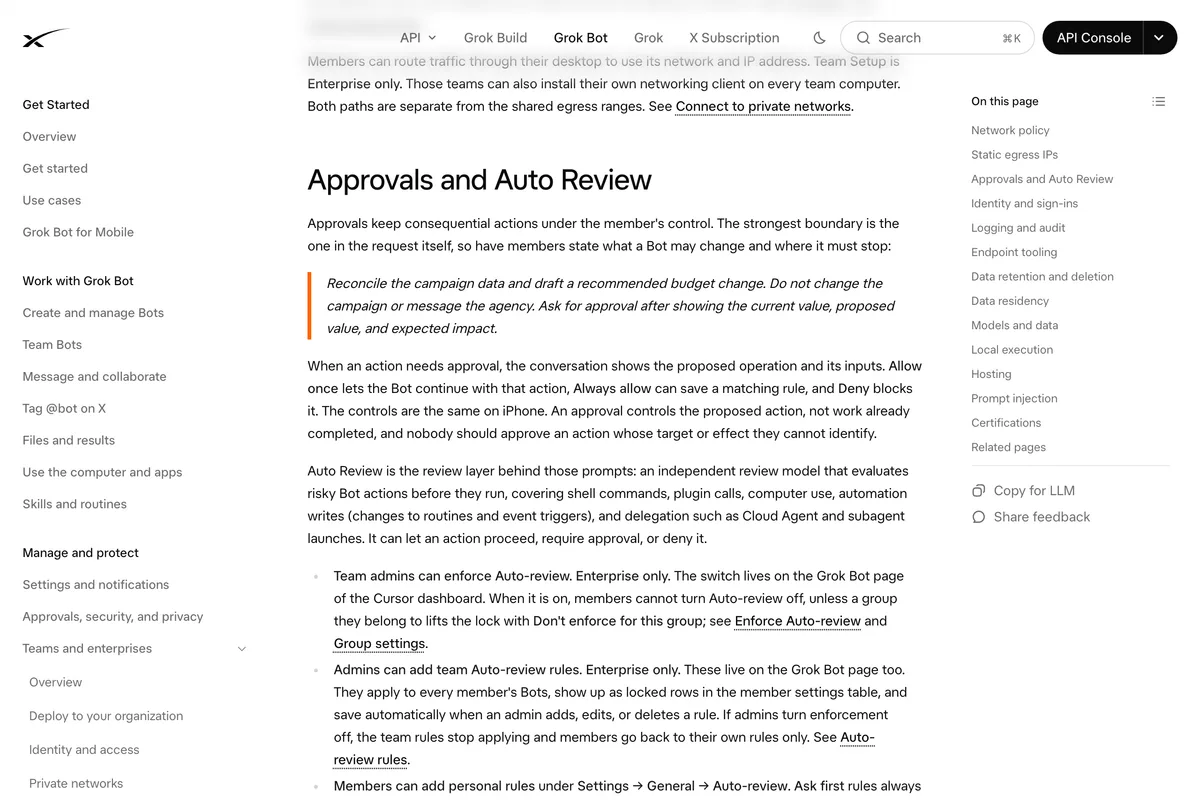
Tell it to stop before publishing, in writing, every time it matters. xAI's documentation does not list publishing among things that wait for you by default. It lists it among things you should make wait:
Keep sending, publishing, purchasing, deletion, and production changes behind approval.
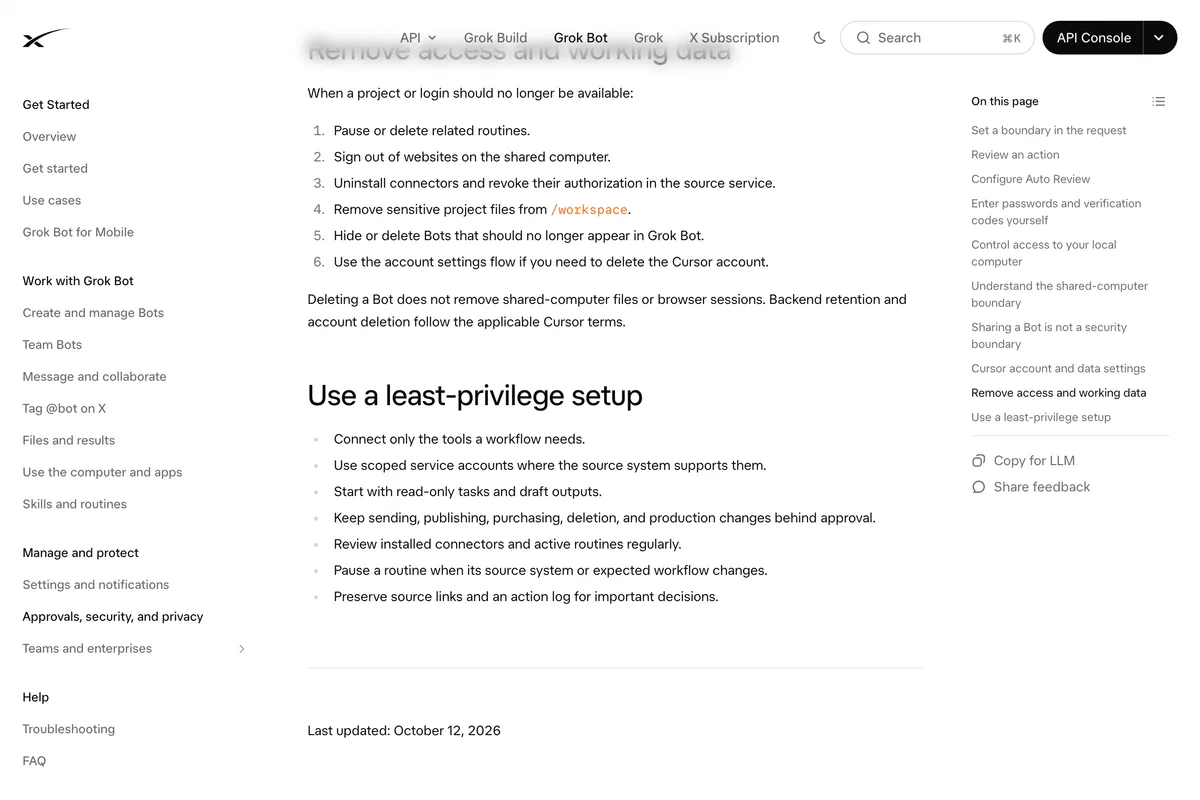
When a Bot does stop, you get a card with Allow once, Always allow and Deny. Behind those cards is Auto Review, a separate model that checks risky actions, which xAI says complements explicit boundaries rather than replacing them. Two details catch people out. Always allow saves a rule, so one tap can turn every future post into an unreviewed one. And an approval requested by a routine running while you are away expires after about ten minutes, and the action does not run.
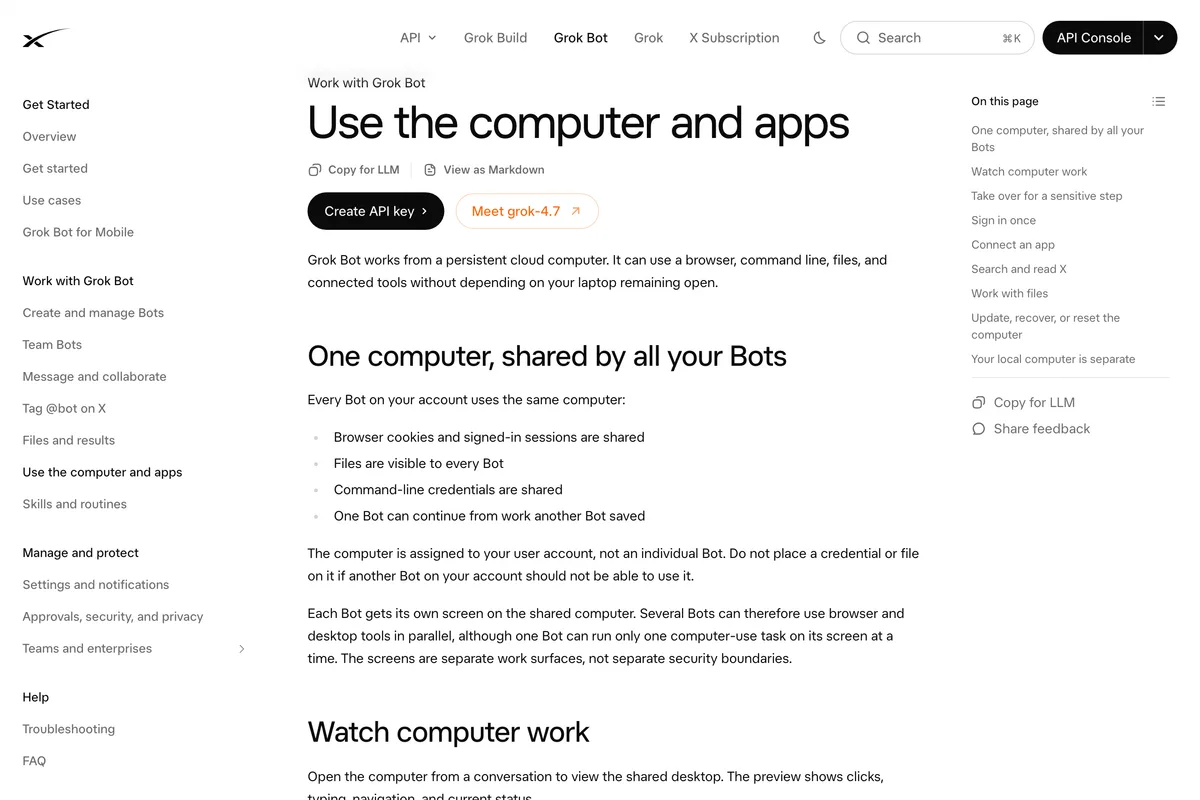
Secrets need the same care. All your Bots share one computer, its browser sessions and its files, so a key one Bot can use, every Bot can use. Store plugin keys through the masked secret request, which the Bot sees only as [REDACTED], and never paste a key or password into the chat, whatever a vendor's setup guide says.
A routine that drafts your week and waits for you
The useful version of Grok Bot for Instagram is not a Bot that posts. It is one that has a week of posts ready for you to look at on Monday morning. xAI describes the building blocks like this:
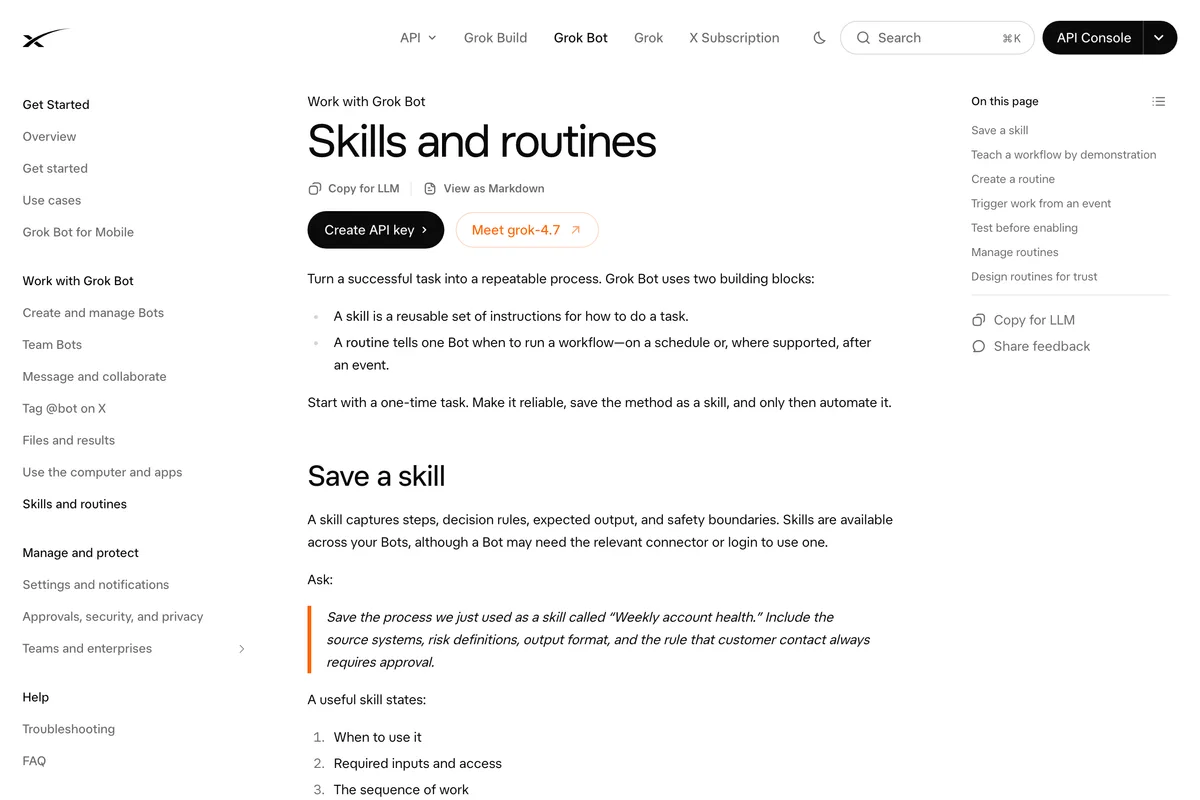
Do the job once with the Bot, save it as a skill, then schedule it. A request in the shape of xAI's own examples, written for a small business, would read like this. We have not run it; treat it as a starting point and test it on one post first.
Every Sunday at 6pm, run the Weekly Instagram skill: read this week's offers from our website and the notes in /workspace/brand, draft four Instagram posts in Postiz for Monday, Wednesday, Friday and Saturday at 9am, each with its image, caption and alt text, and leave them as drafts. Do not publish or schedule anything. Post the four drafts in this conversation for my approval. If our website is unreachable, tell me instead of using last week's offers.

Two things a routine like this cannot do for you. It cannot know an offer has ended unless the source it reads says so. And it cannot judge whether a claim is true. Every post below makes one, a test result, a launch, a price, and those are the lines to read before you press approve.

Can you start an Instagram post from X with @bot?
Yes, if you are in the right country. Tag @bot in a post or reply on X and your main Bot takes the post as a task, so "@bot turn this thread into an Instagram carousel for Friday" would reach a Bot that has one of the plugins above. xAI's tagging page says it is not yet available for X accounts based in Australia, the United Kingdom, the European Union, Iceland, Liechtenstein or Norway, and that a VPN makes no difference because it goes by the country on your X account. If you are in Europe, @bot will simply not reply.
What the vendor guides get wrong
| Vendor page | What it says | What the sources say |
|---|---|---|
| Contentdrips | Add its MCP server under Settings, then Plugins | xAI's docs: plugins are not a settings section; use Connect apps |
| Contentdrips | Grok Bot only connects to remote MCP servers | xAI's docs also list command servers that run on the Bot's computer |
| Hermoso | Paste your API key into the Bot's chat | xAI's docs: never paste credentials into chat; use the masked secret request |
| Postiz | Bots ask before changing external systems | xAI's docs tell you to put publishing behind approval yourself |
| OpenQuok | Every post waits for your approval, and you can ask Grok Bot to publish now | Both cannot be the default; set the boundary in your request |
| Taisly | Unlimited posts; your accounts will always be safe | Meta caps API posts at 100 a day; nobody can promise safe |
| Composio, OpenQuok | Grok Bot needs SuperGrok Heavy or Cursor Ultra | Out of date: included with SuperGrok, X Premium+ and every paid Cursor plan since 26 August |
| xpost | Grok can't sign in through a browser | True of Grok chat, not of Grok Bot; the page is not about Grok Bot |
The vendors that get it most right are the ones that say the least: AdaptlyPost and Hermoso both state plainly that only Business and Creator accounts can be published to, and Hermoso that Meta's API has no scheduling and no drafts. Two of them, AdaptlyPost and Hermoso, also offer shared Bot templates on x.ai, which carry xAI's own warning that the Bot "was created by a third-party user" and "may act on your behalf". Read what a template does before you add it.
Frequently asked questions
Can Grok Bot post to Instagram?
Yes, through a plugin: Postiz or Buffer, which are schedulers with Cursor Marketplace plugins, or Composio, which connects to Meta's Instagram API. There is no official Instagram or Meta plugin for Grok Bot. Grok Bot could also sign in to instagram.com and post through its browser, but Instagram's Terms of Use forbid automated access without permission, even while logged in.
Is there an Instagram plugin for Grok Bot?
Not an official one. Grok Bot's plugins come from the Cursor Marketplace, and on 14 October 2026 its Instagram and Meta pages returned 404. The postiz plugin lists Instagram among its platforms, Buffer's plugin publishes to the channels connected in Buffer, and Composio's plugin includes Instagram tools.
Which plans include Grok Bot?
SuperGrok, SuperGrok Plus and SuperGrok Heavy, X Premium+ through a linked Grok account, Cursor Pro, Pro+ and Ultra, Cursor Teams, and seats on a self-serve Grok Business plan. SuperGrok Lite does not include it. Usage is separate from Grok chat and resets weekly.
Does Grok Bot ask before it publishes a post?
Not necessarily. xAI's documentation tells you to keep sending and publishing behind approval and to state that boundary in your request. When a Bot asks, you can allow once, always allow or deny; always allow saves a rule for next time, and an approval requested by a routine while you are away expires after about ten minutes.
Can Grok Bot post to a personal Instagram account?
Not through any of the plugins. They all publish through Meta's Content Publishing API, which works only with Instagram professional accounts, Business or Creator. Switching to a professional account is free in the Instagram app.
Can I use @bot on X to make Instagram posts from Europe?
Not yet. xAI's documentation says tagging @bot is not available for X accounts based in the European Union, the United Kingdom, Australia, Iceland, Liechtenstein or Norway, and a VPN does not change that. You can still message your Bot in the Grok Bot app.
How we researched this
- Everything about what Grok Bot is and how it connects to other apps was read on 14 October 2026 on xAI's own pages: the launch post of 11 August 2026, the plans post of 26 August, and the Grok Bot documentation at docs.x.ai, including the pages on the computer and apps, skills and routines, approvals and security, teams and tagging @bot on X. Plans and usage were read on Cursor's Grok Bot help pages, because Grok Bot usage is metered on a Cursor account. The sentences we rely on are photographed under the quotations.
- Whether an Instagram plugin exists was checked on the Cursor Marketplace, which is where xAI's documentation says Grok Bot's plugins come from, and on x.ai's own plugin and template pages, the same day. A plugin we say does not exist is one that returned a not found page on that date.
- We did not run Grok Bot for this article. Our account would have had to accept updated Grok terms and install the desktop app, and we chose to publish what the documentation and the listings say rather than wait. Every screenshot is of a public page. Where a vendor describes what happens inside the app, we say it is the vendor's description.
- Eight vendor pages that say Grok Bot can post to Instagram were read in full: Postiz, Composio, AdaptlyPost, Contentdrips, OpenQuok, Hermoso, Taisly and xpost. What Instagram accepts was read on Meta's Content Publishing guide and Instagram's Terms of Use. The example posts are from our own gallery of finished posts.
Sources
- 1Introducing Grok Bot
- 2Grok Bot is now included with more plans
- 3Grok Bot documentation: overview
- 4Grok Bot documentation: use the computer and apps
- 5Grok Bot documentation: skills and routines
- 6Grok Bot documentation: approvals, security, and privacy
- 7Grok Bot documentation: security
- 8Grok Bot documentation: tag @bot on X
- 9Grok Bot plans and billing
- 10Marketplace: postiz
- 11Marketplace: Buffer
- 12Composio for Grok Bot
- 13Post to Instagram from Grok Bot
- 14Instagram Platform: Content Publishing
- 15Terms of Use