5 Gemini prompts for YouTube thumbnails, tested on both models
Five copy and paste Gemini prompts for YouTube thumbnails: the standard layout, your own face, the surprised face, a version B for YouTube's A/B test and a Shorts cover. Each one run on Nano Banana 2.1 and Pro on 14 October 2026, measured against what YouTube actually asks for.
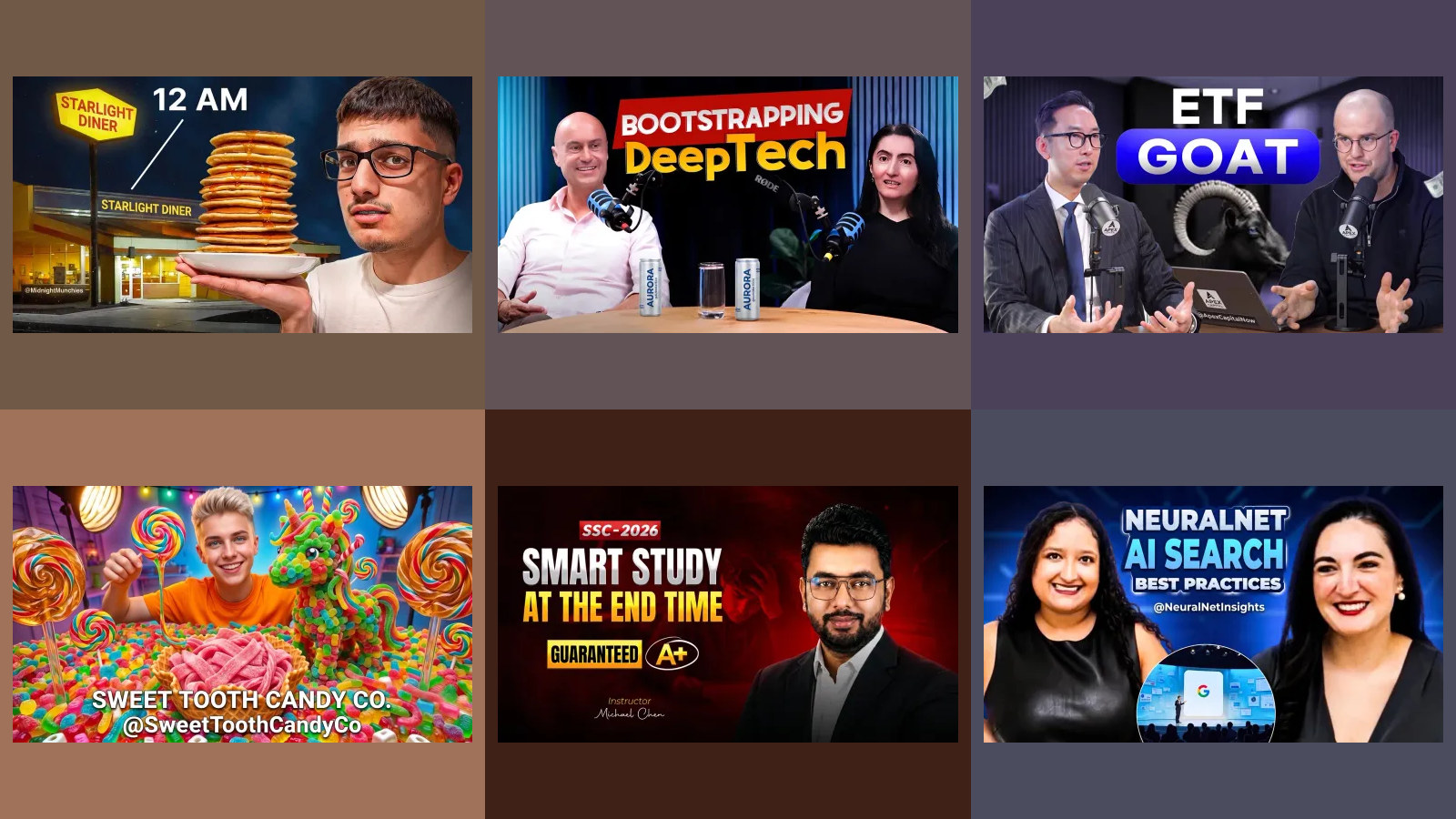
A YouTube thumbnail has one job, and it does it at a few hundred pixels wide next to a dozen others. Gemini is good at the part people expect to be hard, setting the words, and it went wrong in places nobody warns you about: the surprised face it draws is not quite your face, a version B made by editing version A is too similar to test, and at 2K or 4K the file is too heavy for YouTube's phone app. We wrote five prompts, ran each on Nano Banana 2.1 and Nano Banana Pro on 14 October 2026, and checked every result against what YouTube's help pages ask for.
Our articles are still written by humans!
Get human written articles in your Google feed.
Which prompt for which thumbnail
| The thumbnail you need | Prompt | Nano Banana 2.1 | Nano Banana Pro |
|---|---|---|---|
| Words and a picture, no face | 1 | Worked | Worked, with a ghosted double of the woman |
| Your own face beside the words | 2 | Kept the face | Kept the face and the pose |
| The surprised reaction face | 3 | Face drifted | Face drifted |
| Version B for an A/B test | 4 | Only the words changed | Only the words changed |
| A Shorts cover, 9:16 | 5 | Worked | Landscape picture boxed inside |
What does a one-line thumbnail prompt make?
Make a YouTube thumbnail for my yoga video about fixing a stiff back.
Both models returned a thumbnail that looks like a thousand others, and that is the problem. Nano Banana 2.1 wrote "FIX STIFF BACK!" with "DO THIS!" in a red box, and drew a red arrow at a glowing red patch on the woman's lower back. Pro split the frame into BEFORE, a woman grimacing and holding her back, and AFTER, the same woman smiling, under "FIX YOUR STIFF BACK!" and "10-Minute Yoga Relief". Nobody said ten minutes. Pro made that up.
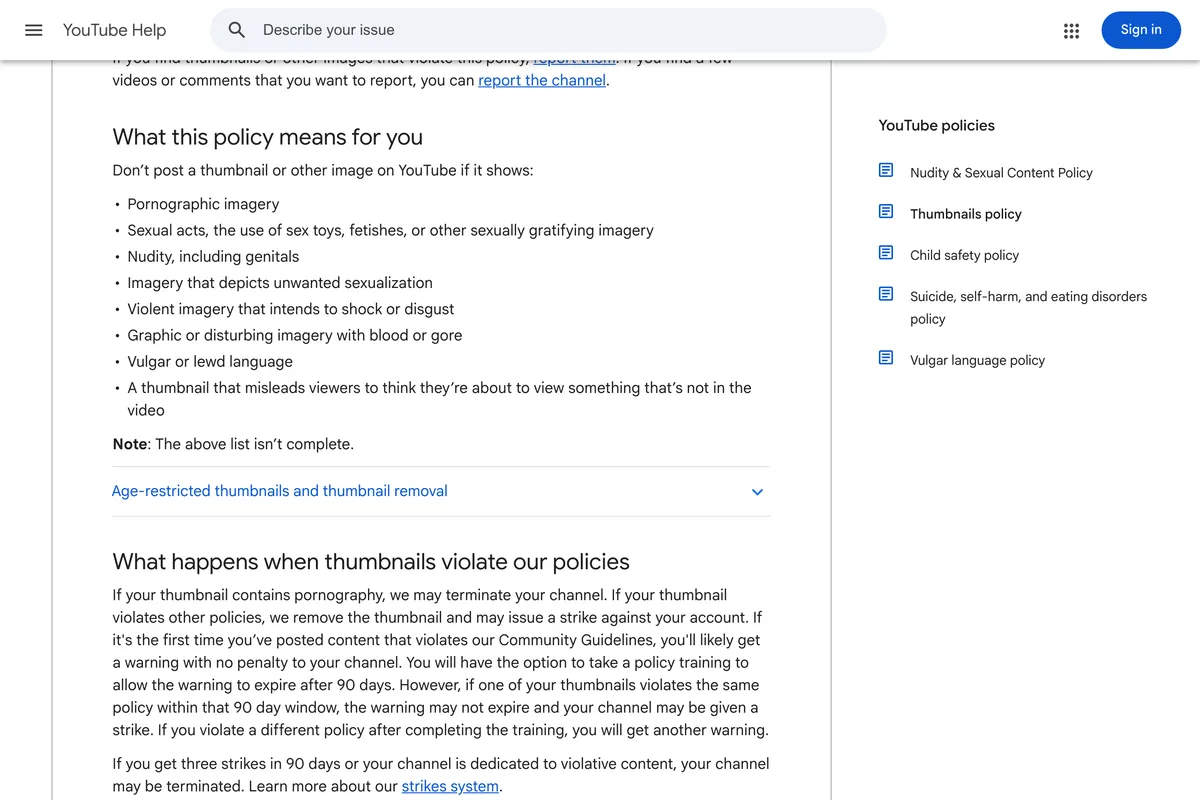
A before and after picture is a promise about the video. YouTube's thumbnail policy lists "a thumbnail that misleads viewers to think they're about to view something that's not in the video" among the things it does not allow, and removes thumbnails that break the policy. If your video has no before and after and does not take ten minutes, Pro's thumbnail says something your video does not.
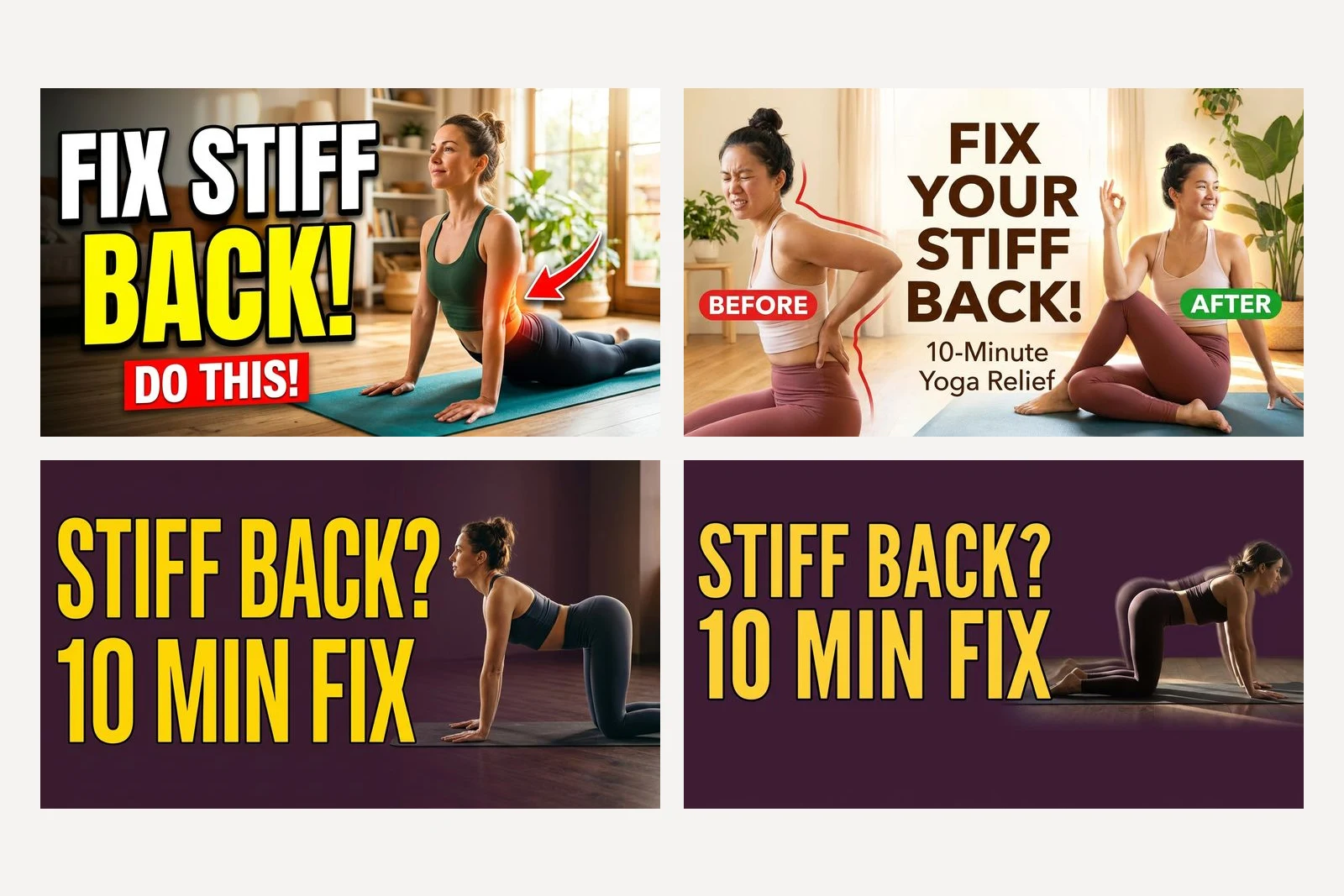
One thing the short prompt got right: both came back landscape, 1376 by 768 pixels, without being told. Google's documentation says that without an input image the model makes a square, and in our flyer tests neither model did that either. Do not rely on the guess. We tested through Google's API, where the shape is a setting, and every prompt below set it to 16:9. In the Gemini app, write "16:9" into the prompt; in our Nano Banana tests a ratio typed into the prompt was honoured.
1. The thumbnail brief: a few words and one picture
This is the brief the other four build on. It quotes the words, says which half they go in, names the one picture, gives the colours a job, and keeps YouTube's corner clear. Replace the words in quotes with yours.
Design a YouTube thumbnail for a yoga studio channel called Larkspur Yoga. The video is "10 minute yoga for a stiff back". Text on the thumbnail, exactly these words and nothing else: "STIFF BACK?" on one line and "10 MIN FIX" on the line under it, very large, filling the left half, in a heavy sans serif, sunflower yellow #FFD23F with a thin dark outline. Right half: a woman doing a cat-cow stretch on a yoga mat, side view, photographed, lit from the side. Background deep plum #3B1F3A. Keep the bottom right corner completely clear of text and important detail, because YouTube covers it with the video length. No logo, no channel name, no arrows, no emoji.
Both models set the five words exactly, in the yellow, on the plum, in the left half, and added nothing. Nano Banana 2.1's picture was clean. Pro drew the woman with a faint second copy of her upper body beside her, a motion trail meant to show the stretch, which at thumbnail size reads as a smudge. We ran the same prompt at 2K and 4K for the size tests below, and those runs were not perfect either: at 2K, Nano Banana 2.1 ran "FIX" over the woman's knees, and at 4K Pro floated the woman and her mat on flat plum with a thin stray line under them, something Pro did at every size to a degree. A new run is a new picture; look at each one.
Across all 18 landscape thumbnails, no word landed in the bottom right corner. The two one-line runs, which did not ask, left it clear too, so we cannot say the corner sentence is what did it. Keep it anyway; it costs nothing. A woman we generated is not you, though. If your channel has a face, it should be yours, which is the next prompt.
For another kind of channel, keep every sentence and change three things: the words, the one picture and the two colours. A recipe channel might quote "5 MIN PASTA" beside a bowl photographed from above; a bike shop "FLAT TYRE? 2 MIN" beside hands on a wheel; a software channel "ONE SETTING" beside a laptop screen. We ran only the yoga version, so check each new run against the checklist at the end.
2. Your own face beside the words
Attach a well lit photo of yourself, face to the camera, and say what must not change:
The attached photo is me, the host of the channel. Use my face exactly as it is in the photo: do not change my face, skin, hair or earrings. Design a YouTube thumbnail for my yoga studio channel, Larkspur Yoga, for the video "10 minute yoga for a stiff back". Text on the thumbnail, exactly these words and nothing else: "STIFF BACK?" on one line and "10 MIN FIX" on the line under it, very large, filling the left half, in a heavy sans serif, sunflower yellow #FFD23F with a thin dark outline. Right half: me, from the chest up, looking at the camera with the same calm smile as in the photo. Background deep plum #3B1F3A. Keep the bottom right corner completely clear of text and important detail, because YouTube covers it with the video length. No logo, no channel name, no arrows, no emoji.
Both kept her. Side by side with the photo, the eyes, brows, nose, the curls and the small hoop earrings are the same person. Pro also kept her hands pressed together under the chin, a pose from the photo we had not asked for; Nano Banana 2.1 dropped it. If the pose in your photo is wrong for the thumbnail, say which pose you want, or the model may copy it.
Pick the photo with care. In our headshot tests every model invented eyes when the photo hid them, so use one where you look at the camera, in good light, with nothing over your face.
3. The surprised face, and what it costs
The open-mouthed reaction is the most copied thumbnail face there is, so we asked for it with the same photo, replacing the pose line of prompt 2:
Right half: me, from the chest up, with a surprised expression, mouth open and eyebrows raised, pointing at the text.
Both models did it: mouth open, brows up, a finger pointing at the words. Both faces also moved further from the photo than the calm ones did. The face is narrower, most clearly on Nano Banana 2.1, the hair is smaller and flatter although the prompt said not to change it, and to us she looks a few years older. She is recognisable, but less so. A model asked to change your expression has to redraw your face, and redrawing is where the likeness goes.
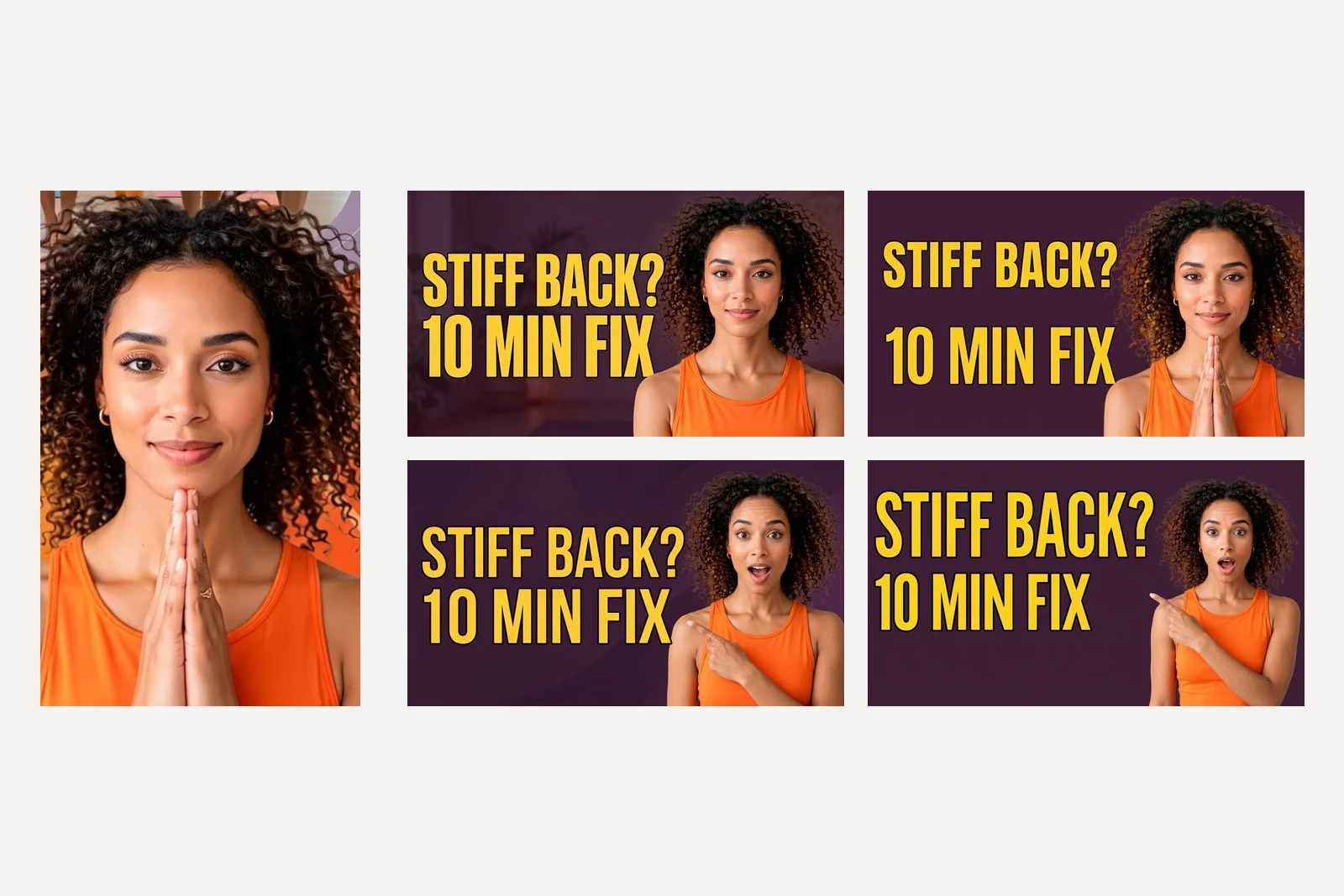
Two rules follow. If the reaction matters, take the photo: pull the face, have someone snap it, and attach that, so the model only has to place it. YouTube's own tips suggest the same habit, taking pictures during the shoot so you have thumbnail options, and they name "a shocked face" as the kind of universal emotion that works for casual viewers. And use this prompt only with your own face. YouTube's thumbnail policy page also covers impersonation, including "using AI to copy the voice or likeness of an individual, to make it appear as if the channel is owned or authorized by that individual". A celebrity's face on your thumbnail can fall under that if it suggests they back your channel, and a guest pulling a face they never made is not yours to invent.
Should the whole title go on the thumbnail?
We tested the habit we see most often in small business channels: putting the video's title on the thumbnail. Same brief, with the five words replaced by this sentence:
"How to fix a stiff back in ten minutes with three easy yoga stretches"
Both models spelled all 13 words right. The cost is size. Each line of "STIFF BACK? 10 MIN FIX" was 21 to 30 percent of the thumbnail's height. Each line of the sentence was 13 to 15 percent, about half. Shrunk to 320 pixels wide, the medium size YouTube itself serves (we measured its files), the sentence can still be read if you stop and read it. That is the point: a viewer does not stop. Four words are taken in at a glance; thirteen are a paragraph.
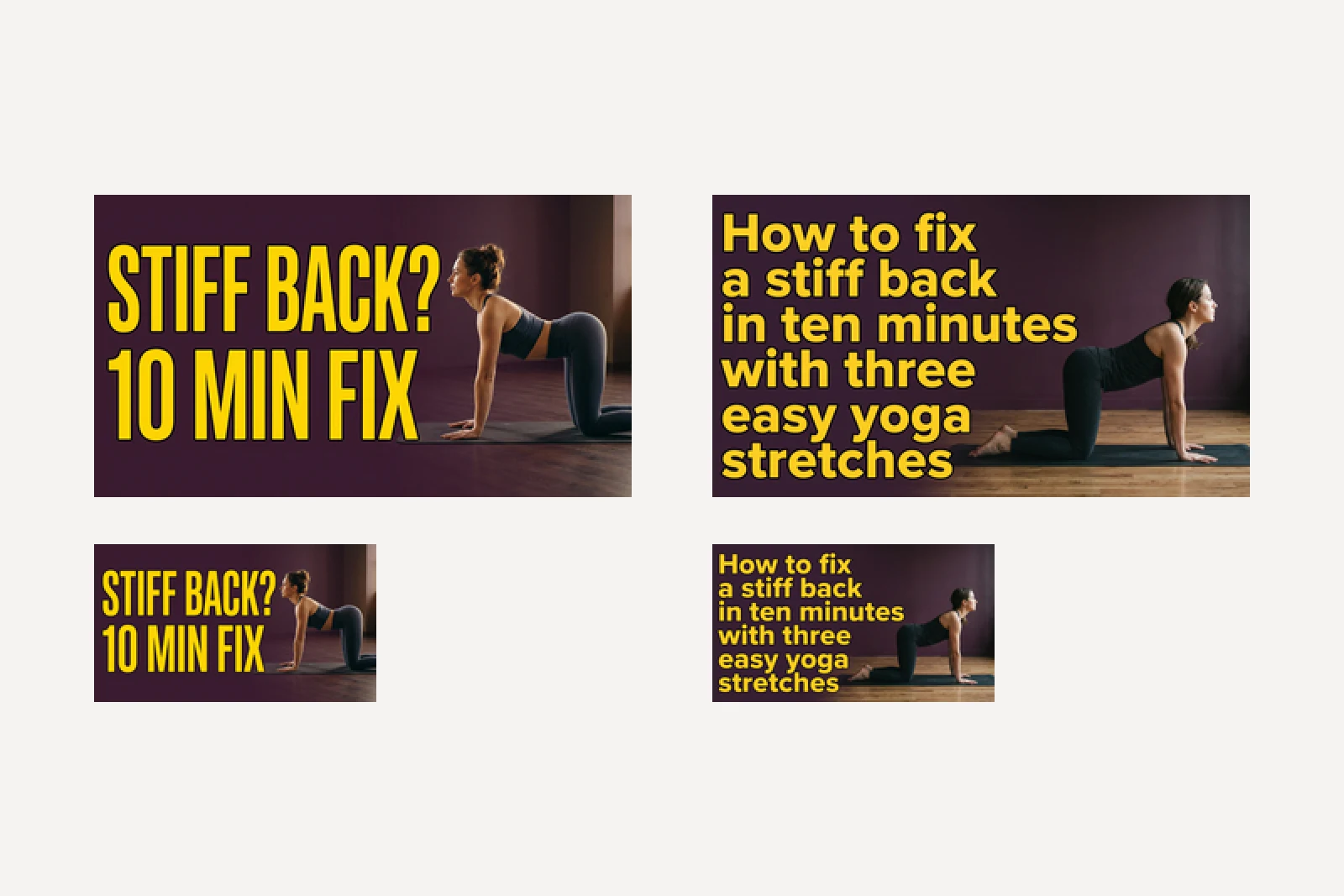
YouTube shows the title right under the thumbnail anyway, so the long version says the same thing twice in the space where you could have said something new. YouTube's own creator tips say to keep the design from getting too complex and to make thumbnail and title work together. Say the problem on the thumbnail and the answer in the title, or the other way round.
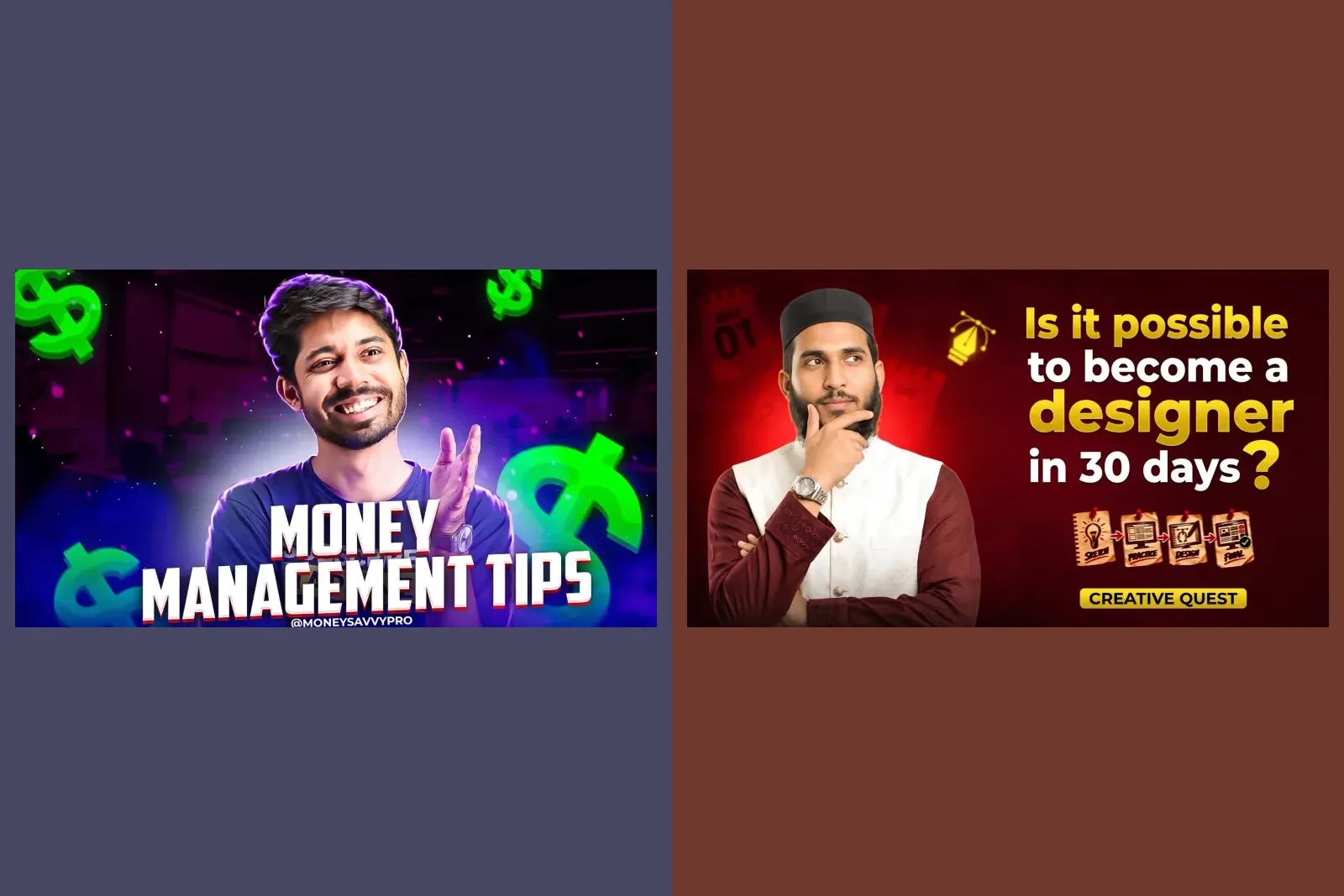
4. Version B for YouTube's A/B test
YouTube Studio can test up to three thumbnails on one video and keep the one with the most watch time. It runs on a computer only, the channel needs advanced features turned on, Shorts cannot be tested, and a test can take up to two weeks. Gemini makes it tempting to produce the extra two in the same chat. We sent this straight after prompt 1:
Now make version B of this thumbnail for an A/B test. Keep everything else exactly the same, but change the text to "NO MAT" on the first line and "NEEDED" on the second.
Both models did exactly what we asked. We compared the pictures pixel by pixel: in the photo, well under 1 percent of pixels changed visibly on either model. As an edit, that is a success, and it is our instruction working, not a fault of the model. As an A/B test, it is two near-identical thumbnails, and YouTube's own tips warn that options "too similar to each other can cause tests to run for longer", because there may be no clear winner.
And look at what we asked for. "NO MAT NEEDED" now sits beside a woman kneeling on a mat. That is our mistake, not the model's, and neither model questioned it. Gemini will set any words you give it over any picture, so the check that the thumbnail tells the truth about the video is yours. A better version B changes the idea, not the wording: run prompt 2 for a face version against prompt 1's pose version, for example.
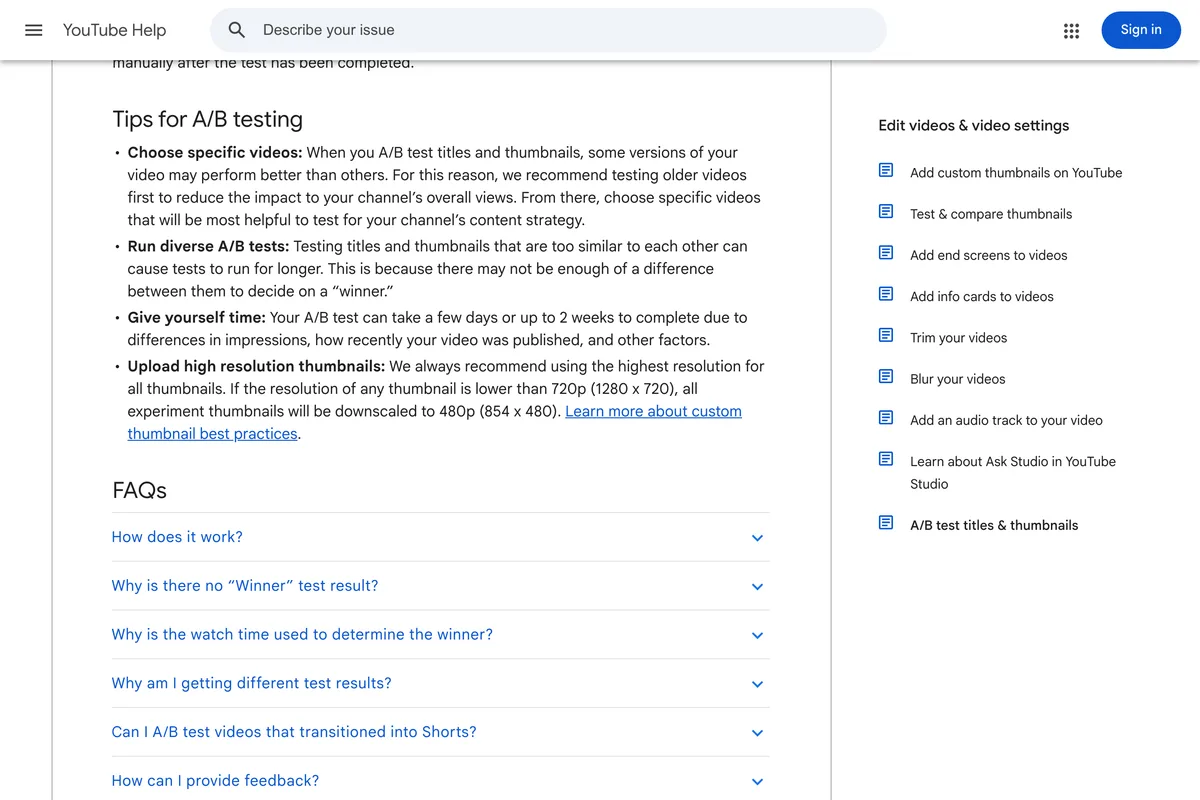
The last tip on that page matters for sizes: if any thumbnail in a test is smaller than 1280 by 720, YouTube shrinks all of them to 854 by 480. Both models we tested start at 1K, 1376 by 768 at 16:9 (the smaller 512 pixel setting exists only on the older 3.1 Flash Image), so you are over the line at every size setting, but a thumbnail cropped or resized carelessly can drop under it and take the others down with it.
5. A Shorts cover in 9:16
Shorts take a vertical thumbnail, and YouTube's help page notes that a vertical video given a 16:9 thumbnail has it replaced by an auto-generated 4:5 thumbnail on the home, explore and subscription pages. So a Short needs its own cover. Set the image shape to 9:16 and say where the words go:
Design a YouTube Shorts thumbnail, vertical, for a yoga studio channel called Larkspur Yoga. The Short is "10 minute yoga for a stiff back". Text, exactly these words and nothing else: "STIFF BACK?" on one line and "10 MIN FIX" under it, very large, in the middle third of the height, in a heavy sans serif, sunflower yellow #FFD23F with a thin dark outline. Behind and below the text: a woman doing a cat-cow stretch on a yoga mat, side view, photographed. Background deep plum #3B1F3A. Keep the top and bottom fifth free of text. No logo, no channel name, no arrows, no emoji.
Nano Banana 2.1 made a proper vertical cover: words in the middle, the woman on her mat below them, plum wall above. Pro did not. It made a landscape picture of the woman, laid it across the middle of the tall frame as a washed-out band, put the words on top of her, and left the top and bottom as flat plum. The file was 9:16; the design inside it was not. Use Nano Banana 2.1 for this one, or check Pro's result before you upload it.
Shorts thumbnails can only be uploaded from YouTube Studio on a computer, according to the same help page, which also asks for 2160 by 3840. At 1K Gemini's 9:16 is 768 by 1376, well above YouTube's 640 pixel minimum height but well short of its recommendation.
What size does Gemini make, and what does YouTube want?
YouTube recommends 3840 by 2160 pixels, at least 640 wide, under 2 MB from the phone app and under 50 MB from a computer. Here is what Gemini handed us for the same 16:9 brief at each size setting, read from the files:
| Size setting | Pixels | File size | Under the 2 MB phone limit? | Reaches 3840 × 2160? |
|---|---|---|---|---|
| 1K, the default | 1376 × 768 | 0.4 to 0.7 MB | Yes | No |
| 2K | 2752 × 1536 | 2.2 and 2.4 MB | No | No |
| 4K | 5504 × 3072 | 7.0 and 7.3 MB | No | Yes, and bigger |
Three things in that table catch people out. First, none of these is exactly 16:9: 1376 by 768 is about 11 pixels too wide for its height. Second, the 2K file is too big for the phone app. Third, only 4K reaches what YouTube recommends, and it overshoots. Google's own size table lists the same three sizes, so this is how the models are built, not a quirk of our run. Typing a size into the prompt does not help: we added "Make it exactly 1280 x 720 pixels" to prompt 1 and both models returned 1376 by 768. The size is a setting, not a sentence.
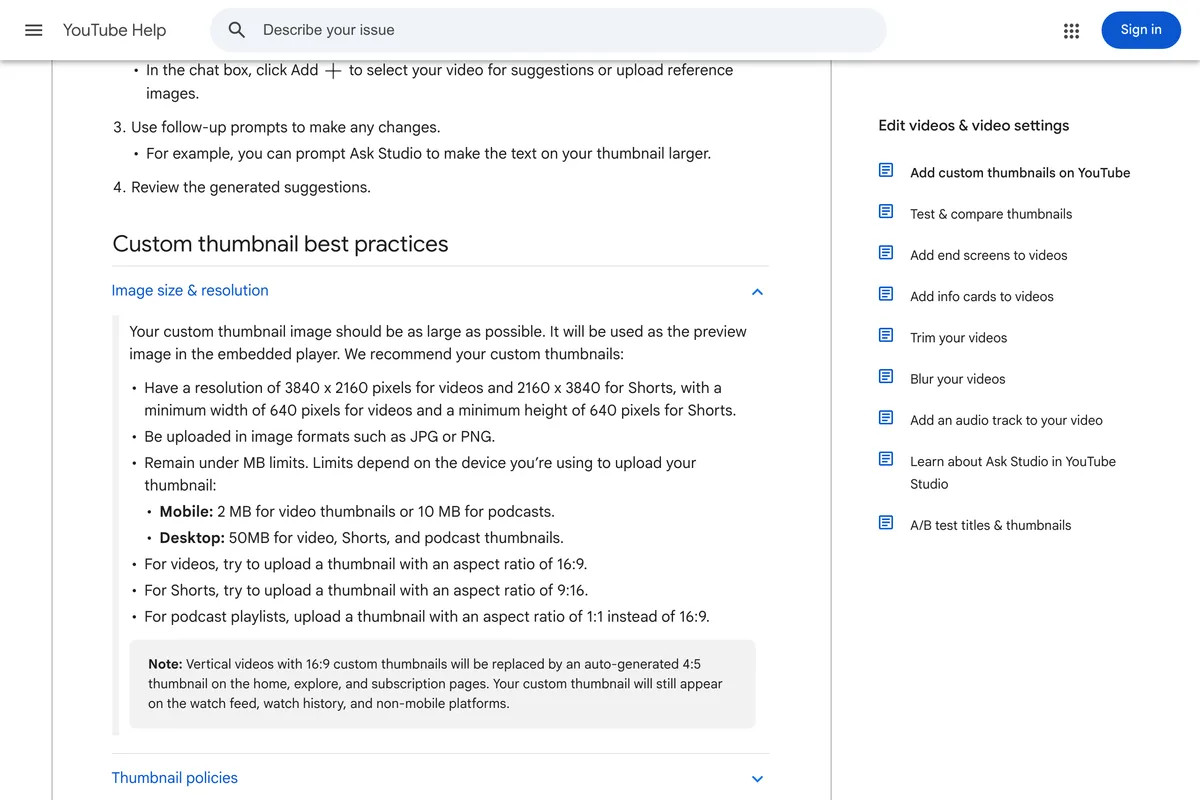
So finish every thumbnail with one resize. Generate at 4K if you upload from a computer and want the television size, or at 1K if you upload from your phone, then crop to exactly 16:9 at 3840 by 2160 or 1280 by 720. Our free YouTube thumbnail resizer does that in the browser, crops instead of squashing, and lowers the JPEG quality until the file fits under 2 MB. Why YouTube asks for 4K but serves 1280 by 720 is explained in our YouTube thumbnail size guide.
Do you have to label an AI thumbnail on YouTube?
Not for the thumbnail itself, according to YouTube. Its page on disclosing AI content asks creators to disclose realistic AI-generated or altered video, and lists "production assistance, like using generative AI tools to create or improve a video outline, script, thumbnail, title, or infographic" among the uses that do not need disclosing.
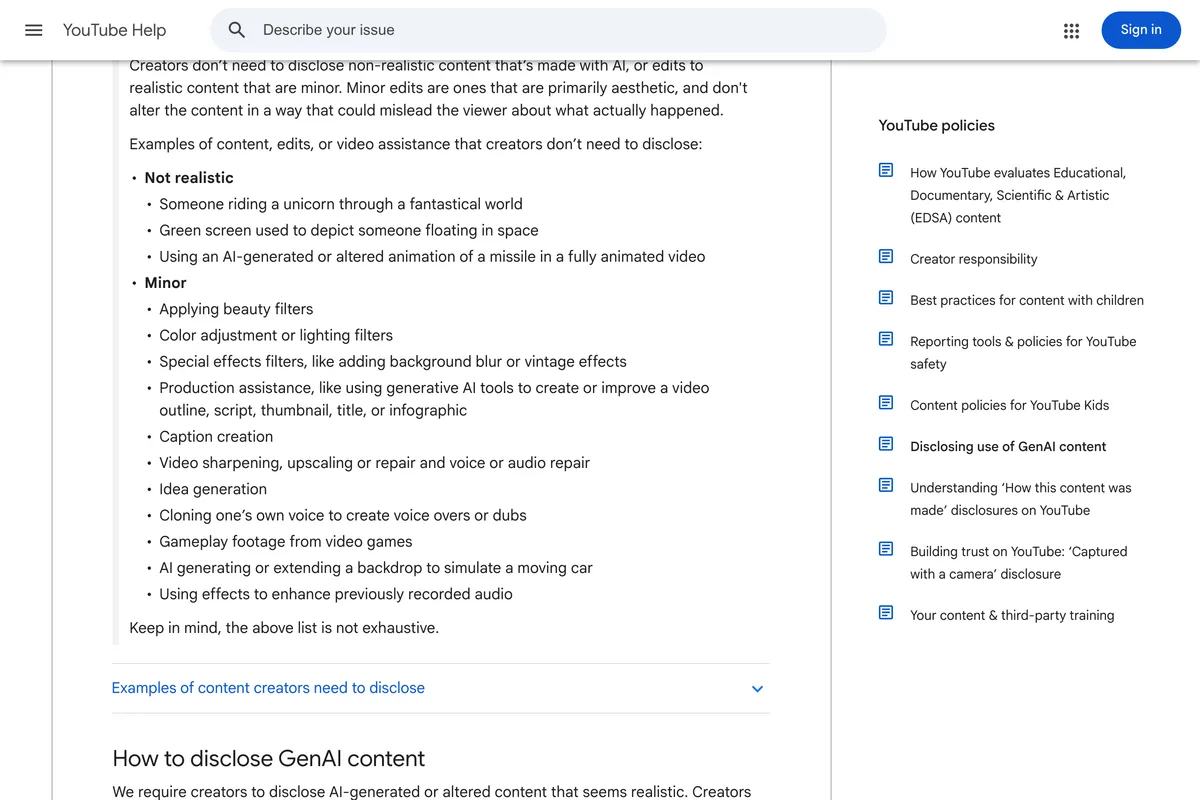
Two caveats. All 20 of our files arrived carrying a C2PA record that says they were made by generative AI, which is the signal other platforms read to label posts; what that does to the same image posted on Instagram is in why Instagram says AI info on your post. And the misleading-thumbnail rule above still applies whatever made the picture.
Which Gemini model should you use for thumbnails?
Nano Banana 2.1, on this evidence. Both models got every quoted word right on all 18 briefed thumbnails, and both kept the face. The difference was in the pictures. Pro tended to cut the woman out and float her on flat plum, drew the ghosted double, set the long title on a hard-edged panel (a matter of taste, but it looks pasted on) and boxed a landscape picture into the Shorts frame. Nano Banana 2.1's faults were smaller: the words ran over the woman's knees at 2K, and its long title spread past the left half it was given. It was also a little faster at 1K, 12 to 17 seconds against Pro's 16 to 19, though at 4K Pro was quicker, 27 seconds against 34.
Google released Nano Banana 2.1 on 6 October 2026 and deprecated Nano Banana 2 the same day, according to its API release notes. If a run comes back wrong, run it again or on the other model before rewriting the prompt; one picture from each model is all we can speak for.
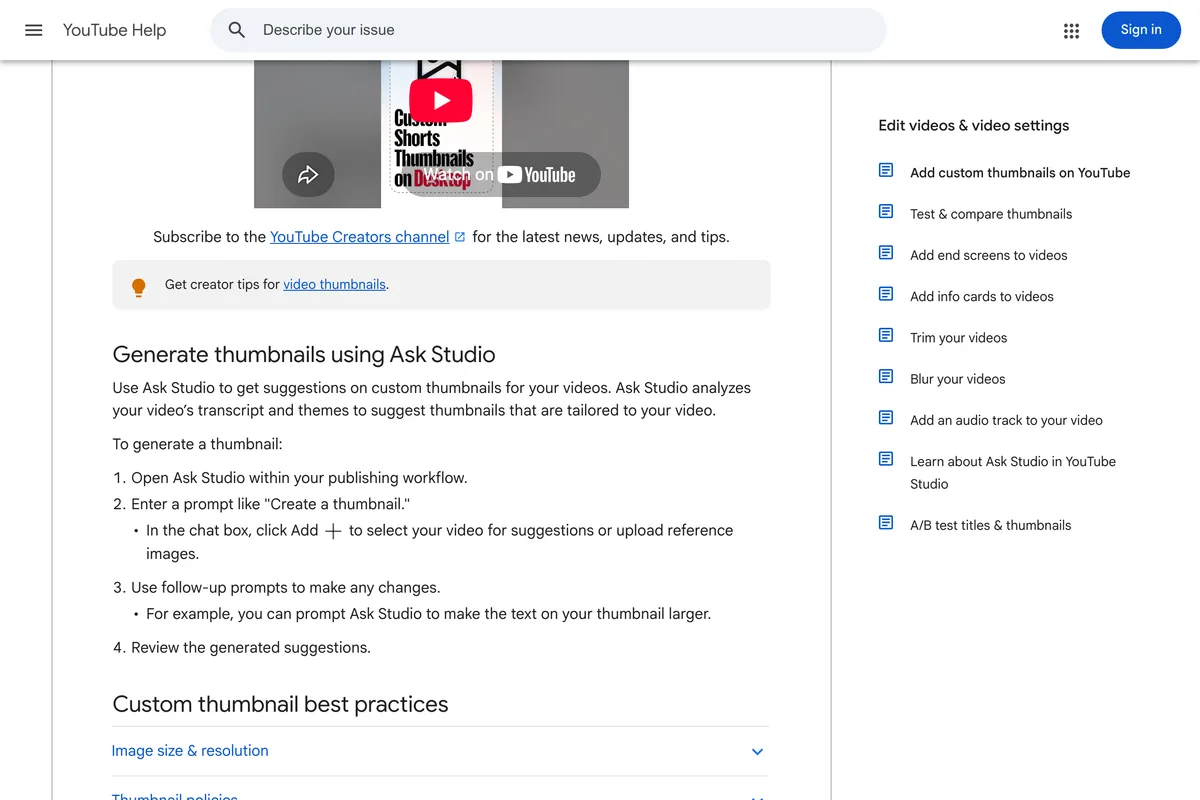
YouTube also has its own generator now. One thing first, wherever you make the picture: YouTube only lets you upload a custom thumbnail once your account is verified. Ask Studio, inside YouTube Studio, suggests thumbnails from your video's transcript and themes and takes follow-up requests such as making the text larger. We did not test it, because it needs a channel and a video, but it has one thing Gemini does not: it has read your video's transcript.
Frequently asked questions
What is a good Gemini prompt for a YouTube thumbnail?
Quote the exact words, no more than four or five, and say which half they go in. Name one picture for the other half, give the colours with hex codes, say to keep the bottom right corner clear for the video length, and say no logo, arrows or emoji. Set the shape to 16:9 in the image settings. Our prompt 1 does all of this and both Nano Banana 2.1 and Pro set its words exactly.
Can Gemini put my own face on a YouTube thumbnail?
Yes. Attach a clear photo of yourself facing the camera and say not to change your face. Both Nano Banana 2.1 and Pro kept the face in our test. Asking for a different expression, such as a surprised face, made the face narrower and the hair flatter on both, so take the reaction photo yourself if it matters.
What size is a Gemini YouTube thumbnail?
At 16:9, Gemini returns 1376 by 768 pixels at 1K, 2752 by 1536 at 2K and 5504 by 3072 at 4K. None is exactly 16:9 and none is the 3840 by 2160 YouTube asks for, so crop and resize before uploading. Typing a size into the prompt does not change it.
Is a Gemini thumbnail too big for YouTube?
From the phone app it can be. YouTube's limit is 2 MB on mobile and 50 MB on desktop. Our 2K thumbnails were 2.2 and 2.4 MB and our 4K ones over 7 MB. The 1K files were under 1 MB.
Do I need to disclose an AI-generated YouTube thumbnail?
Not according to YouTube's disclosure page, which lists using generative AI to create or improve a thumbnail as production assistance that does not need disclosing. The thumbnail must still not mislead viewers about what is in the video.
Can Gemini make thumbnails for a YouTube A/B test?
Yes, but ask for different ideas, not the same picture with new words. A version B made in the same chat with "keep everything else the same" changed nothing but the text in our test, and YouTube warns that very similar options make tests run longer without a clear winner.
How we researched this
- Every prompt on this page was sent through Google's developer API on 14 October 2026 to gemini-nano-banana-2.1 and gemini-3-pro-image, which Google calls Nano Banana 2.1 and Nano Banana Pro. Ten prompt variants, the five below plus the one-line, long-title, size and typed-pixels tests, ran once on each model, 20 images in all, and the picture described is the one that came back. Nothing was regenerated until it looked better and nothing was retouched. One run per prompt is a sample of one: a second run would draw a different picture, so read the results as what can happen, not what always happens.
- Pixel sizes, file sizes and the resolution tag were read from each JPEG. How much of the photo changed between version A and version B was counted pixel by pixel. How tall the words are was measured from the yellow pixels of each line. Whether a face still looks like the person in the photo was judged by eye, side by side, and the comparison is printed so you can judge it too.
- Larkspur Yoga is a studio we invented, so that no real channel's name ends up on a picture it did not approve. The host's photo is a crop of a yoga post from our own gallery, standing in for a photo of you. The script that ran all of this is in our repository as scripts/_gemini-thumbnail-tests.mjs.
- Every YouTube rule quoted here was read on YouTube's own help pages on 14 October 2026 and is photographed under the place it is used. We did not upload these thumbnails to a channel or run an A/B test with them, so nothing here is a claim about click-through rate.
Sources