7 Gemini prompts for New Year 2027 posters, and the year it gets wrong
Seven copy and paste Gemini prompts for the New Year posts a business actually needs: a greeting, a sale, holiday hours, a New Year's Eve dinner, a year in numbers, a greeting in Hindi and a Story. Each one run on Nano Banana 2.1 and Pro on 9 November 2026. Leave the year out and Gemini prints 2024 or 2025.
Every New Year post a business puts out has the same number on it, and it is the one most likely to be wrong. We wrote seven Gemini prompts for the New Year posts a small business actually needs, a greeting, a sale, holiday hours, a New Year's Eve dinner, a thank you in numbers, a greeting in Hindi and a Story, and ran each on Nano Banana 2.1 and Nano Banana Pro on 9 November 2026. Then we read every word that came back.
Our articles are still written by humans!
Get human written articles in your Google feed.
The short version: when we wrote the year into the prompt, both models printed the year we wrote every time, in English and in Hindi. When we left it out, three of the four images printed a year and all three were in the past: 2024 once and 2025 twice. With every word quoted, both models set every English line of all seven briefs correctly, including six dated rows of holiday hours and a ₹1,500 ticket price. The only real slips were Story text that strayed into the bottom of the frame and one Hindi letter on Pro.
Which prompt for which New Year post
| The post you need | Prompt | Nano Banana 2.1 | Nano Banana Pro |
|---|---|---|---|
| Happy New Year greeting | 1 | Every word right, year right | Every word right, year right |
| New Year sale | 2 | Every word right | Every word right |
| Holiday opening hours | 3 | 6 of 6 rows right | 6 of 6 rows right |
| New Year's Eve dinner or party | 4 | Every line and price right | Every line right, added a Christmas tree |
| Our year in numbers | 5 | 4 of 4 figures right | 4 of 4 figures right |
| Greeting in Hindi | 6 | Every character as typed | One letter with an extra stroke |
| The sale as a Story | 7 | Kept every word, footer too low | Kept every word, text at both edges |
What happens if you do not give Gemini the year?
We tried the two prompts most people actually type. The first is the bare request:
Make a New Year poster for my business.
Nano Banana 2.1 returned a gold and navy greeting with fireworks and no year at all, and it left the gaps visible: "[YOUR BUSINESS NAME]", "YOUR LOGO" and "YOURWEBSITE.COM". That is a template, and at least it does not pretend to be finished. Nano Banana Pro did something stranger. It did not make a poster; it made a photograph of one, hanging on the wall of an empty office, 1408 by 768 pixels. The poster on the wall reads "Happy New Year 2024" over a logo it made up and "Your company name".
The second gives the business a name and still leaves the year out:
Design a Happy New Year post for my cafe, Juniper Row Cafe.
Both models drew a cafe in the snow, and both wrote "Cheers to 2025!" on a chalkboard. Nano Banana 2.1 put it on a sandwich board outside the door, under a hanging sign that spells the name "Café" with an accent we had not used. Pro went further: a chalkboard reading "Juniper Row Cafe, Est. 2020, Cheers to 2025! Open New Year's Day for Brunch & Coffee", three customers in woolly hats toasting with coffee cups, and an inset latte with 2025 drawn in the foam. The founding year and the New Year's Day opening are both inventions. A customer who reads that post walks to a closed door on 1 January.
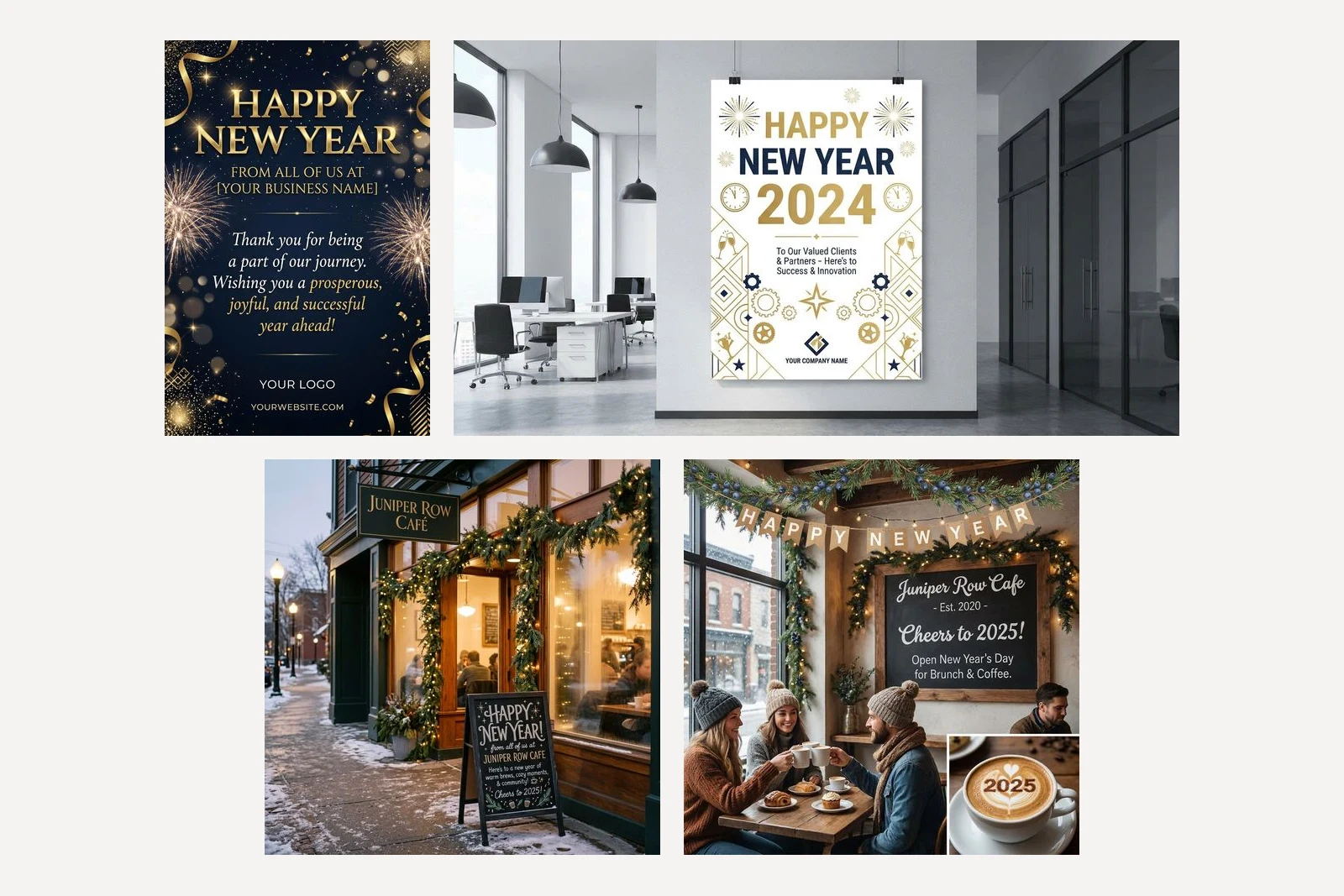
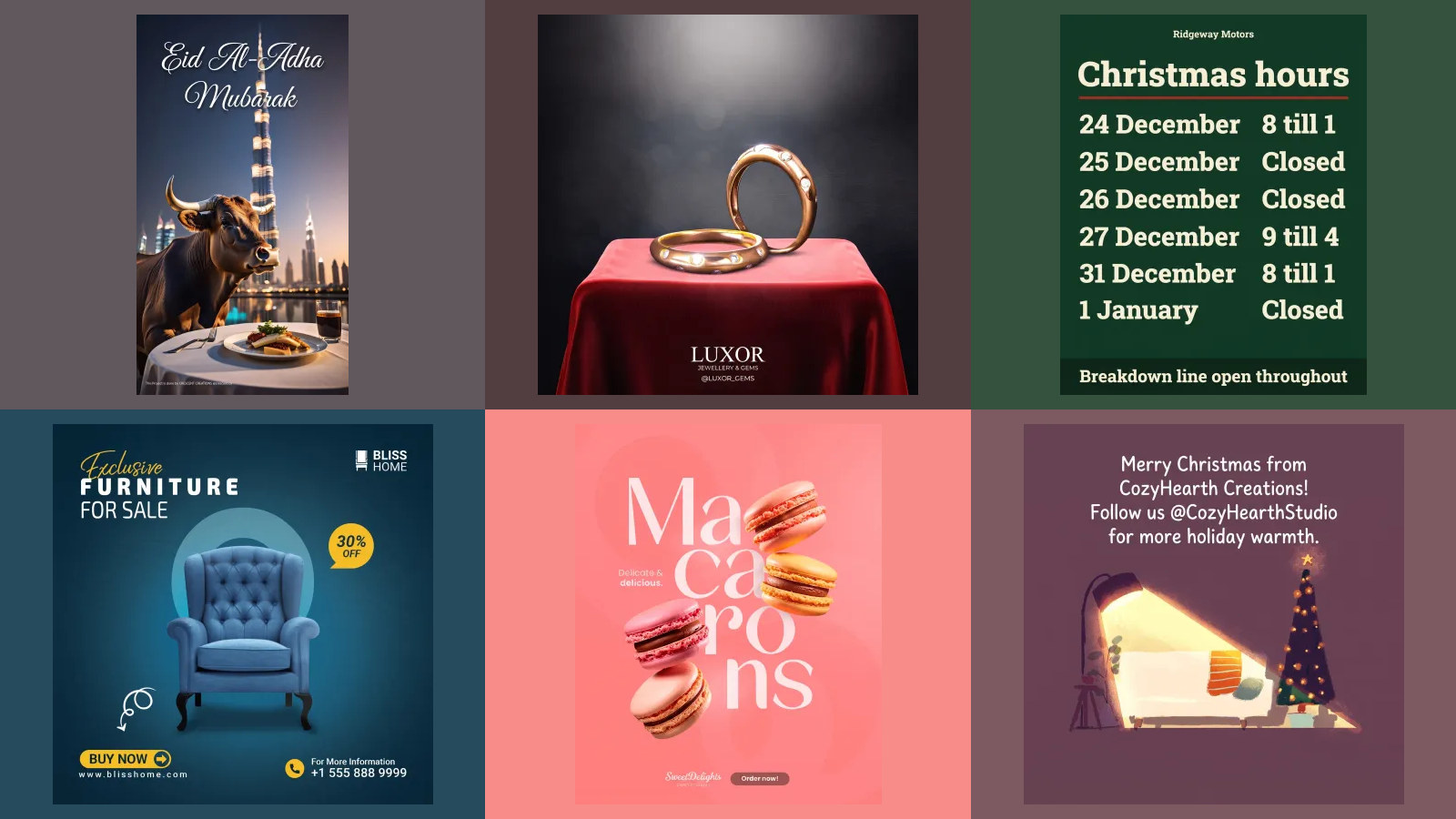
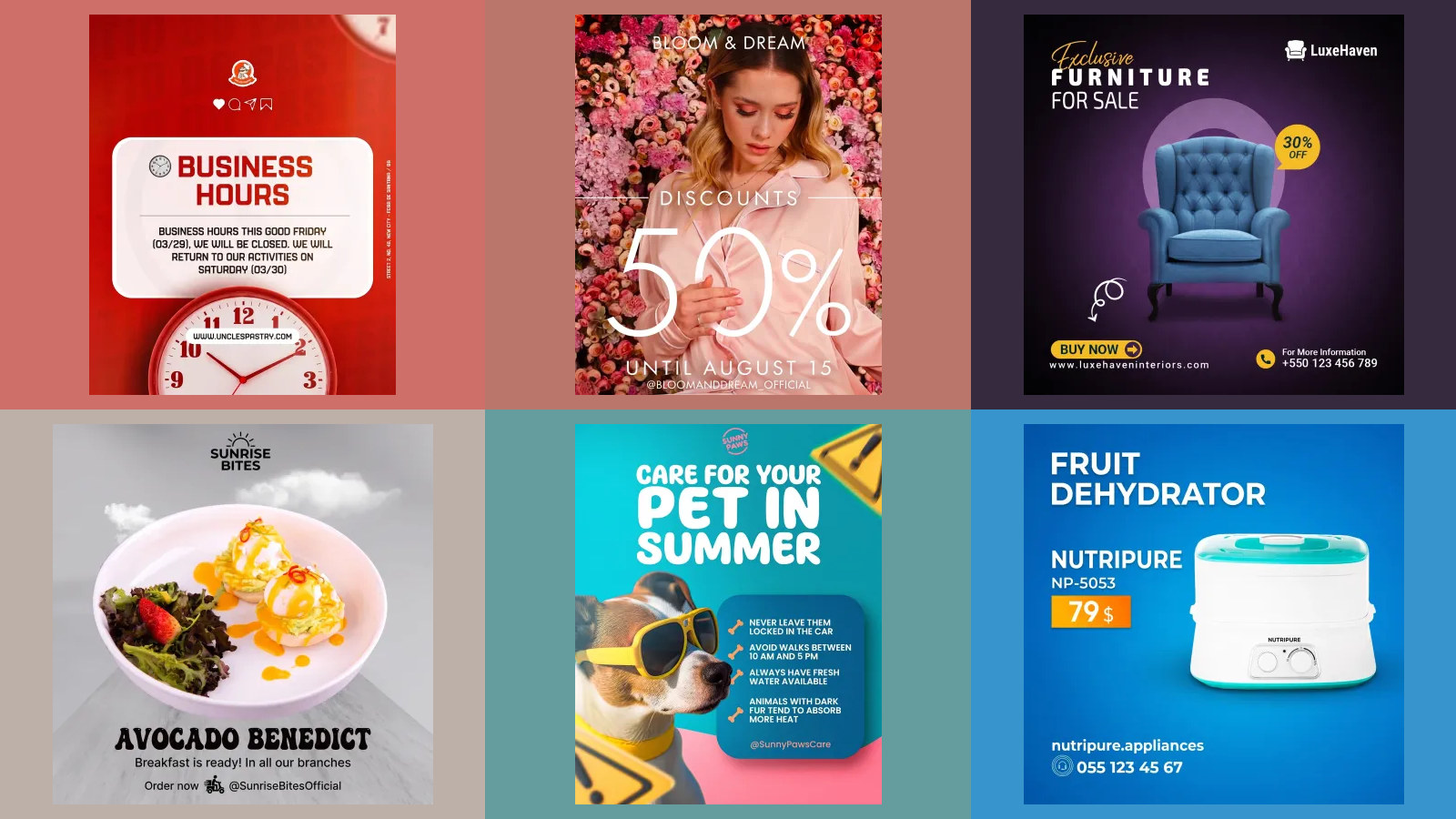
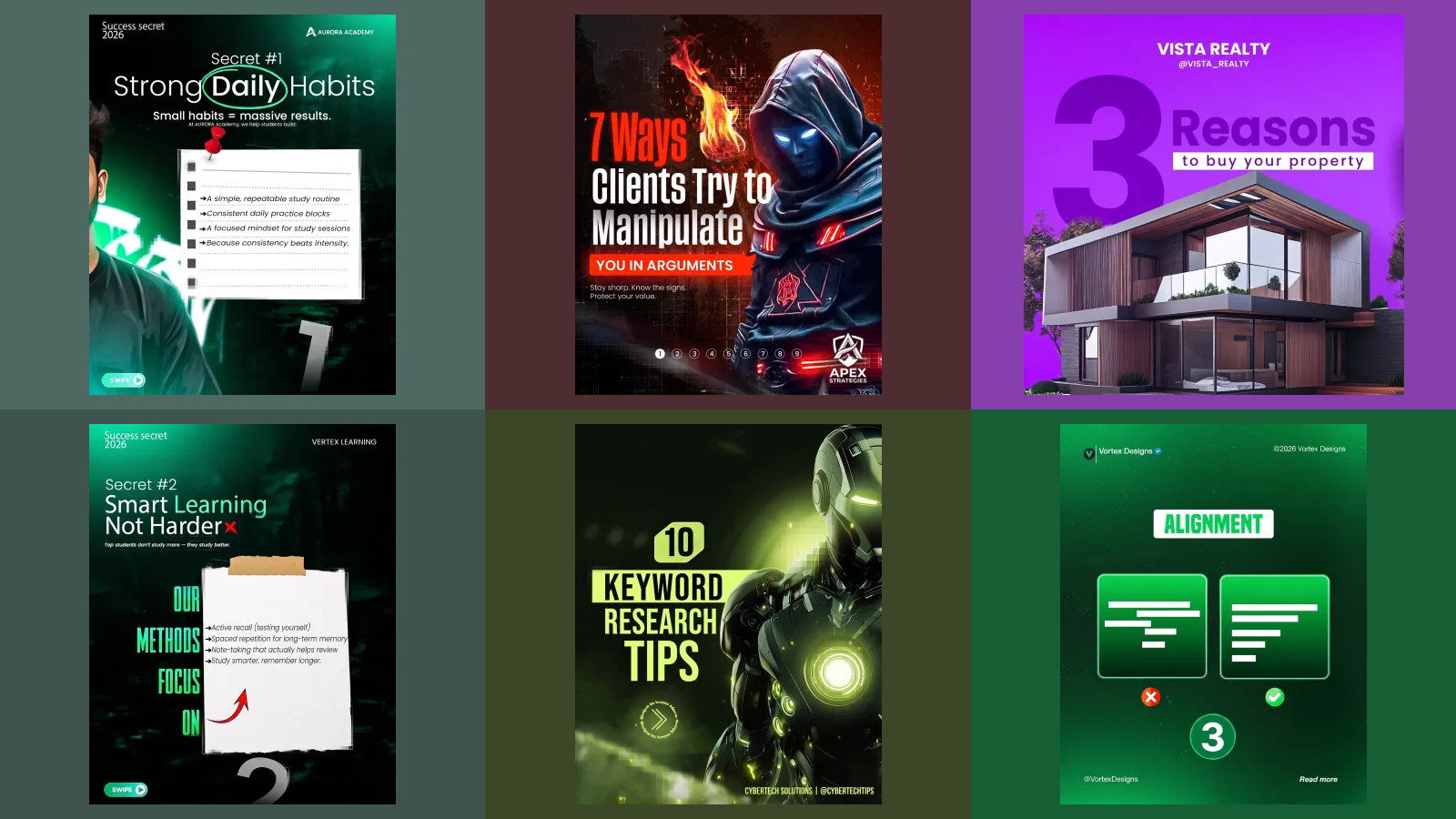
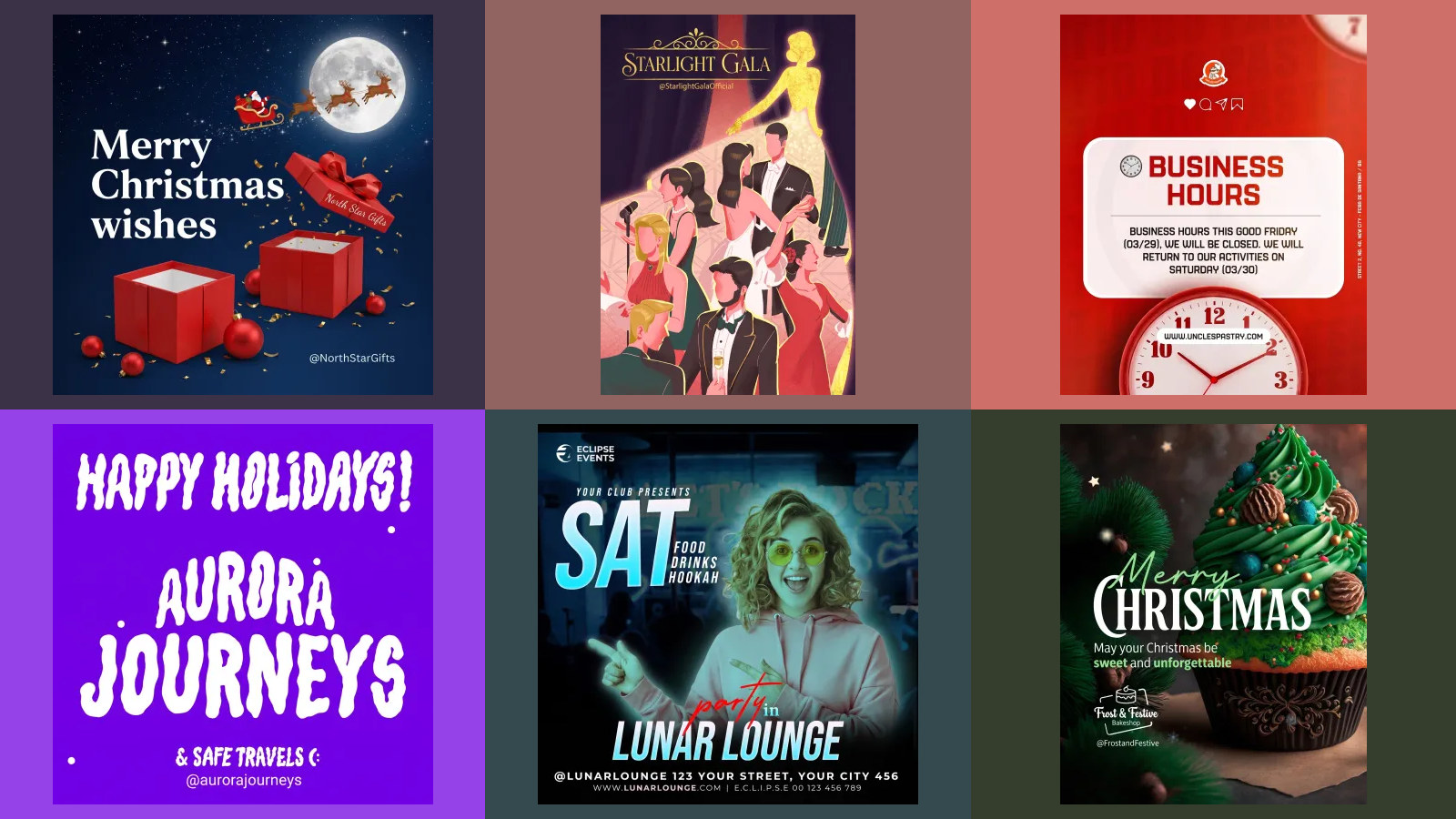
Why the past? We cannot see inside the model, but a reasonable guess is that it draws the year it has seen most often next to the words Happy New Year, and the most recent years in its training data are the ones it has seen. Whatever the reason, the fix costs four characters: type 2027. It also explains a habit worth copying from the gallery greetings above. A greeting with no year cannot be wrong, and it can be posted again next December.
Two smaller things these short prompts show. Google's documentation says the model makes a 1:1 square unless told otherwise, yet the bare prompt came back 848 by 1264 on Nano Banana 2.1 and 1408 by 768 on Pro; neither is the 4:5 an Instagram feed post uses, so set the shape. And two of the four drew fireworks, which you may not want on a cafe's post. Our prompts rule them out; delete that phrase if you want them.
1. A Happy New Year greeting
This is the brief the others build on. It names the business, quotes every word, gives the year twice, says where each part goes, gives each colour a job with a hex code, and says what to leave out. Replace the words in quotes with yours and keep the structure.
Design a square New Year greeting post for a cafe called Juniper Row Cafe. Headline, set very large: "Happy New Year 2027". Under it: "Thank you for every coffee this year. See you in 2027." Under that, small: "Juniper Row Cafe". Picture: two coffee cups touching in a toast, with a little gold confetti. Colours: background midnight navy #14213D, headline gold #E0B44C, other text ivory #FAF6EC. Type: an elegant serif for the headline, a plain sans for the rest. No logo, no fireworks, no clock.
Both models set all three lines exactly, 2027 both times, in a gold serif headline over plain ivory text on navy, with two cups and gold confetti and nothing we had ruled out. Nano Banana 2.1 drew two hands in knitted sleeves holding the cups and set the cafe name in widely spaced letters at the foot; Pro floated a navy cup and a white one with no hands, and put the name directly under the message. Either could be posted as it is. That is the whole difference a quoted year makes.
2. A New Year sale poster
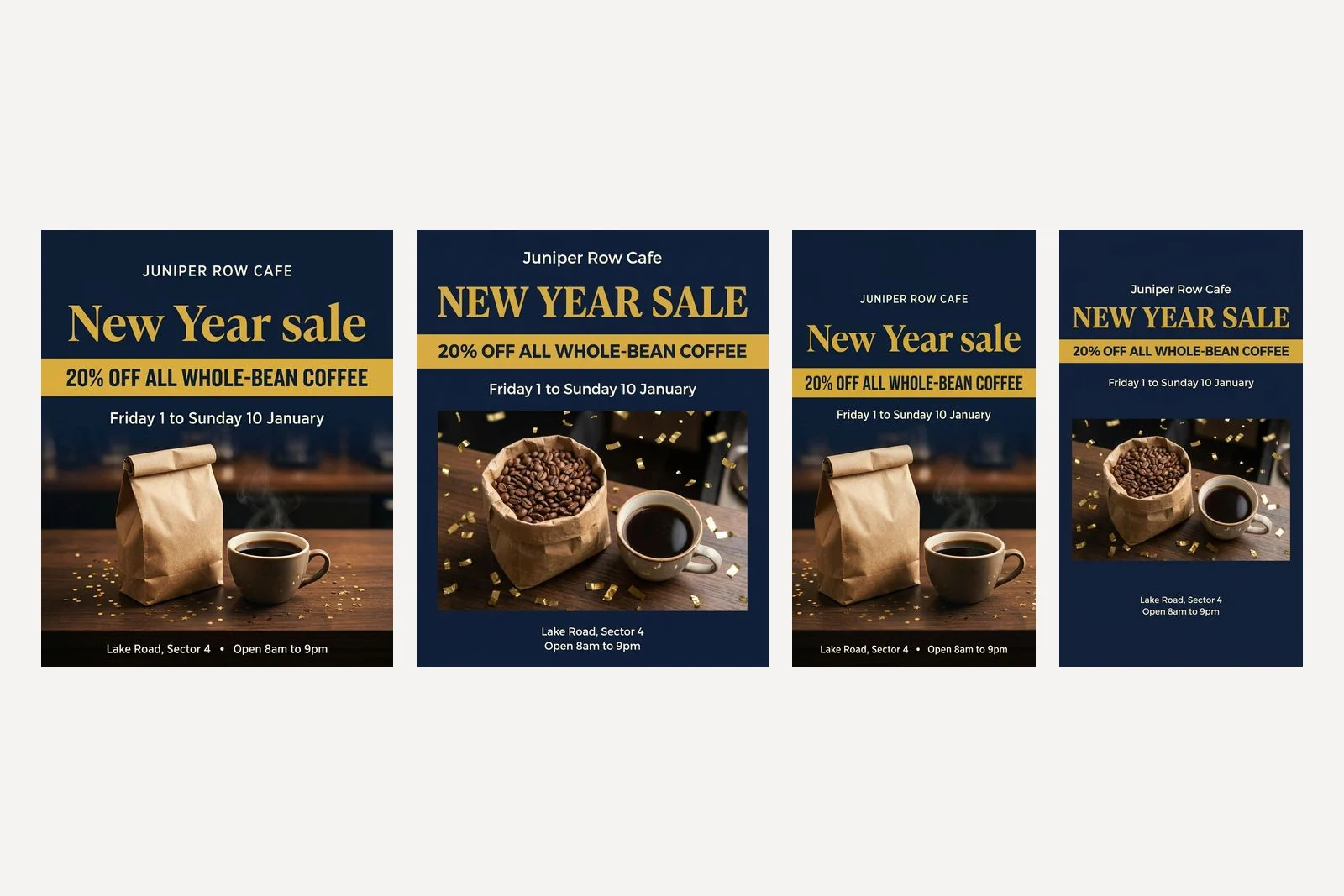
Design a New Year sale poster for an Instagram post for a cafe called Juniper Row Cafe. Shop name as plain type at the top: "Juniper Row Cafe". Headline, set very large: "New Year sale". Offer, in a bold band: "20% off all whole-bean coffee". Under it: "Friday 1 to Sunday 10 January". Footer, small: "Lake Road, Sector 4" and "Open 8am to 9pm". Picture: a bag of coffee beans and a cup of black coffee on a wooden counter, with a little gold confetti. Colours by role: background midnight navy #14213D, headline and offer band gold #E0B44C, all other text ivory #FAF6EC. Type: a bold serif for the headline, a plain sans for everything else. No logo, no fireworks, no clock, no phone number.
Both set every word, in the right order, with the colours in the roles we gave them. The differences were matters of taste. Both set the offer band in capitals. Nano Banana 2.1 also capitalised the shop name and joined the two footer lines with a dot; Pro kept the shop name as written, set the headline in capitals, "NEW YEAR SALE", and stacked the footer. Pro's bag was open and full of beans; Nano Banana 2.1's was a folded paper bag with no beans visible. If capitals matter to your brand, say "in sentence case, exactly as written".
Notice the date line. "Friday 1 to Sunday 10 January" carries a weekday at both ends, and both are right for 2027. A sale that says "Saturday 1 January" sends nobody anywhere, because 1 January 2027 is a Friday and the customer cannot tell which half to believe. The same habits, tested on twelve shop posters, are in Gemini prompts for poster design.
3. Holiday opening hours
The most useful post a business makes over the holidays is often the least festive one: when you are open. Six rows covering Christmas and New Year, weekdays included, closed days in a second colour.
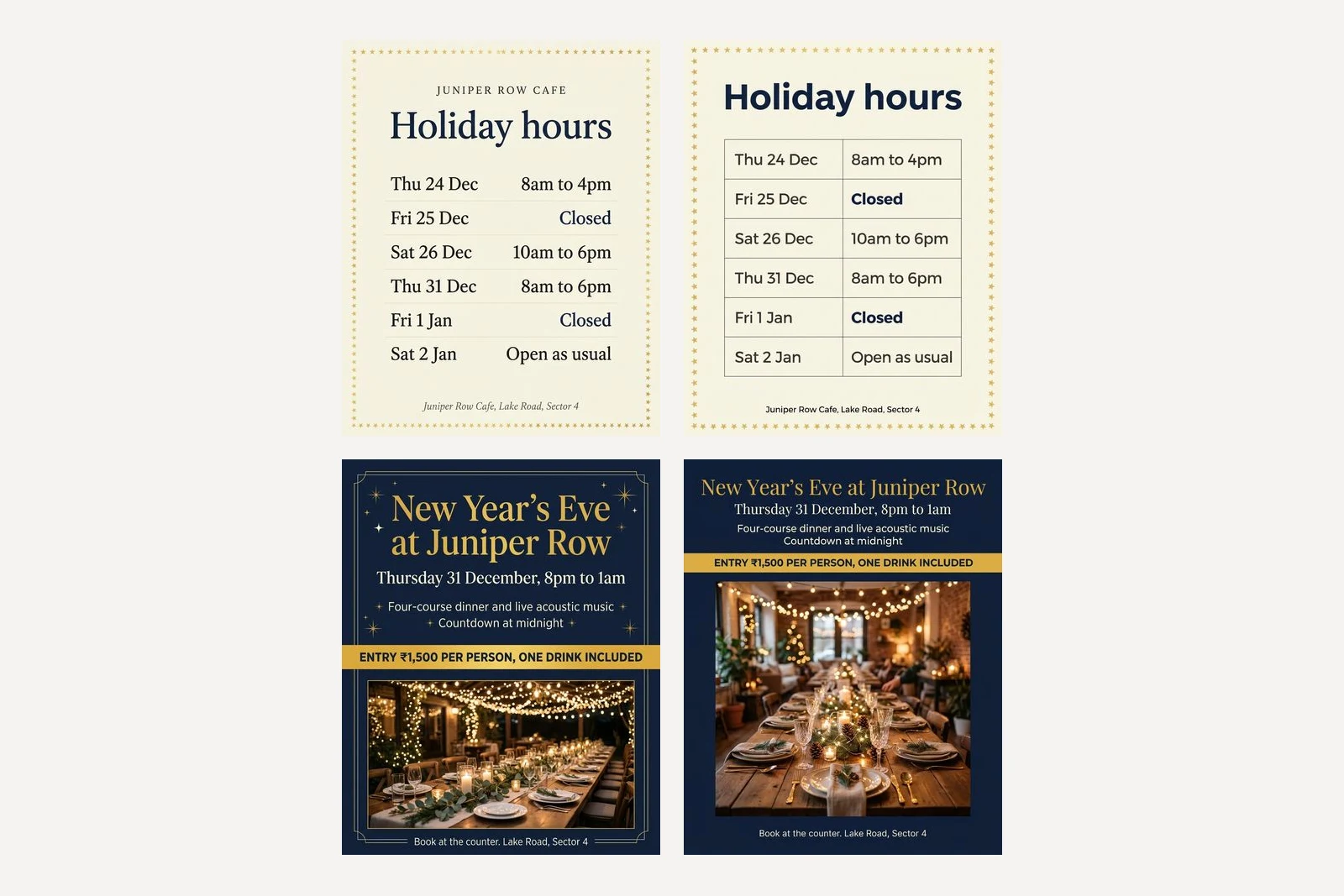
Design an Instagram post announcing holiday opening hours for a cafe called Juniper Row Cafe. Title, large: "Holiday hours". Then a table of six rows, exactly these, day on the left and hours on the right: "Thu 24 Dec" "8am to 4pm", "Fri 25 Dec" "Closed", "Sat 26 Dec" "10am to 6pm", "Thu 31 Dec" "8am to 6pm", "Fri 1 Jan" "Closed", "Sat 2 Jan" "Open as usual". Footer, small: "Juniper Row Cafe, Lake Road, Sector 4". A thin border of small gold stars. Colours: background ivory #FAF6EC, title and "Closed" in midnight navy #14213D, other text charcoal #2B2B2B, stars in gold #E0B44C. No logo.
Both models set all six rows exactly, with "Closed" in navy both times. Nano Banana 2.1 drew a classic serif list with thin rules and added the cafe's name above the title, which we had not asked for and which does no harm. Pro drew a ruled table in a sans serif and set the two closed days in bold. In our Diwali test the same kind of table on Pro printed "Open as usual" twice in its last row; this time it did not, which is a reminder that one run is one run, and that the last row is the one to read twice.
Write the days the way your customers say them. "Thu 24 Dec" reads naturally in Britain and India; in the United States you may want "Thu, Dec 24". Six rows held on both models here and in our flyer test; in the Diwali test Pro repeated its last row. If your holiday runs to ten different days, make two posts.
4. A New Year's Eve dinner or party
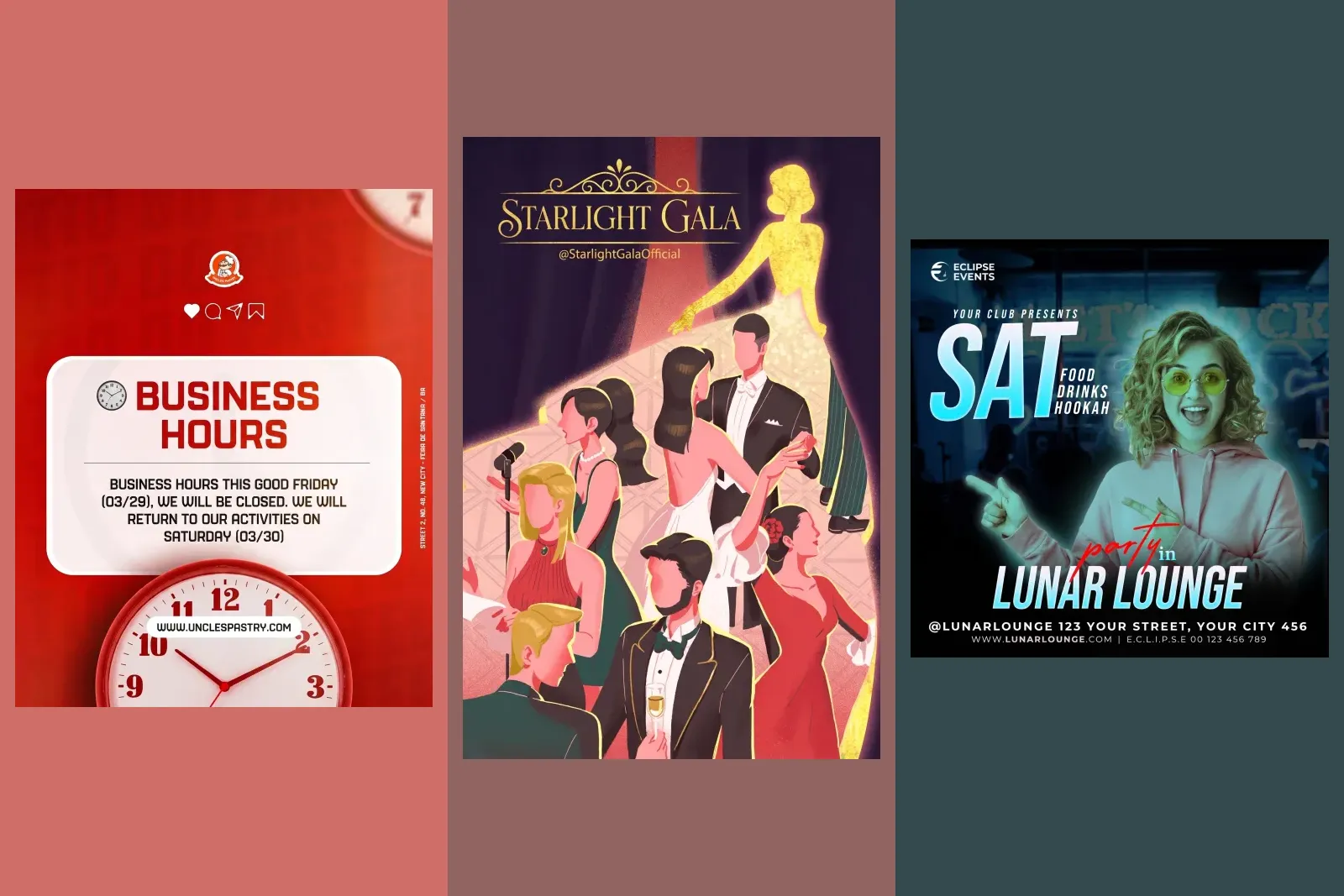
Design an Instagram post for a New Year's Eve dinner at a cafe called Juniper Row Cafe. Headline, large: "New Year's Eve at Juniper Row". Under it: "Thursday 31 December, 8pm to 1am". Then two lines: "Four-course dinner and live acoustic music" and "Countdown at midnight". In a bold band: "Entry ₹1,500 per person, one drink included". Footer, small: "Book at the counter. Lake Road, Sector 4". Picture: a long table set for dinner under warm string lights. Colours: background midnight navy #14213D, headline and band gold #E0B44C, other text ivory #FAF6EC. No logo, no phone number, no people's faces.
Both set every line, the ₹ sign and the comma in ₹1,500, and both set the price band in capitals. Nano Banana 2.1 framed the whole post in a thin gold rule with small stars and drew a long table under strings of lights. Pro drew an indoor room with a Christmas tree in the background and pine cones down the table, and a blurred figure seated near the back. That is not a face, so it kept the letter of the rule, but a Christmas tree on a New Year's Eve post is a small mismatch a regular will notice. If it matters, say "no Christmas decorations".
Two choices in this prompt are deliberate. "Book at the counter" replaces a phone number, because a model that is not given one may supply one, and in our Diwali test Pro printed a ten digit mobile number that could belong to a stranger. And the price includes what it buys, "one drink included", because a ticket price on its own invites the question in the comments.
5. Our year in numbers
A thank you post with figures in it says more than "thank you for your support", and it is the one New Year post nobody else in your street will make. It is also the one where a single wrong digit makes the whole thing look careless, so we gave it four.
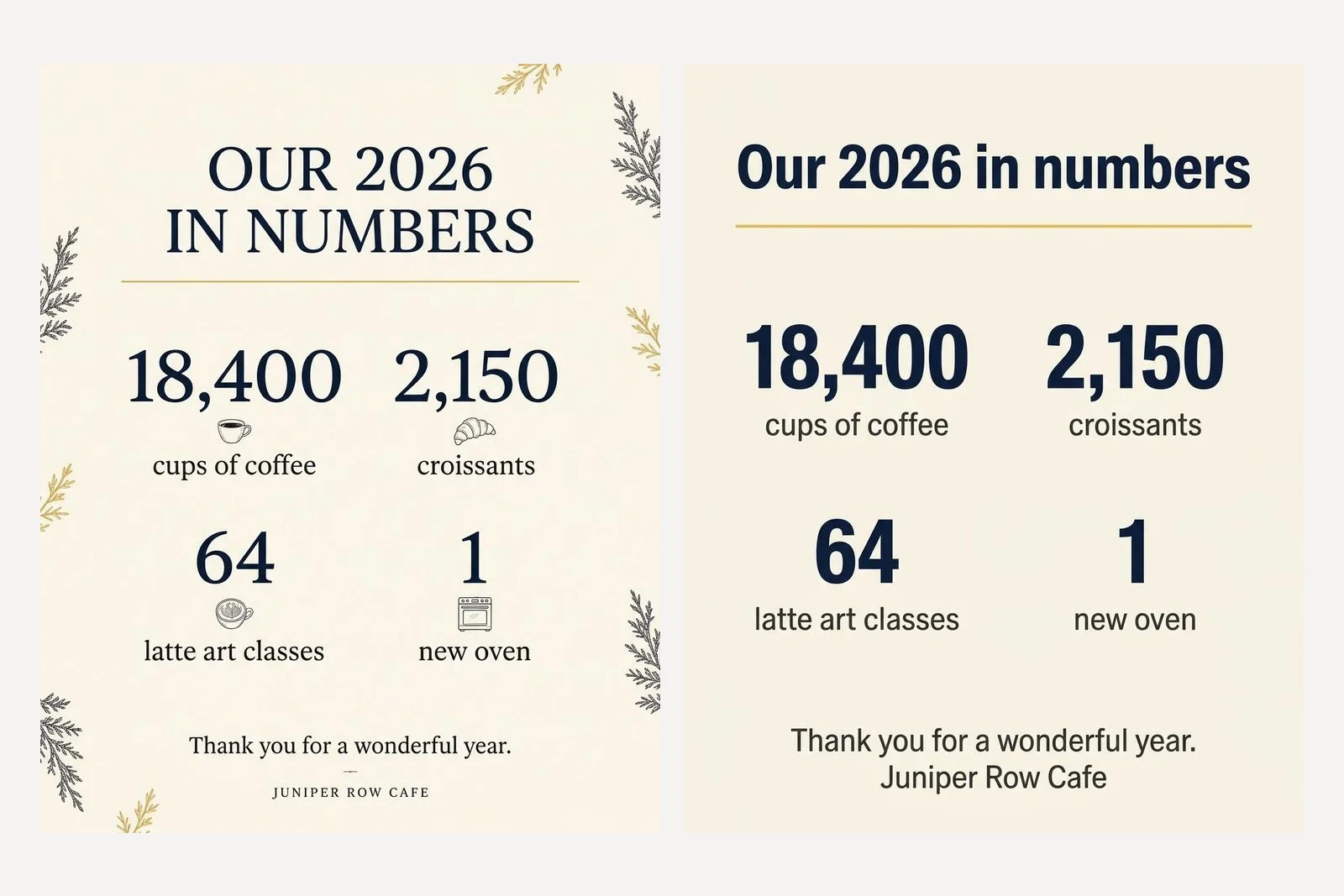
Design an Instagram post for a cafe called Juniper Row Cafe thanking customers for the year. Title, large: "Our 2026 in numbers". Then four figures, each very large with its label underneath, exactly these: "18,400" "cups of coffee", "2,150" "croissants", "64" "latte art classes", "1" "new oven". Footer: "Thank you for a wonderful year. Juniper Row Cafe". Colours: background ivory #FAF6EC, figures midnight navy #14213D, labels and footer charcoal #2B2B2B, one thin gold #E0B44C rule under the title. No logo, no pictures of people.
All four figures and all four labels were exact on both models, commas included, in a two by two grid. Nano Banana 2.1 set the title in capitals, added a small line drawing above each label, a cup, a croissant, a latte and an oven, and scattered sprigs of greenery round the edges. Pro set it plainly in a heavy sans with nothing added. Note that this post says 2026, not 2027: it is about the year that is ending, so it goes out in the last week of December, before the greeting.
Use numbers you actually have. A till or a booking system will give you most of them in a minute, and a round invented number is the one thing on this post a customer could catch you out on.
6. A New Year greeting in Hindi
Google publishes a short list of languages its image models handle best, and Hindi is on it: "For best performance, use the following languages: EN, ar-EG, de-DE, es-MX, fr-FR, hi-IN, ...". We tested a greeting in Devanagari, with the year inside the Hindi line.
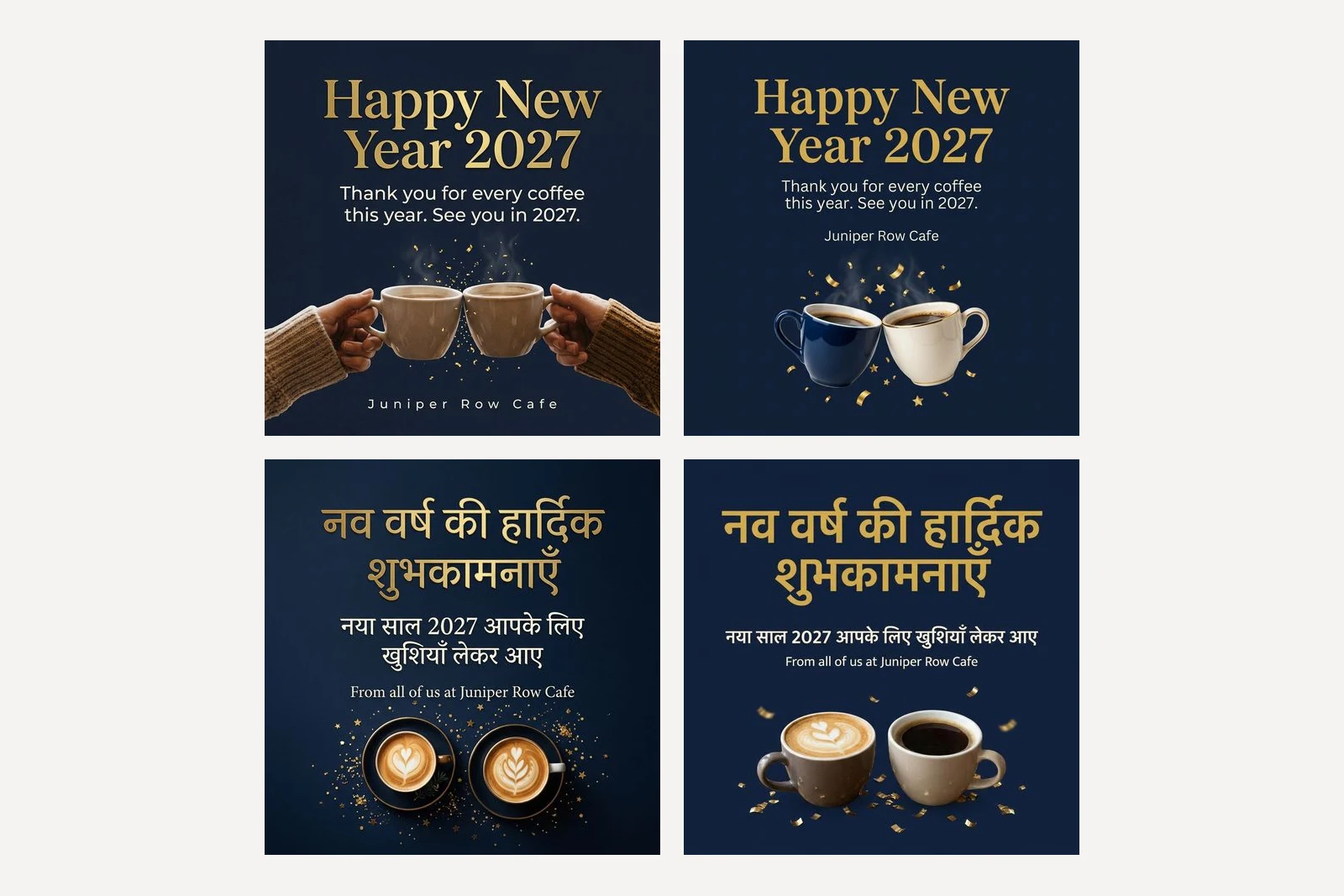
Design a square New Year greeting post for a cafe called Juniper Row Cafe. Headline in Hindi, in Devanagari script, set very large and exactly as written: "नव वर्ष की हार्दिक शुभकामनाएँ". Under it, in Hindi, exactly as written: "नया साल 2027 आपके लिए खुशियाँ लेकर आए". Under that, in English, smaller: "From all of us at Juniper Row Cafe". Picture: two coffee cups and a little gold confetti. Colours: background midnight navy #14213D, headline gold #E0B44C, other text ivory #FAF6EC. No logo, no fireworks.
Nano Banana 2.1 set both Hindi lines exactly as typed, including the chandrabindu on शुभकामनाएँ and खुशियाँ, and Tesseract's Hindi model read every word back unchanged. Pro set the second line and the English line correctly, but Tesseract read its headline word हार्दिक as हार्ट्रिक. At full size the letter under the reph is drawn with an extra stroke. We are not native readers and cannot say how much a Hindi reader would notice it, so treat it as a flag, not a verdict: show the poster to someone who reads Hindi before it goes out.
Three things made this prompt work, as they did for our Diwali greetings. The Hindi is typed in Devanagari, not transliterated as "Nav varsh ki hardik shubhkamnayein", which would leave the model to guess the spelling. The prompt says which script it is in. And each line is in its own quotation marks.
7. The same sale as a Story or WhatsApp Status
A Story and a WhatsApp Status are both 9:16, and both have bars over the top and bottom of the screen: the account name at the top and a reply box at the bottom. Send this in the same chat, straight after prompt 2, with the shape set to 9:16:
Now make this same poster as a vertical Story, keeping every word, colour and the picture. Keep all text away from the top and bottom eighth of the image.
Both kept every word, every colour and the same picture. Both missed the bottom. On a 768 by 1376 image the bottom eighth starts at row 1204. Nano Banana 2.1 kept the top clear, with its first line of text at row 204, but set the address and opening hours at the very foot, ending at row 1336, deep inside the strip the reply box covers. Pro started its first line exactly on the top line, at row 172, and ended its footer at row 1215, eleven pixels past the bottom one. That is the same result as our Diwali Status test: the instruction is followed loosely, not measured.
The fix is cheap: look at the Story on your own phone before you post it, with the bars showing. If the footer hides behind the reply box, ask for the text to move up in the same chat. Our guide to the Instagram safe zone has Meta's exact margins if you want to check a file by number.
When should a business post its New Year posts?
In the order a customer needs them, which is not the order they are fun to make. The holiday hours go first, in mid December, because people plan around them, and again on 23 or 24 December as a reminder. A New Year's Eve dinner needs two to three weeks if you want the tables full. The year in numbers goes out between Christmas and 31 December, while it is still that year. The sale and the greeting go out on 1 January or the evening before.
| Post | When to post it | Prompt |
|---|---|---|
| Holiday hours | Mid December, again on 23 or 24 December | 3 |
| New Year's Eve dinner or party | Early December | 4 |
| Our year in numbers | Between 26 and 30 December | 5 |
| New Year sale | 31 December or 1 January | 2 and 7 |
| Happy New Year greeting | 1 January, or the evening of 31 December | 1 or 6 |
If you are also posting for Christmas, Christmas social media posts for small business has the 2026 dates and the posts that go before these.
Which Gemini model should you use for New Year posters?
On this run, either, with a slight edge to Nano Banana 2.1 for anything in Hindi. With every word quoted, both set every English line of all seven briefs correctly, and both took 14 to 24 seconds per image. Nano Banana 2.1 tends to add small decorations you did not ask for, drawings, greenery, the shop name above a title, and to set things in capitals. Pro is plainer, though it too set the sale headline in capitals, and it added a Christmas tree to a New Year's Eve dinner, drew one Hindi letter with an extra stroke, and on the short prompts it was the one that invented the most: a 2024 poster in a photograph of an office, a founding year and an opening day.
That is one run of each, so treat it as a tendency, not a law. The rule that matters holds on either model: the year, the dates and the prices are yours to type, never the model's to choose.
Frequently asked questions
What is a good Gemini prompt for a New Year poster?
Name your business, type the year, put every word that should appear in quotation marks, say where each part goes, give each colour a job with a hex code, and say what to leave out. Our prompt 1 does that for a Happy New Year 2027 greeting, and both Nano Banana 2.1 and Nano Banana Pro set every word and the year exactly.
Why did Gemini put 2024 or 2025 on my New Year poster?
Because the prompt did not give it a year. In our test, a New Year prompt with no year came back with Happy New Year 2024 on Nano Banana Pro and Cheers to 2025 on both Nano Banana 2.1 and Pro. None chose 2027. Type the year inside the quoted headline and it is set correctly.
What day of the week is New Year's Eve 2026?
Thursday 31 December 2026. New Year's Day 2027 is a Friday, and Christmas Day 2026 is also a Friday. Put the weekday next to every date on a poster and check each pair against a calendar.
Can Gemini write a New Year greeting in Hindi?
Yes. Type the Hindi in Devanagari inside quotation marks and say it is Hindi. Nano Banana 2.1 set नव वर्ष की हार्दिक शुभकामनाएँ and a second line with 2027 in it character for character. Nano Banana Pro drew one letter in हार्दिक with an extra stroke. Have someone who reads Hindi check the poster before you post it.
Can Gemini make a holiday opening hours post?
Yes, if you give it every row. Our prompt 3 lists six days from 24 December to 2 January with their hours, and both Nano Banana 2.1 and Pro set all six rows exactly, with the closed days in a second colour. Read the last row twice: in an earlier test Pro printed one phrase twice there.
Which is better for New Year posters, Nano Banana 2.1 or Nano Banana Pro?
In our run they were close. Both set every quoted English word on all seven prompts. Nano Banana 2.1 got the Hindi exactly right and added small decorations of its own; Pro was plainer but drew one Hindi letter with an extra stroke and added a Christmas tree to a New Year's Eve dinner. It was a single run per prompt, so if one comes back wrong, try the other.
How we researched this
- Every prompt on this page was sent through Google's developer API on 9 November 2026 to gemini-nano-banana-2.1 and gemini-3-pro-image, which Google calls Nano Banana 2.1 and Nano Banana Pro. Each prompt ran once per model at the default 1K size, 18 images in all, and the picture that came back is the picture described. Nothing was regenerated until it looked better and nothing was retouched. One run per prompt is a sample of one: a second run can come back different, better or worse.
- The two short prompts in the first section are there to show what a model does when it is left to decide; the seven numbered prompts are the ones we recommend. Juniper Row Cafe is a business we invented, so that no real cafe's name ends up on a picture it did not approve, and no prompt contains a phone number. Every weekday in the prompts was checked against a calendar before the run.
- Prompts 1 and 6 ran at 1:1, prompts 2 to 5 at 4:5 and prompt 7 at 9:16, set in the API's aspect ratio setting rather than in the words; the bare prompt ran with no shape set, and the second short prompt at 1:1. Pixel sizes were read from the files. Whether the Story kept its text out of the top and bottom eighth was measured on the file, by finding the first and last rows of light text pixels, not judged by eye.
- We do not read Hindi well enough to judge the wording, so we checked that each model set the words we gave it: both Hindi images were read back with Tesseract's Hindi model and compared with the prompt, and the one word that differed was then checked by eye at full size. The scripts that ran and composed all of this are in our repository as scripts/_gemini-new-year-tests.mjs and scripts/_compose-new-year-tests.mjs.
Sources