Christmas social media posts for small business: 12 that tell customers something
We read 46 Christmas post designs from Behance's most appreciated decks. 23 were greetings or pictures and none gave opening hours or a last day to order, which is what customers actually ask in December. Here are 12 posts that answer them, with the 2026 dates to put on them.
Search for Christmas social media post ideas and the top lists open the same way: a greeting, Christmas hashtags, trivia, a contest. Where hours appear at all, they come near the bottom. We think that order is upside down, and we counted to check.
Our articles are still written by humans!
Get human written articles in your Google feed.
What do Christmas social media posts usually say?
We took the most appreciated Christmas and holiday decks on Behance, the site where designers show their best social media work, and sorted every post-shaped frame by what it tells a customer. Designers vote with appreciations, so this is the work the profession holds up as good.
| What the post says | Posts | Example |
|---|---|---|
| A greeting or a picture, little else | 23 of 46 | "Merry Christmas" over a bauble, a car or a cupcake |
| A product or an offer | 13 of 46 | "Up to 25% off, only this week" |
| A party or event, with a date | 7 of 46 | "Christmas party, 24 Dec, 6 PM" |
| Something else (tips, a grid, a pattern) | 3 of 46 | Beard care tips, a collage |
| Opening hours or closing days | 0 of 46 | |
| A last day to order or to ship | 0 of 46 |
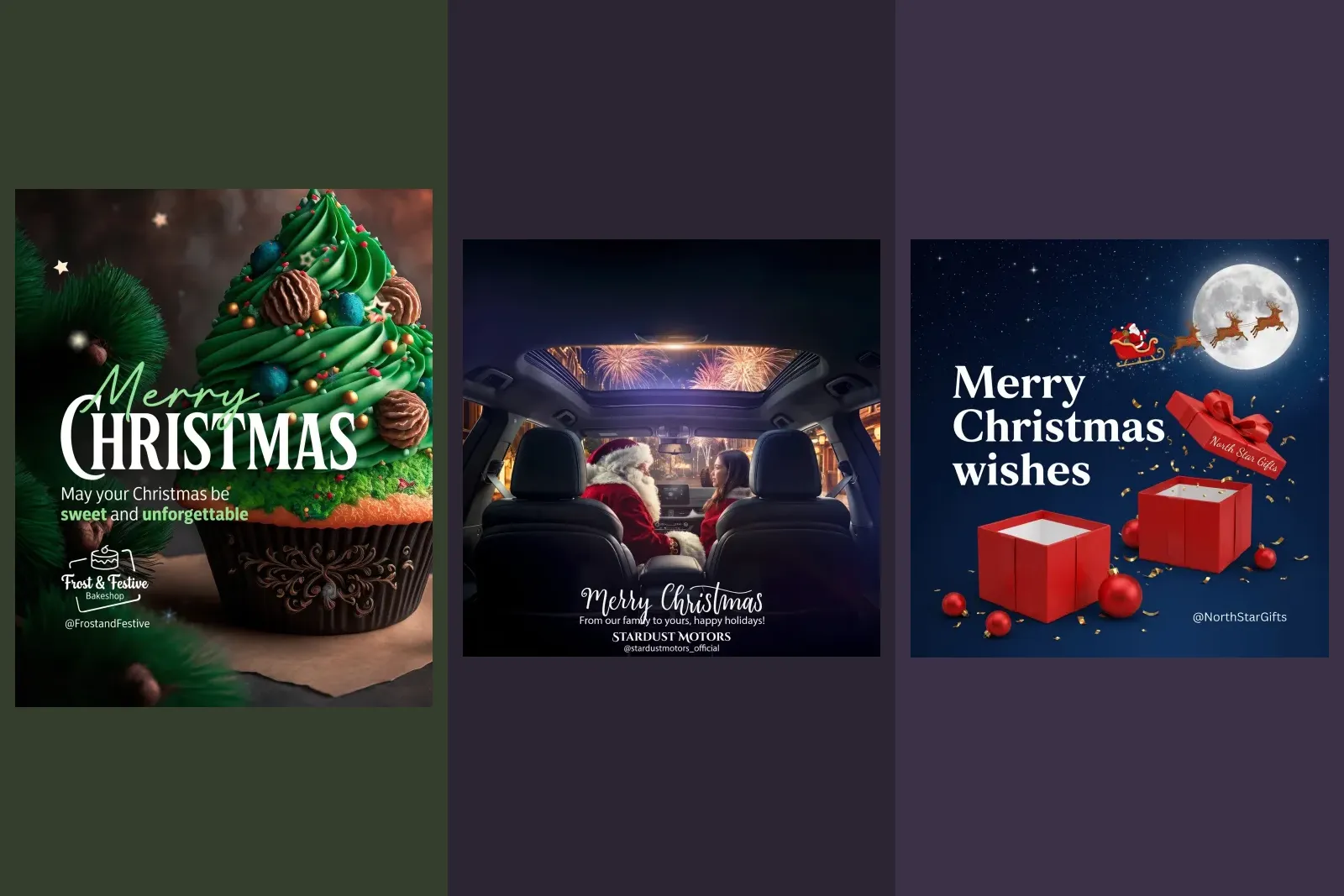
There is nothing wrong with any of these designs. The problem is what they leave out. A greeting tells a follower you exist. It does not answer the question that sends people to your profile in December, which is a practical one: are you open on the 24th, and if I order today, will it arrive? We made the same argument for restaurants, plumbers and construction firms: the holiday post people screenshot is the one with the hours on it.
Which dates go on a Christmas post in 2026?
Start with the calendar, because most of the useful posts below are a date with a sentence attached. Check every weekday against the date before you post it.
| Date | Day | What it is | Post |
|---|---|---|---|
| 26 November | Thursday | Thanksgiving (US) | Hours if you close |
| 27 November | Friday | Black Friday | Your offer, with its end date |
| 28 November | Saturday | Small Business Saturday | You are open, and what is on |
| 30 November | Monday | Cyber Monday | Online offer, if you sell online |
| 1 December | Tuesday | Giving Tuesday | Only if you really give something |
| 17 December | Thursday | USPS Ground Advantage and First-Class Mail cutoff | Last day to order for delivery |
| 18 December | Friday | USPS Priority Mail cutoff | Last day with faster shipping |
| 19 December | Saturday | USPS Priority Mail Express cutoff | Last recommended day, Priority Mail Express |
| 24 December | Thursday | Christmas Eve | What time you close |
| 25 December | Friday | Christmas Day | Closed, and when you are back |
| 26 December | Saturday | Boxing Day (UK, Canada), with the UK bank holiday moved to Monday 28; Kwanzaa begins | Sale or returns, if you open |
| 31 December | Thursday | New Year's Eve | Early close, bookings |
| 1 January 2027 | Friday | New Year's Day | Closed, back on |
The shipping dates are the ones to get right, because they are the ones a customer acts on. This is the table on the USPS page, row for row:
| USPS service | Send by (lower 48) |
|---|---|
| USPS Ground Advantage | Thursday, Dec. 17 |
| First-Class Mail | Thursday, Dec. 17 |
| Priority Mail | Friday, Dec. 18 |
| Priority Mail Express | Saturday, Dec. 19 |
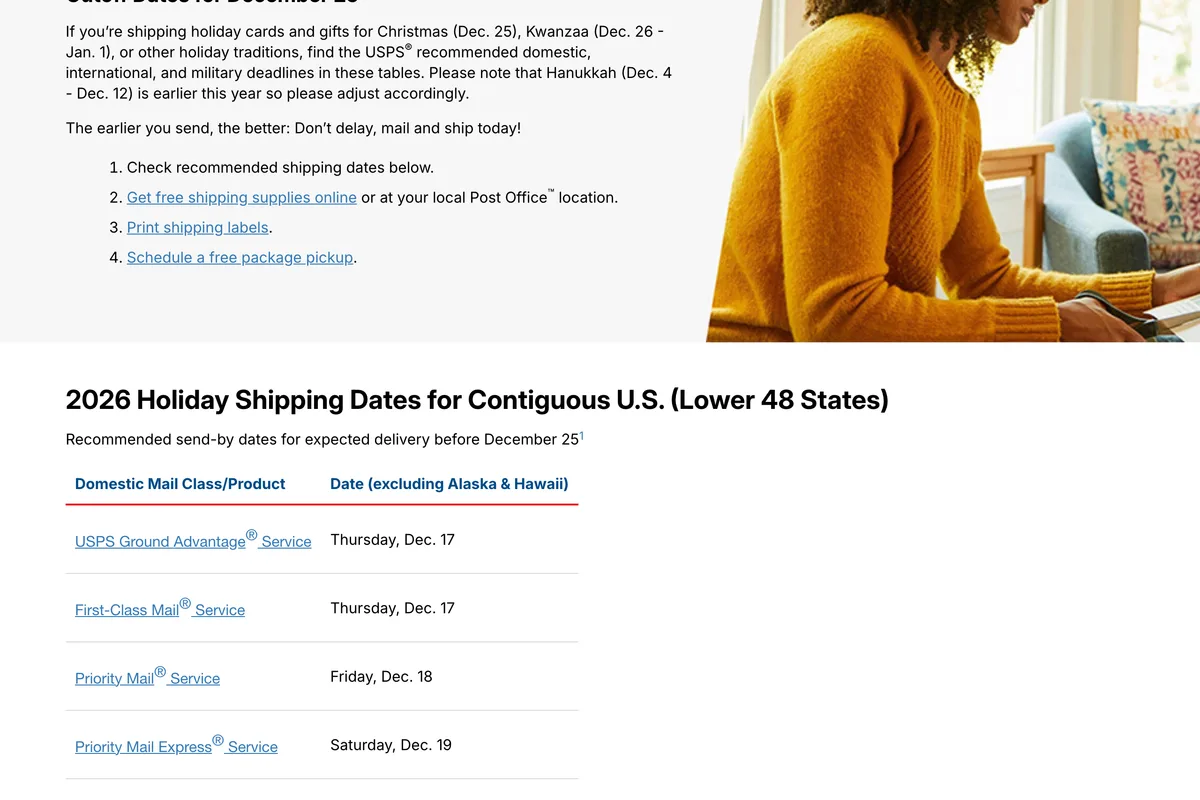
Two warnings. These are recommendations, not guarantees, so put a day of margin on your own post: say order by the 16th if you ship Ground Advantage. And if you ship with UPS or FedEx, or deliver yourself, use their dates or your own, not these.
Twelve Christmas posts worth making
In rough order of how much they matter. The first three are the ones we would make even if we made nothing else.
1. Your Christmas hours, one row per date
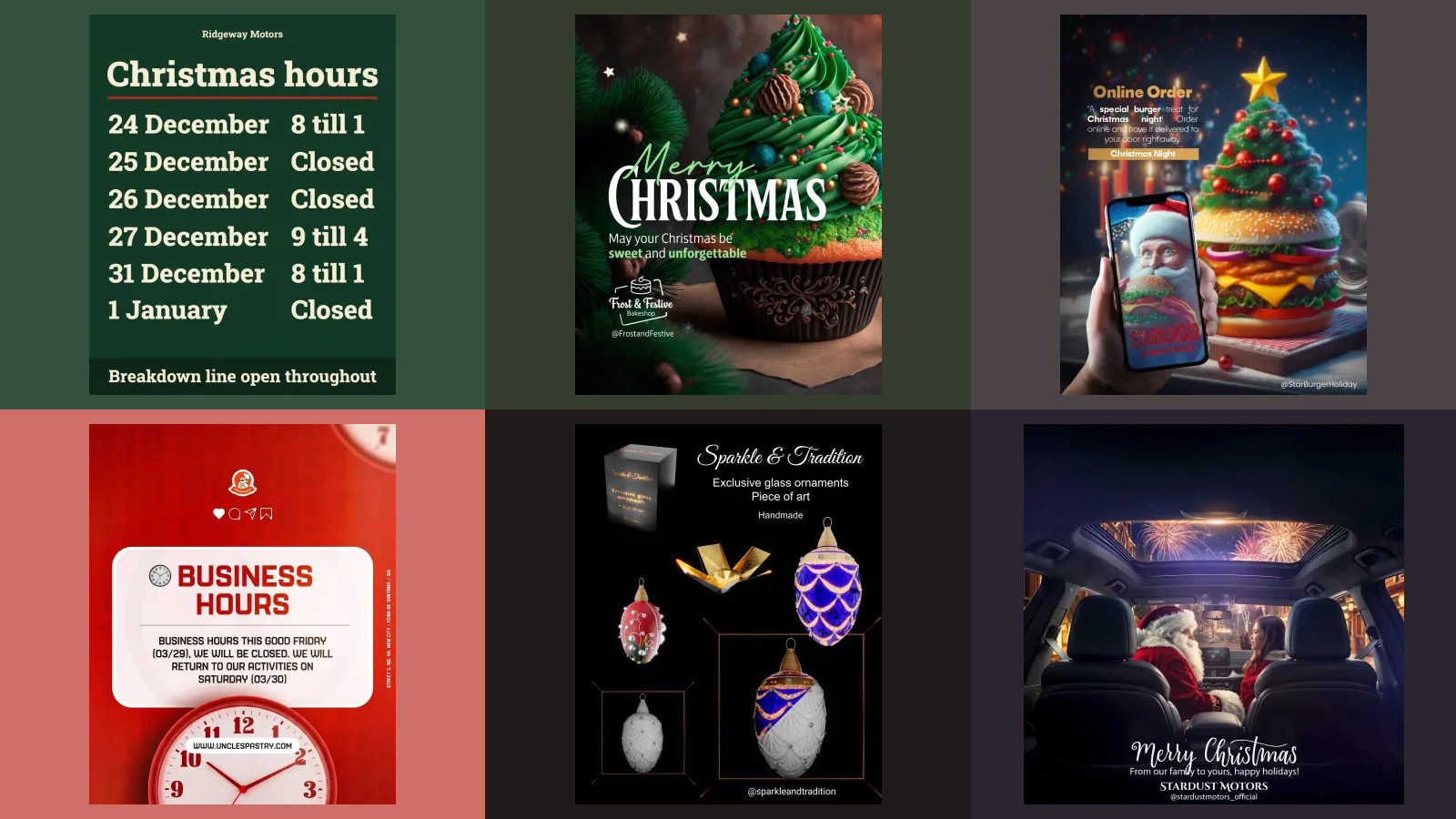
One line per day from the 24th to the 27th, then the 31st and the 1st, with the hours or the word Closed. A table, not a paragraph: people read it in two seconds and screenshot it. If something stays open throughout, an emergency line or online orders, say so in the last line.
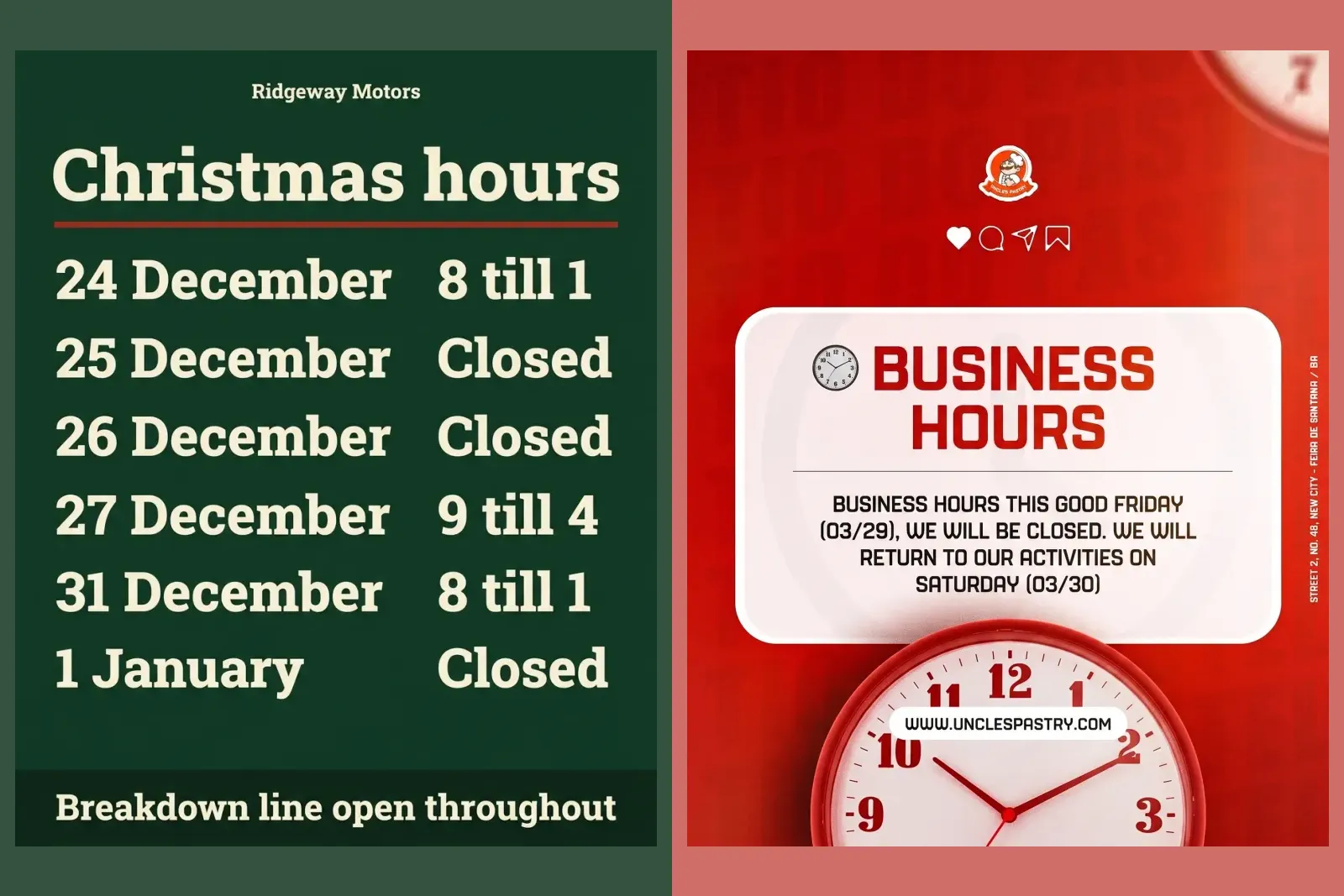
If you make it with Gemini, this is the prompt that produced the table above. It sets the words and rows exactly, so the model has nothing to invent. Change the business, the dates and the hours, and check the weekday of every date before you post:
Design a 4:5 Instagram post that is a notice of holiday opening hours for a garage called Ridgeway Motors. Title: "Christmas hours". Rows, exactly these, day on the left and hours on the right: "24 December 8 till 1", "25 December Closed", "26 December Closed", "27 December 9 till 4", "31 December 8 till 1", "1 January Closed". Footer: "Breakdown line open throughout". Dark green background #173B2C, cream type #F3EBDD, one thin red rule #B8342C under the title. One typeface, a sturdy slab serif. No illustration, no holly, no snow, no logo; business name as small type at the top.
We ran it once and every row came back right, which is in our Gemini poster prompts with the rest of that test. Once is not always. Read every digit before you post it.
2. The last day to order
If you ship, this is the most valuable post of the month, because it creates its own deadline: order by Wednesday 16 December for delivery before Christmas. Post it a week before, then again on the day. If customers collect, give your own last date for collection and the last time on Christmas Eve.
3. Gift cards, for everyone who missed the deadline
The day after your shipping cutoff, the useful post is the one thing that still arrives in time: a gift card, sent by email or picked up. Say where to buy it, the smallest amount, and how it is delivered. This is the post that sells something on the 23rd.
4. Small Business Saturday, 28 November
The Saturday after Thanksgiving. Say you are open, your hours that day, and the one thing worth coming in for. If you are part of a local event, name the street and the time. American Express runs Small Business Saturday and owns its logo, so use the name in your text but do not borrow the logo unless you have their materials.
5. A gift guide from your own stock
A carousel, one product per slide, each with its price. Three price points is enough: under $25, under $50, the special one. Real products and real prices beat a styled flat lay with no numbers, because the post has to answer what the follower is really asking, which is what to buy.

6. Bookings for the season
Restaurants, salons, gyms, anyone who takes appointments: what you still have, and how to book it. "Four tables left for 18 December" is a post people act on. Only say it if it is true; scarcity you invent is the fastest way to teach followers to ignore you.
7. Open on Christmas Eve, until when
Christmas Eve is a Thursday this year, and many people work it. The post is a time: open until 2 on the 24th. It is also a reason to come in that morning.
8. Closed, and back on
If you close between Christmas and New Year, say the first day you are closed and the first day you are back, in that order. Being open on a holiday is only useful if you say the hours.

9. The emergency number
For trades, garages, vets and anyone who gets calls when things break: the number that works over the holiday, and the hours it is answered. Pin it. This is the post people save, and the reason to follow a plumber at all.
10. Thank you, with a number in it
If you post a thank you, make it specific. "Thank you for 312 Christmas cakes this year" is a story; "thank you for your support" is wallpaper. Use the real number or skip the post.
11. Returns, exchanges and the sale after Christmas
On the 26th or the first day you reopen: how long people have to exchange a gift, whether they need a receipt, and when your sale starts and ends. It answers the question a gift recipient has, which is how to swap the wrong size.
12. New Year hours, and the first day back
New Year's Eve is a Thursday and New Year's Day a Friday, so many businesses will close on the 1st and open again on Saturday the 2nd or Monday the 4th. Say which. It is the last post of the season and the first thing a customer checks in January.
What about the Merry Christmas post?
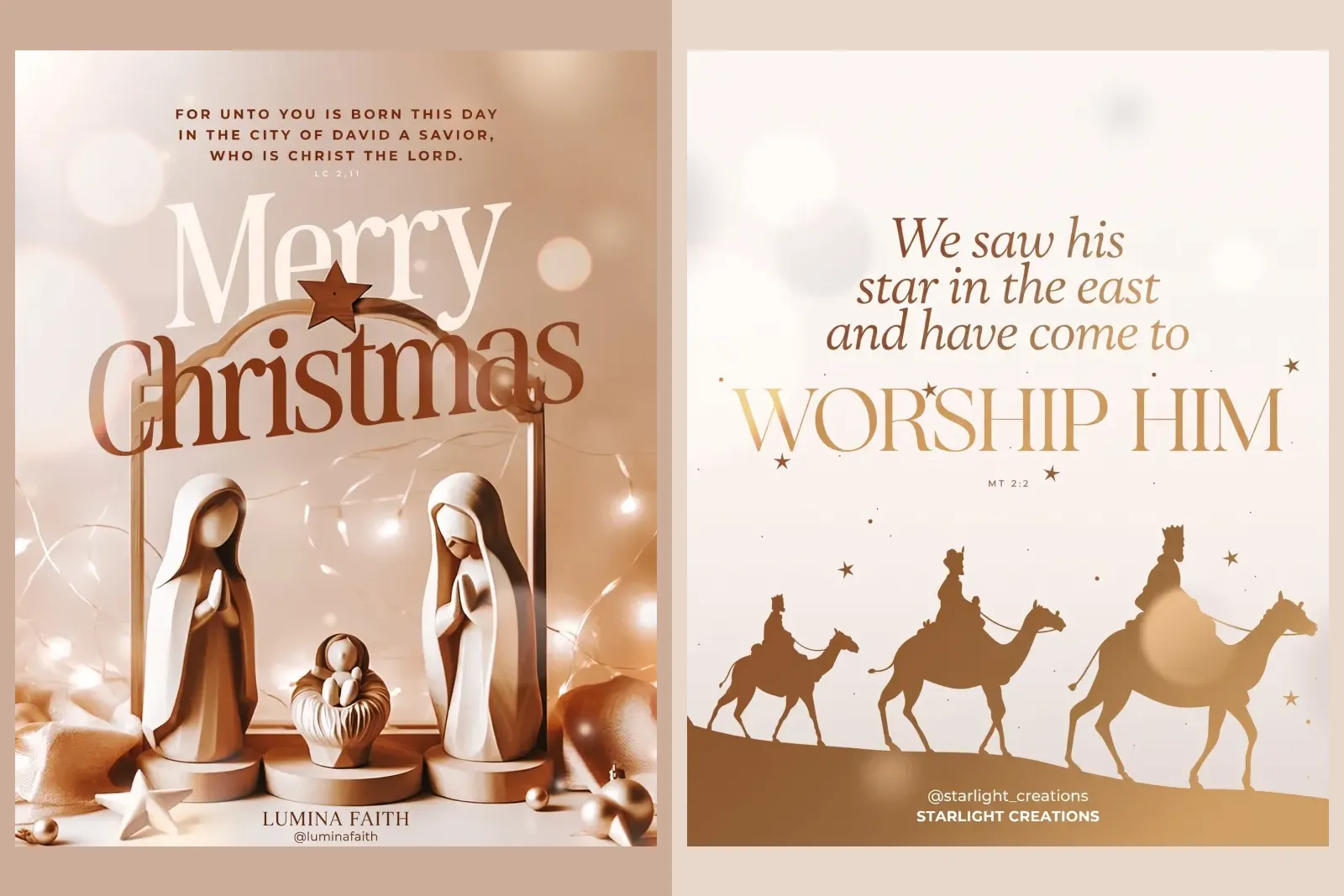
Post one if you want to; just do not let it be the only one. The easiest fix is to put the hours on it: Merry Christmas, closed 25 and 26 December, back on the 27th. Your followers get the greeting and the answer in one post. If your customers keep Christmas as a religious holiday, a quieter greeting that says so is fine too, and that is a choice about your audience rather than about reach.
What should you skip?
The giveaway. Most Christmas lists recommend a contest. If you run one, Instagram puts the whole thing on you, and it bans one trick some contests use:
You must not inaccurately tag content or encourage users to inaccurately tag content (e.g. don't encourage people to tag themselves in photos if they aren't in the photo).
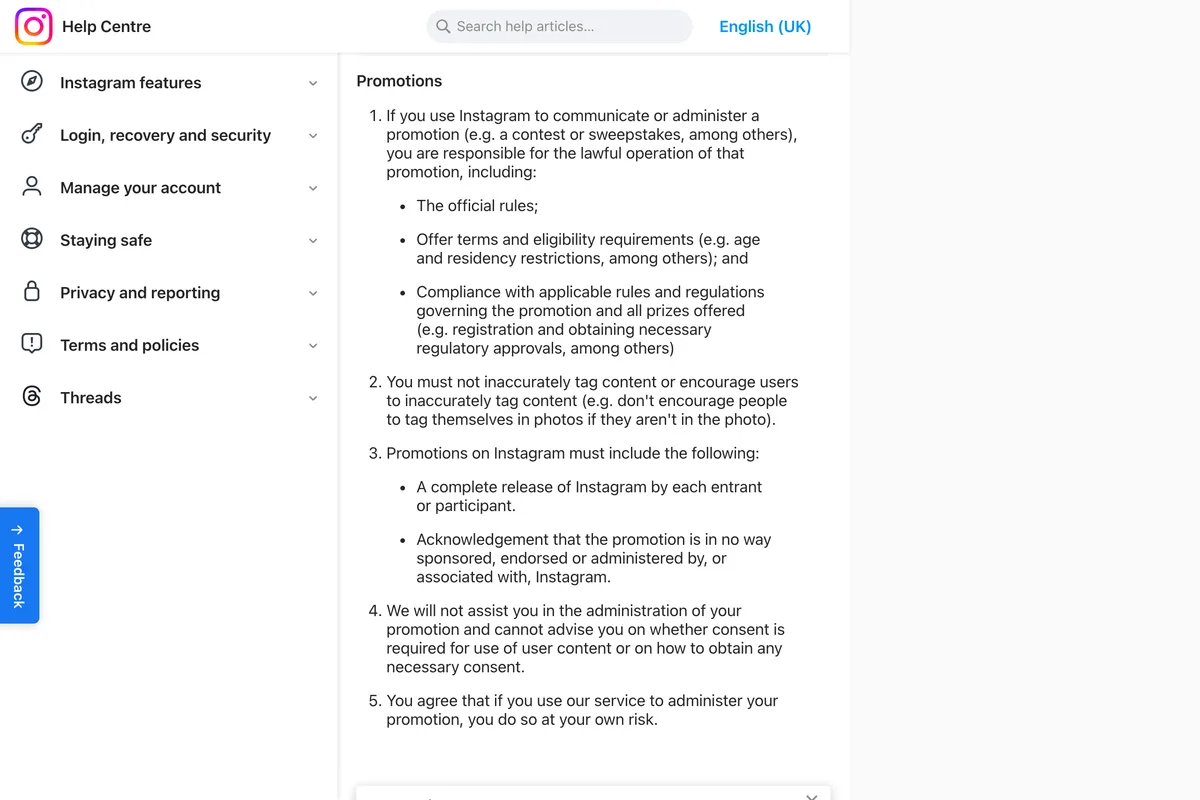
The same page says a promotion needs official rules, eligibility terms, a release of Instagram by every entrant, and a line saying Instagram does not sponsor it. For a small business that is a lot of paperwork for followers who came for a free hamper. A gift card post (number 3) costs less and sells something.
A wall of Christmas hashtags. We looked at what hashtags still do in do hashtags still work; a few relevant ones are fine, twenty is noise. Trivia and quote cards fill a calendar and answer nobody's question. Dates without weekdays: one wrong pair, and somebody turns up on the wrong day.
Where else should your Christmas hours go?
On Google, because that is where many people check whether a shop is open. Your Instagram post reaches your followers; your Google Business Profile reaches everyone who searches your name or looks at Maps. Google calls this special hours:
You can set special hours if your business temporarily adjusts its hours of operation or remains closed for up to 6 days in a row.
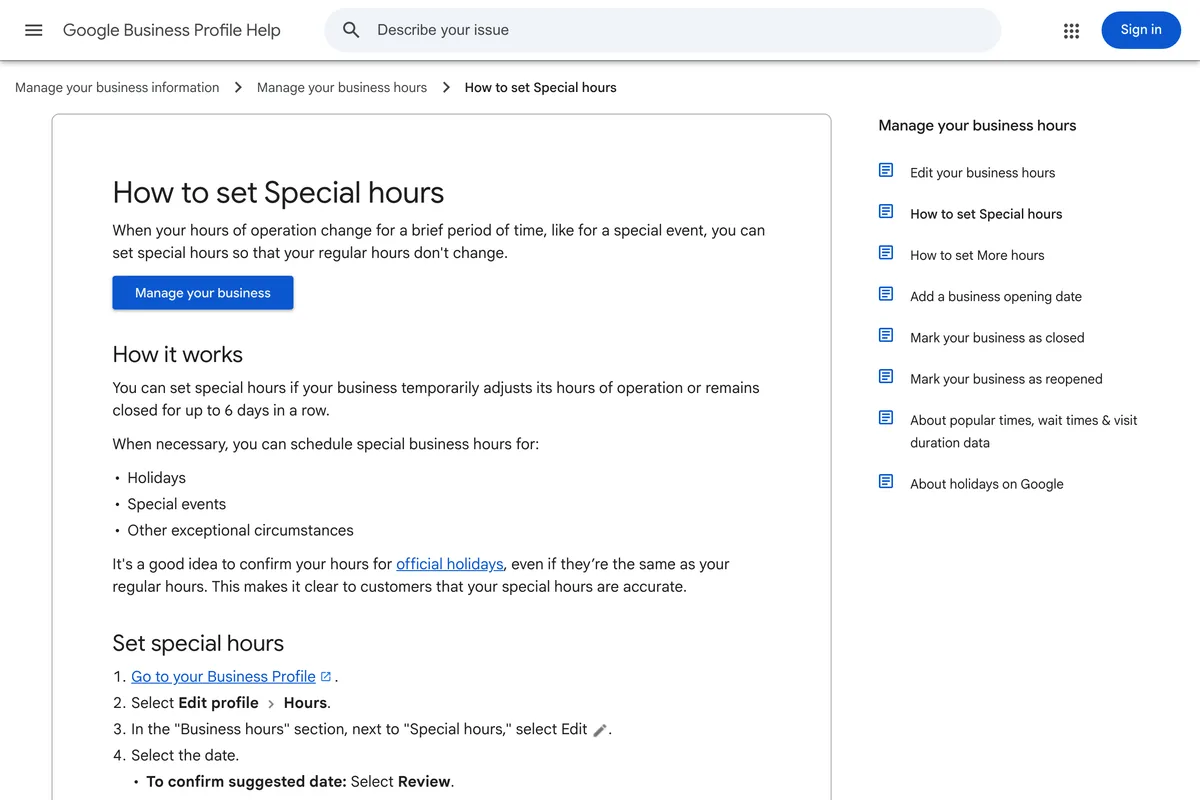
Google also suggests confirming your hours for official holidays even when they do not change, so customers can see they are accurate. Note the limit in that sentence: special hours cover a closure of up to 6 days in a row, so if you close for longer, check how it shows on your profile before the holidays start. Do the Facebook Page hours while you are at it, and make sure all three places say the same thing.
When should you schedule them?
Now, but not all of them yet. Instagram's own help page sets the limit:
You can schedule up to 25 posts a day, up to 30 days in advance.
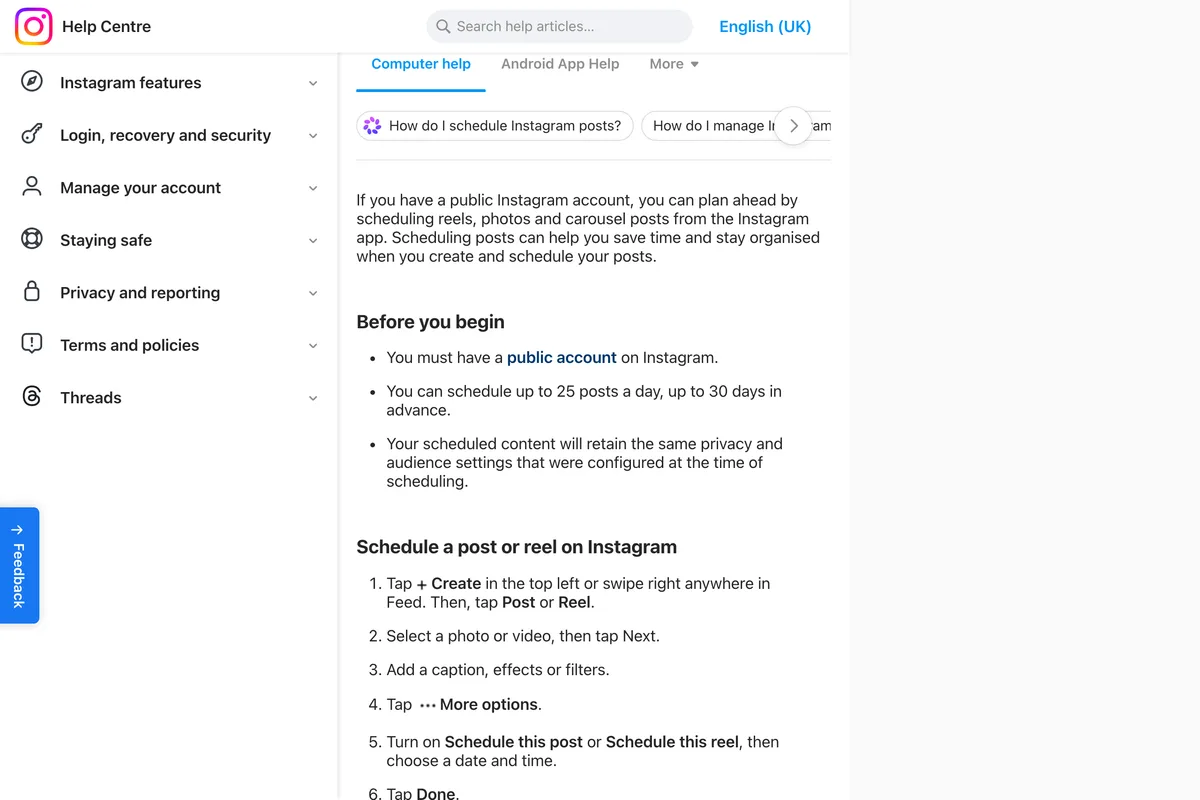
Thirty days means a post for Christmas Eve can be scheduled from 24 November, and a New Year's Day post from 2 December. Many guides still say 75 days, as we found when we wrote about scheduling; Instagram's page says 30. If the schedule option is missing, why you can't schedule Instagram posts covers the usual reasons, and how to see scheduled posts on Instagram shows where they go once they are queued.
What other Christmas post lists get right and wrong
We read four guides that rank for this search in full. They are not wrong about Christmas; they are written for brands with a following to entertain, and a small business needs something else first.
| Guide | Hours or deadlines? | Where | 2026 dates? |
|---|---|---|---|
| LOCALiQ | Yes, one item on hours updates | 17th of 19 ideas, after greetings, hashtags, trivia and contests | No |
| Ripl | Yes, a shipping deadline section | 5th of 6 template sections; the page says updated 1 December 2022 | No |
| Viraly | No | Giveaways and countdowns throughout | No |
| Clickworker | No | Examples are Starbucks and McDonald's campaigns | No |
Frequently asked questions
What should a small business post for Christmas?
Start with three posts: your Christmas hours as one row per date, the last day to order for delivery before Christmas, and a gift card post for people who miss that date. Add a greeting if you want, ideally with the hours on it.
What is the last day to ship for Christmas 2026?
USPS recommends Thursday 17 December for Ground Advantage and First-Class Mail, Friday 18 December for Priority Mail and Saturday 19 December for Priority Mail Express, for delivery before 25 December in the lower 48 states. They are recommendations, not guarantees.
What day is Christmas 2026?
Friday 25 December 2026. Christmas Eve is Thursday the 24th, New Year's Eve is Thursday the 31st and New Year's Day is Friday 1 January 2027.
When is Small Business Saturday 2026?
Saturday 28 November 2026, the Saturday after Thanksgiving.
How far ahead can I schedule Christmas posts on Instagram?
Up to 30 days ahead and up to 25 posts a day, according to Instagram's help page as of 3 November 2026. A post for Christmas Eve can be scheduled from 24 November.
Should I run a Christmas giveaway on Instagram?
Only if you are ready to run it properly. Instagram's promotion guidelines make you responsible for official rules, eligibility and legal compliance, require a release of Instagram by every entrant, and forbid asking people to tag themselves in photos they are not in.
How we researched this
- The count of what Christmas posts say comes from Behance. On 3 November 2026 we searched Behance for four phrases (christmas instagram post, christmas social media post, holiday social media, christmas post design), sorted by most appreciated, and kept the 18 decks that were about Christmas or the New Year and did not lean on a real brand. That left 46 post-shaped frames, and we sorted each one by what it tells a customer. We counted on our English redraws of those frames, since several decks were in Portuguese; a redraw translates the words and keeps the layout, so a date or an opening time would have survived it. It is one sample from one site, chosen by designers' votes rather than by what businesses actually published, so read the split as a picture of the habit, not a measurement of Instagram.
- Every post shown on this page is from our gallery: Behance designs redrawn by our image model in English under invented brand names, the same pipeline as the rest of the gallery. Nine of the 46 are now in the gallery after an eye check on 3 November 2026; the others were dropped for typos, placeholder phone numbers and addresses, or a product that looked too much like a real one. One exception is labelled in the body: the Christmas hours table is an output from our own Gemini prompt tests, not a Behance design.
- The dates come from the pages that set them, read and photographed on 3 November 2026: the USPS 2026 holiday shipping page, Google's Business Profile help on special hours, and Instagram's help pages on scheduling and on promotions. The Instagram promotions page was read and photographed in UK English, and we quote that version; the US page says "example:" where the UK page says "e.g.". Small Business Saturday's date is the Saturday after Thanksgiving; American Express runs it, and its Small Business Saturday page returned Page Not Found when we looked, so that date is our calculation.
- We also read four of the guides that rank for Christmas social media posts (LOCALiQ, Ripl, Viraly and Clickworker) in full on 3 November 2026. What they get right and wrong is in the section on other lists.
- We did not run a new image test for this article. The one prompt quoted here was tested once in our poster article, and one run is a sample of one.
Sources
- 12026 Holiday Shipping Deadlines
- 2How to set Special hours
- 3Promotion Guidelines
- 4Create and manage scheduled posts and reels on Instagram
- 5Search results for christmas social media post, sorted by most appreciated
- 637 Merry Christmas Social Media Posts, AI Prompts, & Templates
- 729 Christmas social media post ideas
- 8Christmas Post Ideas for Social Media: Instagram, Facebook & YouTube
- 9Christmas Social Media Posts for Business: Ideas and Examples